GE
In Stock OK
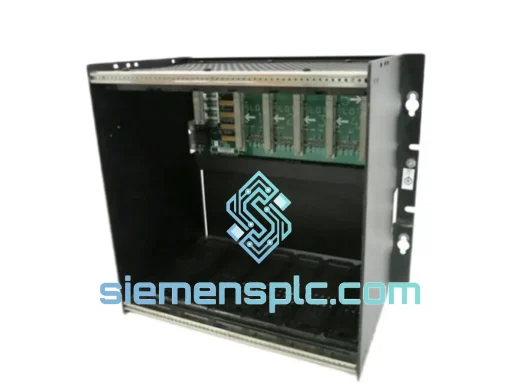
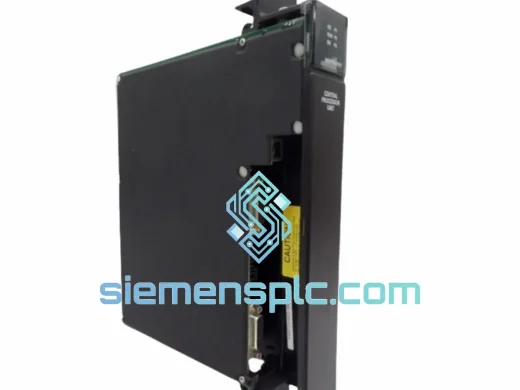
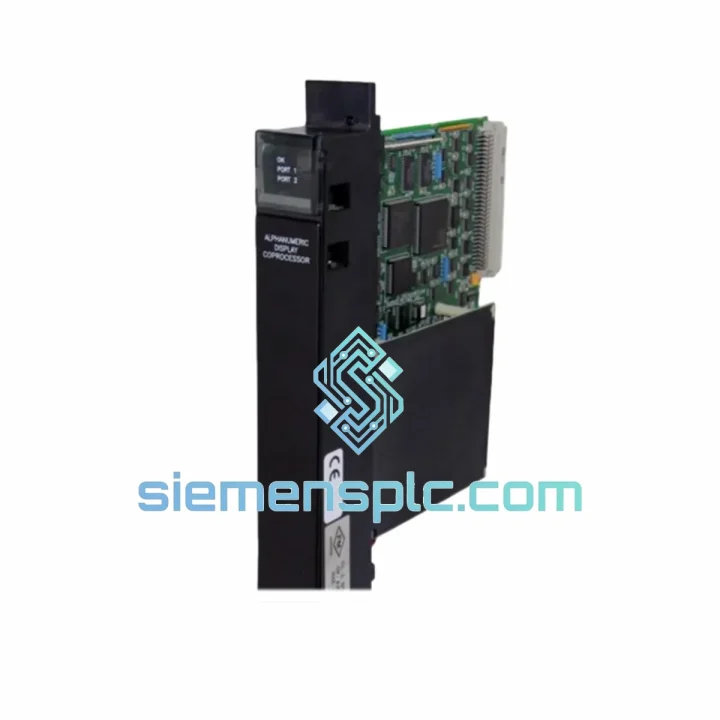
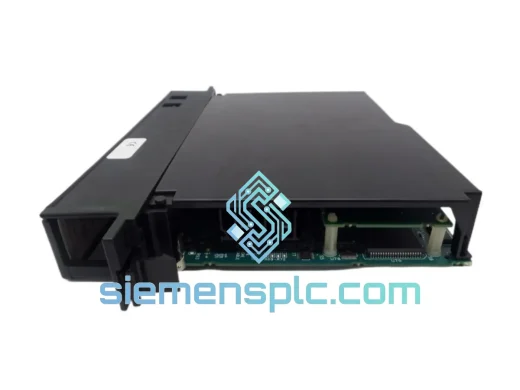
GE IC697CPU788 PLC CPU Module
Request verified availability, condition, replacement risk review, packing options and courier lead time for IC697CPU788.
BrandGE
Part NumberIC697CPU788
ConditionAvailability Check
Lead TimeRFQ Confirmation
DocumentsDatasheet / photos by RFQ
ShippingExport packing available
Auto-filled RFQ
IC697CPU788
Click Request Quote and the part number is inserted into the inquiry form automatically.
- Reply by email: [email protected]
- WhatsApp / Tel: +86 18359268345
- Mon-Sat 9:00-18:00 GMT+8
Procurement Data
Key Product Information
Core fields for model confirmation and RFQ routing. Detailed product narrative remains below.
- Brand
- GE
- Primary Part Number
- IC697CPU788
- Product Type
- PLC CPU Module
- Series / Family
- 90-70
- Manufacturer
- GE (General Electric Automation)
- Country of Origin
- US
- Catalog Category
- PLCs & Controllers
- Operating Temp.
- 0 °C to 60 °C
- Humidity
- 5% – 95% RH, non-condensing
Model confirmed for inquiry
IC697CPU788
Send quantity, destination and urgency. The RFQ form keeps this part number attached.
Request Quote
Product Overview
IC697CPU788 — Every Hour of Downtime Costs More Than This Module
Your Series 90-70 rack is dark. The IC697CPU788 CPU has failed, and your production line is standing still. You have already checked the obvious — power supply is good, backplane is seated, I/O modules are lit. The CPU is the problem. You need a replacement now, not in six weeks.
We stock verified GE IC697CPU788 units in Xiamen. Orders placed before 14:00 CST ship same day via DHL Express. From our warehouse to your panel, typically 1–3 business days to Europe, North America, and Southeast Asia. No OEM lead times. No broker markups. A tested CPU in your hands before your next shift starts.
URGENT REQUIREMENT? Contact: [email protected] | WhatsApp: +86 18359268345
Quick Technical Datasheet
| Parameter | Specification |
|---|---|
| Part Number | IC697CPU788 |
| Manufacturer | GE (General Electric Automation) |
| Platform | Series 90-70 PLC |
| Module Type | Central Processing Unit (CPU) |
| User Program Memory | 512 KB |
| Data Memory | 512 KB battery-backed RAM |
| Boolean Scan Speed | ~0.3 ms per 1K logic |
| Serial Port | RS-232 (SNP / SNPX protocol) |
| Ethernet | Via optional CMM module (IC697CMM711 / 742) |
| Backplane Compatibility | IC697CHS750 / CHS782 / CHS790 |
| Supply Voltage | 5 VDC from backplane (~2.5 A draw) |
| Operating Temperature | 0 °C to 60 °C |
| Humidity | 5% – 95% RH, non-condensing |
| Battery Type | Lithium coin cell (CR2032 compatible) |
| Certifications | UL, CE |
| Weight | ~1,450 g |
| Stock Status | ✅ Ready to Ship — Xiamen Warehouse |
Troubleshooting & Replacement Tips
Ten years of field calls on Series 90-70 systems teaches you the failure patterns. Before you condemn the CPU, run through this checklist — and when you are certain it is the IC697CPU788, here is how to swap it without creating a second problem.
Fault Diagnosis — What the LEDs Are Telling You:
- CPU FAULT LED solid red, no comms: Internal watchdog has tripped. Most common cause is corrupted battery-backed RAM, usually from a dead battery or a power interruption during a write cycle. Remove the battery, wait 45 seconds for capacitors to discharge, reseat. If the fault clears on cold boot but returns, the RAM is failing — replace the CPU.
- CPU FAULT LED flashing red: Configuration mismatch. The CPU has detected I/O modules in the rack that do not match the stored hardware configuration. This happens when a module is swapped without updating the config in Proficy Machine Edition. Go online, force a hardware scan, accept the new config, and save to flash.
- No response on SNP port: Verify baud rate (19200 default), parity (none), stop bits (1). Confirm cable is null-modem wired — pin 2 and 3 crossed. A CPU in Stop/Fault mode will not respond to programmer connection attempts; you must clear the fault via the keyswitch before establishing comms.
- Intermittent I/O scan faults, CPU appears healthy: Do not replace the CPU yet. Check the IC697PWR711 or IC697PWR724 power supply output under full rack load — capacitor aging in 10+ year-old supplies causes voltage sag that manifests as random CPU faults. Measure 5 VDC at the backplane connector under load before pulling the CPU.
- Memory parity error on startup: Battery is dead and program memory is corrupted. The IC697CPU788 cannot retain program data without a live battery. If the battery has been dead for more than a few hours, the program is gone. You will need to reload from your last backup before the unit will run.
Replacement Procedure — Field Checklist:
- ☐ If the failed CPU still communicates, upload the current program to your laptop via Proficy Machine Edition before pulling power. Do not assume your backup is current.
- ☐ Record the firmware revision printed on the CPU label. Your replacement must match or exceed this revision. Downgrading firmware on a Series 90-70 CPU is not supported and will cause configuration errors.
- ☐ Set the keyswitch to STOP. Power down the entire rack — the IC697CPU788 is not hot-swappable. Attempting a live swap will corrupt the backplane bus and may damage adjacent modules.
- ☐ Seat the replacement CPU with firm, even pressure. The 96-pin DIN backplane connector requires deliberate force. A half-seated CPU will power on and appear to function but will generate intermittent I/O faults under vibration.
- ☐ Install a fresh CR2032 lithium cell before first power-on. Do not power up with a dead or missing battery — the CPU will boot but will not retain program memory through the next power cycle.
- ☐ Download the program from your backup. Set keyswitch to RUN. Verify I/O scan is active, all modules are recognized, and comms are established before returning the system to operations.
- ☐ If the replacement CPU has a newer firmware revision than the failed unit, test all function blocks and structured text routines for behavioral differences before going live. Firmware Rev 8.xx and above introduced changes to floating-point handling that can affect legacy programs.
Addressing and Configuration Notes: The IC697CPU788 does not use DIP switches or rotary address selectors — slot position in the rack is fixed (slot 1, leftmost position). No address configuration is required. The CPU automatically scans the backplane and builds its I/O map on first power-up. If you are replacing a CPU with a different firmware revision, perform a full hardware configuration scan in Proficy ME and verify the I/O map matches your physical rack before enabling outputs.
Reliability in Harsh Conditions
The Series 90-70 platform was designed for continuous industrial duty, and the IC697CPU788 reflects that engineering philosophy. The PCB is conformally coated to resist moisture ingress — a critical feature in coastal facilities, paper mills, chemical plants, and food processing environments where humidity fluctuates significantly between seasons and shifts.
The backplane connector uses gold-plated contacts to maintain signal integrity through years of thermal cycling. In environments where ambient temperature swings between cold startups and full-load operating heat, oxidized contacts are a leading cause of intermittent faults. Gold plating eliminates that failure mode.
Vibration performance meets IEC 60068-2-6 test profiles, qualifying the module for installation near compressors, hydraulic presses, stamping equipment, and other high-vibration machinery without requiring additional isolation hardware. The operating temperature range of 0 °C to 60 °C covers the full spectrum of industrial panel environments from unheated outdoor enclosures in temperate climates to hot process areas near furnaces and dryers.
Every unit we ship is bench-tested before dispatch: powered on, program loaded, I/O scan verified, serial comms confirmed. Units that do not pass the bench protocol are quarantined and not offered for sale. You are not buying untested surplus — you are buying a verified replacement.
Global Express Logistics
Our warehouse is in Xiamen, Fujian — one of China’s primary export hubs with direct daily flights to DHL and FedEx international gateways. For orders placed before 14:00 CST, same-day dispatch is standard practice, not a premium option.
- DHL Express Worldwide: 1–3 business days to most of Europe, North America, the Middle East, and Southeast Asia. Real-time tracking from pickup to delivery.
- FedEx International Priority: 2–4 business days with proactive exception management. We monitor every shipment and contact you immediately if a delay is flagged.
- Export Documentation: Commercial invoice, packing list, and HS code declaration (HS 8537.10) are prepared for every shipment. We handle export customs clearance on the China side. Import duties and clearance on the destination side are the buyer’s responsibility — contact us if you need guidance on import requirements for your country.
- Packaging Standard: Anti-static bag, foam-lined double-wall carton, fragile and orientation labeling. The IC697CPU788 arrives ready to install, not requiring inspection for transit damage.
- AWB Notification: Airway bill number sent to your email within 2 hours of dispatch. Tracking link included.
We have shipped industrial automation components to over 60 countries. If your destination has specific import controls — dual-use regulations, import licenses, or restricted commodity requirements — contact us before placing the order and we will advise on the correct documentation approach.
Contact Information
Need a quote, lead time confirmation, or technical pre-sales advice before committing to an order? Reach our team directly — we respond within 2 business hours.
- 📧 Email: [email protected]
- 💬 WhatsApp: +86 18359268345
- 🌐 Web: siemensplc.com
© 2026 siemensplc.com. All rights reserved.
Ready to quote
[email protected]
Send This Part Number to Sales
RFQ workflow
Quality workflow ->
Confirmation Process
01Model confirmation
We check the full part number, brand, series and visible nameplate information before quotation.
02Availability reply
Sales confirms stock path, condition option, quantity and realistic lead time for export dispatch.
03Packing & courier
DHL, FedEx, UPS or buyer courier arrangements can be reviewed with packing requirements.
Continue sourcing
Browse full catalog ->
Related Automation Parts
Similar brand or category products for fast comparison and multi-item RFQ lists.
GE
RFQ Ready
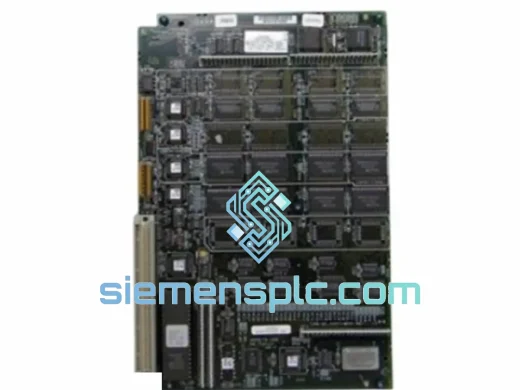
GE IC697CPM915 PLC Coprocessor Module – Series 90-70
90-70
Origin US
PLC Coprocessor Module