

Siemens
In Stock OK
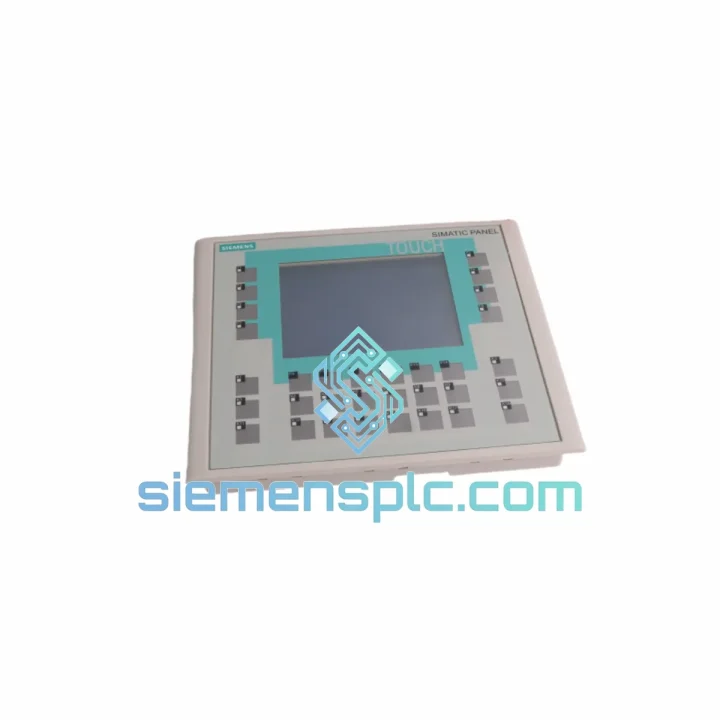
Siemens 6AV6642-0DC01-1AX0 HMI Touch Panel
Request verified availability, condition, replacement risk review, packing options and courier lead time for 6AV6642-0DC01-1AX0.
BrandSiemens
Part Number6AV6642-0DC01-1AX0
ConditionAvailability Check
Lead TimeRFQ Confirmation
DocumentsDatasheet / photos by RFQ
ShippingExport packing available
Auto-filled RFQ
6AV6642-0DC01-1AX0
Click Request Quote and the part number is inserted into the inquiry form automatically.
- Reply by email: [email protected]
- WhatsApp / Tel: +86 18359268345
- Mon-Sat 9:00-18:00 GMT+8
Procurement Data
Key Product Information
Core fields for model confirmation and RFQ routing. Detailed product narrative remains below.
- Brand
- Siemens
- Primary Part Number
- 6AV6642-0DC01-1AX0
- Product Type
- HMI Touch Panel
- Series / Family
- WinCC
- Manufacturer
- Siemens AG
- Country of Origin
- DE
- Catalog Category
- HMI Panels
- Operating Temp.
- 0 °C to +50 °C (horizontal mount)
- Warranty
- 12 months
Model confirmed for inquiry
6AV6642-0DC01-1AX0
Send quantity, destination and urgency. The RFQ form keeps this part number attached.
Request Quote
Product Overview
Siemens 6AV6642-0DC01-1AX0 TP177B — Stop the Clock on Your Downtime
A failed HMI panel on a live production line is not a maintenance ticket — it is a financial hemorrhage. With the Siemens 6AV6642-0DC01-1AX0 TP177B out of service, operators are blind: no alarm acknowledgment, no process parameter visibility, no manual override capability. In automotive, chemical, or food processing environments, that translates to thousands of dollars per hour in lost throughput, plus the compounding risk of an uncontrolled process state.
We stock the 6AV6642-0DC01-1AX0 precisely for this scenario. Units are pre-inspected, powered-on tested, and ready to ship from Xiamen, China via DHL Express or FedEx International Priority. Most destinations in Southeast Asia receive delivery within 2–3 business days; Europe and North America within 3–5. If your line is down, contact us now — we move fast.
URGENT REQUIREMENT? Contact: [email protected] | WhatsApp: +86 18359268345
Quick Technical Datasheet
| Parameter | Specification |
|---|---|
| Part Number / SKU | 6AV6642-0DC01-1AX0 |
| Series | SIMATIC HMI TP177B |
| Manufacturer | Siemens AG |
| Country of Origin | Germany |
| Display | 6.0″ TFT Color LCD, 256 colors |
| Resolution | 320 × 240 px (QVGA) |
| Touch Technology | Analog resistive |
| Processor | 32-bit RISC |
| User Memory | 512 KB configuration memory |
| Communication Ports | MPI / PROFIBUS-DP (RS-485), RS-232 |
| Operating System | Windows CE 5.0 |
| Engineering Software | WinCC flexible 2005 SP1+, TIA Portal (migration) |
| Supply Voltage | 24 V DC (20.4–28.8 V) |
| Power Consumption | ≤ 7 W |
| Operating Temperature | 0 °C to +50 °C (horizontal mount) |
| Storage Temperature | −20 °C to +60 °C |
| Front Panel Protection | IP65 |
| Rear Housing Protection | IP20 |
| Dimensions (W × H × D) | 196 × 146 × 52 mm |
| Panel Cutout | 188 × 138 mm |
| Weight | Approx. 900 g |
| Certifications | CE, UL, cULus, FM |
| Warranty | 12 months |
| Stock Status | ✅ Ready to Ship |
Troubleshooting & Replacement Tips
Step 1 — Back up the project before you touch anything. If the panel still powers on (even partially), connect via WinCC flexible and upload the existing project to your engineering PC. The 6AV6642-0DC01-1AX0 stores the project in internal flash; a replacement unit ships blank. Skipping this step means rebuilding the HMI project from scratch — or hunting for a backup that may not exist.
Step 2 — Verify the MPI/PROFIBUS node address. The TP177B stores its bus address in non-volatile memory. On the replacement unit, navigate to Control Panel → Transfer → MPI/PROFIBUS and set the address to match the original (default is 1, but most installations use a custom address to avoid conflicts with the PLC CPU). A node address mismatch will result in the panel sitting at the “Connecting…” screen indefinitely — this is the single most common commissioning error on TP177B replacements.
Step 3 — Check the baud rate setting. The MPI bus baud rate must match the PLC network exactly. S7-300 networks typically run at 187.5 kbps; some older S7-200 installations use 9.6 kbps. Mismatched baud rate produces the same symptom as a wrong node address: no communication. Set via Control Panel → Transfer → MPI/PROFIBUS → Properties.
Step 4 — Transfer the project. Use the PC/MPI adapter (6ES7901-0BF00-0AA0) or a USB-to-MPI cable. In WinCC flexible, select Transfer → Transfer Settings, choose MPI/PROFIBUS, set the correct baud rate, and initiate transfer. The panel must be in Transfer mode (tap the screen during boot or set via Control Panel). Transfer time for a typical TP177B project is 2–5 minutes.
Step 5 — Validate alarm and tag connections. After the project loads, cycle through all screen pages and verify tag values are updating. Check that alarm classes are triggering correctly. If tags show “???” or “####”, the PLC DB/address mapping has shifted — compare the original project’s tag table against the current PLC symbol table.
Common fault codes and their field interpretation:
- “No connection to PLC” — 90% of cases: wrong MPI address or baud rate. 10%: faulty cable or damaged RS-485 termination resistor on the bus.
- “Overflow” on numeric display fields — Data type mismatch between HMI tag (INT) and PLC variable (DINT). Correct in WinCC flexible tag editor.
- Touch calibration drift — Run Control Panel → OP → Calibrate Touch Screen. If drift recurs after calibration, the resistive touch layer is worn and the panel requires physical replacement — which is exactly what you are doing now.
- Backlight failure (black screen, unit still responds to touch) — CCFL backlight has reached end of life (~50,000 hours). The 6AV6642-0DC01-1AX0 backlight is not field-replaceable; full panel swap is required.
- “Runtime error 0x0000” on boot — Corrupted project in flash memory. Perform a factory reset via Control Panel → OP → Reset to Factory Settings, then re-transfer the project.
Firmware note: The TP177B ships with a fixed firmware version tied to the hardware revision. Do not attempt to flash firmware from a different hardware revision — this will brick the panel. Confirm the hardware revision (printed on the rear label, e.g., “A5E00297636”) matches your engineering documentation before ordering if firmware version is a constraint in your installation.
Reliability in Harsh Conditions
The TP177B platform was designed to operate continuously in environments that would degrade consumer-grade electronics within weeks. The front panel achieves IP65 ingress protection — fully sealed against dust and sustained water jets, which qualifies it for washdown zones in food processing and pharmaceutical cleanrooms without additional enclosure protection.
Vibration resistance is rated to 10–58 Hz at 0.075 mm amplitude and 58–150 Hz at 9.8 m/s², covering the frequency range generated by most industrial machinery including compressors, presses, and conveyor drives. Shock resistance is validated at 147 m/s² in three axes — sufficient for panel-mount installations on mobile equipment and rail-mounted control cabinets subject to coupling impacts.
The operating temperature range of 0 °C to +50 °C (horizontal) accommodates the thermal envelope of most industrial control cabinets without forced cooling, provided the cabinet is properly sized. The analog resistive touch technology maintains consistent response across the full temperature range — unlike capacitive panels, which exhibit sensitivity drift at temperature extremes.
The 32-bit RISC processor and Windows CE 5.0 runtime are deterministic under sustained load. Unlike PC-based HMI platforms, there is no background OS activity, no antivirus overhead, and no Windows Update interference — the panel executes its scan cycle with consistent timing regardless of screen complexity or alarm queue depth.
EMC compliance is certified to EN 61000-6-2 (industrial immunity) and EN 61000-6-4 (industrial emissions), covering conducted and radiated interference from variable frequency drives, contactors, and welding equipment — the most common EMC aggressors in the environments where this panel is deployed.
Global Express Logistics
Our warehouse is located in Xiamen, China (XMN), with direct access to DHL Express and FedEx International Priority services. Both carriers operate daily flights from Xiamen Gaoqi International Airport, connecting to major hubs in Hong Kong, Singapore, Dubai, Frankfurt, and Memphis.
Typical transit times from Xiamen:
- Southeast Asia (SG, MY, TH, VN, ID): 2–3 business days via DHL Express
- South Korea, Japan: 2–3 business days
- Middle East (AE, SA, QA): 3–4 business days
- Europe (DE, NL, FR, UK, PL): 3–5 business days via FedEx IP or DHL Express
- North America (US, CA, MX): 3–5 business days
- Australia, New Zealand: 3–4 business days
Every shipment includes a full commercial invoice, packing list, and certificate of origin for customs clearance. HS Code 8537.10 applies to this product. For customers in the EU, we can provide EUR.1 movement certificates upon request. For US imports, we provide HTS classification documentation to support your customs broker.
All units are packed in anti-static ESD bags, surrounded by high-density polyethylene foam, and placed in double-wall corrugated outer cartons rated for international air freight handling. The packaging is designed to survive the 1.0-meter drop test per ISTA 1A — the standard applied by DHL and FedEx for fragile electronics.
For urgent orders placed before 14:00 CST, same-day dispatch is available. Contact us via WhatsApp for real-time stock confirmation and shipping cut-off coordination.
Contact Information
Email: [email protected]
WhatsApp: +86 18359268345
Web: siemensplc.com
Location: Xiamen, China
© 2026 siemensplc.com. All rights reserved.
Ready to quote
[email protected]
Send This Part Number to Sales
RFQ workflow
Quality workflow ->
Confirmation Process
01Model confirmation
We check the full part number, brand, series and visible nameplate information before quotation.
02Availability reply
Sales confirms stock path, condition option, quantity and realistic lead time for export dispatch.
03Packing & courier
DHL, FedEx, UPS or buyer courier arrangements can be reviewed with packing requirements.
Continue sourcing
Browse full catalog ->
Related Automation Parts
Similar brand or category products for fast comparison and multi-item RFQ lists.
Siemens
RFQ Ready
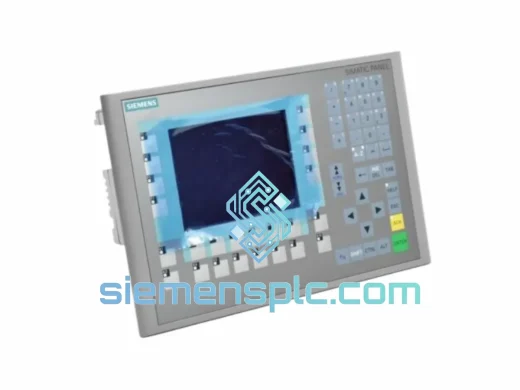
Siemens 6AV6643-0CD01-1AX1 HMI Operator Panel – SIMATIC OP 177B
WinCC
Origin DE
HMI Operator Panel
Siemens
RFQ Ready
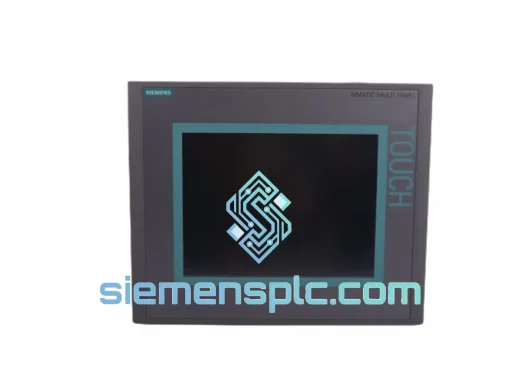
Siemens 6AV6643-0BA01-1AX0 HMI Operator Panel – SIMATIC TP 177B
WinCC
Origin DE
HMI Operator Panel