Fanuc
RFQ Ready
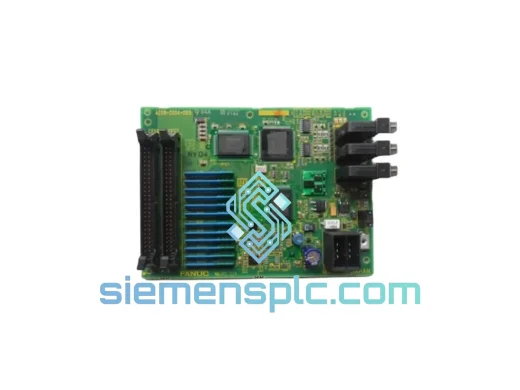
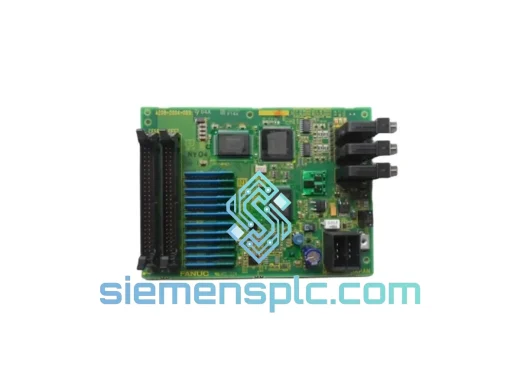
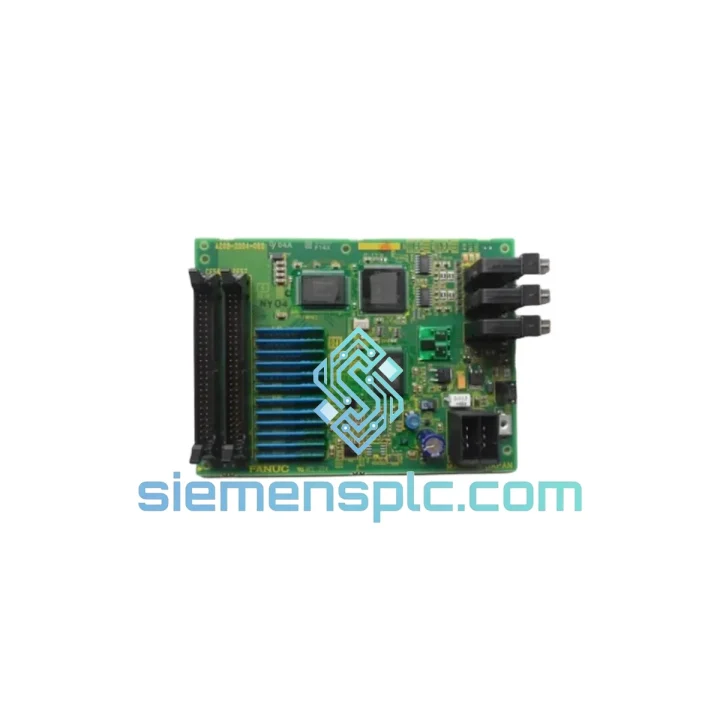
FANUC A20B-2004-038 Printed Circuit Board
Precision Control
Origin JP
Printed Circuit Board
Request verified availability, condition, replacement risk review, packing options and courier lead time for A05B-2400-C060.
Click Request Quote and the part number is inserted into the inquiry form automatically.
Core fields for model confirmation and RFQ routing. Detailed product narrative remains below.
Your arc welding cell is stopped. The M-410iB/140H is throwing a pendant communication fault. Your production supervisor is on the phone. You’ve already checked the cable, rebooted the R-30iB controller twice, and the iPendant still won’t initialize. You need a verified, original FANUC A05B-2400-C060 in your hands — not in three weeks, not “subject to availability.” Now.
We stock the FANUC A05B-2400-C060 Arc Welding Teach Pendant at our Xiamen warehouse. Orders confirmed before 14:00 CST ship the same business day via DHL Express or FedEx International Priority. No substitutes. No grey-market units. Factory-sealed, serial-number traceable, ready to drop into your R-30iB or R-30iB Plus controller without a firmware fight.
URGENT REQUIREMENT? Contact: [email protected] | WhatsApp: +86 18359268345
| Parameter | Specification |
|---|---|
| Part Number | A05B-2400-C060 ✅ Ready to Ship |
| Cross Reference | A05-2518-202EAW / 18-0898320N-169 |
| Type | Arc Welding iPendant (Teach Pendant) |
| Compatible Robot | FANUC M-410iB/140H |
| Compatible Controller | R-30iB / R-30iB Plus |
| Software Compatibility | V7.x, V8.x, V9.x |
| Application | ARC WELDING (ArcTool) |
| Display | Color LCD with dedicated arc welding function keys |
| Cable Options | 7 m / 10 m / 15 m (specify at order) |
| Condition | New OEM / Certified Refurbished |
| Origin | Japan |
| Stock Location | Xiamen, China — Ships Globally |
| Lead Time | Same-day dispatch (order before 14:00 CST) |
After ten years of field calls, these are the failure patterns that actually bring down an A05B-2400-C060 — and what to check before you condemn the pendant outright.
Fault Code SRVO-037 / SRVO-038 — Pendant Communication Error: Nine times out of ten this is the cable, not the pendant. Inspect the 15-pin D-sub connector at the controller end for bent pins and corrosion. Swap the cable first. If the fault persists after cable swap, the pendant’s internal communication board has failed — replace the unit.
Blank or Frozen LCD: Usually a backlight inverter failure or a cracked ribbon cable inside the pendant housing. If the pendant still responds to key presses (you can hear the robot move) but the screen is dead, the LCD assembly has failed. Full pendant replacement is faster than sourcing the sub-assembly.
Touchscreen Drift / Unresponsive Keys: Accumulated weld spatter on the membrane keypad causes intermittent key registration. Clean with IPA and a soft brush. If the issue persists after cleaning, the membrane has been penetrated — replace the pendant.
Replacement Procedure — Key Steps:
Firmware Note: The A05B-2400-C060 does not carry its own firmware — it is a passive HMI device. Controller software version determines pendant behavior. If you are running V6.x on an R-30iA, this pendant is not supported. Contact us and we will identify the correct pendant for your controller revision.
Arc welding environments are among the most hostile in industrial automation. Weld spatter, UV radiation, electromagnetic interference from the welding power source, vibration from the robot arm, and ambient temperatures that regularly exceed 45°C — the A05B-2400-C060 is engineered to operate continuously in all of it.
The pendant housing is constructed from impact-resistant ABS with a rubberized overmold on the grip surfaces, providing both drop protection and operator comfort during extended programming sessions. The membrane keypad is sealed against spatter ingress. The LCD is protected by a hardened polycarbonate lens that resists scratching from weld debris.
FANUC validates the A05B-2400-C060 to IEC 61131-2 environmental standards: operating temperature range 0–55°C, storage range -20–70°C, humidity up to 95% non-condensing, and vibration resistance per IEC 60068-2-6. In automotive body shops where the pendant is in continuous use across three shifts, field service intervals typically exceed 36 months before any maintenance is required.
The internal electronics are conformal-coated to resist moisture and conductive contamination — a critical feature in humid coastal manufacturing environments and in facilities where coolant mist is present. EMI shielding on the communication cable interface prevents the welding arc from inducing noise into the pendant data line, which is a common cause of spurious communication faults on unshielded third-party alternatives.
Our Xiamen warehouse is located 12 km from Xiamen Gaoqi International Airport, one of China’s primary air cargo hubs with direct freighter connections to Frankfurt, Dubai, Chicago O’Hare, and Singapore Changi. This geography is not accidental — it is the reason we can offer genuine same-day dispatch to virtually any industrial facility on the planet.
Standard Express Routing: Orders confirmed before 14:00 CST are packed, documented, and handed to DHL Express or FedEx International Priority the same afternoon. Transit times: Europe 2–3 business days, North America 3–4 business days, Southeast Asia 1–2 business days, Middle East 2–3 business days, Australia 3–4 business days.
Documentation Package: Every shipment includes a commercial invoice with accurate HS code (8537.10), packing list, certificate of conformance, and — for units requiring it — an export license declaration. We handle all Chinese customs export formalities. Your import broker receives a complete documentation set 24 hours before the flight departs.
Tracking: A waybill number is emailed to you within 2 hours of dispatch. We monitor all shipments through to delivery and proactively contact you if a customs hold or weather delay occurs.
Emergency Freight: For genuine production emergencies, we can arrange hand-carry courier service from Xiamen to major industrial hubs in Europe and North America. Contact us on WhatsApp for a same-hour quote.
📧 Email: [email protected]
💬 WhatsApp: +86 18359268345
🌐 Web: siemensplc.com
© 2026 siemensplc.com. All rights reserved.
We check the full part number, brand, series and visible nameplate information before quotation.
Sales confirms stock path, condition option, quantity and realistic lead time for export dispatch.
DHL, FedEx, UPS or buyer courier arrangements can be reviewed with packing requirements.
Similar brand or category products for fast comparison and multi-item RFQ lists.