
ABB
In Stock OK
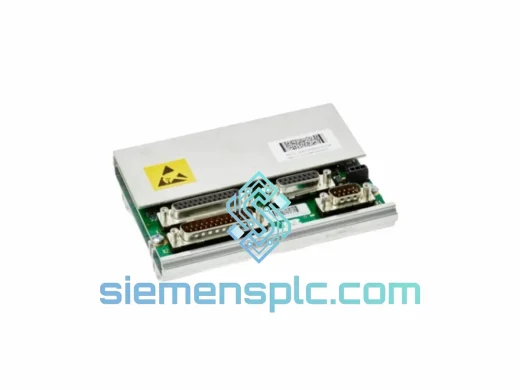
ABB DSQC 655 3HAC025562-001 IRC5 Controller Board
Request verified availability, condition, replacement risk review, packing options and courier lead time for 3HAC025562-001.
BrandABB
Part Number3HAC025562-001
ConditionAvailability Check
Lead TimeRFQ Confirmation
DocumentsDatasheet / photos by RFQ
ShippingExport packing available
Auto-filled RFQ
3HAC025562-001
Click Request Quote and the part number is inserted into the inquiry form automatically.
- Reply by email: [email protected]
- WhatsApp / Tel: +86 18359268345
- Mon-Sat 9:00-18:00 GMT+8
Procurement Data
Key Product Information
Core fields for model confirmation and RFQ routing. Detailed product narrative remains below.
- Brand
- ABB
- Primary Part Number
- 3HAC025562-001
- Product Type
- PLC & Robot Controller Module
- Series / Family
- IRC5
- Country of Origin
- SE
- Model Function
- IRC5 Main Computer Unit (MCU) — motion planning, I/O bus master, safety supervision
- Catalog Category
- Industrial Automation Spares
Model confirmed for inquiry
3HAC025562-001
Send quantity, destination and urgency. The RFQ form keeps this part number attached.
Request Quote
Product Overview
DSQC 655 (3HAC025562-001) Down? Your IRC5 Line Stops Costing You Money Every Minute — We Ship Today
You already know what a failed main computer board means on the floor: the entire robot cell is dark, the line is down, and every hour of delay is burning through your production schedule. The DSQC 655 — ABB part number 3HAC025562-001 — is the central MCU of the IRC5 controller. When it fails, nothing else matters until it’s replaced. We stock it. We ship it. Same day from Xiamen.
URGENT REQUIREMENT? Contact: [email protected] | WhatsApp: +86 18359268345
Quick Technical Datasheet
| Part Number | 3HAC025562-001 |
| Assembly Reference | DSQC 655 |
| Function | IRC5 Main Computer Unit (MCU) — motion planning, I/O bus master, safety supervision |
| Compatible Platforms | ABB IRC5 (standard & multi-cabinet), IRB6650S (3HAC021541-002), IRB1200 (3HAC059674-001) |
| Firmware | RobotWare 5.x / 6.x (build-revision dependent — confirm cabinet serial before ordering) |
| Supply Voltage | 24 VDC (via IRC5 internal power distribution) |
| Operating Temperature | 0 °C to +55 °C |
| Communication Interfaces | Ethernet (RJ45), USB, RS-232/RS-485, DeviceNet, EtherNet/IP |
| Weight | approx. 420 g |
| Origin | China (CN) — dispatched from Xiamen warehouse |
| Condition | New / Refurbished-Tested (specify at inquiry) |
| Stock Status | ✔ Ready to Ship — Same Day Dispatch Available |
Troubleshooting & Replacement Tips
After ten years of IRC5 field work, these are the failure patterns that actually show up on the DSQC 655 — and what to check before you pull the board:
Symptom 1 — Controller powers on but FlexPendant shows “No contact with controller”
This is the most common DSQC 655 failure mode. The MCU boots but the Ethernet stack fails to initialize. Before condemning the board, swap the RJ45 cable between the MCU and the axis computer (DSQC 668/673). If the fault persists across two known-good cables, the MCU’s NIC is gone. Replace the board.
Symptom 2 — Error 50024 / 50025 (Internal Computer Error)
These codes point directly at the MCU. They can appear after a power surge or a firmware update that was interrupted mid-flash. Attempt a cold restart (full power cycle, 30-second wait). If the error returns within one boot cycle, the board is not recoverable in the field. Order the replacement now — do not waste time on repeated reboots.
Symptom 3 — Intermittent axis faults with no mechanical cause
If you are seeing random axis errors (e.g., 38xxx series) that clear on restart but return under load, and the drive units and motor cables check out clean, suspect the MCU’s motion-interpolation processor. This is a slow-death failure mode — the board will eventually stop recovering. Plan the swap during the next scheduled maintenance window rather than waiting for a hard failure.
Replacement Procedure — Key Steps
- Step 1 — Backup first: Use RobotStudio or the FlexPendant to create a full system backup (including RobotWare license key and module files) before touching any hardware. The license is tied to the cabinet serial, not the board — but you need the backup to restore configuration after the swap.
- Step 2 — Record firmware version: Note the exact RobotWare build (e.g., 5.15.02.01) from the FlexPendant About screen. The replacement board must run the same build or be re-flashed before commissioning.
- Step 3 — ESD discipline: The DSQC 655 is highly sensitive to electrostatic discharge. Ground yourself to the cabinet chassis before handling. Do not place the board on unprotected surfaces.
- Step 4 — Connector sequence: Disconnect in order — Ethernet first, then USB, then the 24 VDC power connector. Reverse on installation. Torque the power connector screws to spec (do not overtighten — the PCB pads are fragile).
- Step 5 — Firmware match: If the replacement board ships with a different RobotWare build, use the RobotWare installation tool to re-flash before powering the cabinet. Mismatched firmware between MCU and axis computer will generate a cascade of 50xxx errors on first boot.
- Step 6 — Restore and verify: Load the system backup, run a warm-up cycle at reduced speed (10%), verify all axes reach their calibration positions, then release to full production speed.
Configuration Notes Specific to This SKU:
The DSQC 655 does not use DIP switches for address assignment — addressing is handled entirely in software via the RobotWare system parameters. However, if you are installing into an IRC5 multi-cabinet system, verify the cabinet ID assignment in the system parameters file before restoring the backup. A cabinet ID conflict will prevent the MCU from joining the multi-move network and will generate error 50056.
Reliability in Harsh Conditions
The IRC5 cabinet is designed for industrial environments, but the DSQC 655 still sees stress that consumer-grade electronics would not survive. In automotive body shops, the board operates continuously in ambient temperatures that regularly hit 45–50 °C, with vibration transmitted through the cabinet frame from nearby stamping presses. In foundry applications, the cabinet is exposed to fine metallic dust and humidity spikes when cooling water lines sweat in summer.
The DSQC 655 handles this because ABB engineered it with conformal coating on the PCB, industrial-grade capacitors rated for extended temperature cycling, and a watchdog circuit that forces a controlled shutdown rather than a corrupt memory state if supply voltage drops below threshold. The boards we supply — whether new or refurbished-tested — are inspected for coating integrity, capacitor condition, and connector contact resistance before dispatch. A board that passes our bench test has demonstrated it can handle the thermal and electrical stress of a real production environment, not just a clean lab.
For refurbished units, we additionally perform a 48-hour burn-in under simulated load conditions. Infant-mortality failures — the ones that would show up in your first week of operation — are screened out before the board leaves our facility. What arrives at your site is a board that has already survived its most vulnerable period.
Global Express Logistics
Our dispatch warehouse is located in Xiamen, Fujian — one of China’s primary export hubs with direct access to DHL, FedEx, and UPS international gateways. For urgent orders confirmed before 14:00 CST, same-day dispatch is standard. Here is what the logistics chain looks like in practice:
- Order confirmed → Packed and labeled within 2 hours — ESD-safe inner bag, foam-lined outer box, desiccant pack included.
- DHL Express / FedEx International Priority — transit times: Southeast Asia 1–2 days, Europe 3–4 days, North America 3–5 days, Middle East 2–3 days.
- Full export documentation — commercial invoice, packing list, certificate of origin, and HS code declaration (HS 8537.10) provided with every shipment. No customs surprises.
- Real-time tracking — AWB number sent to your email within 1 hour of dispatch. You can track the shipment directly on the carrier’s portal.
- Customs clearance support — for destinations with complex import requirements (India, Brazil, Turkey), we provide pre-shipment documentation review and can coordinate with your local customs broker.
We have shipped DSQC 655 boards to automotive plants in Germany, semiconductor fabs in Taiwan, food processing facilities in Australia, and oil & gas installations in the UAE. The logistics process is the same every time: fast, documented, and traceable. When your line is down, you do not need surprises in the supply chain.
Contact Information
Email: [email protected]
WhatsApp: +86 18359268345
Web: siemensplc.com
© 2026 siemensplc.com. All rights reserved.
Ready to quote
[email protected]
Send This Part Number to Sales
RFQ workflow
Quality workflow ->
Confirmation Process
01Model confirmation
We check the full part number, brand, series and visible nameplate information before quotation.
02Availability reply
Sales confirms stock path, condition option, quantity and realistic lead time for export dispatch.
03Packing & courier
DHL, FedEx, UPS or buyer courier arrangements can be reviewed with packing requirements.
Continue sourcing
Browse full catalog ->
Related Automation Parts
Similar brand or category products for fast comparison and multi-item RFQ lists.
ABB
RFQ Ready
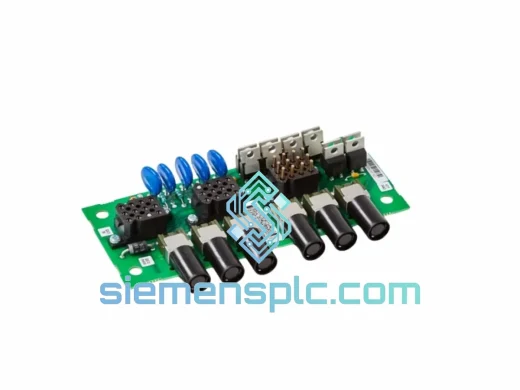
ABB TA8412N7600E912 3HNA021184-001 Servo Power Regulation Unit
IRC5
Origin SE
Servo Power Regulation Unit
ABB
RFQ Ready
ABB DSQC561 3HAC048550-001 Serial Measurement Board
IRC5
Origin SE
PLC / Robot Controller Module
ABB
RFQ Ready
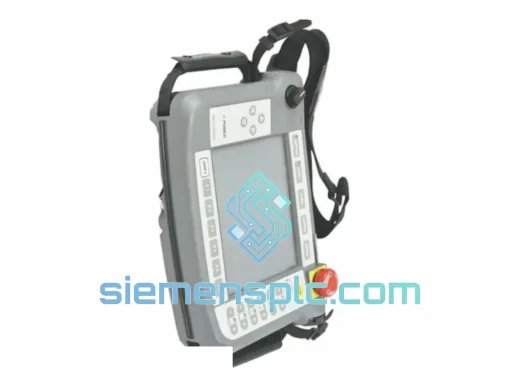
ABB 3HNA023200-001/00 TPPB-02 LCD Display
IRC5
Origin SE
Robot Teach Pendant Components