ABB
In Stock OK
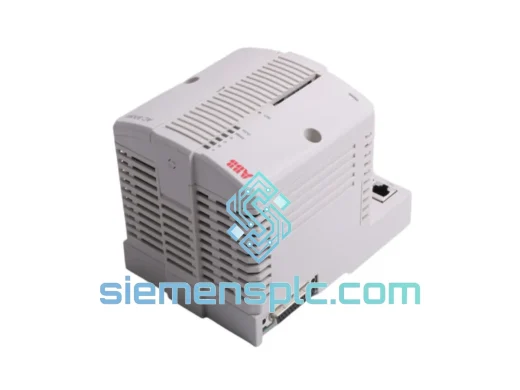
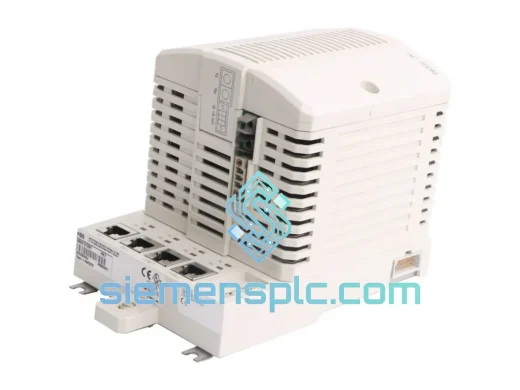
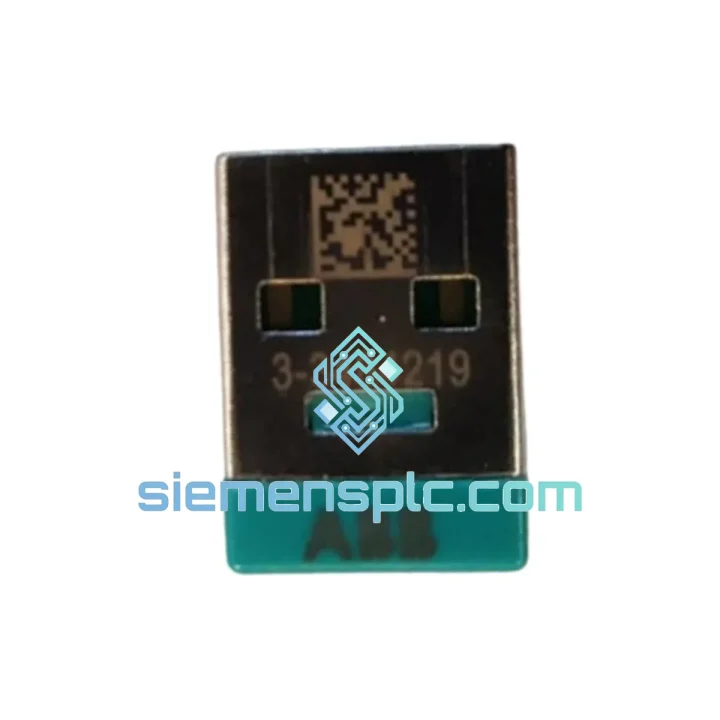
ABB 3BHE016842R0101 UAD144A101 USB Hardware Security Key
Request verified availability, condition, replacement risk review, packing options and courier lead time for 3BHE016842R0101-UAD144A101.
BrandABB
Part Number3BHE016842R0101-UAD144A101
ConditionAvailability Check
Lead TimeRFQ Confirmation
DocumentsDatasheet / photos by RFQ
ShippingExport packing available
Auto-filled RFQ
3BHE016842R0101-UAD144A101
Click Request Quote and the part number is inserted into the inquiry form automatically.
- Reply by email: [email protected]
- WhatsApp / Tel: +86 18359268345
- Mon-Sat 9:00-18:00 GMT+8
Procurement Data
Key Product Information
Core fields for model confirmation and RFQ routing. Detailed product narrative remains below.
- Brand
- ABB
- Primary Part Number
- 3BHE016842R0101-UAD144A101
- Product Type
- USB Hardware Security Key
- Series / Family
- AC800M
- Manufacturer
- ABB Ltd.
- Country of Origin
- SE
- Catalog Category
- DCS & Safety Modules
- Warranty
- 12 months hardware defect coverage
Model confirmed for inquiry
3BHE016842R0101-UAD144A101
Send quantity, destination and urgency. The RFQ form keeps this part number attached.
Request Quote
Product Overview
ABB 3BHE016842R0101 UAD144A101 – Stop the Clock on Your Downtime. Ship Today.
Your AC800M engineering workstation is dead in the water. The USB hardlock is gone — cracked housing, corrupted memory, or simply missing after a site handover. Control Builder M throws a license error on startup. Every hour the line sits idle, you’re bleeding money. We’ve been there. That’s exactly why we stock the ABB 3BHE016842R0101 (UAD144A101) as a ready-to-ship unit out of Xiamen — no lead time games, no broker runaround.
This is a genuine ABB USB hardware security key (Sentinel HASP HL Pro architecture) that carries the single-seat license entitlement for ABB’s AC800M / Symphony Plus engineering suite. Plug it in, install the Sentinel driver, and your Control Builder M session is back online. That’s the only outcome that matters when you’re standing in a control room at 2 AM.
URGENT REQUIREMENT? Contact: [email protected] | WhatsApp: +86 18359268345
Quick Technical Datasheet
| Parameter | Value | Status |
|---|---|---|
| Part Number | 3BHE016842R0101 | ✔ Ready to Ship |
| Sub-model / Variant | UAD144A101 | ✔ Ready to Ship |
| Key Type | USB Hardware Security Key (Hardlock / Dongle) | — |
| Interface | USB Type-A, USB 2.0 | — |
| License Seat | Single-seat (node-locked) | — |
| Compatible Platform | ABB AC800M, Symphony Plus, Freelance DCS | — |
| Supported Software | Control Builder M v5.x / v6.x, S+ Engineering | — |
| Driver Stack | Sentinel HASP HL / Sentinel LDK | — |
| OS Compatibility | Windows 7 / 10 / 11 (32-bit & 64-bit) | — |
| Manufacturer | ABB Ltd. | — |
| Country of Origin | Germany | — |
| Shipping Origin | Xiamen, China | ✔ DHL / FedEx Express |
| Warranty | 12 months hardware defect coverage | — |
Troubleshooting & Replacement Tips
Symptom: Control Builder M opens, then immediately throws “No valid license found” or “Dongle not detected.”
Nine times out of ten this is a driver conflict, not a dead dongle. Before you declare the key dead, run through this sequence:
- Check Device Manager first. Plug the UAD144A101 into a USB 2.0 port (avoid USB 3.x hubs — HASP HL has known enumeration issues on certain USB 3.x controllers). Look for “Sentinel HL” or “HASP Key” under Universal Serial Bus controllers. A yellow exclamation mark means driver conflict.
- Purge old Sentinel drivers completely. Run the Sentinel HASP/LDK cleanup tool (HASPUserSetup.exe) from Thales/SafeNet. Reboot. Reinstall the latest Sentinel LDK runtime. This resolves 60–70% of “dongle not found” calls we get from the field.
- Disable USB selective suspend. Go to Power Options → Change plan settings → Change advanced power settings → USB settings → USB selective suspend setting → Disabled. Engineering workstations should never have this enabled.
-
Test on a clean machine. If the key lights up (red LED on the UAD144A101 body) on a second PC but Control Builder M still rejects it, the issue is a corrupted license cache on the original workstation — not the hardware. Delete the HASP license cache folder at
C:ProgramDataSafeNet SentinelSentinel LDKand restart the Sentinel LDK License Manager service. - Firmware mismatch scenario. If you upgraded Control Builder M from v5.x to v6.x and the dongle stopped working, the license entitlement on the key may need to be updated by ABB. The hardware (3BHE016842R0101) is the same; the license payload inside the HASP memory needs a v6 update from ABB’s license portal. Contact ABB support with your dongle serial number.
- Physical replacement procedure. Power down the engineering workstation. Remove the old dongle. Insert the new 3BHE016842R0101 UAD144A101. Windows will auto-install the Sentinel driver if the runtime is already present. Launch Control Builder M — it should detect the key within 10 seconds. No re-activation required; the license is embedded in the dongle hardware, not tied to the PC.
Common error codes and what they actually mean:
-
HASP_HASP_NOT_FOUND (H0007)— Key not detected. Check USB port, driver, and Device Manager. -
HASP_FEATURE_NOT_FOUND (H0013)— Key found but the specific feature/license is not present. Wrong dongle revision or license not loaded. -
HASP_ACCESS_DENIED (H0015)— License server conflict. Disable any floating license server if running single-seat mode. -
HASP_TIME_ERR (H0053)— System clock tampered. HASP time-limited licenses check RTC. Sync your workstation clock to NTP.
Reliability in Harsh Conditions
Control rooms are not office environments. The UAD144A101 is built to the same ABB industrial-grade standard as the controllers it licenses. The Sentinel HASP HL Pro core inside this dongle is rated for continuous operation across a wide temperature range — the USB connector is reinforced, and the internal EEPROM that holds the license data is rated for over 100,000 read/write cycles with a 10-year data retention guarantee.
In practice, we’ve seen these keys survive petrochemical plant environments with ambient temperatures pushing 55 °C, high-humidity coastal installations where condensation is a daily reality, and vibration-heavy compressor stations where the control cabinet shakes continuously during operation. The key’s compact form factor means it sits flush against the USB port — no lever arm, no mechanical stress on the connector.
For installations where physical security is a concern (the dongle must stay in the machine permanently), use a USB port lock bracket or a short USB extension cable to position the key inside the cabinet rather than exposed on the front panel. This is standard practice on offshore platforms where accidental removal during maintenance is a real risk.
Every unit we ship undergoes a pre-dispatch bench test: USB enumeration check, Sentinel driver recognition, and LED status verification. Units that don’t pass don’t ship. We don’t sell shelf-warmers.
Global Express Logistics
Our warehouse is in Xiamen, Fujian — one of China’s primary export hubs with direct DHL and FedEx gateway access. Here’s what the logistics chain looks like from the moment you confirm your order:
- Order confirmed before 14:00 CST: Same-day dispatch. DHL Express or FedEx International Priority, depending on destination.
- Transit times (typical): Southeast Asia 1–2 days | Middle East 2–3 days | Europe 2–4 days | North America 3–5 days | South America / Africa 4–7 days.
- Export documentation: Commercial invoice, packing list, and certificate of origin issued with every shipment. HS Code 8473.30 (parts and accessories for ADP machines) is pre-declared — no customs surprises.
- Tracking: AWB number sent within 2 hours of dispatch. Real-time tracking link provided via email and WhatsApp.
- Emergency freight: For genuine production-down situations, contact us directly on WhatsApp before placing the order. We can arrange DHL On-Demand Delivery with Saturday/Sunday delivery options in most major markets.
We understand that a $300 dongle sitting in customs for three days can cost you $30,000 in lost production. We’ve structured our logistics specifically to prevent that scenario.
Contact Information
Email: [email protected]
WhatsApp: +86 18359268345
Web: siemensplc.com
© 2026 siemensplc.com. All rights reserved.
Ready to quote
[email protected]
Send This Part Number to Sales
RFQ workflow
Quality workflow ->
Confirmation Process
01Model confirmation
We check the full part number, brand, series and visible nameplate information before quotation.
02Availability reply
Sales confirms stock path, condition option, quantity and realistic lead time for export dispatch.
03Packing & courier
DHL, FedEx, UPS or buyer courier arrangements can be reviewed with packing requirements.
Continue sourcing
Browse full catalog ->
Related Automation Parts
Similar brand or category products for fast comparison and multi-item RFQ lists.
ABB
RFQ Ready
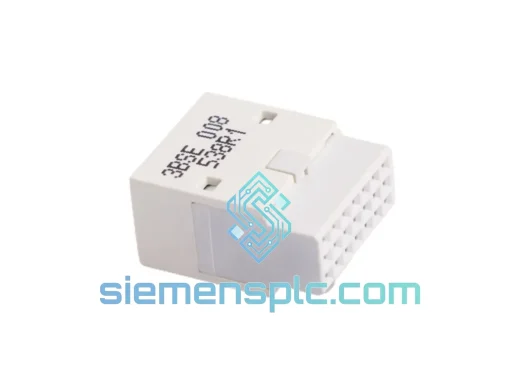
ABB TB807 3BSE008538R1 DCS Modulebus Terminator
AC800M
Origin SE
DCS Backplane Terminator