
ABB
In Stock OK
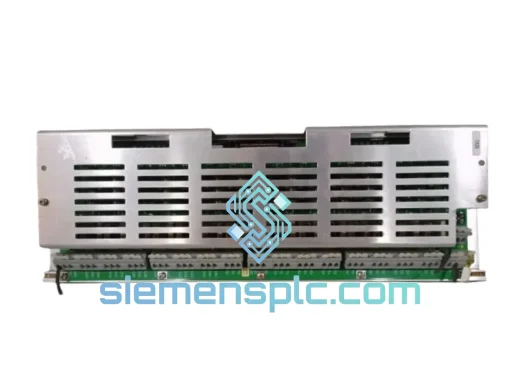
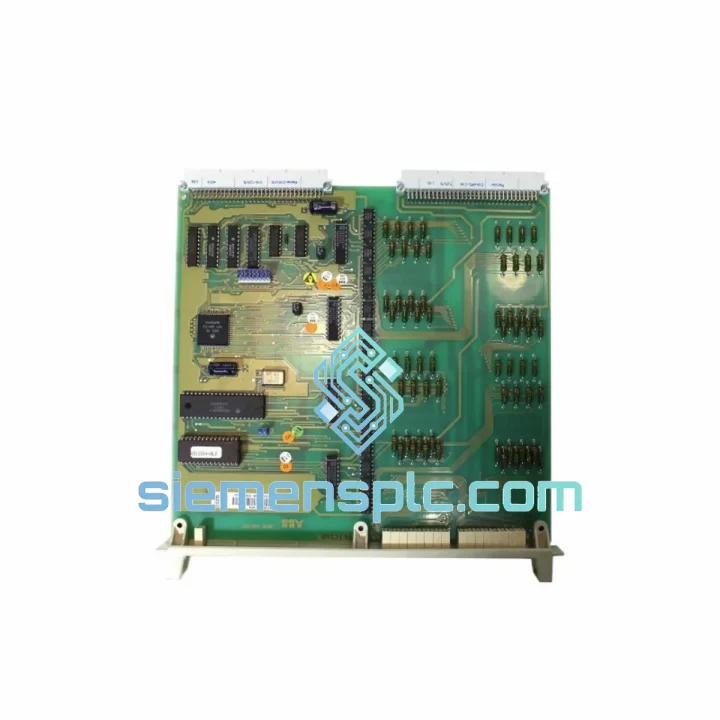
ABB DSDI120A DCS Digital Input Module
Request verified availability, condition, replacement risk review, packing options and courier lead time for DSDI120A.
BrandABB
Part NumberDSDI120A
ConditionAvailability Check
Lead TimeRFQ Confirmation
DocumentsDatasheet / photos by RFQ
ShippingExport packing available
Auto-filled RFQ
DSDI120A
Click Request Quote and the part number is inserted into the inquiry form automatically.
- Reply by email: [email protected]
- WhatsApp / Tel: +86 18359268345
- Mon-Sat 9:00-18:00 GMT+8
Procurement Data
Key Product Information
Core fields for model confirmation and RFQ routing. Detailed product narrative remains below.
- Brand
- ABB
- Primary Part Number
- DSDI120A
- Product Type
- DCS Digital Input Module
- Series / Family
- Advant
- Manufacturer
- ABB
- Country of Origin
- SE
- Catalog Category
- I/O Modules
- Operating Temp.
- 0°C to +55°C
Model confirmed for inquiry
DSDI120A
Send quantity, destination and urgency. The RFQ form keeps this part number attached.
Request Quote
Product Overview
ABB DSDI120A: 32-Channel DI Module Down? Your AC450 Is Blind — Ship It Today
A failed DSDI120A doesn’t just drop 32 input channels — it takes your entire process visibility with it. Operators lose field device status. Interlocks go dark. The AC450 CPU starts logging I/O bus faults and your SCADA screen fills with bad-quality tags. In a refinery, a chemical plant, or a power generation facility, that’s not a maintenance item. That’s a production crisis. We stock the DSDI120A in Xiamen. Confirmed orders before 14:00 CST ship the same day.
URGENT REQUIREMENT? Contact: [email protected] | WhatsApp: +86 18359268345
Quick Technical Datasheet
| Parameter | Specification |
|---|---|
| Part Number | DSDI120A |
| Manufacturer | ABB |
| Compatible System | Advant Controller 450 (AC450) |
| Module Type | Digital Input (DI) |
| Input Channels | 32 (2 groups × 16 channels) |
| Nominal Input Voltage | 24 V DC (range: 18–30 V DC) |
| Logic HIGH Threshold | ≥ 15 V DC |
| Logic LOW Threshold | ≤ 5 V DC |
| Channel Isolation | Galvanic, group-to-group and bus-side |
| Bus Interface | ABB S100 I/O Bus |
| Address Assignment | Automatic (slot-position based, no DIP switches) |
| Form Factor | Plug-in subrack card, AC450 rack |
| Operating Temperature | 0°C to +55°C |
| Storage Temperature | -25°C to +70°C |
| Relative Humidity | 5–95% RH, non-condensing |
| PCB Protection | Conformal coating |
| Country of Origin | Germany |
| Stock Status | ✅ Ready to Ship — Xiamen Warehouse |
Troubleshooting & Replacement Tips
Ten years of field calls on AC450 systems produce patterns. Here are the ones that actually matter when you’re standing in front of a dead DSDI120A at 02:00.
Fault Pattern 1 — Channels 17–32 Locked LOW, Channels 1–16 Normal
This is the most common failure mode. The second optocoupler bank (Group B, channels 17–32) fails while Group A continues operating. Before condemning the module, inject a known-good 24 V DC test signal directly at the terminal block on the dead channels. If the channels still read LOW with confirmed field voltage present, the module is the fault. If they respond, your field wiring or field device power supply is the problem — don’t swap the module yet.
Fault Pattern 2 — All 32 Channels Stuck HIGH, CPU Reports I/O Bus Fault
The S100 bus interface has lost communication with the AC450 processor. You’ll see a corresponding alarm in MasterView 800 — typically flagged as Module Not Responding or I/O Bus Communication Error. First action: reseat the module with the CPU in STOP mode. Cold-restart the CPU. If the fault returns within one scan cycle, the bus interface IC on the module is dead. Order the replacement now — do not waste time on further diagnostics.
Fault Pattern 3 — Spurious Input Transitions, No Field Event
Intermittent false triggers logged in the AC450 event list without corresponding field device activity point to degraded filter capacitors on the input conditioning circuit. This is an age-related failure — common on modules that have been in service for 10+ years. Temporarily increasing the input filter time constant in the AC450 hardware configuration buys time, but the module needs to come out at the next planned shutdown. Running with degraded filters risks nuisance trips on critical interlocks.
LED Diagnostic Reference:
- Green RUN LED off: No S100 bus communication — check bus cable, termination resistors, and CPU I/O configuration before assuming module failure.
- Yellow channel LEDs flickering with no field signal: Internal hardware fault — module requires replacement.
- Red ERR LED on power-up: Self-test failure. Module is not functional. Do not attempt to run the system with this module in place.
Pre-Swap Checklist — Read Before You Pull the Module:
- No DIP switches, no jumpers. The DSDI120A uses automatic slot-based address assignment via the S100 bus. The physical slot position in the subrack defines the I/O address. If you install the replacement in a different slot, you must update the hardware configuration in the AC450 engineering tool — otherwise the CPU will not recognize the module at the correct address.
- No firmware to flash. This module carries no user-programmeable firmware. Swap is purely mechanical — no software steps post-installation beyond a CPU STOP/RUN cycle.
- Hot-swap is not supported. The AC450 standard I/O subrack does not allow live card insertion. Place the CPU in STOP mode before extracting the module. Pulling a live card risks corrupting the I/O bus scan table and may require a full CPU cold-start to recover.
- Inspect the 64-pin DIN connector. A single bent or oxidized pin on the rear bus connector will cause the CPU to report the module as absent. Use a flashlight and inspect before insertion. Clean oxidized pins with isopropyl alcohol and a fine brush.
- Post-swap verification: After insertion, execute a CPU STOP → RUN cycle. Confirm all 32 channels report correct status in MasterView 800 or your connected SCADA. Cross-reference against known field device states before releasing any interlock or control loop to automatic mode.
Reliability in Harsh Conditions
The DSDI120A was not designed for a clean server room. It was designed for the inside of a control cabinet in a place where things are hot, dirty, and vibrating — and where it cannot fail.
Mechanical Vibration: Critical components on the DSDI120A PCB use through-hole construction rather than surface-mount for exactly this reason. Through-hole solder joints tolerate the continuous low-frequency vibration generated by compressors, pumps, and rotating machinery far better than SMD joints, which are prone to fatigue cracking over years of service. The conformal coating locks the PCB assembly against moisture-induced solder joint corrosion that accelerates vibration fatigue.
Thermal Stress: Rated for continuous operation from 0°C to +55°C, the module handles the full thermal swing of an outdoor cabinet in the Gulf — where ambient temperatures inside an unventilated enclosure can reach 50°C in summer — and the cold-start conditions of a northern European or Central Asian installation in winter. The galvanic isolation barrier between the field input side and the S100 bus side also eliminates ground-loop currents driven by thermal expansion differentials across long cable runs.
Humidity and Chemical Exposure: The conformal coating on the PCB provides a continuous barrier against condensation, airborne particulates, and mild chemical vapors. This matters in coastal offshore installations where salt-laden air penetrates enclosures, and in chemical plant environments where trace solvent vapors are present. Every module in our Xiamen warehouse is stored in climate-controlled conditions inside anti-static, moisture-barrier packaging — not on an open shelf.
EMI and Transient Immunity: The group-level galvanic isolation provides inherent common-mode rejection on the field input side. Inductive load switching transients — from solenoid valves, motor contactors, and relay coils wired to the same terminal block — are absorbed at the isolation barrier and do not propagate to the S100 bus or the AC450 CPU backplane. This is the architecture that keeps your DCS stable in environments where field wiring runs alongside power cables.
Every unit shipped from our Xiamen warehouse has been functionally tested: power-on self-test passed, all 32 channels verified with a live 24 V DC test signal, and S100 bus communication confirmed. We do not ship modules that have not been tested.
Global Express Logistics
When your plant is down, the only metric that matters is how fast the part arrives at your site. Here is the exact process from our Xiamen warehouse to your door:
- Same-day dispatch cutoff: Orders confirmed with payment before 14:00 CST ship the same business day. Orders received after cutoff are dispatched first thing the following morning.
- Packaging standard: Module is wrapped in anti-static foam, heat-sealed in a moisture-barrier poly bag, and packed in a double-wall corrugated carton. ESD-sensitive and Fragile labels applied. Gross shipping weight approximately 0.8 kg.
- DHL Express Worldwide: Xiamen to Europe and Middle East — 2 to 3 business days. Xiamen to North America — 3 to 4 business days. Xiamen to Southeast Asia — 1 to 2 business days.
- FedEx International Priority: Comparable transit times with real-time milestone tracking and proactive exception alerts. Preferred carrier for shipments to the Americas.
- TNT / UPS: Available on request for specific destinations or customer account preferences.
- Customs documentation: Full commercial invoice, packing list, and certificate of origin prepared for every shipment. HS Code 8537.10 declared. For destinations requiring import licenses or special clearance for industrial control equipment — EU, GCC, India, Australia, Southeast Asia — notify us at order placement. We have handled these before and will not leave you stuck at customs.
- Tracking: AWB number provided within 2 hours of dispatch. We monitor shipments proactively and contact you before you have to ask if there is a customs hold or transit exception.
- Plant-down emergency freight: For genuine production-down situations, hand-carry courier service from Xiamen to major international hubs is available. Contact us directly on WhatsApp for the fastest response — do not use email for emergencies.
Contact Information
📧 Email: [email protected]
💬 WhatsApp: +86 18359268345
🌐 Web: siemensplc.com
© 2026 siemensplc.com. All rights reserved.
Ready to quote
[email protected]
Send This Part Number to Sales
RFQ workflow
Quality workflow ->
Confirmation Process
01Model confirmation
We check the full part number, brand, series and visible nameplate information before quotation.
02Availability reply
Sales confirms stock path, condition option, quantity and realistic lead time for export dispatch.
03Packing & courier
DHL, FedEx, UPS or buyer courier arrangements can be reviewed with packing requirements.
Continue sourcing
Browse full catalog ->
Related Automation Parts
Similar brand or category products for fast comparison and multi-item RFQ lists.
ABB
RFQ Ready
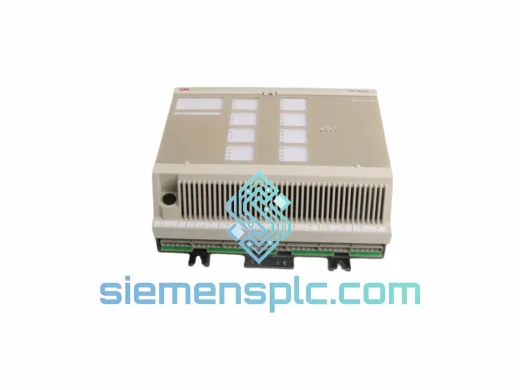
ABB DSAX452 Analog I/O Module – Advant Controller 450 Series
Advant
Origin SE
Analog I/O Module
ABB
RFQ Ready
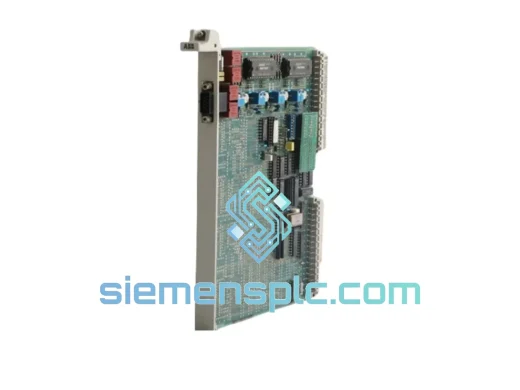
ABB GJR5143200R0001 35EK91 Analog Output Module – AC31 Advant Series
Advant
Origin SE
Analog Output Module
ABB
RFQ Ready
ABB 07DI92 GJR5252400R4101 Digital Input Module
Advant
Origin SE
PLC Digital Input Module