ABB
In Stock OK
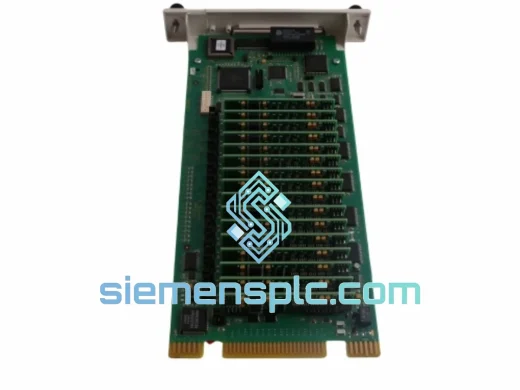
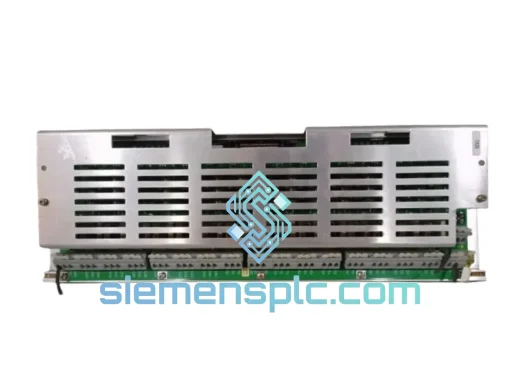
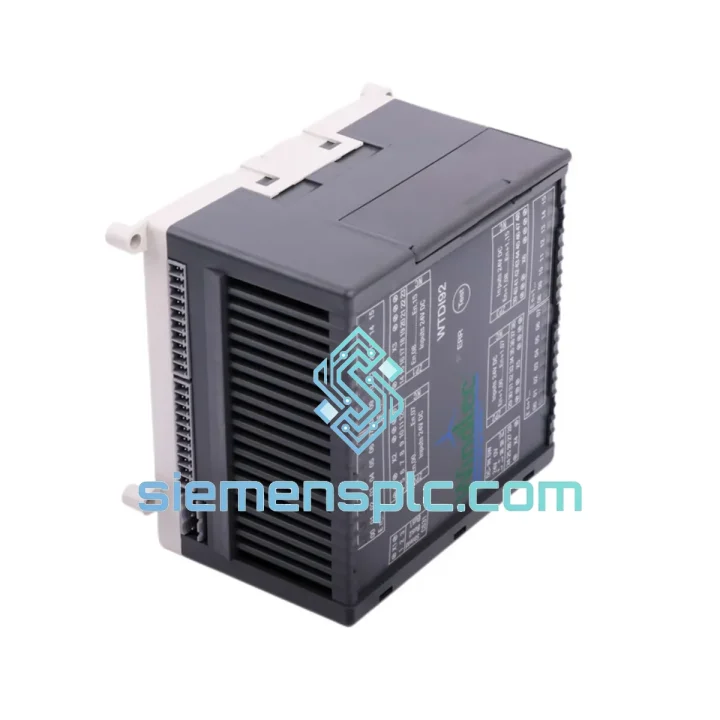
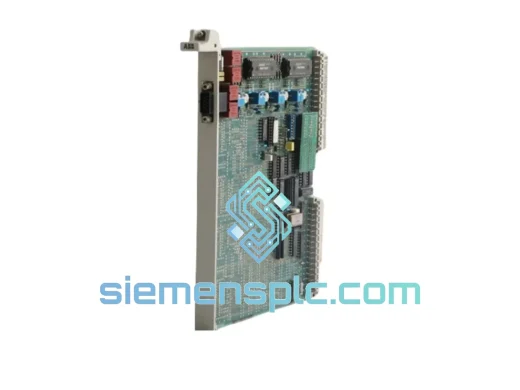
ABB 07DI92 GJR5252400R4101 Digital Input Module
Request verified availability, condition, replacement risk review, packing options and courier lead time for 07DI92 WT92 GJR5252400R4101.
BrandABB
Part Number07DI92 WT92 GJR5252400R4101
ConditionAvailability Check
Lead TimeRFQ Confirmation
DocumentsDatasheet / photos by RFQ
ShippingExport packing available
Auto-filled RFQ
07DI92 WT92 GJR5252400R4101
Click Request Quote and the part number is inserted into the inquiry form automatically.
- Reply by email: [email protected]
- WhatsApp / Tel: +86 18359268345
- Mon-Sat 9:00-18:00 GMT+8
Procurement Data
Key Product Information
Core fields for model confirmation and RFQ routing. Detailed product narrative remains below.
- Brand
- ABB
- Primary Part Number
- 07DI92 WT92 GJR5252400R4101
- Product Type
- PLC Digital Input Module
- Series / Family
- Advant
- Manufacturer
- ABB (Asea Brown Boveri)
- Country of Origin
- SE
- Model Function
- 16-Channel Digital Input, Distributed I/O
- Catalog Category
- I/O Modules
Model confirmed for inquiry
07DI92 WT92 GJR5252400R4101
Send quantity, destination and urgency. The RFQ form keeps this part number attached.
Request Quote
Product Overview
ABB 07DI92 GJR5252400R4101 WT92 — Every Hour of Downtime Has a Price Tag. We Cut It Short.
Your AC500 rack just threw a diagnostic fault. The HMI is showing a red channel block on the digital input card. Your SCADA historian is logging gaps. Shift supervisor is on the radio. You already know what the problem is — the 07DI92 is gone. What you need right now is not a datasheet. You need a replacement module on a plane to your site before the next shift starts.
The ABB 07DI92 (OEM catalog: GJR5252400R4101, cross-reference: WT92) is a 16-channel 24 V DC digital input module engineered for ABB’s AC500 PLC platform and Advant/Freelance DCS backplane architectures. It handles PROFIBUS-DP and INSUM fieldbus communication, delivers optocoupler-isolated channel inputs, and slots directly into the existing termination unit without rewiring. We have it in stock at our Xiamen warehouse. It ships today.
⚡ URGENT REQUIREMENT? Contact: [email protected] | WhatsApp: +86 18359268345
Quick Technical Datasheet
| Part Number | 07DI92 |
| OEM Catalog Reference | GJR5252400R4101 |
| Cross-Reference | WT92 |
| Manufacturer | ABB (Asea Brown Boveri) |
| Module Function | 16-Channel Digital Input, Distributed I/O |
| Compatible Platform | ABB AC500 / Advant Controller / Freelance DCS |
| Fieldbus Protocol | PROFIBUS-DP / INSUM |
| Input Channels | 16 × Digital Inputs (DI) |
| Nominal Input Voltage | 24 V DC |
| Input Voltage Range | 18 – 30 V DC |
| Input Current per Channel | ≈ 7 mA @ 24 V DC |
| Isolation Type | Optocoupler — channel-to-backplane bus |
| Operating Temperature | 0 °C to +60 °C |
| Storage Temperature | −25 °C to +70 °C |
| Relative Humidity | 5 – 95% RH, non-condensing |
| Protection Class | IP20 |
| Mounting | Backplane slot / DIN rail via TU termination unit |
| Approx. Weight | 300 g |
| Origin | Germany |
| Stock Status | ✔ Ready to Ship — Xiamen Warehouse |
Troubleshooting & Replacement Tips
Field experience with the 07DI92 across AC500 and Advant installations points to a consistent set of failure patterns. Knowing them before you pull the card saves time and prevents secondary faults.
Failure signatures to watch before full module death:
- Selective channel dropouts: Channels 8–15 tend to degrade first due to thermal stress concentration on the inner optocoupler row. If you’re seeing intermittent signal loss on the upper half of the channel block, the module is in early failure — don’t wait for a complete outage.
- PROFIBUS diagnostic alarms: Slave not responding or Configuration mismatch errors on the bus master indicate the module’s internal watchdog has tripped. The slave may still appear in the network scan but is not exchanging valid process data.
- Post-power-cycle input chatter: Inputs toggling without field signal change immediately after a power restore is a classic sign of degraded optocoupler forward voltage threshold — the module is reading noise as valid signals.
- Elevated backplane current draw: If your AC500 power supply module is reporting higher-than-baseline current on the rack bus, a failing 07DI92 with an internal bus-side short is a likely contributor.
Replacement procedure — field-tested sequence:
- Record the PROFIBUS node address. Check the rotary address switches on the module face or confirm the software-assigned address in ABB Control Builder / Advant Builder before removal. The replacement must be configured to the identical address — a mismatch generates a GSD configuration error and the slave will not come online.
- De-energise field circuits. Isolate the 24 V DC field supply feeding the input terminals. Optocoupler isolation is not a live-work barrier — adjacent cable runs can carry induced voltages sufficient to cause measurement errors or personal injury.
- Confirm hot-swap capability. Standard AC500 backplanes do not support hot-swap on digital I/O modules. Pulling the 07DI92 under power without confirmed hot-swap support will generate a bus fault and may require a full CPU restart to clear. Check your system documentation before proceeding.
- Inspect the termination unit (TU). Field wiring connects to the TU/TB board, not the module itself. Before inserting the replacement, inspect terminal screws for corrosion and re-torque to 0.5–0.6 Nm. A loose terminal on a digital input is a fault waiting to happen.
- Set the node address on the replacement module. Hardware-addressed variants: set rotary switches to match the documented address before insertion. Firmware-addressed variants: the controller will push the address on first scan — verify this is configured correctly in your hardware config file before powering up.
- Seat and power up. Insert the module firmly until the backplane connector locks. Restore field power. Monitor the PROFIBUS bus interface LED — steady green confirms the slave is online and exchanging process data with the master.
- Force-test all 16 channels. Use the controller’s I/O forcing function or a calibrated field signal source to verify each channel transitions correctly from 0 to 1 and back. Do not sign off the replacement until all 16 points are confirmed functional.
- Clear latched alarms. Reset any fault records in the DCS historian, SCADA alarm server, and maintenance management system that were generated during the failure window. Uncleared alarms from a resolved fault create noise in future diagnostics.
Firmware compatibility note: AC500 CPUs running firmware released post-2018 require the GSD file version in the hardware configuration to match the firmware stamp printed on the module label. A version mismatch allows the slave to connect but suppresses certain diagnostic status bits — your fault detection coverage will be degraded without you knowing it. Verify before closing out the work order.
Reliability in Harsh Conditions
The 07DI92 was not designed for a temperature-controlled equipment room. It was built for the environments where your maintenance team works in PPE and the cabinet ambient temperature swings 25 degrees between day and night shifts.
The optocoupler isolation stage creates a hard galvanic barrier between field wiring and the backplane bus. A ground fault on a field cable — routine in aging cable trays — does not propagate into the controller rack. The module absorbs the transient. The bus stays clean. This is not a marketing claim; it is the fundamental reason optocoupler-isolated DI modules exist in industrial control systems.
PCB conformal coating and a backplane connector rated for continuous mechanical vibration per IEC 60068-2-6 mean the module maintains electrical contact on compressor skids, pump stations, and marine vessel installations where vibration is a constant background condition. Installations in these environments have validated multi-year service life without connector-related failures when the module is correctly seated.
The 95% RH non-condensing humidity rating covers outdoor cabinet installations in tropical and coastal regions — the majority of process plant environments in Southeast Asia, the Middle East, and South America where this module sees heavy deployment. IP20 housing keeps airborne particulates off the PCB in dusty environments, provided cabinet door seals are maintained on a regular inspection schedule.
Operating range of 0 °C to +60 °C handles most industrial cabinet interiors without forced cooling. Installations adjacent to variable frequency drives or in direct sunlight should be verified against the cabinet thermal model — the module will operate correctly, but the cabinet design needs to keep the internal ambient within spec. Storage down to −25 °C means the module survives unheated warehouse conditions in cold climates without component degradation before installation.
Global Express Logistics
Stock is physically located in our Xiamen, Fujian warehouse — one of China’s primary export hubs with direct access to DHL Express, FedEx International Priority, and UPS Worldwide Express lanes. This is not a broker arrangement or a drop-ship listing. The module is on our shelf. We pick, pack, and dispatch in-house.
Dispatch cutoff: Orders confirmed before 14:00 CST ship same business day. Orders confirmed after 14:00 CST ship the following morning. For Saturday dispatch on urgent orders, contact us directly — we handle emergency weekend shipments routinely.
Estimated door-to-door transit times (customs clearance excluded):
- Southeast Asia (Singapore, Thailand, Malaysia, Vietnam): 2–3 business days — DHL Express
- Middle East (UAE, Saudi Arabia, Qatar, Kuwait): 3–4 business days — FedEx International Priority
- Europe (Germany, Netherlands, UK, Poland, France): 4–5 business days — DHL Express Worldwide
- North America (USA, Canada, Mexico): 4–6 business days — FedEx International Priority
- South America (Brazil, Chile, Colombia, Argentina): 5–8 business days, subject to customs processing
- Australia / New Zealand: 3–5 business days — DHL Express
Shipment documentation included as standard: Commercial invoice, packing list, certificate of origin. On request: certificate of conformance, inspection report, and HS code pre-classification letter. All documents prepared in English and formatted to your customs broker’s requirements on request.
Tracking numbers are issued within 2 hours of dispatch and sent to your registered email. Real-time tracking links are provided for all DHL and FedEx shipments. For orders requiring specific carrier account billing, import permits, or split-shipment arrangements, contact us before placing the order.
Contact Information
Email: [email protected]
WhatsApp: +86 18359268345
Web: siemensplc.com
© 2026. All rights reserved.
Ready to quote
[email protected]
Send This Part Number to Sales
RFQ workflow
Quality workflow ->
Confirmation Process
01Model confirmation
We check the full part number, brand, series and visible nameplate information before quotation.
02Availability reply
Sales confirms stock path, condition option, quantity and realistic lead time for export dispatch.
03Packing & courier
DHL, FedEx, UPS or buyer courier arrangements can be reviewed with packing requirements.
Continue sourcing
Browse full catalog ->
Related Automation Parts
Similar brand or category products for fast comparison and multi-item RFQ lists.
ABB
RFQ Ready
ABB DSAX452 Analog I/O Module – Advant Controller 450 Series
Advant
Origin SE
Analog I/O Module
ABB
RFQ Ready
ABB GJR5143200R0001 35EK91 Analog Output Module – AC31 Advant Series
Advant
Origin SE
Analog Output Module