ABB
In Stock OK
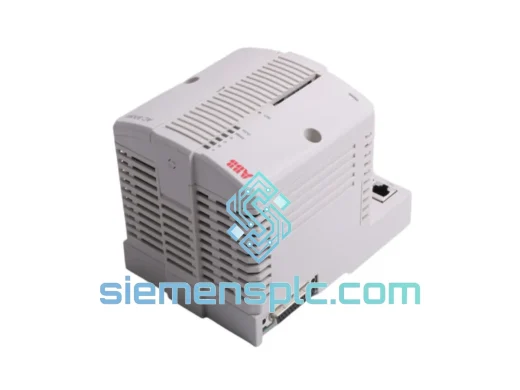
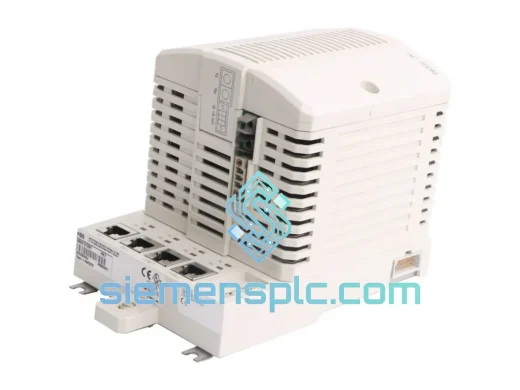
ABB ECZ FPR3700001R0001 DCS Bus Module
Request verified availability, condition, replacement risk review, packing options and courier lead time for ECZ FPR3700001R0001.
BrandABB
Part NumberECZ FPR3700001R0001
ConditionAvailability Check
Lead TimeRFQ Confirmation
DocumentsDatasheet / photos by RFQ
ShippingExport packing available
Auto-filled RFQ
ECZ FPR3700001R0001
Click Request Quote and the part number is inserted into the inquiry form automatically.
- Reply by email: [email protected]
- WhatsApp / Tel: +86 18359268345
- Mon-Sat 9:00-18:00 GMT+8
Procurement Data
Key Product Information
Core fields for model confirmation and RFQ routing. Detailed product narrative remains below.
- Brand
- ABB
- Primary Part Number
- ECZ FPR3700001R0001
- Product Type
- DCS Bus Module
- Series / Family
- AC800M
- Manufacturer
- ABB
- Country of Origin
- SE
- Catalog Category
- DCS & Safety Modules
- Operating Temp.
- 0°C to +55°C
- Compliance
- CE, RoHS
Model confirmed for inquiry
ECZ FPR3700001R0001
Send quantity, destination and urgency. The RFQ form keeps this part number attached.
Request Quote
Product Overview
ABB ECZ FPR3700001R0001 ECZ Bus Module – Stop the Clock on Your Downtime
Every minute your AC800M DCS is offline, the losses compound. A failed ECZ bus module doesn’t just halt one loop — it can take down an entire controller node, triggering cascading alarms across your plant. The ABB ECZ FPR3700001R0001 is the exact OEM replacement you need, and we have it on the shelf right now in Xiamen, ready to clear customs and land on your bench within 48–72 hours via DHL or FedEx express.
We’ve handled enough emergency callouts to know that procurement delays are the real killer in unplanned shutdowns. That’s why our entire operation is built around one priority: get the right part to the right site, fast. No waiting on distributor lead times. No substitutes. The genuine ABB ECZ FPR3700001R0001, verified, packed, and dispatched the same business day your order is confirmed.
⚡ URGENT REQUIREMENT? Contact: [email protected] | WhatsApp: +86 18359268345
Quick Technical Datasheet
| Part Number | ECZ FPR3700001R0001 |
| Manufacturer | ABB |
| Series | AC800M / ECZ Series |
| Module Type | ECZ Bus Module (Fieldbus Communication) |
| Compatible Controllers | PM851, PM856, PM860, PM861, PM864, PM866 |
| Mounting | DIN-rail / AC800M Rack |
| Operating Temperature | 0°C to +55°C |
| Compliance | CE, RoHS |
| Condition | New / Original OEM |
| Origin | Sweden |
| Stock Status | ✅ Ready to Ship – Xiamen Warehouse |
| Lead Time | Same-day dispatch (orders confirmed before 14:00 CST) |
Troubleshooting & Replacement Tips
Swapping an ECZ bus module on a live AC800M system is not a plug-and-pull job. Here’s what ten years of field work has taught me about this specific module:
1. Confirm the fault before you pull the card. On the AC800M, a bus module failure typically surfaces as a COMM_FAIL or BUS_ERR diagnostic in Control Builder. Before condemning the ECZ module, rule out cable faults on the MVI or PROFIBUS segment — a corroded D-sub connector has wasted more than one emergency callout budget.
2. Note the node address before removal. The ECZ FPR3700001R0001 uses software-configured addressing within the AC800M rack, but if your system uses hardware DIP switches on adjacent I/O modules, photograph the switch positions before disturbing anything. Mismatched node addresses after a hot-swap will cause the controller to reject the new module entirely, showing a MODULE_MISMATCH alarm.
3. Firmware compatibility check. Verify the firmware version of your PM8xx controller against ABB’s compatibility matrix before installing a replacement ECZ module. A module manufactured after a certain firmware revision may require a controller firmware update to enumerate correctly. Pull the current firmware string from Control Builder → Hardware → Controller Properties before the replacement arrives.
4. Power-down sequence matters. Always follow the ABB-recommended shutdown sequence: isolate the fieldbus segment first, then power down the rack. Hot-swapping an ECZ bus module without isolating the segment can corrupt the bus master table and force a full cold restart of the controller — exactly what you’re trying to avoid.
5. Post-installation verification. After seating the new module, allow 90 seconds for the AC800M to enumerate the bus. Watch for the green RUN LED on the ECZ module. If it stays amber, check the rack slot assignment in Control Builder and force a hardware rescan. A persistent red LED indicates a firmware mismatch or a defective slot — try an adjacent slot before concluding the replacement unit is at fault.
Common fault codes associated with ECZ bus module failure:
- 0x8100 – Bus Communication Error: Loss of cyclic data on the ECZ segment. First suspect: module or cable.
- 0x8200 – Module Not Responding: Controller cannot enumerate the ECZ module. Check seating and firmware.
- 0x4080 – Hardware Fault: Internal module self-test failure. Module replacement required.
- 0x2010 – Configuration Mismatch: Downloaded configuration does not match installed hardware. Re-download project after replacement.
Reliability in Harsh Conditions
ABB designed the AC800M ECZ series for continuous operation in environments that would kill consumer-grade electronics. The FPR3700001R0001 is rated for operation in ambient temperatures up to 55°C with no forced cooling, making it suitable for non-air-conditioned MCC rooms and outdoor enclosures in tropical climates. Vibration resistance meets IEC 60068-2-6 standards — the module won’t shake loose on a compressor skid or a marine vessel running at full load.
Humidity tolerance is equally robust. The conformal coating on the PCB provides protection against condensation events that occur during plant startups after cold shutdowns — a scenario that kills uncoated boards within months in coastal or offshore installations. Every unit we ship has been stored in climate-controlled conditions in our Xiamen facility, maintaining the integrity of the coating and the connector gold plating.
EMC shielding on the ECZ bus module is designed to reject the high-frequency noise generated by variable frequency drives and large motor starters sharing the same panel. In plants where VFDs are common, a counterfeit or degraded bus module will show intermittent communication errors that are nearly impossible to trace — the genuine FPR3700001R0001 eliminates that variable entirely.
Global Express Logistics
Our dispatch hub is in Xiamen, Fujian — one of China’s primary export ports with direct DHL and FedEx gateway access. Here’s how a typical emergency order moves:
- Hour 0: You contact us via email or WhatsApp with your shipping address and urgency level.
- Hour 1–2: We confirm stock, generate a proforma invoice, and reserve the unit under your order.
- Hour 3–4: Payment confirmed (T/T, PayPal, or credit card). Unit pulled from ESD-safe storage, inspected, and packed.
- Hour 5–6: Shipment booked with DHL Express or FedEx International Priority. Tracking number issued to you.
- Day 1–3: Clears Xiamen customs. In transit to your country.
- Day 2–4: Delivered to your site, depending on destination. Europe and Southeast Asia typically 2 days. Middle East and Americas 3–4 days.
All shipments include a commercial invoice, packing list, and country of origin certificate. For destinations requiring import permits or specific HS code declarations, contact us in advance — we handle the documentation daily and know the requirements for most industrial import markets.
Contact Information
📧 Email: [email protected]
📱 WhatsApp: +86 18359268345
🌐 Web: siemensplc.com
© 2026 siemensplc.com. All rights reserved.
Ready to quote
[email protected]
Send This Part Number to Sales
RFQ workflow
Quality workflow ->
Confirmation Process
01Model confirmation
We check the full part number, brand, series and visible nameplate information before quotation.
02Availability reply
Sales confirms stock path, condition option, quantity and realistic lead time for export dispatch.
03Packing & courier
DHL, FedEx, UPS or buyer courier arrangements can be reviewed with packing requirements.
Continue sourcing
Browse full catalog ->
Related Automation Parts
Similar brand or category products for fast comparison and multi-item RFQ lists.
ABB
RFQ Ready
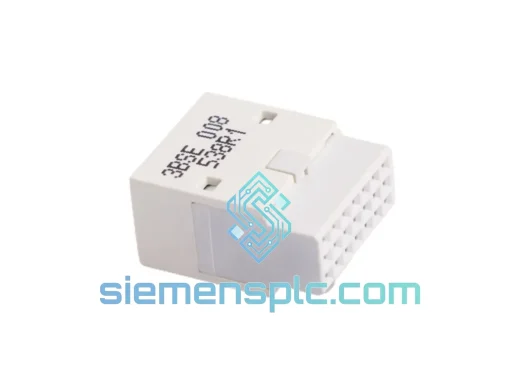
ABB TB807 3BSE008538R1 DCS Modulebus Terminator
AC800M
Origin SE
DCS Backplane Terminator