ABB
In Stock OK
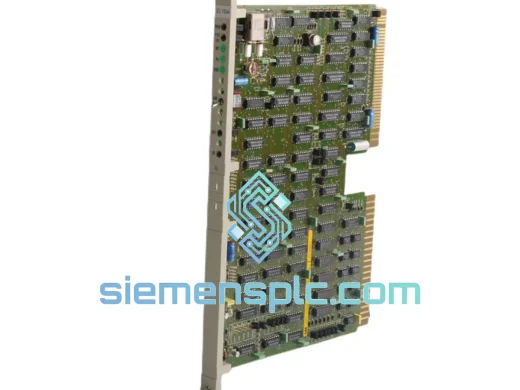
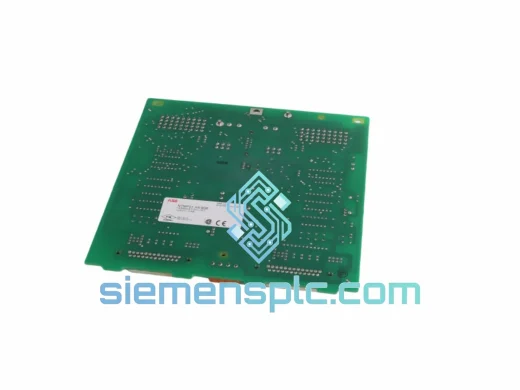
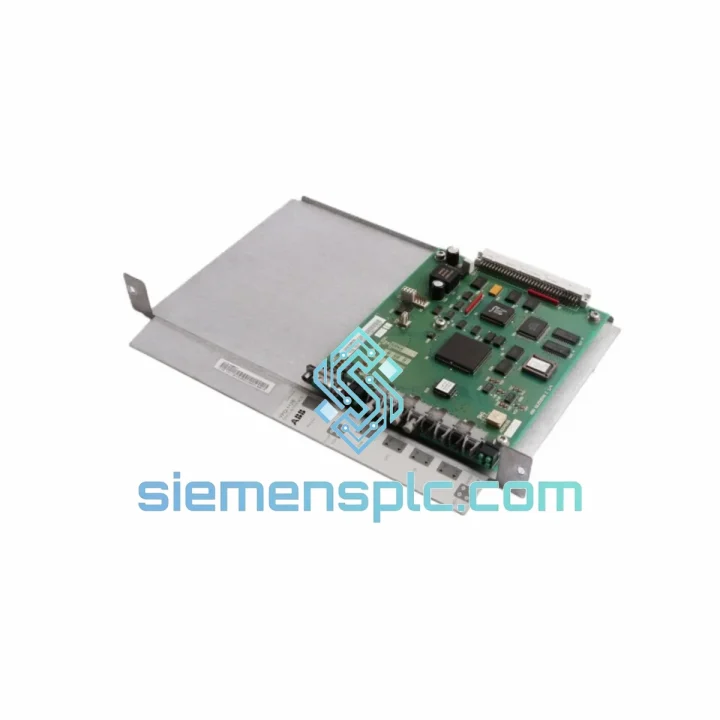
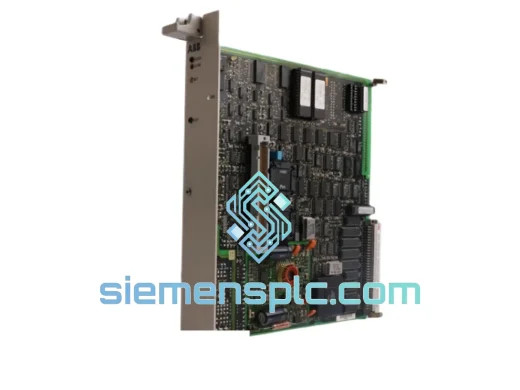
ABB YPQ112 61253432 DCS Interface Adapter
Request verified availability, condition, replacement risk review, packing options and courier lead time for YPQ112 61253432.
BrandABB
Part NumberYPQ112 61253432
ConditionAvailability Check
Lead TimeRFQ Confirmation
DocumentsDatasheet / photos by RFQ
ShippingExport packing available
Auto-filled RFQ
YPQ112 61253432
Click Request Quote and the part number is inserted into the inquiry form automatically.
- Reply by email: [email protected]
- WhatsApp / Tel: +86 18359268345
- Mon-Sat 9:00-18:00 GMT+8
Procurement Data
Key Product Information
Core fields for model confirmation and RFQ routing. Detailed product narrative remains below.
- Brand
- ABB
- Primary Part Number
- YPQ112 61253432
- Product Type
- DCS Interface Adapter
- Series / Family
- Advant
- Manufacturer
- ABB (Asea Brown Boveri)
- Country of Origin
- SE
- Catalog Category
- DCS & Safety Modules
- Operating Temp.
- 0 °C to +55 °C (storage: –25 °C to +70 °C)
Model confirmed for inquiry
YPQ112 61253432
Send quantity, destination and urgency. The RFQ form keeps this part number attached.
Request Quote
Product Overview
ABB YPQ112 61253432 — Every Hour of Downtime Costs You. We Ship Today.
Your Advant or MOD 300 DCS just flagged a communication fault. The controller is isolated. Production is stopped. You’ve already pulled the rack and confirmed the YPQ112 interface adapter is the culprit. Now you need one — fast. That’s exactly why this page exists.
We maintain physical stock of the ABB YPQ112 (part number 61253432) in Xiamen, China. No broker delays, no “check back in 6 weeks” lead times. If you contact us before 3 PM CST, your unit ships same day via DHL Express or FedEx International Priority. Most destinations in Southeast Asia receive delivery within 48–72 hours. Europe and North America: 3–5 business days door to door.
URGENT REQUIREMENT? Contact: [email protected] | WhatsApp: +86 18359268345
Quick Technical Datasheet
| Parameter | Value |
|---|---|
| Manufacturer | ABB (Asea Brown Boveri) |
| Part Number / SKU | YPQ112 / 61253432 |
| Module Function | Controller-to-I/O Interface Adapter |
| Compatible Platform | ABB Advant Controller AC 110 / AC 160 / MOD 300 DCS |
| Backplane Bus | S-bus (Advant internal communication bus) |
| Form Factor | Plug-in backplane module, DIN-rail compatible housing |
| Operating Voltage | 24 VDC (supplied via backplane) |
| Operating Temperature | 0 °C to +55 °C (storage: –25 °C to +70 °C) |
| Humidity Rating | 5–95% RH, non-condensing |
| Vibration Resistance | IEC 60068-2-6 compliant |
| Weight (unit) | 720 g |
| Country of Origin | Germany |
| Condition | New OEM / Tested Surplus |
| Availability | ✔ Ready to Ship — Xiamen Stock |
Troubleshooting & Replacement Tips
Common fault signatures that point to a failed YPQ112:
- Advant controller logs
COMM FAULTorI/O BUS ERRORon the affected rack segment — the YPQ112 is the first suspect when the fault persists after a controller warm restart. - MOD 300 operator station shows a solid red “Module Fail” LED on the interface slot with no corresponding field wiring fault — classic adapter hardware failure, not a field issue.
- Intermittent
TIMEOUTalarms on I/O stations downstream of the adapter, especially under high ambient temperature — early sign of capacitor degradation on the YPQ112 PCB. - After a power surge or UPS switchover event, the adapter fails to re-initialize. The controller sees the slot as empty even though the module is physically seated.
Step-by-step replacement procedure:
- Isolate the rack segment. Place the affected controller in manual or transfer control to the redundant unit if available. Do not hot-swap the YPQ112 without confirming the rack supports live insertion — most Advant racks do not.
- De-energize the rack. Remove the 24 VDC supply to the affected rack section. Verify with a multimeter before touching the backplane connector.
- Note the slot address. The YPQ112 uses a fixed slot address determined by its physical position in the rack. No DIP switch or rotary address setting is required on the module itself — address is backplane-assigned. Document the slot number before extraction.
- Extract the faulty unit. Release the two front-panel locking levers simultaneously and pull straight out. Avoid rocking the module — the backplane connector is a 64-pin DIN type and bending pins will damage the rack.
- Inspect the replacement unit. Check the part number label (YPQ112) and revision marking against your system documentation. Confirm the 61253432 catalog number matches. Inspect the backplane connector pins for straightness.
- Seat the replacement. Align the module guide rails and push firmly until both locking levers click. Do not force — if resistance is felt, re-check alignment.
- Firmware compatibility check. The YPQ112 does not carry user-programmable firmware in the traditional sense — its logic is fixed in EPROM. However, if your Advant system is running a controller firmware version below 3.x, verify with ABB documentation that the hardware revision of your replacement unit is backward-compatible. Revision markings are printed on the PCB edge label.
- Re-energize and verify. Restore 24 VDC to the rack. The controller should detect the adapter within 10–15 seconds. Confirm the “Module OK” LED is green and that I/O station communication is restored on the operator station. Clear any latched alarms.
- Redundancy check. If the system runs in hot-standby mode, perform a manual switchover to confirm the replacement adapter participates correctly in the bumpless transfer sequence before returning to automatic mode.
Configuration note: Unlike some ABB I/O modules, the YPQ112 does not require a self-addressing sequence or manual node ID assignment. The rack slot position defines its logical address in the S-bus topology. If you are replacing a unit in a non-standard slot (e.g., after a rack reconfiguration), update the controller configuration database to reflect the new slot mapping before re-energizing.
Reliability in Harsh Conditions
The YPQ112 was engineered for continuous-duty industrial environments — not office-grade automation. ABB designed this adapter to operate inside control cabinets where ambient temperatures regularly exceed 45 °C, where vibration from nearby rotating machinery is constant, and where humidity swings follow seasonal cycles in coastal and tropical plants.
The PCB uses conformal coating on critical signal traces, providing a barrier against condensation and airborne contaminants including sulfur compounds common in pulp mills and refineries. The backplane connector is a gold-plated 64-pin DIN type, rated for a minimum of 500 mating cycles — far beyond what any planned maintenance schedule demands.
Vibration performance is validated to IEC 60068-2-6: 10–150 Hz sweep, 1 g acceleration, three axes. This covers the vibration profile of most pump and compressor skids where control panels are mounted in close proximity to rotating equipment. Shock resistance is rated to IEC 60068-2-27: 15 g, 11 ms half-sine pulse.
Units sourced from our Xiamen stock are stored in climate-controlled conditions at 20–25 °C with humidity maintained below 60% RH. Each unit is individually bagged in anti-static ESD packaging with a desiccant sachet and humidity indicator card. Long-term storage integrity is verified before dispatch — we do not ship units that have been stored improperly or show any sign of oxidation on connector pins.
Global Express Logistics
Our dispatch hub is located in Xiamen, Fujian Province — one of China’s primary export ports with direct DHL and FedEx gateway access. This is not a drop-ship arrangement. We physically hold stock, pack in-house, and hand-carry shipments to the courier facility.
Typical transit times from Xiamen:
- Southeast Asia (Singapore, Thailand, Malaysia, Indonesia, Vietnam): 1–2 business days via DHL Express
- Northeast Asia (Japan, South Korea, Taiwan): 1–2 business days
- Middle East (UAE, Saudi Arabia, Qatar): 2–3 business days via FedEx International Priority
- Europe (Germany, Netherlands, UK, France, Italy): 3–4 business days via DHL Express Worldwide
- North America (USA, Canada, Mexico): 3–5 business days via FedEx International Priority
- South America & Africa: 4–7 business days depending on destination customs clearance
Shipping process:
- Order confirmed and payment cleared → same-day packing and quality inspection.
- Commercial invoice and packing list prepared with accurate HS code (8537.10) for customs clearance.
- Shipment handed to DHL/FedEx before 4 PM CST for same-day collection.
- Tracking number sent to your email within 2 hours of dispatch.
- Proactive monitoring: if a customs hold occurs, we contact the courier on your behalf and provide supplementary documentation immediately.
For shipments to destinations with strict import controls (India, Brazil, Russia), contact us before ordering so we can advise on the correct documentation package and realistic customs clearance timelines. We have shipped to 40+ countries and understand the paperwork requirements for industrial automation components in regulated markets.
Contact Information
Email: [email protected]
WhatsApp: +86 18359268345
Web: siemensplc.com
Response time: within 2 hours during business hours (CST 09:00–18:00, Mon–Sat).
For urgent after-hours requests, WhatsApp is monitored until 22:00 CST.
© 2026 siemensplc.com. All rights reserved.
Ready to quote
[email protected]
Send This Part Number to Sales
RFQ workflow
Quality workflow ->
Confirmation Process
01Model confirmation
We check the full part number, brand, series and visible nameplate information before quotation.
02Availability reply
Sales confirms stock path, condition option, quantity and realistic lead time for export dispatch.
03Packing & courier
DHL, FedEx, UPS or buyer courier arrangements can be reviewed with packing requirements.
Continue sourcing
Browse full catalog ->
Related Automation Parts
Similar brand or category products for fast comparison and multi-item RFQ lists.
ABB
RFQ Ready
ABB HESG448230R1/G 216EA61b DCS Processor Module
Advant
Origin SE
PLC / DCS Processor Module