ABB
In Stock OK
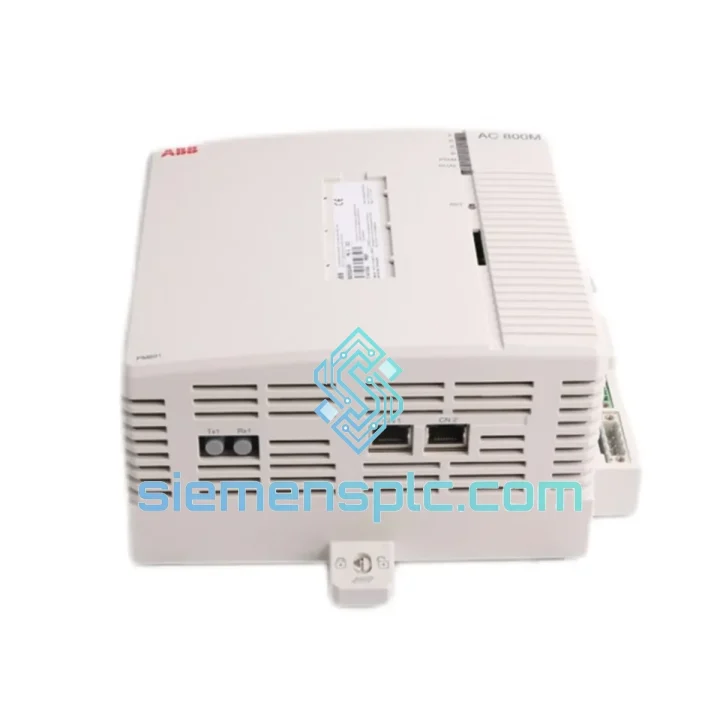
ABB PM891K01 3BSE053241R1 PLC CPU Module
Request verified availability, condition, replacement risk review, packing options and courier lead time for PM891K01 3BSE053241R1.
BrandABB
Part NumberPM891K01 3BSE053241R1
ConditionAvailability Check
Lead TimeRFQ Confirmation
DocumentsDatasheet / photos by RFQ
ShippingExport packing available
Auto-filled RFQ
PM891K01 3BSE053241R1
Click Request Quote and the part number is inserted into the inquiry form automatically.
- Reply by email: [email protected]
- WhatsApp / Tel: +86 18359268345
- Mon-Sat 9:00-18:00 GMT+8
Procurement Data
Key Product Information
Core fields for model confirmation and RFQ routing. Detailed product narrative remains below.
- Brand
- ABB
- Primary Part Number
- PM891K01 3BSE053241R1
- Product Type
- PLC CPU Module
- Series / Family
- AC500
- Manufacturer
- ABB
- Country of Origin
- SE
- Catalog Category
- PLCs & Controllers
- Operating Temp.
- −25 °C to +60 °C
- Humidity
- 5–95 % RH, non-condensing
Model confirmed for inquiry
PM891K01 3BSE053241R1
Send quantity, destination and urgency. The RFQ form keeps this part number attached.
Request Quote
Product Overview
ABB PM891K01 3BSE053241R1 — Cut Downtime Now: Same-Week Dispatch from Xiamen Stock
Every hour your line sits idle costs real money. The ABB PM891K01 (3BSE053241R1) is the top-tier CPU of the AC500 platform — and when it fails, nothing else in the cabinet moves. We keep verified shelf stock in Xiamen specifically for this scenario. No lead-time negotiation, no factory back-order queue. You call, we ship.
Whether you’re dealing with a watchdog trip that won’t reset, a corrupted firmware block after a power surge, or a CPU that simply stopped responding on the local bus — this is the module you need, and we have it ready.
URGENT REQUIREMENT? Contact: [email protected] | WhatsApp: +86 18359268345
Quick Technical Datasheet
| Manufacturer | ABB |
| Part Number | PM891K01 |
| Order Code | 3BSE053241R1 |
| Series | AC500 (V3) |
| Module Class | Central Processing Unit (CPU) |
| User Program Memory | Up to 16 MB |
| Ethernet Ports | 2 × RJ45 (10/100 Mbps) |
| Serial Ports | RS-232 + RS-485 (COM1/COM2) |
| USB Port | 1 × USB-B (programming / firmware) |
| Supported Protocols | Modbus TCP/RTU, PROFINET, PROFIBUS DP, CANopen, EtherNet/IP |
| Programming Standard | IEC 61131-3 (LD, FBD, ST, IL, SFC) |
| Supply Voltage | 24 V DC via backplane |
| Operating Temperature | −25 °C to +60 °C |
| Storage Temperature | −40 °C to +70 °C |
| Humidity | 5–95 % RH, non-condensing |
| Protection Class | IP20 |
| Mounting | 35 mm DIN rail via TB521 / TB541 terminal base |
| Real-Time Clock | Yes — battery-backed (Li cell, ABB TA521) |
| SD Card | Yes — program backup, data logging, firmware staging |
| Certifications | CE, UL, cUL, ATEX Zone 2, IECEx |
| Weight | 1,640 g (module + terminal base) |
| Stock Status | ✔ Ready to Ship — Xiamen Warehouse |
Troubleshooting & Replacement Tips
Fault Pattern 1 — CPU Watchdog Trip (LED: RUN off, ERR solid red)
This is the most common failure mode on PM891K01 units exposed to sustained voltage ripple on the 24 V DC bus. Before condemning the CPU, measure bus voltage under load — anything below 22.8 V or above 26.4 V will cause repeated watchdog resets. If bus voltage is clean and the fault persists across a cold restart, the CPU’s internal SRAM or flash block is likely corrupted. Replacement is the fastest path forward.
Fault Pattern 2 — Local Bus Communication Loss (S500 I/O modules offline)
The PM891K01 communicates with S500 expansion modules via the terminal base backplane. If I/O modules drop off after a power event, check the TB521/TB541 connector seating first — vibration can work the CPU loose over time. If reseating doesn’t restore comms, the local bus transceiver on the CPU board is the likely culprit. No field repair is possible; swap the module.
Fault Pattern 3 — Ethernet Port Unresponsive After Firmware Update
Firmware updates via Automation Builder occasionally leave the Ethernet stack in a degraded state if the update was interrupted (power loss, USB disconnect). Recovery procedure: connect via USB-B, open Automation Builder, navigate to Device > Firmware Update, and re-flash using the latest validated firmware package from ABB’s download portal. If the USB port is also unresponsive, the bootloader is corrupted — replace the module.
Replacement Checklist (field-tested sequence):
- Back up the current program via SD card or Automation Builder online upload before powering down — even a partially running CPU can often serve a project upload.
- Note the firmware version currently running (visible in Automation Builder > Device Info). Source a replacement module at the same or higher firmware revision to avoid compatibility issues with existing CM communication modules.
- The PM891K01 uses a hot-swap terminal base (TB521/TB541). Field wiring stays connected — only the CPU module is extracted. Release the two locking levers, slide the module out, insert the replacement, and lock down.
- On first power-up, the replacement CPU will boot with factory defaults. Download the backed-up project via USB or Ethernet. Verify retain variable values — these are lost on module swap unless an SD card with a retain backup was present.
- Confirm the RTC is set correctly after replacement. The backup battery in a new module is charged but the clock will need synchronization (NTP or manual set via Automation Builder).
- If CM communication modules are installed in the CPU expansion slots, they will re-initialize automatically. Allow 30–60 seconds for PROFIBUS/CANopen networks to re-establish before declaring the system healthy.
Reliability in Harsh Conditions
The PM891K01 was not designed for a climate-controlled server room. ABB engineered this module for the realities of industrial plant floors — where ambient temperatures swing, humidity condenses on cold mornings, and the cabinet next to yours houses a 400 kW drive generating conducted interference across the common ground bus.
The module’s conformal-coated PCB provides a physical barrier against moisture ingress and corrosive atmospheres — relevant in coastal chemical plants, offshore platforms, and food processing facilities where cleaning agents are airborne. The operating range of −25 °C to +60 °C covers everything from unheated outdoor enclosures in northern climates to hot-aisle cabinet installations in tropical facilities.
Vibration and shock resistance meets IEC 60068-2-6 (sinusoidal vibration) and IEC 60068-2-27 (mechanical shock) — the same test standards applied to railway and heavy machinery automation. The DIN rail mounting with positive locking levers on the terminal base prevents the module from walking out of its slot under sustained vibration, a failure mode that plagues cheaper alternatives.
EMC immunity is certified to IEC 61000-4 series, covering electrostatic discharge, radiated RF immunity, electrical fast transient/burst, and surge. In practical terms: this CPU will keep running when a nearby VFD switches a large inductive load and injects a 2 kV surge onto the cabinet ground rail — a scenario that kills lesser hardware.
The ATEX Zone 2 / IECEx certification means the module can be installed in enclosures located in areas where explosive gas atmospheres may occasionally be present — relevant for oil & gas, chemical, and solvent-handling applications. Confirm your enclosure’s Ex rating and purge/pressurization system before installation in classified areas.
Global Express Logistics
Our warehouse is located in Xiamen, Fujian Province — one of China’s primary export hubs with direct access to Xiamen Gaoqi International Airport and Xiamen Port. This geography is deliberate: it gives us the shortest possible transit path to DHL and FedEx international gateways, which translates directly into faster delivery to your site.
Standard Express (DHL / FedEx International Priority): Orders confirmed before 14:00 CST ship same business day. Transit times: Southeast Asia 1–2 days, Europe 3–4 days, North America 3–5 days, Middle East 2–3 days, Australia 3–4 days. These are door-to-door times, not port-to-port.
Documentation package included with every shipment: Commercial invoice (with HS code 8537.10 pre-declared), packing list, certificate of origin, and — on request — an inspection report with serial number and firmware version recorded. This package is structured to clear customs in most jurisdictions without additional broker intervention.
For plant shutdowns and emergency replacements: Contact us via WhatsApp before placing the order. We can confirm stock, generate a pro-forma invoice, and have the shipment booked with DHL within 2 hours of payment confirmation. We have handled same-day dispatch for customers in active shutdown situations — it is not a special service, it is standard operating procedure for urgent orders.
Tracking numbers are sent via email immediately upon carrier pickup. For DHL shipments, real-time tracking is available via the DHL portal. For FedEx, tracking activates within 1 hour of pickup scan.
Contact Information
Email: [email protected]
WhatsApp: +86 18359268345
Web: siemensplc.com
© 2026. All rights reserved.
Ready to quote
[email protected]
Send This Part Number to Sales
RFQ workflow
Quality workflow ->
Confirmation Process
01Model confirmation
We check the full part number, brand, series and visible nameplate information before quotation.
02Availability reply
Sales confirms stock path, condition option, quantity and realistic lead time for export dispatch.
03Packing & courier
DHL, FedEx, UPS or buyer courier arrangements can be reviewed with packing requirements.
Continue sourcing
Browse full catalog ->
Related Automation Parts
Similar brand or category products for fast comparison and multi-item RFQ lists.
ABB
RFQ Ready
ABB 1SVR427075R0000 CP-A CM PLC CPU Module – AC500 Compact Series
AC500
Origin SE
PLC CPU Module