ABB
In Stock OK
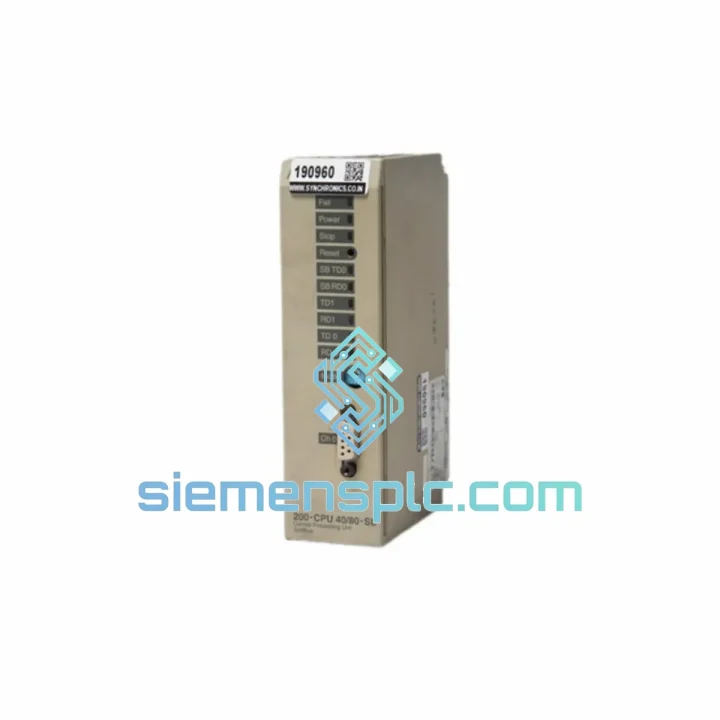
ABB 200-CPU 30/40-SL PLC CPU Module
Request verified availability, condition, replacement risk review, packing options and courier lead time for 200-CPU.
BrandABB
Part Number200-CPU
ConditionAvailability Check
Lead TimeRFQ Confirmation
DocumentsDatasheet / photos by RFQ
ShippingExport packing available
Auto-filled RFQ
200-CPU
Click Request Quote and the part number is inserted into the inquiry form automatically.
- Reply by email: [email protected]
- WhatsApp / Tel: +86 18359268345
- Mon-Sat 9:00-18:00 GMT+8
Procurement Data
Key Product Information
Core fields for model confirmation and RFQ routing. Detailed product narrative remains below.
- Brand
- ABB
- Primary Part Number
- 200-CPU
- Product Type
- PLC CPU Module
- Series / Family
- AC500
- Manufacturer
- ABB
- Country of Origin
- SE
- Catalog Category
- PLCs & Controllers
- Operating Temp.
- 0°C to +55°C
Model confirmed for inquiry
200-CPU
Send quantity, destination and urgency. The RFQ form keeps this part number attached.
Request Quote
Product Overview
ABB 200-CPU 30/40-SL AC500 CPU Module – Stop the Clock on Your Downtime
Every minute your line is down, you’re bleeding money. A failed CPU module on an ABB AC500 rack doesn’t just halt production — it cascades into missed shipments, penalty clauses, and a maintenance team under fire. The ABB 200-CPU 30/40-SL is on our shelf in Xiamen right now. We ship same day. Your line restarts tomorrow.
We’ve handled hundreds of emergency CPU replacements across petrochemical, automotive, and food processing plants. We know what you need: the right part, zero ambiguity on authenticity, and a tracking number in your inbox before your shift ends.
URGENT REQUIREMENT? Contact: [email protected] | WhatsApp: +86 18359268345
Quick Technical Datasheet
| Parameter | Specification |
|---|---|
| Part Number | 200-CPU 30/40-SL |
| Manufacturer | ABB |
| Series | AC500 |
| Module Type | CPU / Central Processing Unit |
| Program Memory | 30 KB (standard) / 40 KB (extended config) |
| Communication Port | Serial (SL) — RS-232 / RS-485 compatible |
| Supply Voltage | 24 V DC (±20%) |
| Operating Temperature | 0°C to +55°C |
| Storage Temperature | -40°C to +70°C |
| Relative Humidity | 5–95%, non-condensing |
| Protection Class | IP20 |
| Mounting | DIN rail, AC500 backplane slot |
| Programming Standard | IEC 61131-3 (via ABB Automation Builder) |
| Certifications | CE, UL, RoHS |
| Weight | Approx. 300 g |
| Country of Origin | Germany |
| Availability | ✅ Ready to Ship – Xiamen Stock |
Troubleshooting & Replacement Tips
Swapping a CPU on a live AC500 system is not plug-and-play. Here’s what ten years of field work has taught us — skip any of these and you’ll be back on the phone at 2 AM.
1. Back up the project before you touch anything. Connect ABB Automation Builder, go online, and export the full project archive (.zip). If the CPU is already dead and you can’t go online, pull the SD card from the module slot — the AC500 SL variant stores the last loaded program on the onboard flash. That’s your recovery point.
2. Check firmware version before insertion. The 200-CPU 30/40-SL runs its own firmware independent of the I/O modules. If your replacement unit ships with firmware v2.x and your existing I/O bus was configured under v1.x, you’ll get a CONFIG ERROR or BUS FAULT on startup. Match firmware versions. ABB Automation Builder → Device → Firmware Update handles this over the serial port.
3. Address DIP switches on the SL port. The SL (serial) interface uses physical DIP switches on the module face to set baud rate and protocol mode. Default factory setting is 19200 baud, RTU mode. If your SCADA or HMI was running at 9600 baud or ASCII mode, reset the switches before powering up. Mismatch here causes the CPU to boot clean but the HMI to show no communication — a trap that wastes hours.
4. Self-addressing of I/O modules. After CPU replacement, the AC500 rack performs an automatic I/O self-scan on first boot. Do NOT interrupt power during this 15–30 second window. If you do, the I/O address table corrupts and you’ll need to force a cold reset (hold RESET button for 8 seconds) and let it re-scan. Watch the RUN/STOP LED — solid green means the scan completed successfully.
5. Common fault codes on the 200-CPU 30/40-SL:
- ERR LED flashing red (1 Hz): Program checksum error — reload project from Automation Builder or SD card.
- ERR LED solid red: Hardware fault detected — check backplane connector pins for corrosion or bent contacts.
- RUN LED off, PWR LED on: CPU in STOP mode — check if a remote STOP command was issued via the serial port or if the key switch is in STOP position.
- COM LED not blinking: Serial communication inactive — verify DIP switch settings and cable wiring (pin 2/3 crossover for RS-232).
- No LED activity at all: 24 V DC supply missing or backplane fuse blown — measure voltage at the power terminal before condemning the CPU.
6. Cold vs. warm restart behavior. The 200-CPU 30/40-SL defaults to a warm restart after power cycle — it retains retain-marked variables. If your process requires a clean state after replacement, force a cold start via Automation Builder (PLC → Reset → Cold Start) before handing back to operations.
Reliability in Harsh Conditions
The AC500 platform was engineered for environments where consumer-grade electronics fail within weeks. The 200-CPU 30/40-SL is tested to withstand continuous vibration up to 1 g at 10–150 Hz — relevant for compressor rooms, press lines, and mobile equipment. Thermal cycling from cold warehouse starts to sustained 55°C ambient in enclosed panels is within spec. The conformal-coated PCB resists humidity ingress in coastal and tropical installations where condensation is a daily reality.
In offshore and marine applications, the module’s resistance to salt-laden air and corrosive atmospheres has made it a preferred choice for platform automation. The DIN rail mounting with positive locking prevents vibration-induced loosening — a failure mode we’ve seen destroy lesser modules in pump stations and compressor skids. ABB’s manufacturing process for the AC500 series includes 100% functional burn-in testing at the factory, which means the infant mortality rate on genuine units is near zero. What you receive has already survived its most vulnerable phase.
Global Express Logistics
Our warehouse is located in Xiamen, Fujian — one of China’s primary export hubs with direct access to international freight lanes. When you place an order before 16:00 CST, we process, pack, and hand off to DHL Express or FedEx International Priority the same business day. No exceptions, no excuses.
Typical transit times from Xiamen: Southeast Asia 1–2 days, Middle East 2–3 days, Europe 3–5 days, North America 3–5 days, South America 5–7 days. All shipments include full commercial invoice, packing list, and Certificate of Origin upon request — essential for customs clearance in regulated markets. We handle export classification under HS Code 8537.10 and can provide end-user declarations for dual-use compliance where required.
For plant shutdowns or emergency maintenance windows, contact us on WhatsApp for priority processing. We’ve arranged same-day courier handoff for critical situations — your downtime cost per hour almost always justifies the express freight premium. Track your shipment in real time; we send the AWB number the moment the parcel is collected.
Contact Information
📧 Email: [email protected]
📱 WhatsApp: +86 18359268345
🌐 Web: siemensplc.com
© 2026 siemensplc.com. All rights reserved.
Ready to quote
[email protected]
Send This Part Number to Sales
RFQ workflow
Quality workflow ->
Confirmation Process
01Model confirmation
We check the full part number, brand, series and visible nameplate information before quotation.
02Availability reply
Sales confirms stock path, condition option, quantity and realistic lead time for export dispatch.
03Packing & courier
DHL, FedEx, UPS or buyer courier arrangements can be reviewed with packing requirements.
Continue sourcing
Browse full catalog ->
Related Automation Parts
Similar brand or category products for fast comparison and multi-item RFQ lists.
ABB
RFQ Ready
ABB 1SVR427075R0000 CP-A CM PLC CPU Module – AC500 Compact Series
AC500
Origin SE
PLC CPU Module