ABB
In Stock OK
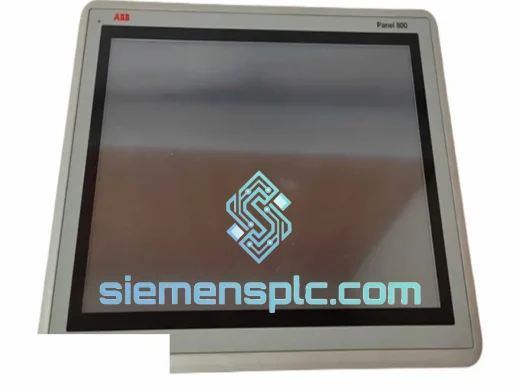
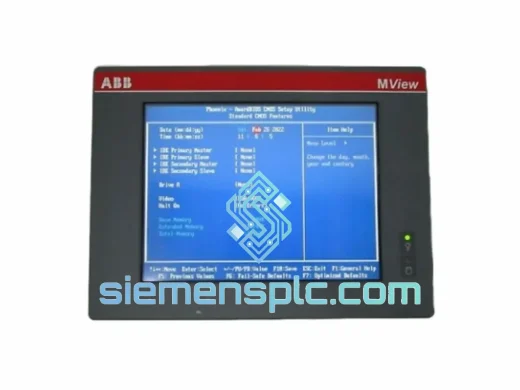
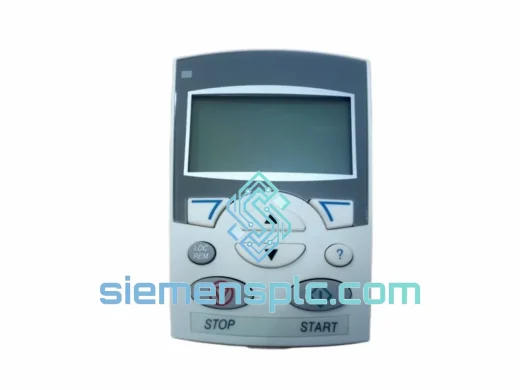
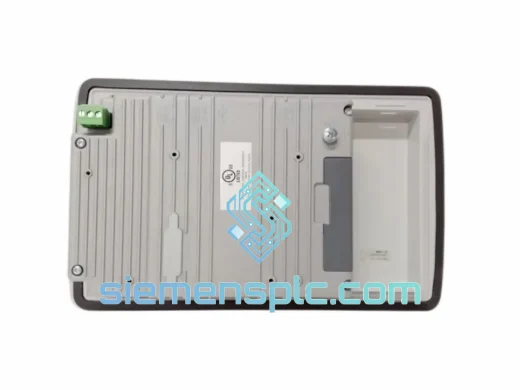
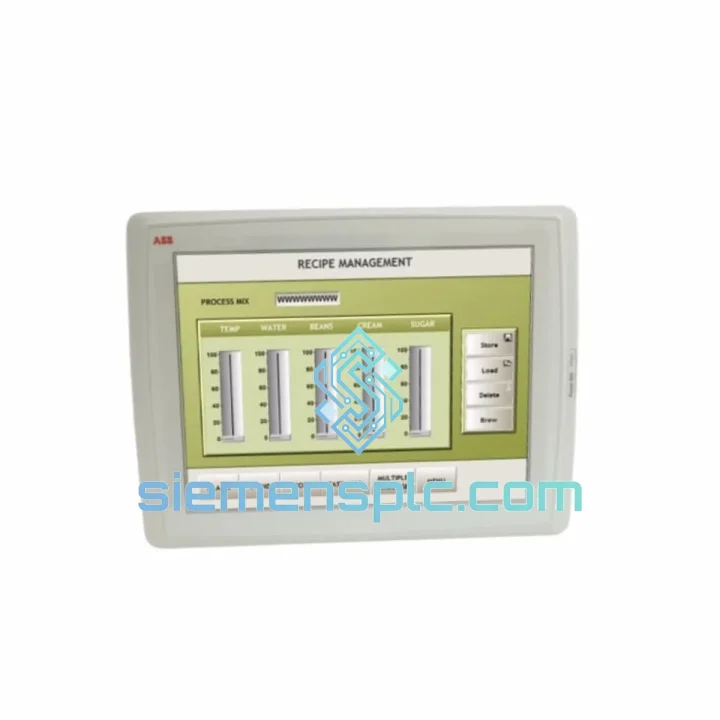
ABB 3BSE042236R1 Operator Panel 800
Request verified availability, condition, replacement risk review, packing options and courier lead time for 3BSE042236R1.
BrandABB
Part Number3BSE042236R1
ConditionAvailability Check
Lead TimeRFQ Confirmation
DocumentsDatasheet / photos by RFQ
ShippingExport packing available
Auto-filled RFQ
3BSE042236R1
Click Request Quote and the part number is inserted into the inquiry form automatically.
- Reply by email: [email protected]
- WhatsApp / Tel: +86 18359268345
- Mon-Sat 9:00-18:00 GMT+8
Procurement Data
Key Product Information
Core fields for model confirmation and RFQ routing. Detailed product narrative remains below.
- Brand
- ABB
- Primary Part Number
- 3BSE042236R1
- Product Type
- HMI Operator Panel
- Series / Family
- AC 800M
- Country of Origin
- SE
- Catalog Category
- HMI Panels
- Operating Temp.
- 0°C to +55°C
- Humidity
- 5%–95% RH, non-condensing
Model confirmed for inquiry
3BSE042236R1
Send quantity, destination and urgency. The RFQ form keeps this part number attached.
Request Quote
Product Overview
ABB 3BSE042236R1 — Your AC 800M Is Blind Without It. We Ship Today.
It’s 03:00. Your AC 800M controller is running but the OP800 panel is dead — blank screen, no keypad response, operators locked out of local HMI access. Shift handover is in four hours. You’ve already rebooted the controller twice. The panel is not coming back. You need a 3BSE042236R1 on a plane out of China before your morning crew walks in.
That is exactly the scenario we built our inventory position around. The ABB 3BSE042236R1 Operator Panel 800 is one of the most failure-prone peripherals in the AC 800M ecosystem — not because it’s poorly designed, but because it runs 24/7 in enclosures that were never meant to be comfortable for electronics. Backlight drivers degrade. Membrane keypads delaminate. UART interfaces fail after years of thermal cycling. When it goes, there is no software workaround. You replace the unit or you lose local operator access entirely.
We stock this part in Xiamen. Not on order, not on consignment — physically on our shelves, inspected, packed, and ready to move. Orders confirmed before 14:00 CST ship same day via DHL Express or FedEx International Priority. That means your replacement can be on-site in Europe or the Middle East within 48–72 hours of your call.
URGENT REQUIREMENT? Contact: [email protected] | WhatsApp: +86 18359268345
Quick Technical Datasheet
| Parameter | Specification |
|---|---|
| Part Number | 3BSE042236R1 |
| Brand | ABB |
| Series | Operator Panel 800 (OP800) |
| Compatible Controllers | AC 800M — PM851, PM856, PM860, PM861, PM864, PM866, PM891 |
| Display Type | Backlit LCD, multi-line alphanumeric |
| Operator Interface | Membrane keypad — function keys + directional navigation |
| Mounting | Panel-mount, front-of-door installation |
| Controller Connection | Proprietary ABB front-port serial (auto-negotiated, no manual config) |
| Power Source | Bus-powered via controller front port — no external PSU required |
| Operating Temperature | 0°C to +55°C |
| Storage Temperature | -40°C to +70°C |
| Humidity | 5%–95% RH, non-condensing |
| Protection Class | IP20 (panel-mount face) |
| Weight | ~3.8 kg with mounting hardware |
| Country of Origin | Sweden |
| Certifications | CE, UL, IEC 61131-2 |
| Stock Status | ✔ Ready to Ship — Xiamen, China |
Troubleshooting & Replacement Tips
Ten years of field work across refineries, paper mills, and power plants teaches you that the 3BSE042236R1 fails in predictable ways. Here is what you are actually dealing with and how to confirm it before you order:
Fault 1 — Blank display, controller running normally. Power-cycle the AC 800M and watch the OP800 during boot. If the backlight does not illuminate at all during the controller’s POST sequence, the backlight driver circuit has failed. If the backlight flickers briefly then dies, the driver is marginal — it will not recover. Replace the panel. Do not waste time on cable swaps; the front-port cable carries data, not backlight power.
Fault 2 — Display shows “COMM ERROR” or “NO LINK” continuously. First, swap the front-port cable with a known-good spare. If the error persists with a new cable, the panel’s internal UART interface has failed. This is not recoverable in the field. The 3BSE042236R1 does not expose UART diagnostics to the user — if the link won’t establish with a confirmed-good cable and a freshly rebooted controller, the panel is the fault source.
Fault 3 — Partial keypad failure (one or more keys unresponsive). Membrane keypad delamination is the root cause in 90% of cases, typically accelerated by high-humidity environments or chemical exposure. Individual key repair is not feasible in the field. The membrane assembly is bonded to the front bezel — full panel replacement is the only correct action. Do not attempt to re-bond the membrane; it will fail again within weeks.
Fault 4 — Garbled or frozen display with keypad responding. This indicates EEPROM corruption or a display driver fault. The panel may have been subjected to a power transient during a previous controller fault. Not recoverable. Replace the unit.
Replacement procedure — field checklist:
- Place the AC 800M in maintenance mode via 800xA System or the local hardware switch before touching the OP800. This suppresses spurious alarms during the swap and prevents the controller from logging a false hardware fault.
- Disconnect the front-port cable. The connector is keyed but the locking tab is fragile on units that have been in service for several years — release it carefully. Note the cable orientation.
- Remove the four M4 panel-mount screws. The OP800 slides forward out of the panel cutout. Have a second person support the unit if the enclosure is mounted at height.
- Install the replacement 3BSE042236R1. No DIP switches, no address configuration, no firmware flashing. The OP800 is auto-detected by the AC 800M on power-up — plug it in and power up the controller.
- The panel should display the controller’s node address and operational status within 10–15 seconds of boot completion. If it does not, check the front-port cable seating before assuming a fault with the replacement unit.
- Verify all function keys and navigation keys across the full keypad before closing the enclosure. A partial keypad failure on a new unit is rare but not impossible — confirm it in front of you, not after the enclosure is bolted shut.
- No software license transfer is required. The 3BSE042236R1 carries no node-locked firmware and holds no application data. It is a passive display and input interface — the application lives entirely on the controller.
Configuration note for Control Builder M users: If the replacement panel fails to establish communication after a confirmed-good cable and a clean controller reboot, open Control Builder M → Hardware → PM8xx properties → Front Port and verify that the front port is set to “Enabled”. This setting is occasionally toggled off during controller configuration work and not restored. It is a five-second fix that is easy to miss under pressure.
Reliability in Harsh Conditions
The OP800 was specified for the same environments where AC 800M controllers are deployed — offshore platforms, cement plants, chemical reactors, turbine control enclosures. ABB did not design this panel for a clean-room server rack. It was built to survive the conditions that exist in the field.
The membrane keypad is sealed against dust ingress and rated for continuous operation in environments with airborne particulates. The LCD module is internally shock-mounted to absorb panel vibration from adjacent rotating machinery — a non-negotiable requirement in compressor skid and turbine control enclosures where continuous vibration levels can exceed 2g. Units that lack this internal damping fail within months in those environments; the 3BSE042236R1 does not.
Thermal performance is validated across the full 0°C to +55°C operating range. Storage survivability extends to -40°C, which matters for units held as cold-standby spares in unheated field enclosures through winter shutdowns. The unit will power up and operate normally after cold-soak — no warm-up period required.
Every unit we dispatch is physically inspected before packing: connector pin condition, keypad membrane integrity, display glass for cracks or pressure damage, and mounting hardware completeness. Units showing evidence of thermal stress, chemical exposure, or mechanical impact are pulled from inventory and not shipped. We do not grade our stock. What leaves Xiamen is what we would install on a live plant ourselves.
Global Express Logistics
Our warehouse is in Xiamen, Fujian Province — direct DHL and FedEx gateway access, no intermediate consolidation hub. Stock is on our shelves. When you confirm an order, we are packing it, not sourcing it.
Dispatch cutoff: Orders confirmed before 14:00 CST ship same day. Orders confirmed after 14:00 CST ship next business day. We do not batch orders — each confirmed order is processed individually.
Transit times (from Xiamen dispatch):
- DHL Express Worldwide: 2–4 business days to Europe and Middle East; 3–5 business days to Americas and Sub-Saharan Africa. Full end-to-end tracking from pickup scan to delivery confirmation.
- FedEx International Priority: Comparable transit times. Preferred routing for US-bound shipments due to customs clearance efficiency at US gateway airports.
- TNT / UPS: Available on request for specific destination or account requirements.
Export documentation: Commercial invoice, packing list, and certificate of origin are prepared for every shipment as standard. HS code classification is handled by our logistics team — you do not need to specify it. For destinations with additional import requirements (SABER for Saudi Arabia, INMETRO for Brazil, GOST-R for Russia), notify us at order confirmation and we will coordinate the documentation before dispatch.
Packaging specification: The 3BSE042236R1 ships in a double-walled export carton with anti-static foam lining and a desiccant pack. The unit is individually bagged in anti-static poly before foam insertion. This packaging specification meets IATA requirements for sensitive electronic equipment and is designed to survive the handling conditions of international express freight — including the drops and impacts that happen between our dock and your receiving bay.
Contact Information
Email: [email protected]
WhatsApp: +86 18359268345
Web: siemensplc.com
© 2026 siemensplc.com. All rights reserved.
Ready to quote
[email protected]
Send This Part Number to Sales
RFQ workflow
Quality workflow ->
Confirmation Process
01Model confirmation
We check the full part number, brand, series and visible nameplate information before quotation.
02Availability reply
Sales confirms stock path, condition option, quantity and realistic lead time for export dispatch.
03Packing & courier
DHL, FedEx, UPS or buyer courier arrangements can be reviewed with packing requirements.
Continue sourcing
Browse full catalog ->
Related Automation Parts
Similar brand or category products for fast comparison and multi-item RFQ lists.