ABB
In Stock OK
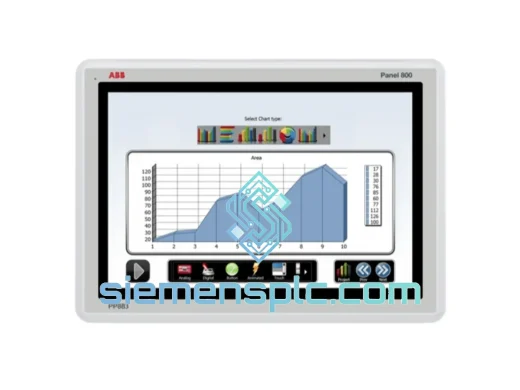
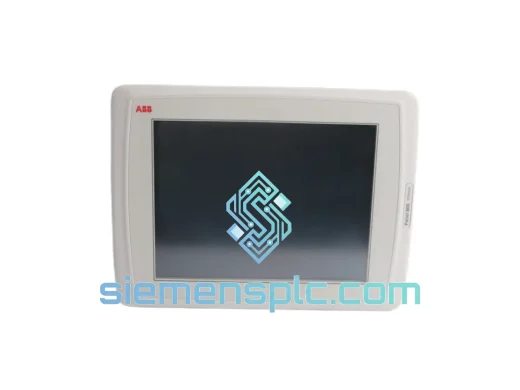
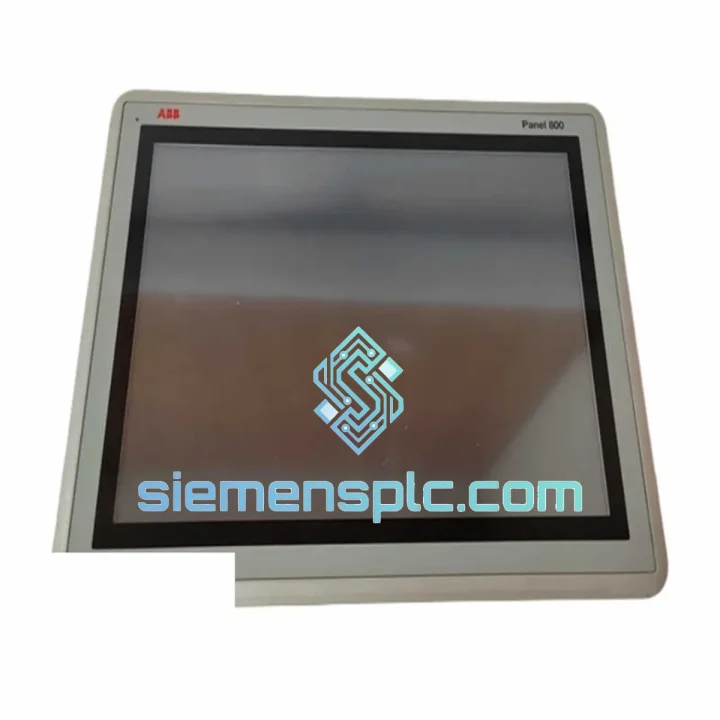
ABB PP886 3BSE092980R1 HMI Operator Panel
Request verified availability, condition, replacement risk review, packing options and courier lead time for PP886 3BSE092980R1.
BrandABB
Part NumberPP886 3BSE092980R1
ConditionAvailability Check
Lead TimeRFQ Confirmation
DocumentsDatasheet / photos by RFQ
ShippingExport packing available
Auto-filled RFQ
PP886 3BSE092980R1
Click Request Quote and the part number is inserted into the inquiry form automatically.
- Reply by email: [email protected]
- WhatsApp / Tel: +86 18359268345
- Mon-Sat 9:00-18:00 GMT+8
Procurement Data
Key Product Information
Core fields for model confirmation and RFQ routing. Detailed product narrative remains below.
- Brand
- ABB
- Primary Part Number
- PP886 3BSE092980R1
- Product Type
- HMI Operator Panel
- Series / Family
- System 800xA
- Country of Origin
- SE
- Catalog Category
- HMI Panels
- Humidity
- 5–95 % RH, non-condensing
Model confirmed for inquiry
PP886 3BSE092980R1
Send quantity, destination and urgency. The RFQ form keeps this part number attached.
Request Quote
Product Overview
ABB PP886 3BSE092980R1 — Stop the Clock on Your Downtime. Ship Today.
Your AC 800M DCS just lost its operator panel. The process is blind. Every minute the control room screen stays dark, you’re burning production time and risking a full plant trip. The PP886 3BSE092980R1 is on our shelf in Xiamen — tested, boxed, and ready to move the moment you confirm. We’ve shipped this exact part to refineries in the Middle East, paper mills in Scandinavia, and chemical plants across Southeast Asia. We know what a dead HMI costs you, and we don’t waste your time.
URGENT REQUIREMENT? Contact: [email protected] | WhatsApp: +86 18359268345
Quick Technical Datasheet
| Parameter | Specification | Status |
|---|---|---|
| Part Number | 3BSE092980R1 | ✔ Ready to Ship |
| Model | PP886 | |
| Brand | ABB Ltd. | |
| Series | Panel 800 / System 800xA | |
| Display | 12.1″ TFT Color LCD, 800×600 SVGA | |
| Touch Technology | Resistive, single-point | |
| Backlight | LED, >50,000 hr MTBF | |
| OS / Runtime | Windows CE + Panel Builder 800 | |
| Communication | Ethernet RJ45 (100 Mbps), RS-232, USB | |
| Compatible Controller | ABB AC 800M, AC 800PEC | |
| Mounting | Panel Mount, flush-fit | |
| Protection | IP65 front panel (IEC 60529) | |
| Supply Voltage | 24 V DC | |
| Power Consumption | ≤ 30 W | |
| Operating Temp. | 0 °C to +55 °C | |
| Storage Temp. | -20 °C to +70 °C | |
| Humidity | 5–95 % RH, non-condensing | |
| Weight | 3.58 kg | |
| Certifications | CE, UL, cUL | |
| Country of Origin | Sweden (ABB OEM) |
Troubleshooting & Replacement Tips
Ten years of field calls on 800xA systems taught me one thing: most PP886 failures are misdiagnosed. Before you condemn the panel, run through this checklist.
Fault 1 — Black screen on power-up, no backlight. Nine times out of ten this is a 24 V DC rail issue, not a dead panel. Measure at the panel’s power connector under load. Anything below 21.6 V and the PP886 will refuse to boot. Check your PSU output and cable run resistance first. If voltage is solid and the panel still won’t light up, the LED driver board has failed — the panel needs replacement.
Fault 2 — Panel boots to Windows CE desktop but Panel Builder 800 runtime won’t launch. The runtime executable is stored on the panel’s internal CompactFlash card. CF cards in PP886 units manufactured before 2018 are reaching end-of-life. Symptoms: runtime crashes at startup, or the CF card is not detected in Device Manager. Replacement procedure: power down, remove the rear access cover (4× M3 screws), swap the CF card, restore the runtime image from your 800xA project backup via USB.
Fault 3 — Touch input offset or dead zones. The resistive touch layer degrades with UV exposure and repeated point-contact use (alarm acknowledge buttons are the first to go). Recalibrate via the Windows CE Control Panel → Stylus → Calibration. If calibration won’t hold across reboots, the touch controller IC has drifted — replacement is the only fix.
Fault 4 — Ethernet link lost, OPC data frozen. Check the RJ45 connector on the panel first — the locking tab breaks off in high-vibration environments and the cable unseats intermittently. Use a locking Ethernet cable (Cat5e or Cat6 with retention clip). If the NIC itself has failed, you’ll see the link LED dark even with a known-good cable. Panel replacement required.
Replacement Configuration Checklist:
- Confirm firmware version on the replacement unit matches your existing 800xA project’s Panel Builder 800 runtime version. Mismatched firmware causes runtime load failures. Upgrade via USB using ABB’s Panel Firmware Upgrade Tool before installation.
- The PP886 does not use DIP switches or rotary address selectors — IP address is configured in Windows CE Network Settings. Document the outgoing panel’s IP, subnet mask, and gateway before removal.
- Restore the Panel Builder 800 project from your 800xA Aspect Server backup. Do not attempt to copy project files manually from the failed panel’s CF card — file system corruption is common on failed units.
- After restoration, perform a full touch calibration and verify all OPC subscriptions are live before handing back to operations.
- If the panel is in a redundant pair configuration, bring the replacement online as the secondary first and verify data sync before switching it to primary role.
Reliability in Harsh Conditions
The PP886 was not designed for a climate-controlled server room. ABB built it for the environments where things actually go wrong — and we’ve seen it hold up in conditions that would kill lesser hardware.
The IP65-rated front bezel keeps out the fine carbon dust in coal-fired power stations and the caustic mist in chlor-alkali plants. The sealed resistive touch layer doesn’t care if the operator is wearing chemical-resistant gloves. The LED backlight assembly is vibration-damped to handle the structural resonance of compressor skids and pump houses — environments where CCFL-backlit predecessors would crack their tubes within months.
Thermal performance is equally serious. The fanless convection-cooled design eliminates the single most common failure point in industrial HMIs — the cooling fan. In a 55 °C ambient (think an un-air-conditioned tropical control room in August), the PP886 runs continuous 24/7 without thermal throttling. The wide storage temperature range of -20 °C to +70 °C means units can be warehoused in unheated facilities in northern climates without cold-soak damage to the LCD or capacitors.
Every unit we ship has been powered on, run through a thermal soak cycle, and had its touch calibration and Ethernet link verified. We don’t ship cold-stored units that haven’t been exercised. If a panel has been sitting, we know about it before you do.
Global Express Logistics
Our warehouse is in Xiamen, Fujian — one of China’s primary export hubs with direct access to Xiamen Gaoqi International Airport and Xiamen Port. This matters when you’re counting hours, not days.
Standard Express (DHL / FedEx International Priority): Orders confirmed before 14:00 CST ship same day. Transit times: Southeast Asia 1–2 days, Middle East and Europe 3–4 days, Americas 4–5 days. Real-time tracking provided at dispatch.
Documentation package included as standard: Commercial invoice, packing list, certificate of origin, and pre-shipment test report. For customers in the EU, we prepare the necessary customs commodity codes (HS 8537.10) and EORI-compliant documentation to prevent customs holds.
Packaging: The PP886 ships in a double-wall corrugated carton with custom-cut EPE foam inserts. The panel is bagged in an ESD-safe anti-static poly bag with a humidity indicator card. For sea freight or multi-unit orders, wooden crating with moisture-barrier lining is available on request.
Insurance: All shipments are fully insured at declared value. In the event of transit damage, we handle the claim and dispatch a replacement unit — you don’t chase the courier.
For plant shutdown scenarios where every hour counts, contact us directly on WhatsApp for real-time stock confirmation and same-day booking. We’ve arranged emergency air freight on a Saturday afternoon before. We’ll do it again.
Contact Information
Email: [email protected]
WhatsApp: +86 18359268345
Web: siemensplc.com
© 2026 siemensplc.com. All rights reserved.
Ready to quote
[email protected]
Send This Part Number to Sales
RFQ workflow
Quality workflow ->
Confirmation Process
01Model confirmation
We check the full part number, brand, series and visible nameplate information before quotation.
02Availability reply
Sales confirms stock path, condition option, quantity and realistic lead time for export dispatch.
03Packing & courier
DHL, FedEx, UPS or buyer courier arrangements can be reviewed with packing requirements.
Continue sourcing
Browse full catalog ->
Related Automation Parts
Similar brand or category products for fast comparison and multi-item RFQ lists.