ABB
In Stock OK
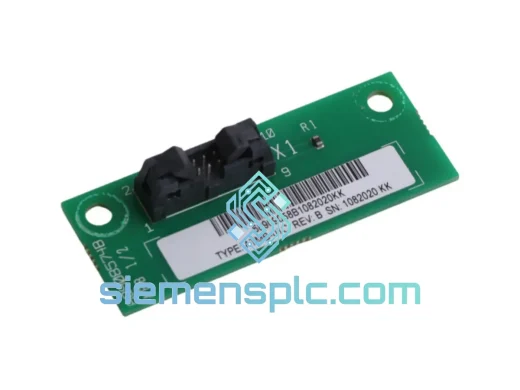
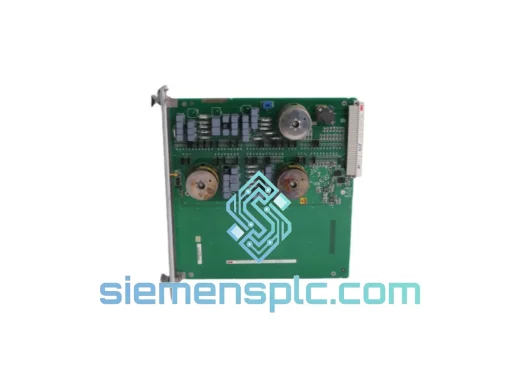
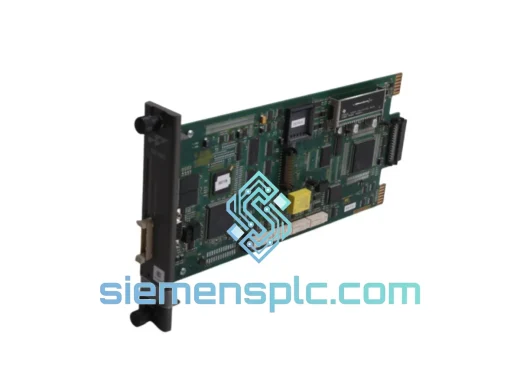
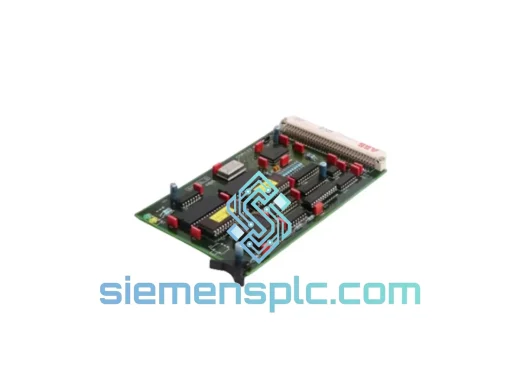
ABB 80173-110-02-3 AC500 Control Module
Request verified availability, condition, replacement risk review, packing options and courier lead time for 80173-110-02-3.
BrandABB
Part Number80173-110-02-3
ConditionAvailability Check
Lead TimeRFQ Confirmation
DocumentsDatasheet / photos by RFQ
ShippingExport packing available
Auto-filled RFQ
80173-110-02-3
Click Request Quote and the part number is inserted into the inquiry form automatically.
- Reply by email: [email protected]
- WhatsApp / Tel: +86 18359268345
- Mon-Sat 9:00-18:00 GMT+8
Procurement Data
Key Product Information
Core fields for model confirmation and RFQ routing. Detailed product narrative remains below.
- Brand
- ABB
- Primary Part Number
- 80173-110-02-3
- Product Type
- PLC Control Module
- Series / Family
- AC500
- Manufacturer
- ABB
- Country of Origin
- SE
- Catalog Category
- PLCs & Controllers
- Operating Temp.
- -25 °C to +70 °C
- Compliance
- CE, RoHS, IEC 61131-2
Model confirmed for inquiry
80173-110-02-3
Send quantity, destination and urgency. The RFQ form keeps this part number attached.
Request Quote
Product Overview
ABB 80173-110-02-3 AC500 Control Module — Stop the Clock on Your Downtime
Every minute a line sits idle costs real money. When your AC500 rack throws a fault and the 80173-110-02-3 is the culprit, you don’t have time to chase a distributor’s lead-time queue. We stock this module in Xiamen, pre-verified, ready to label and hand to DHL today. One call, one shipment, line back up — that’s the only outcome that matters.
URGENT REQUIREMENT? Contact: [email protected] | WhatsApp: +86 18359268345
Quick Technical Datasheet
| Parameter | Value |
|---|---|
| Part Number | 80173-110-02-3 |
| Manufacturer | ABB |
| Platform / Series | AC500 PLC |
| Module Category | Industrial Control Module |
| Mounting | DIN-rail / AC500 backplane slot |
| Operating Temperature | -25 °C to +70 °C |
| Protection Class | IP20 |
| Compliance | CE, RoHS, IEC 61131-2 |
| Condition | 100% Original, New |
| Stock Status | ✅ Ready to Ship — Xiamen Warehouse |
| Dispatch Lead Time | Same day / Next business day |
| Origin | Germany (ABB Manufacturing) |
Troubleshooting & Replacement Tips
Swapping an 80173-110-02-3 in a live AC500 rack is straightforward if you follow the sequence. Skip a step and you’ll spend another hour chasing a configuration fault that has nothing to do with the hardware.
Common failure signatures for this module:
- SF LED solid red on CPU: The CPU has lost communication with this slot. Check the backplane connector pins before condemning the module — bent pins on the rack side are a frequent culprit on older installations.
- Diagnostic code 0x8200 / 0x8201: Module not recognized at startup. Usually a firmware mismatch between the replacement unit and the CPU firmware version. Confirm CPU firmware ≥ the module’s minimum supported version via Automation Builder’s device catalog.
- Intermittent I/O dropout under load: Thermal cycling fatigue on the backplane connector. Clean the gold contacts with IPA before seating the new module.
- ERR LED flashing 2× pattern: Address conflict. The AC500 uses automatic slot addressing — if you’ve moved modules around during troubleshooting, power-cycle the rack with only the CPU and this module installed to force a clean address assignment.
Step-by-step replacement procedure:
- Place the CPU in STOP mode via Automation Builder or the local keypad. Do not hot-swap without confirming the process is in a safe state.
- De-energize the rack supply. Wait 30 seconds for capacitors to discharge.
- Release the module locking tab and pull straight out — do not rock side-to-side, the backplane connector is fragile.
- Inspect the backplane slot connector for bent or corroded pins. Straighten with a fine pick if needed.
- Seat the new 80173-110-02-3 firmly until the locking tab clicks. Verify it is flush with adjacent modules.
- Re-energize. The AC500 CPU will auto-detect the module in its slot — no DIP switch or manual address setting is required for standard I/O expansion modules in this series.
- In Automation Builder, go to Online → Compare and verify the hardware configuration matches your project. If the module type differs from what was previously configured, update the hardware tree and download the configuration.
- Check firmware: navigate to Online → PLC Browser → FW Version. If the module firmware is older than the project’s target version, use the firmware update wizard before going to RUN.
- Switch CPU to RUN. Monitor the SF and RUN LEDs for 60 seconds. A clean startup shows RUN solid green, SF off.
- Perform a functional I/O test — force each channel from the Automation Builder watch table and confirm field-side response before handing back to operations.
Note on firmware matching: ABB periodically releases AC500 firmware bundles that change module compatibility tables. If you are replacing a module that was installed more than 3 years ago, download the latest Automation Builder update and re-check the device catalog before ordering — the 80173-110-02-3 revision suffix (-3) indicates the third hardware revision; earlier revisions may not be interchangeable in all firmware environments.
Reliability in Harsh Conditions
The AC500 platform was engineered for environments where consumer-grade electronics simply fail. The 80173-110-02-3 carries the same industrial hardening as the rest of the AC500 family:
- Vibration resistance: Tested to IEC 60068-2-6, 5–150 Hz sinusoidal, 1g acceleration — survives continuous operation on compressor skids and press-line control panels without fastener-free mounting failures.
- Shock tolerance: IEC 60068-2-27, 15g / 11 ms half-sine — handles the mechanical shock of emergency stops and hydraulic hammer events without internal solder joint fracture.
- Thermal cycling: Rated -25 °C to +70 °C operating, -40 °C to +85 °C storage. Conformal coating on the PCB prevents condensation-induced corrosion in high-humidity environments such as food processing and coastal installations.
- EMC immunity: Compliant with IEC 61000-4-2 (ESD), IEC 61000-4-4 (EFT/burst), and IEC 61000-4-5 (surge) — the module holds its configuration and I/O state through the electrical noise events that routinely corrupt lesser hardware.
- Dust and contamination: IP20 enclosure rating with sealed backplane connector — adequate for standard control cabinet environments. For open-air or high-particulate installations, ensure the cabinet itself provides the necessary ingress protection.
These are not marketing claims — they are the published test conditions from ABB’s AC500 hardware specification. When you install an original 80173-110-02-3, you get the full benefit of that validation. Counterfeit or clone modules carry none of it.
Global Express Logistics
Our warehouse is located in Xiamen, Fujian — one of China’s primary export hubs with direct access to DHL, FedEx, and UPS international gateways. Here’s how your order moves:
- Order confirmed before 14:00 CST: Same-day pick, pack, and handover to carrier. Tracking number issued within 2 hours of dispatch.
- DHL Express Worldwide: Xiamen → Europe 2–3 business days; Xiamen → North America 3–4 business days; Xiamen → Southeast Asia 1–2 business days; Xiamen → Middle East 3–5 business days.
- FedEx International Priority: Available as an alternative for destinations where FedEx has stronger last-mile coverage. Transit times comparable to DHL.
- Export documentation: Commercial invoice, packing list, and certificate of origin issued as standard. For EU imports, we provide the necessary customs commodity codes (HS 8537.10) to streamline clearance.
- Dangerous goods: This module contains no lithium batteries or hazardous materials — no special shipping declarations required, which eliminates a common delay point.
- Real-time tracking: Carrier tracking link sent directly to your email upon dispatch. We monitor shipments proactively and flag any customs holds before they become your problem.
If your plant is down and every hour counts, tell us when you contact us. We will prioritize your order in the pick queue and confirm dispatch before you hang up.
Contact Information
📧 Email: [email protected]
💬 WhatsApp: +86 18359268345
🌐 Web: siemensplc.com
© 2026 siemensplc.com. All rights reserved.
Ready to quote
[email protected]
Send This Part Number to Sales
RFQ workflow
Quality workflow ->
Confirmation Process
01Model confirmation
We check the full part number, brand, series and visible nameplate information before quotation.
02Availability reply
Sales confirms stock path, condition option, quantity and realistic lead time for export dispatch.
03Packing & courier
DHL, FedEx, UPS or buyer courier arrangements can be reviewed with packing requirements.
Continue sourcing
Browse full catalog ->
Related Automation Parts
Similar brand or category products for fast comparison and multi-item RFQ lists.
ABB
RFQ Ready
ABB 1SVR427075R0000 CP-A CM PLC CPU Module – AC500 Compact Series
AC500
Origin SE
PLC CPU Module