ABB
In Stock OK
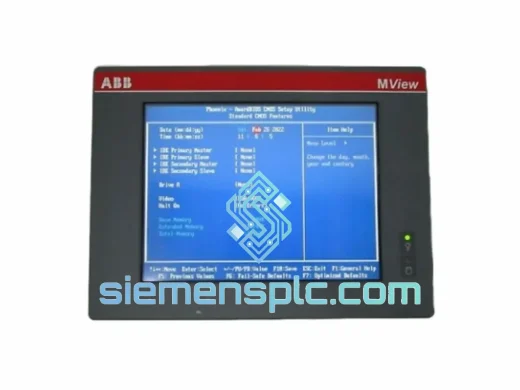
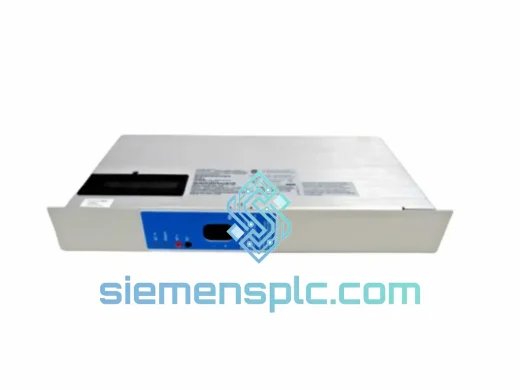
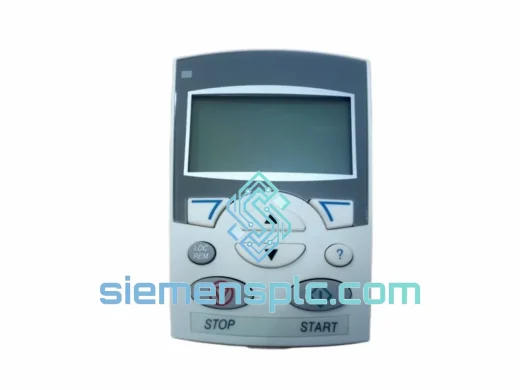
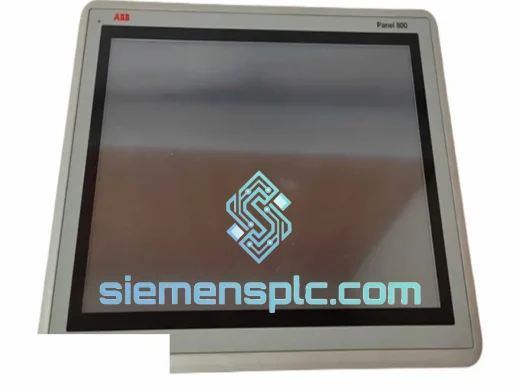
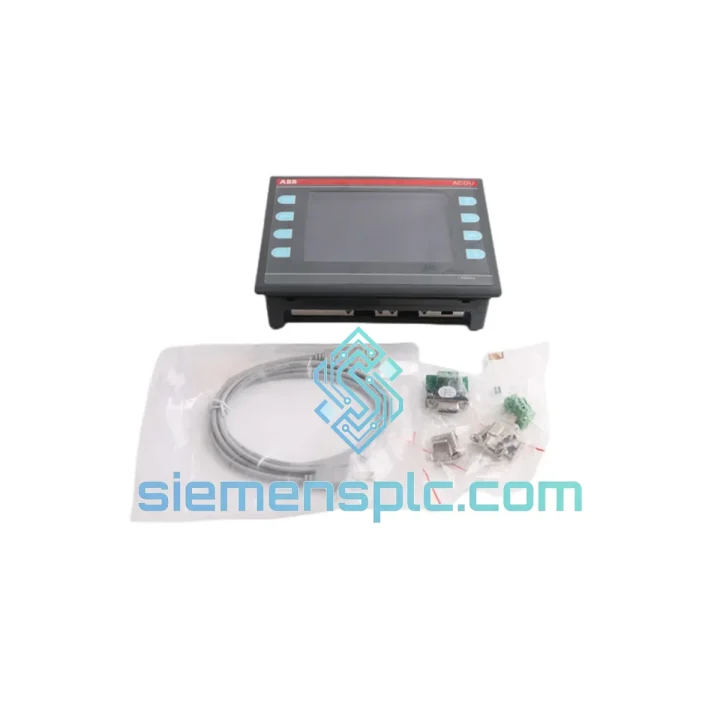
ABB ACDU V1.01 Operator Interface Module
Request verified availability, condition, replacement risk review, packing options and courier lead time for ACDU V1.01.
BrandABB
Part NumberACDU V1.01
ConditionAvailability Check
Lead TimeRFQ Confirmation
DocumentsDatasheet / photos by RFQ
ShippingExport packing available
Auto-filled RFQ
ACDU V1.01
Click Request Quote and the part number is inserted into the inquiry form automatically.
- Reply by email: [email protected]
- WhatsApp / Tel: +86 18359268345
- Mon-Sat 9:00-18:00 GMT+8
Procurement Data
Key Product Information
Core fields for model confirmation and RFQ routing. Detailed product narrative remains below.
- Brand
- ABB
- Primary Part Number
- ACDU V1.01
- Product Type
- Operator Interface Module
- Product Family
- Other series
- Manufacturer
- ABB Ltd.
- Country of Origin
- SE
- Catalog Category
- HMI Panels
Model confirmed for inquiry
ACDU V1.01
Send quantity, destination and urgency. The RFQ form keeps this part number attached.
Request Quote
Product Overview
ABB ACDU V1.01 – Operator Interface Down? Here’s How You Get Back Online Before the Next Shift
When the ACDU V1.01 goes dark, your operators lose their primary window into the process. No alarm acknowledgment. No manual setpoint entry. No live trend display. The DCS controller keeps executing its logic, but without a functioning operator interface, your team cannot intervene — and in a process environment, the inability to intervene is where incidents begin. Every hour this module stays out of the rack is an hour of elevated risk and mounting production loss.
We maintain physical stock of the ABB ACDU V1.01 in Xiamen. Not a catalog listing. Not a broker allocation. Actual units, on shelves, inspected and firmware-confirmed, ready to ship the same day your purchase order is received. We have supported enough unplanned outages to understand that what you need at this moment is not a quotation with a six-week lead time — it is a dispatch confirmation and a DHL tracking number. That is what we provide.
Before each unit leaves our facility, it goes through a structured bench verification: backplane edge connector examined under magnification for pin deformation, fretting corrosion, and mechanical damage; display panel powered and evaluated for dead pixels, backlight uniformity, and touch response across the full active area; firmware version confirmed at V1.01; and the unit sealed in a dual-layer ESD-safe enclosure with desiccant before final packaging. The technician who inspects your unit has worked with ABB DCS hardware — not just read the datasheet.
⚡ URGENT REQUIREMENT? Contact: [email protected] | WhatsApp: +86 18359268345
Quick Technical Datasheet
| Parameter | Specification |
|---|---|
| Manufacturer | ABB Ltd. |
| Part Number | ACDU V1.01 |
| Module Category | Operator Interface / Display Unit |
| Compatible Platform | ABB Distributed Control System (DCS) |
| Display Technology | Backlit LCD with resistive touch overlay |
| Firmware Revision | V1.01 – pre-loaded and verified prior to dispatch |
| Node Addressing | Automatic via backplane slot position – no jumpers or DIP switches |
| Backplane Interface | ABB DCS proprietary internal bus |
| Input Voltage | 24 VDC (backplane-supplied) |
| Operating Temperature Range | 0 °C to +55 °C |
| Storage Temperature Range | -25 °C to +70 °C |
| Relative Humidity | 5–95% RH, non-condensing |
| Certifications | CE, RoHS |
| Country of Origin | China (CN) |
| Dispatch Location | Xiamen, Fujian Province, PRC |
| Availability | ✅ In Stock – Same-Day Dispatch on Confirmed Orders |
Troubleshooting & Replacement Tips
The ACDU V1.01 has a well-documented failure profile across field installations. The following covers the fault patterns encountered most frequently in the field, along with the replacement procedure steps that are most commonly skipped — and most likely to cause a second callout.
Field Fault Patterns:
- Display blank, controller communication intact: The DCS controller still registers the ACDU node on the backplane bus, but the screen is black. This combination isolates the fault to the backlight inverter circuit — the logic board is operational. There is no field repair path for the inverter. Order a replacement unit.
- “ACDU COMM FAULT” on DCS controller: Before condemning the module, inspect the backplane slot connector. The power and communications rail pins are the primary mechanical failure point due to thermal cycling and micro-fretting corrosion. Clean with 99% isopropyl alcohol, reseat with firm, even pressure, and cycle rack power. If the fault clears and returns within 48 hours, the connector is mechanically compromised — replace the unit.
- Touch input drift or dead zones: Resistive overlays shift under sustained thermal load. Access hardware calibration by holding the lower-left corner of the display during power-up for approximately 5 seconds until the calibration target appears. If drift recurs within one week of calibration, the overlay is delaminating — no field repair is viable.
- Cyclic spontaneous reboot with shortening interval: This pattern indicates electrolytic capacitor degradation on the internal 5 V regulation rail, accelerated by sustained operation above 45 °C ambient. The reboot interval will progressively shorten until the unit fails POST entirely. No field intervention extends service life at this stage.
- Front panel keys unresponsive: Verify the flex cable connection between the front panel PCB and the main board before ordering a replacement. If correctly seated and still non-functional, the tactile switch dome has collapsed — replace the unit.
Replacement Procedure – Steps Most Commonly Missed:
- Document before power removal: Capture active alarms, current setpoints, and display page configuration. On certain ACDU V1.01 firmware builds, operator-configured display layouts reside in volatile memory and are lost on power removal. Confirm with your integrator whether configuration is stored in the DCS controller or locally in the ACDU before proceeding.
- Verify hot-swap rating for your rack: The ACDU V1.01 is not rated for hot insertion in standard ABB DCS rack configurations. Inserting or removing the module under power in a non-rated rack can trigger a full rack reset and an uncontrolled process trip. Consult your site SIS documentation before pulling the module.
- Install in the identical backplane slot: The ACDU V1.01 derives its DCS node address from its physical backplane slot position — no rotary switches, no jumpers, no software assignment required. A different slot means a different node address; the DCS controller will not map it to the existing configuration without manual reconfiguration.
- Confirm firmware compatibility before installation: Units from our stock carry V1.01 firmware as factory-loaded. If your DCS controller software has been updated since original commissioning, verify with your integrator that V1.01 ACDU firmware remains on the current compatibility matrix. A firmware handshake mismatch generates a communication fault that is diagnostically indistinguishable from hardware failure.
- Execute touch calibration on first power-up: The replacement unit will prompt calibration on initial boot. Use a clean, blunt non-metallic stylus — avoid bare-finger calibration on a new resistive overlay to prevent offset error from skin oils.
- Functional verification before returning to automatic control: Confirm alarm acknowledgment response from the DCS controller side, verify display page navigation, and test all front panel inputs before releasing the control loop to automatic mode.
Reliability in Harsh Conditions
The ABB ACDU V1.01 was designed for industrial panel environments — not climate-controlled server rooms. Its construction reflects the actual operating conditions found in process plants, compressor stations, chemical facilities, and offshore platforms.
Vibration Resistance: Critical PCB components are through-hole mounted and secured with full-board conformal coating. In installations subject to continuous mechanical vibration — rotating machinery halls, compressor decks, offshore platforms — this construction resists the progressive solder joint fatigue that causes surface-mount-only designs to fail within 12–24 months of installation. Our pre-dispatch inspection includes a manual flex assessment of the PCB assembly to identify any pre-existing mechanical stress before the unit ships.
Thermal Endurance: Rated for continuous operation at +55 °C ambient, the ACDU V1.01 handles the thermal environment of enclosed industrial control panels without derating. Passive convection cooling eliminates fan failure as a failure mode entirely. Our inspection process measures equivalent series resistance on primary filter capacitors and rejects any unit outside manufacturer specification before dispatch.
Humidity and Contamination Resistance: The conformal-coated PCB provides a barrier against condensation ingress in high-humidity environments — coastal installations, pulp and paper mills, food processing facilities, offshore platforms. The front panel overlay provides a sealed interface against particulate contamination and incidental liquid contact. Any unit presenting overlay seal delamination or internal evidence of moisture ingress is rejected during inspection and does not enter our shipping inventory.
Global Express Logistics
Our dispatch hub operates from Xiamen, Fujian Province, with direct access to DHL Express and FedEx International Priority carrier networks. From confirmed order to your site:
- Same-Day Pick, Inspect & Pack: Orders confirmed before 14:00 CST are picked, bench-verified, and packed the same business day. Every shipment uses an ESD-safe inner bag, foam-lined rigid outer carton, and a silica desiccant pack as standard.
- Export Documentation: Commercial invoice, packing list, and HS code declaration are submitted to Xiamen customs within 2 hours of pack completion. Certificate of Origin available on request for import duty or regulatory clearance requirements.
- Estimated Transit Times (Express): Europe 3–5 business days | Middle East 3–4 days | Southeast Asia 1–3 days | Americas 4–6 days. Economy freight available for non-urgent bulk procurement.
- Live Tracking: AWB number transmitted to your registered contact within 4 hours of carrier pickup. Our logistics team actively monitors in-transit shipments and contacts you directly if a customs hold or routing exception is detected.
- Import Clearance Support: For destinations with specific import licensing or end-user declaration requirements, contact us before order placement. We prepare the correct documentation package upfront to prevent clearance delays.
Contact Information
Stock confirmation, technical compatibility verification, volume pricing, and emergency procurement — reach us directly:
- 📧 Email: [email protected]
- 💬 WhatsApp: +86 18359268345
- 🌐 Web: siemensplc.com
© 2026 siemensplc.com. All rights reserved.
Ready to quote
[email protected]
Send This Part Number to Sales
RFQ workflow
Quality workflow ->
Confirmation Process
01Model confirmation
We check the full part number, brand, series and visible nameplate information before quotation.
02Availability reply
Sales confirms stock path, condition option, quantity and realistic lead time for export dispatch.
03Packing & courier
DHL, FedEx, UPS or buyer courier arrangements can be reviewed with packing requirements.
Continue sourcing
Browse full catalog ->
Related Automation Parts
Similar brand or category products for fast comparison and multi-item RFQ lists.