ABB
In Stock OK
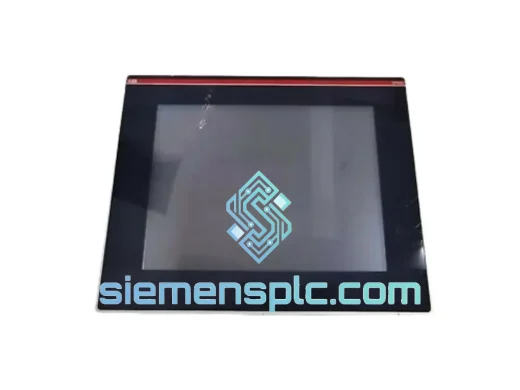
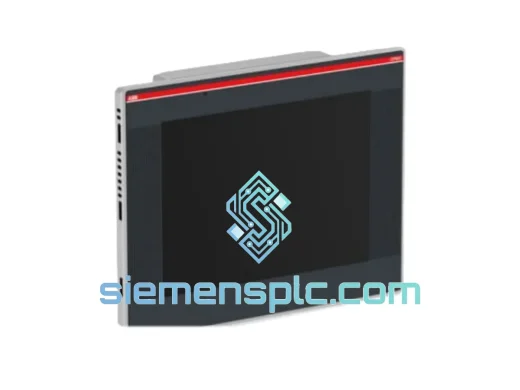
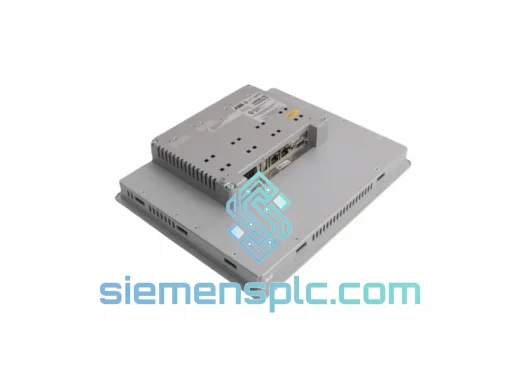
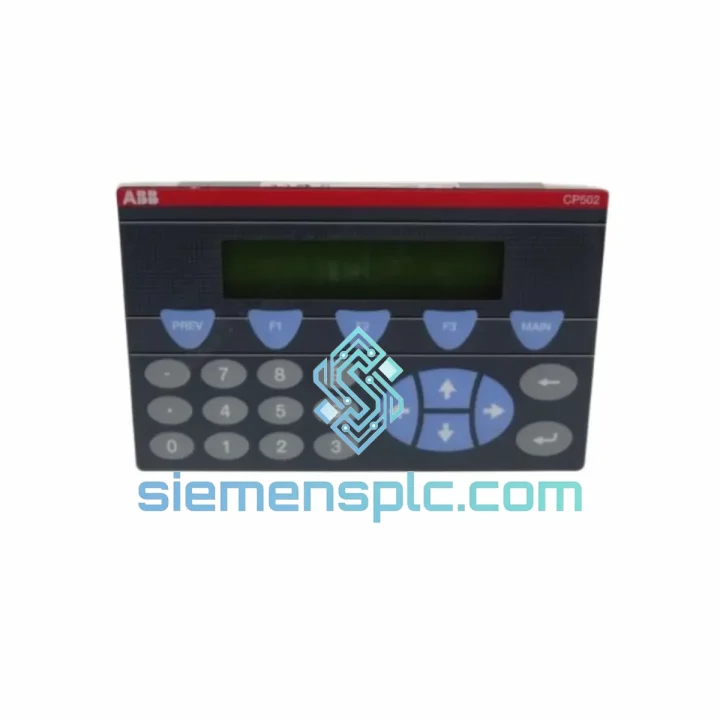
ABB CP502 1SBP260190R1001-A Text Display Panel
Request verified availability, condition, replacement risk review, packing options and courier lead time for CP502 1SBP260190R1001-A.
BrandABB
Part NumberCP502 1SBP260190R1001-A
ConditionAvailability Check
Lead TimeRFQ Confirmation
DocumentsDatasheet / photos by RFQ
ShippingExport packing available
Auto-filled RFQ
CP502 1SBP260190R1001-A
Click Request Quote and the part number is inserted into the inquiry form automatically.
- Reply by email: [email protected]
- WhatsApp / Tel: +86 18359268345
- Mon-Sat 9:00-18:00 GMT+8
Procurement Data
Key Product Information
Core fields for model confirmation and RFQ routing. Detailed product narrative remains below.
- Brand
- ABB
- Primary Part Number
- CP502 1SBP260190R1001-A
- Product Type
- Text Display Panel
- Series / Family
- AC500
- Country of Origin
- SE
- Catalog Category
- HMI Panels
- Operating Temp.
- 0 °C to +55 °C
Model confirmed for inquiry
CP502 1SBP260190R1001-A
Send quantity, destination and urgency. The RFQ form keeps this part number attached.
Request Quote
Product Overview
ABB CP502 1SBP260190R1001-A: Stop the Clock on Your AC500 Downtime
Every minute your AC500 line sits dark costs real money. When the operator panel goes black — no display, no alarm acknowledgment, no setpoint entry — your production doesn’t pause politely. It crashes. The ABB CP502 (1SBP260190R1001-A) is the exact replacement module you need on-site before the next shift starts. We stock it in Xiamen. We ship it today.
This is not a catalog listing. This is a field-ready unit, inspected, boxed, and waiting for your DHL label. If your maintenance team is standing in front of a dead panel right now, stop reading and call us.
URGENT REQUIREMENT? Contact: [email protected] | WhatsApp: +86 18359268345
Quick Technical Datasheet
| Parameter | Value |
|---|---|
| Brand | ABB |
| Model / SKU | CP502 / 1SBP260190R1001-A |
| Series | AC500 PLC Accessories |
| Device Type | Text Display Panel (Operator Interface) |
| Mounting Style | Panel Mount |
| Compatible Platform | ABB AC500 CPU PM5xx Series |
| Communication Interface | Serial (RS-232 / RS-485, confirm per revision) |
| Display | Multi-line text LCD |
| Input Keys | Function keys + numeric keypad |
| Operating Temperature | 0 °C to +55 °C |
| Storage Temperature | -25 °C to +70 °C |
| Protection Rating | IP65 (front face) |
| Weight | ~400 g |
| Origin | Germany |
| Stock Status | ✅ Ready to Ship — Xiamen Warehouse |
Troubleshooting & Replacement Tips
Pulled from real field experience — not the manual. Here is what actually goes wrong with the CP502 and what to watch when you swap it out.
Common Failure Modes:
- Blank display, backlight dead: Usually a failed backlight inverter or internal power rail. If the CPU still communicates but the panel shows nothing, the CP502 itself is the fault — not the CPU or cable.
- Intermittent display freeze: Often caused by loose RS-232/RS-485 connector at the panel side. Before condemning the unit, reseat the communication cable and check for corrosion on the D-sub pins.
- Keypad unresponsive: Membrane keypad delamination is common in high-humidity environments. If only certain keys fail, the membrane is the culprit. Full panel replacement is the fastest fix.
- Communication timeout alarms on CPU: Check baud rate and parity settings on both the CP502 and the AC500 CPU configuration in Automation Builder. A firmware mismatch between CPU and panel can cause persistent timeout faults even with correct wiring.
- Garbled characters on display: Typically a baud rate mismatch or corrupted panel configuration. Perform a factory reset on the CP502 before re-downloading the panel project.
Replacement Checklist — Do This Before You Power Up:
- Confirm the replacement CP502 revision matches your existing unit (check label on rear housing — revision letter matters for firmware compatibility).
- Back up the existing panel project from Automation Builder before removing the old unit. If the panel is dead, retrieve the project from your PLC program archive.
- Match communication parameters exactly: baud rate, parity, stop bits, and node address must be identical to the failed unit’s configuration.
- After installation, perform a full download of the panel project. Do not assume the new unit retains any configuration from the previous device.
- Verify the CPU firmware version is compatible with the CP502 firmware. ABB publishes a compatibility matrix — check it if you are crossing major firmware generations.
- Power cycle the entire AC500 rack after panel replacement. Some CPU models require a cold restart to re-establish the operator panel communication link.
Reliability in Harsh Conditions
The CP502 was not designed for a climate-controlled server room. It was built for the floor — pump stations, compressor halls, outdoor switchgear enclosures, and food processing lines where temperature swings, condensation, and vibration are daily realities.
The IP65-rated front face keeps water jets and dust out of the display assembly. The operating temperature range of 0 °C to +55 °C covers the majority of industrial indoor environments without derating. The panel-mount design locks the unit rigidly into the cabinet door, eliminating the flex and vibration fatigue that kills connectors on rack-mounted equipment.
Internal components are selected for industrial-grade MTBF. The LCD assembly is rated for tens of thousands of hours of continuous operation. The membrane keypad is sealed against ingress and rated for millions of actuations under normal use. In corrosive or high-humidity environments, the sealed front face prevents the accelerated oxidation that destroys unprotected electronics within months.
Every unit we ship from Xiamen is inspected for physical integrity — housing cracks, connector pin condition, label legibility, and anti-counterfeit markers. Units that do not pass visual and functional checks do not leave our warehouse.
Global Express Logistics
Our Xiamen warehouse is 15 minutes from Xiamen Gaoqi International Airport, one of China’s primary cargo hubs with direct freight connections to Frankfurt, Amsterdam, Chicago O’Hare, Dubai, and Singapore. This is not a coincidence — it is how we guarantee next-flight-out capability for critical orders.
Standard Express Process:
- Order confirmed before 14:00 CST: Same-day dispatch via DHL Express or FedEx International Priority.
- Transit times: Europe 2–3 business days | North America 3–4 business days | Southeast Asia 1–2 business days | Middle East 3–4 business days.
- Documentation: Commercial invoice, packing list, and certificate of origin provided with every shipment. HS code pre-declared for smooth customs clearance.
- Tracking: AWB number sent within 2 hours of dispatch. Real-time tracking link provided directly to your inbox.
- Emergency freight: For AOG-equivalent industrial emergencies, contact us via WhatsApp for charter freight options and hand-carry arrangements.
We have shipped ABB AC500 components to Germany, the Netherlands, the United States, Australia, Saudi Arabia, India, and over 40 other countries. Our export team handles customs documentation daily — your shipment will not sit in a bonded warehouse waiting for paperwork.
Contact Information
Email: [email protected]
WhatsApp: +86 18359268345
Web: siemensplc.com
© 2026 siemensplc.com. All rights reserved.
Ready to quote
[email protected]
Send This Part Number to Sales
RFQ workflow
Quality workflow ->
Confirmation Process
01Model confirmation
We check the full part number, brand, series and visible nameplate information before quotation.
02Availability reply
Sales confirms stock path, condition option, quantity and realistic lead time for export dispatch.
03Packing & courier
DHL, FedEx, UPS or buyer courier arrangements can be reviewed with packing requirements.
Continue sourcing
Browse full catalog ->
Related Automation Parts
Similar brand or category products for fast comparison and multi-item RFQ lists.