ABB
In Stock OK
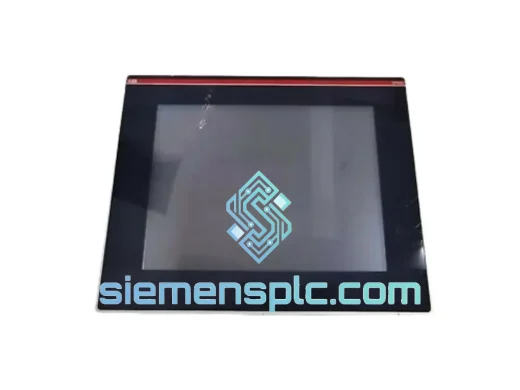
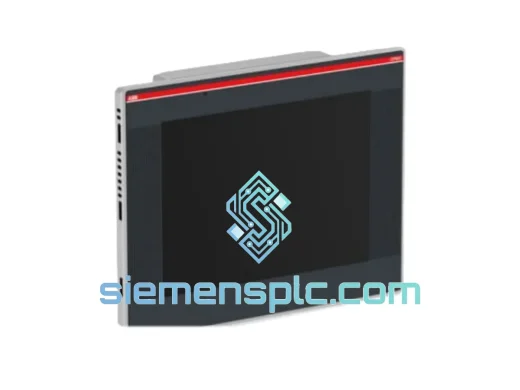
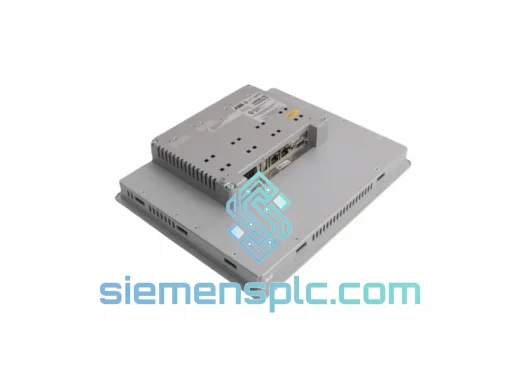
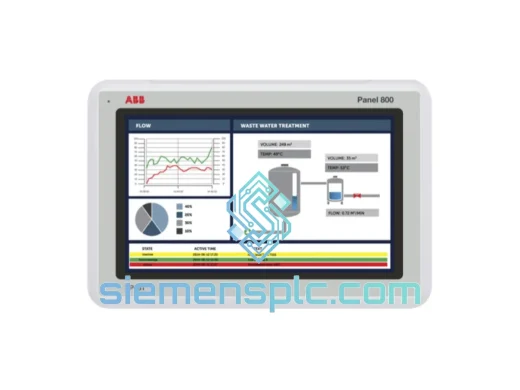
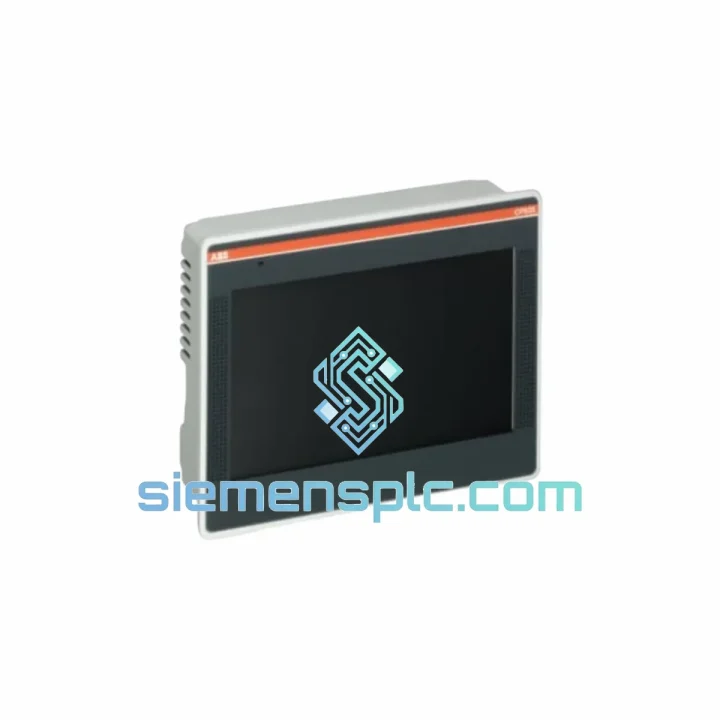
ABB CP635 1SAP535100R0001 HMI Control Panel
Request verified availability, condition, replacement risk review, packing options and courier lead time for CP635 1SAP535100R0001.
BrandABB
Part NumberCP635 1SAP535100R0001
ConditionAvailability Check
Lead TimeRFQ Confirmation
DocumentsDatasheet / photos by RFQ
ShippingExport packing available
Auto-filled RFQ
CP635 1SAP535100R0001
Click Request Quote and the part number is inserted into the inquiry form automatically.
- Reply by email: [email protected]
- WhatsApp / Tel: +86 18359268345
- Mon-Sat 9:00-18:00 GMT+8
Procurement Data
Key Product Information
Core fields for model confirmation and RFQ routing. Detailed product narrative remains below.
- Brand
- ABB
- Primary Part Number
- CP635 1SAP535100R0001
- Product Type
- HMI Control Panel
- Series / Family
- AC500
- Country of Origin
- SE
- Catalog Category
- HMI Panels
- Operating Temp.
- 0 °C to +50 °C
Model confirmed for inquiry
CP635 1SAP535100R0001
Send quantity, destination and urgency. The RFQ form keeps this part number attached.
Request Quote
Product Overview
ABB CP635 1SAP535100R0001 — Stop the Bleeding: Get Your Line Back Online Today
Every minute your HMI is dark, you’re not just losing production — you’re losing money, credibility, and operator confidence. The ABB CP635 (part number 1SAP535100R0001) is the 7″ resistive touch panel at the heart of thousands of CP600-based control stations worldwide. When it fails, there is no workaround. Operators go blind. Alarms stack up unacknowledged. Processes drift outside setpoints. The clock is running.
We stock the CP635 in Xiamen and ship same-day via DHL Express or FedEx International Priority. From our warehouse to your plant floor — Frankfurt in 3 days, Houston in 4, Singapore overnight. No waiting on ABB’s standard lead times. No distributor queues. You call, we ship.
URGENT REQUIREMENT? Contact: [email protected] | WhatsApp: +86 18359268345
Quick Technical Datasheet
| Parameter | Specification |
|---|---|
| Part Number | 1SAP535100R0001 |
| Model | CP635 |
| Series | ABB CP600 |
| Display Size | 7.0″ TFT Color LCD |
| Resolution | 800 × 480 px (WVGA) |
| Touch Technology | Resistive (glove-compatible) |
| Supply Voltage | 24 VDC (18–30 VDC range) |
| Power Consumption | ≤ 12 W typical |
| Communication Ports | 2× Ethernet (RJ45), 1× RS-232/485, 2× USB |
| Supported Protocols | Modbus TCP/RTU, EtherNet/IP, PROFIBUS DP (via CM module), OPC-UA |
| Programming Software | ABB Panel Builder 600 |
| Operating Temperature | 0 °C to +50 °C |
| Storage Temperature | -20 °C to +60 °C |
| Protection Rating | IP65 (front panel) |
| Vibration Resistance | IEC 60068-2-6 compliant |
| Certifications | CE, UL, cUL, RCM |
| Weight | ~300 g |
| Country of Origin | Germany |
| Stock Status | ✅ Ready to Ship — Xiamen Warehouse |
Troubleshooting & Replacement Tips
Common failure modes on the CP635 that trigger an emergency replacement call:
- Blank screen on power-up (no backlight): 80% of the time this is a failed backlight inverter or a corrupted boot partition — not a PLC comms issue. Before ordering a replacement, confirm 24 VDC is present at the panel connector and check the fuse on the 24 V rail. If voltage is good and the unit is completely dark, the panel itself is the fault.
- Touch input frozen / ghost touches: Resistive touch layers degrade in high-humidity environments. If the panel responds to no input or registers phantom presses, the touch overlay has failed. This is not firmware-recoverable — physical replacement is required.
- Communication fault — “No connection to PLC” alarm: First check the Ethernet cable and switch port. If comms were working and suddenly dropped, check the IP address configuration in Panel Builder 600. The CP635 does not auto-negotiate IP on first boot — it defaults to 192.168.0.1. Confirm your PLC subnet matches.
- Project file not loading after replacement: The CP635 stores the project in internal flash. A new unit ships blank. You must download the .ppj project file from Panel Builder 600 via USB or Ethernet before the panel is operational. Keep a backup of your project file on a USB stick at the panel — this alone saves hours during an emergency swap.
- Firmware mismatch warning: If Panel Builder 600 throws a firmware version mismatch on download, update the panel firmware first via the USB service port using the ABB firmware update tool. Do not attempt to force-download a mismatched project — it will corrupt the panel’s runtime.
Step-by-step hot-swap procedure (CP635 in a live cabinet):
- Photograph the existing wiring and connector layout before disconnecting anything.
- Power down the 24 VDC supply to the panel only — do not kill the PLC if the process allows it.
- Disconnect the Ethernet, USB, and power connectors. Note the RS-232/485 termination resistor setting if used.
- Remove the four panel-mount clamps from the rear. Slide the unit out from the front of the cutout.
- Install the new CP635. Reconnect all connectors in reverse order.
- Power up. Confirm the panel boots to the ABB splash screen within 30 seconds.
- Download the project file via USB or Ethernet from Panel Builder 600.
- Verify all PLC comms tags are reading correctly before handing back to operations.
- Document the swap in your maintenance log with the new unit’s serial number.
Reliability in Harsh Conditions
The CP635 was not designed for a climate-controlled server room. It was built for the kind of environments that destroy consumer electronics in weeks — and it earns its keep there every day.
The front panel carries an IP65 rating, meaning it is fully dust-tight and protected against water jets from any direction. In a food processing plant where washdown is a daily routine, or a cement plant where fine particulate is everywhere, the CP635 keeps running while lesser panels fail. The resistive touch layer is sealed against moisture ingress and responds reliably even with wet or gloved hands — a non-negotiable requirement on any plant floor.
Vibration is the silent killer of industrial electronics. Compressors, conveyors, and heavy presses transmit constant mechanical stress through cabinet structures. The CP635 is tested to IEC 60068-2-6, the international standard for sinusoidal vibration, covering the frequency ranges most commonly generated by rotating machinery. Internal connectors are locked, and the PCB is conformal-coated to prevent vibration-induced solder joint fatigue.
Thermal cycling is equally destructive. The CP635 operates across a 0 °C to +50 °C ambient range — sufficient for the vast majority of industrial cabinet installations even without forced air cooling. In high-ambient environments, ensure the cabinet ventilation is adequate and the panel is not mounted directly above heat-generating components. The unit’s power supply section is the most temperature-sensitive component; sustained operation above 45 °C ambient will shorten backlight life.
EMC performance is certified to CE and UL standards. The panel’s switching power supply and display driver circuitry are shielded to prevent radiated emissions from interfering with nearby instrumentation, and the unit is immune to the conducted interference levels typical of industrial power distribution systems. In high-EMI environments — near large VFDs or welding equipment — ensure the 24 VDC supply is properly filtered and the panel’s Ethernet cables are shielded (STP Cat5e or better).
Global Express Logistics
Downtime does not respect time zones. Our logistics process is built around one objective: getting the part in your engineer’s hands as fast as physically possible.
All stock is held at our Xiamen warehouse, located 15 minutes from Xiamen Gaoqi International Airport (XMN) — one of China’s primary cargo hubs with daily freighter connections to Frankfurt, Dubai, Chicago, and Singapore. When you confirm an order before 14:00 CST, the unit ships the same business day. No exceptions.
Typical transit times from Xiamen:
- 🇩🇪 Germany / Central Europe: 3–4 business days via DHL Express
- 🇺🇸 USA (East Coast): 4–5 business days via FedEx International Priority
- 🇸🇬 Singapore / Southeast Asia: 2–3 business days via DHL Express
- 🇦🇺 Australia: 4–5 business days via FedEx
- 🇸🇦 Middle East (UAE, KSA): 3–4 business days via DHL Express
- 🇮🇳 India: 3–4 business days via FedEx International Priority
Every shipment includes a full commercial invoice, packing list, and certificate of origin — all pre-formatted for customs clearance in your country. For EU imports, we provide the necessary documentation for EORI-based customs entry. For US imports, we handle HTS code classification and provide the required CBP documentation. We have shipped to 60+ countries without a single customs hold attributable to documentation errors.
Shipment tracking is provided immediately upon dispatch. For urgent orders, our logistics team monitors the shipment actively and will proactively contact DHL or FedEx if any delay is detected in transit. You will not be left waiting and wondering — we stay on it until the part is signed for at your facility.
Contact Information
📧 Email: [email protected]
📱 WhatsApp: +86 18359268345
🌐 Web: siemensplc.com
© 2026 siemensplc.com. All rights reserved.
Ready to quote
[email protected]
Send This Part Number to Sales
RFQ workflow
Quality workflow ->
Confirmation Process
01Model confirmation
We check the full part number, brand, series and visible nameplate information before quotation.
02Availability reply
Sales confirms stock path, condition option, quantity and realistic lead time for export dispatch.
03Packing & courier
DHL, FedEx, UPS or buyer courier arrangements can be reviewed with packing requirements.
Continue sourcing
Browse full catalog ->
Related Automation Parts
Similar brand or category products for fast comparison and multi-item RFQ lists.