
ABB
In Stock OK
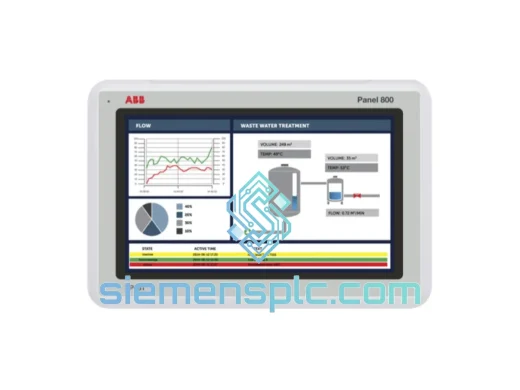
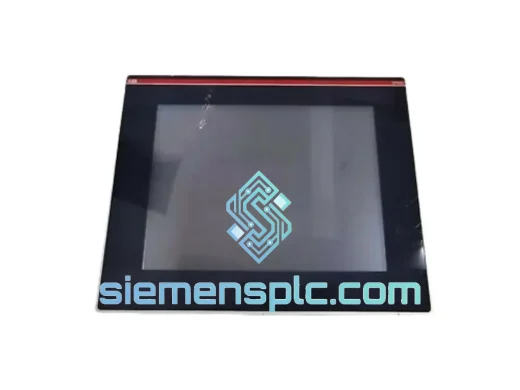
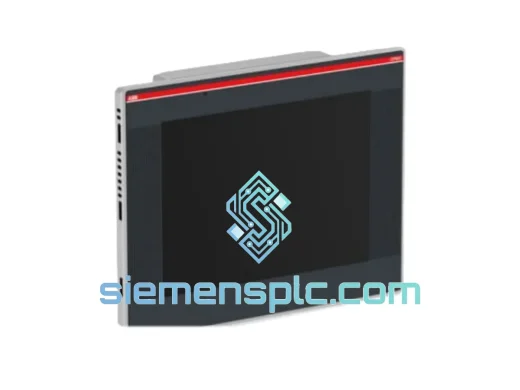
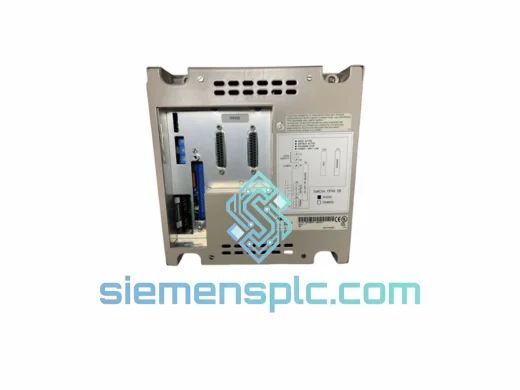
ABB CP635-WEB HMI Touch Panel
Request verified availability, condition, replacement risk review, packing options and courier lead time for CP635-WEB.
BrandABB
Part NumberCP635-WEB
ConditionAvailability Check
Lead TimeRFQ Confirmation
DocumentsDatasheet / photos by RFQ
ShippingExport packing available
Auto-filled RFQ
CP635-WEB
Click Request Quote and the part number is inserted into the inquiry form automatically.
- Reply by email: [email protected]
- WhatsApp / Tel: +86 18359268345
- Mon-Sat 9:00-18:00 GMT+8
Procurement Data
Key Product Information
Core fields for model confirmation and RFQ routing. Detailed product narrative remains below.
- Brand
- ABB
- Primary Part Number
- CP635-WEB
- Product Type
- HMI Touch Panel
- Series / Family
- AC500
- Country of Origin
- SE
- Catalog Category
- HMI Panels
- Humidity
- 5–95% RH, non-condensing
Model confirmed for inquiry
CP635-WEB
Send quantity, destination and urgency. The RFQ form keeps this part number attached.
Request Quote
Product Overview
ABB CP635-WEB: Stop the Clock on Your Downtime — Ship Today from Xiamen
Your line is down. Every hour without a functioning HMI panel costs you production output, labor, and customer trust. The ABB CP635-WEB is a 12.1″ SVGA resistive-touch web panel built for the AC500 / CP600 platform — and we have it on the shelf right now. No lead-time negotiation, no factory backorder queue. We pull, test, pack, and hand to DHL the same day you confirm. That’s the only metric that matters when your plant is standing still.
We’ve handled emergency replacements for CP635-WEB units across water treatment facilities, automotive press lines, and substation control rooms. The failure modes are predictable; the fix is not complicated — but only if the replacement unit is in your hands within 48 hours. That’s what we do.
URGENT REQUIREMENT? Contact: [email protected] | WhatsApp: +86 18359268345
Quick Technical Datasheet
| Parameter | Specification | Status |
|---|---|---|
| Part Number | CP635-WEB | ✅ Ready to Ship |
| Brand | ABB | |
| Series | AC500 / CP600 HMI | |
| Display | 12.1″ TFT LCD, SVGA 800×600 px | |
| Touchscreen | Resistive, single-point | |
| Processor | 1 GHz ARM Cortex-A8 | |
| RAM | 512 MB DDR3 | |
| Flash Storage | 256 MB internal NAND | |
| OS | Embedded Linux (RT kernel) | |
| Web Server | Built-in HTTP/HTTPS | |
| Ethernet | 2 × RJ45, 10/100 Mbps | |
| Serial | 1 × RS-232, 1 × RS-485 | |
| USB | 2 × USB 2.0 Host, 1 × USB Device | |
| SD Slot | MicroSD up to 32 GB | |
| Protocols | Modbus TCP/IP, Modbus RTU, PROFIBUS DP, CANopen, EtherNet/IP | |
| Supply Voltage | 24 V DC (18–30 V DC) | |
| Power Draw | ≤ 25 W typical | |
| Operating Temp | 0 °C to +55 °C | |
| Storage Temp | -20 °C to +70 °C | |
| Humidity | 5–95% RH, non-condensing | |
| Protection | IP65 front panel | |
| Mounting | Panel cut-out, flush mount | |
| Dimensions | ~340 × 270 × 60 mm | |
| Weight | 780 g net | |
| Certifications | CE, UL, cUL, RoHS | |
| Country of Origin | Germany |
Troubleshooting & Replacement Tips
Most common failure modes on the CP635-WEB in the field:
1. Backlight failure (most frequent)
Symptom: panel powers on (LED indicator active, Ethernet link up) but screen is black or extremely dim. Do not confuse with a firmware hang. Test with a flashlight at an angle — if you can faintly see the UI, it’s the CCFL backlight or inverter board, not the logic board. Replacement of the entire panel is the only field-serviceable fix; the backlight assembly is not sold separately.
2. Resistive touch drift / dead zones
Symptom: touch inputs register 10–30 mm offset from actual press point, or specific screen quadrants stop responding. Root cause is usually membrane delamination from thermal cycling or chemical exposure. Before condemning the panel, run the built-in touch calibration utility (System → Calibration). If calibration fails to hold across reboots, the touch overlay is mechanically degraded — replace the unit.
3. Project download failure after replacement
This is the #1 commissioning mistake. The CP635-WEB stores its IP address and project in non-volatile flash. A replacement unit ships with factory defaults (IP: 192.168.1.1, subnet 255.255.255.0). Steps to restore service:
— Connect engineering laptop directly via Ethernet (set PC to 192.168.1.x subnet).
— Open ABB Automation Builder, navigate to the target CP635-WEB device.
— Download the backed-up project file (.zip archive from Panel Builder 600).
— Reassign the static IP to match the original panel’s address before going live.
— Verify all tag bindings and alarm thresholds post-download — do not assume they transferred intact.
4. Firmware version mismatch
If the replacement unit’s firmware version differs from the original (check System → About), re-download the project after updating firmware. Mixing firmware versions with older project files causes silent tag mapping errors that only surface under specific runtime conditions — a dangerous failure mode in process control. Always match firmware before project download.
5. Dual Ethernet port configuration
The CP635-WEB has two independent Ethernet interfaces (ETH1 and ETH2). In many installations, ETH1 is on the OT network (PLC subnet) and ETH2 is on the IT/corporate LAN for web visualization. Verify the routing table on the replacement unit — factory default has both ports on the same subnet, which will cause IP conflicts in a segmented network. Configure static routes via System → Network before connecting to the live network.
6. SD card data logging gap
If the original panel was logging process data to MicroSD, the replacement unit will start a new log file. Retrieve the SD card from the failed panel before disposal — it contains historical alarm and trend data that may be required for incident reporting or regulatory compliance.
Reliability in Harsh Conditions
The CP635-WEB was not designed for a climate-controlled server room. It was built for the cabinet door of a cement plant, a coastal pump station, and a steel mill’s auxiliary control panel. Here’s what it handles without complaint:
Vibration: The ARM Cortex-A8 SoC and NAND flash storage have no spinning media. There are no hard drives, no optical drives, no mechanical relays on the logic board. The unit tolerates continuous vibration profiles consistent with IEC 60068-2-6 (sinusoidal) and IEC 60068-2-64 (random) without data corruption or connector fatigue — provided the panel mounting hardware is torqued correctly and anti-vibration grommets are used on the enclosure studs.
Temperature cycling: The 0–55 °C operating range covers the majority of industrial cabinet environments globally. In high-ambient installations (foundries, glass plants, outdoor tropical enclosures), verify cabinet ventilation is adequate before blaming the panel. The CP635-WEB’s thermal shutdown threshold is conservative — it will protect itself before permanent damage occurs, but repeated thermal trips indicate a cabinet cooling problem, not a panel defect.
Humidity and condensation: IP65 front panel protection blocks water jets and dust ingress at the bezel. The rear of the unit is not sealed — ensure the cabinet itself provides the environmental barrier. In high-humidity coastal or tropical installations, use desiccant packs inside the enclosure and inspect the rear connector area for corrosion during scheduled maintenance. Condensation on the PCB from rapid temperature swings is the leading cause of premature logic board failure in these environments.
EMI/RFI: The CP635-WEB carries CE marking and meets EN 61000-4 series immunity requirements. In high-EMI environments (VFD-heavy panels, large motor starters), ensure the 24 V DC supply is filtered and the panel’s chassis ground is bonded to the enclosure with a short, low-impedance strap. Floating grounds are the most common cause of unexplained communication dropouts and touchscreen noise in these installations.
Global Express Logistics
Our warehouse is in Xiamen, Fujian — one of China’s primary export hubs with direct access to DHL, FedEx, and UPS international gateways. This is not a drop-ship arrangement. The unit is physically on our shelf, inspected, and ready to pack.
Typical transit times from Xiamen:
| Destination | DHL Express | FedEx International Priority |
|---|---|---|
| Southeast Asia (SG, MY, TH, VN) | 1–2 business days | 1–2 business days |
| Middle East (AE, SA, QA) | 2–3 business days | 2–3 business days |
| Europe (DE, NL, FR, UK) | 3–4 business days | 3–5 business days |
| North America (US, CA) | 3–5 business days | 3–5 business days |
| Australia / NZ | 3–4 business days | 3–5 business days |
| South America (BR, CL, CO) | 4–6 business days | 5–7 business days |
Every shipment includes a commercial invoice, packing list, and certificate of origin. HS Code 8537.10 is pre-declared on all export documents — no customs clearance delays from missing paperwork. For destinations requiring an import license or specific certification documentation, contact us before ordering and we will prepare the full compliance package.
Same-day dispatch cutoff: orders confirmed with payment before 14:00 CST ship the same business day. Orders confirmed after 14:00 CST ship the following morning. We send the AWB tracking number via WhatsApp and email within 2 hours of handover to the carrier.
For bulk orders (3+ units) or projects requiring staged delivery, contact us directly for a consolidated freight quote. Sea freight via Xiamen Port is available for non-urgent large-volume orders at significantly reduced cost.
Contact Information
📧 Email: [email protected]
💬 WhatsApp: +86 18359268345
🌐 Web: siemensplc.com
© 2026 siemensplc.com. All rights reserved.
Ready to quote
[email protected]
Send This Part Number to Sales
RFQ workflow
Quality workflow ->
Confirmation Process
01Model confirmation
We check the full part number, brand, series and visible nameplate information before quotation.
02Availability reply
Sales confirms stock path, condition option, quantity and realistic lead time for export dispatch.
03Packing & courier
DHL, FedEx, UPS or buyer courier arrangements can be reviewed with packing requirements.
Continue sourcing
Browse full catalog ->
Related Automation Parts
Similar brand or category products for fast comparison and multi-item RFQ lists.