
ABB
In Stock OK
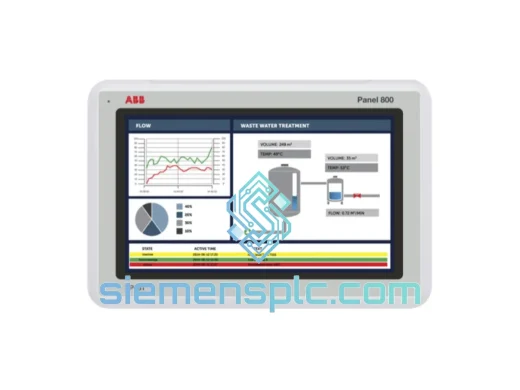
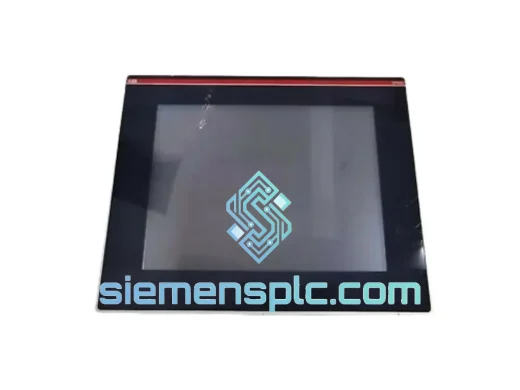
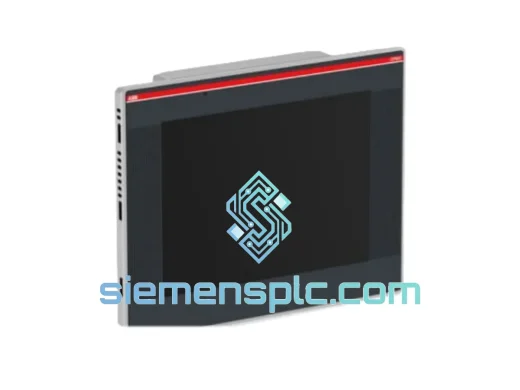
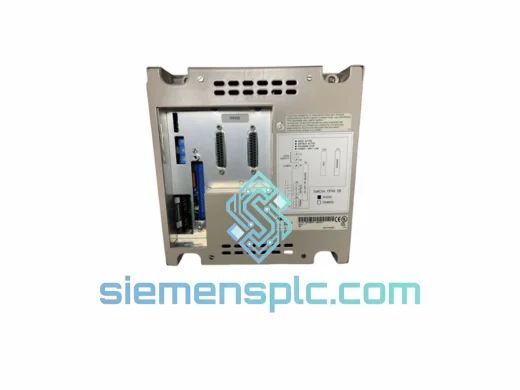
ABB CP6415 1SAP541510R0001 HMI Operator Panel
Request verified availability, condition, replacement risk review, packing options and courier lead time for CP6415 1SAP541510R0001.
BrandABB
Part NumberCP6415 1SAP541510R0001
ConditionAvailability Check
Lead TimeRFQ Confirmation
DocumentsDatasheet / photos by RFQ
ShippingExport packing available
Auto-filled RFQ
CP6415 1SAP541510R0001
Click Request Quote and the part number is inserted into the inquiry form automatically.
- Reply by email: [email protected]
- WhatsApp / Tel: +86 18359268345
- Mon-Sat 9:00-18:00 GMT+8
Procurement Data
Key Product Information
Core fields for model confirmation and RFQ routing. Detailed product narrative remains below.
- Brand
- ABB
- Primary Part Number
- CP6415 1SAP541510R0001
- Product Type
- HMI Operator Panel
- Series / Family
- AC500
- Manufacturer
- ABB Ltd.
- Country of Origin
- SE
- Catalog Category
- HMI Panels
Model confirmed for inquiry
CP6415 1SAP541510R0001
Send quantity, destination and urgency. The RFQ form keeps this part number attached.
Request Quote
Product Overview
ABB CP6415 1SAP541510R0001 — Line Down? We Ship Today.
It’s 02:30. Your AC500 PLC is running. The CP6415 panel is not. The screen is black, the operators are locked out, and every minute of unplanned downtime is burning through your shift budget. You don’t need a sales pitch — you need a panel on a plane. That’s exactly what we do.
The ABB CP6415 (order number 1SAP541510R0001) is a CP600-series color TFT touchscreen HMI engineered specifically for ABB AC500 PLC architectures. It is not a generic panel — it is the panel. When it fails, there is no cross-compatible substitute that will load your Automation Builder project without rework. You need this exact part number, in this exact hardware revision, shipped fast. We stock it in Xiamen and dispatch via DHL Express and FedEx International Priority, reaching most industrial hubs in Asia, Europe, and the Americas within 3–5 business days from confirmed order.
URGENT REQUIREMENT? Contact: [email protected] | WhatsApp: +86 18359268345
Quick Technical Datasheet
| Parameter | Specification |
|---|---|
| Part Number | 1SAP541510R0001 |
| Model | CP6415 |
| Series | ABB CP600 |
| Manufacturer | ABB Ltd. |
| Display | Color TFT Touchscreen, panel-mount |
| PLC Compatibility | ABB AC500 (PM5xx CPU family) |
| Engineering Tool | ABB Automation Builder |
| Communication | Ethernet (Modbus TCP / ABB proprietary) |
| Supply Voltage | 24 VDC (20.4–28.8 VDC operating range) |
| Weight | Approx. 500 g |
| Country of Origin | Germany |
| Condition | New / Surplus — confirmed on inquiry |
| Stock Status | ✔ Ready to Ship — Xiamen, China |
Troubleshooting & Replacement Tips
Ten years of field swaps on CP600 panels across automotive, water treatment, and chemical processing sites. Here is what actually goes wrong — and how to avoid turning a 30-minute swap into a 4-hour debugging session.
1. Firmware Mismatch — Catch It Before You Power Up
The CP6415 ships from ABB with a specific firmware revision burned to flash. Your Automation Builder project was compiled against the firmware version running on the failed panel. If the replacement unit carries a different revision, the project download will either fail outright or produce unpredictable screen behavior. Before connecting anything: pull the rear housing label, note the firmware string, and compare it against the target firmware listed in your Automation Builder project settings. If they differ, update the panel firmware via USB before you touch the Ethernet cable.
2. IP Address — Factory Default Will Conflict With Your Network
The CP6415 boots with a factory default IP of 192.168.0.1. Your plant network almost certainly uses a different subnet. The AC500 CPU will not find the panel until the correct static IP is assigned. Procedure: connect a laptop directly to the panel Ethernet port using a crossover or auto-MDI cable, open the panel’s built-in network configuration menu (accessible from the system settings screen on boot), assign the correct IP, subnet mask, and gateway, then connect to the plant network. Do not skip this step — a panel broadcasting on the wrong IP in a live plant network can cause communication faults on other devices sharing the same switch.
3. Project Download Sequence — Order Matters
Do not assume the replacement panel has your project. Sequence: (1) Power on panel and confirm firmware revision. (2) Assign correct IP via system menu. (3) Open Automation Builder on your engineering laptop. (4) Select the correct CP6415 target in the project tree. (5) Initiate download via Ethernet or USB. (6) After download completes, cycle panel power — do not soft-reset. (7) Verify all HMI screens, alarm tags, and trend displays are mapping correctly against live PLC data before releasing to operations.
4. Touch Calibration After Cold Storage
Units that have been warehoused for extended periods occasionally require touch recalibration on first boot. On some CP6415 firmware revisions, hold the top-left corner of the screen during the boot sequence to enter the calibration utility. Run the 5-point calibration and confirm touch accuracy across the full screen area — particularly in the corners, where resistive overlay drift is most pronounced. Do not hand the panel back to operators with uncalibrated touch; a misregistered touch zone on an emergency stop button is a safety issue, not just an annoyance.
5. Common Fault Codes and What They Actually Mean
— ERR 0x0010: Ethernet communication timeout with AC500 CPU. Check physical cable, switch port link status, IP configuration, and confirm CPU is in RUN mode — the CP6415 will not establish a connection to a CPU in STOP or HALT.
— ERR 0x0022: Project version incompatibility. The firmware on the panel does not match the project target. Update firmware or recompile project against the installed firmware version.
— Blank screen on power-up, no backlight: Measure supply voltage at the 24 VDC connector. Below 20.4 VDC, the panel shuts down silently. Check your power supply under load — a failing PSU that reads 24 VDC at no load may sag below threshold when the panel draws inrush current on boot.
— Touchscreen accepts input but registers wrong coordinates: Run calibration routine. If the problem persists after calibration, the touch overlay has likely suffered physical delamination — common in high-UV outdoor enclosures. The panel will need replacement, not recalibration.
Reliability in Harsh Conditions
The CP6415 is not a commercial display with an industrial sticker on it. ABB designed the CP600 series for continuous 24/7 operation in environments that expose electronics to the full range of industrial stressors simultaneously.
The front face seals against the panel cutout to resist dust and moisture ingress — relevant in food and beverage lines where daily washdown with pressurized water is standard, and in outdoor pump stations where condensation cycles are relentless. The TFT display maintains specified brightness and touch sensitivity across the full operating temperature range, so the panel remains usable when the control cabinet interior climbs during peak summer production loads.
Vibration resistance is engineered into the PCB mounting standoffs and connector retention mechanisms. In stamping lines, compressor rooms, and heavy machining centers — where the floor transmits constant mechanical vibration — CP600 panels have demonstrated multi-year service lives without the connector fatigue failures that are routine on cheaper HMI alternatives. The panel’s EMC shielding meets industrial certification requirements, meaning it will not inject noise into your AC500 I/O bus or be disrupted by the high-frequency switching transients generated by the VFDs that are present in virtually every motor-driven application on your floor.
Every unit dispatched from our Xiamen facility is physically inspected for housing integrity, connector condition, and display function. Units from storage inventory are powered on and verified before packaging. We do not ship untested stock.
Global Express Logistics
Our dispatch hub is in Xiamen, Fujian — one of the most active export ports in southern China, with daily DHL Express and FedEx International Priority departures to major industrial hubs worldwide. When your line is down, the last thing you need is a shipment sitting in a warehouse waiting for a weekly consolidation flight.
Typical Express Transit Times (from order confirmation + payment):
— Southeast Asia (SG, MY, TH, VN, ID): 2–3 business days via DHL Express
— East Asia (JP, KR, TW): 2–3 business days via FedEx International Priority
— Europe (DE, NL, PL, UK, FR, ES): 4–5 business days via FedEx International Priority
— North America (US, CA, MX): 4–6 business days via DHL Express Worldwide
— Middle East (AE, SA, QA, KW): 3–4 business days via FedEx
— Australia / New Zealand: 4–5 business days via DHL Express
Every shipment includes:
— Anti-static bag with moisture barrier + foam-cushioned double-wall outer carton
— Commercial invoice with correct HS code (8537.10) pre-filled for customs clearance
— Packing list and certificate of conformity
— AWB tracking number provided within 24 hours of dispatch
— DDP (Delivered Duty Paid) available on request for EU and US destinations
For production-critical orders, same-day dispatch is available on payment confirmed before 14:00 CST. Contact us directly on WhatsApp for real-time stock confirmation and dispatch slot booking — do not wait for an email thread when your line is down.
Contact Information
Email: [email protected]
WhatsApp: +86 18359268345
Web: siemensplc.com
© 2026 siemensplc.com. All rights reserved.
Ready to quote
[email protected]
Send This Part Number to Sales
RFQ workflow
Quality workflow ->
Confirmation Process
01Model confirmation
We check the full part number, brand, series and visible nameplate information before quotation.
02Availability reply
Sales confirms stock path, condition option, quantity and realistic lead time for export dispatch.
03Packing & courier
DHL, FedEx, UPS or buyer courier arrangements can be reviewed with packing requirements.
Continue sourcing
Browse full catalog ->
Related Automation Parts
Similar brand or category products for fast comparison and multi-item RFQ lists.