ABB
In Stock OK
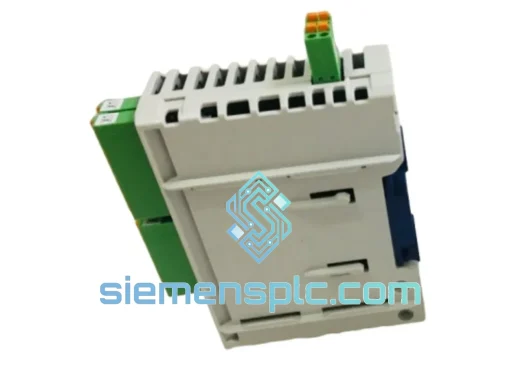
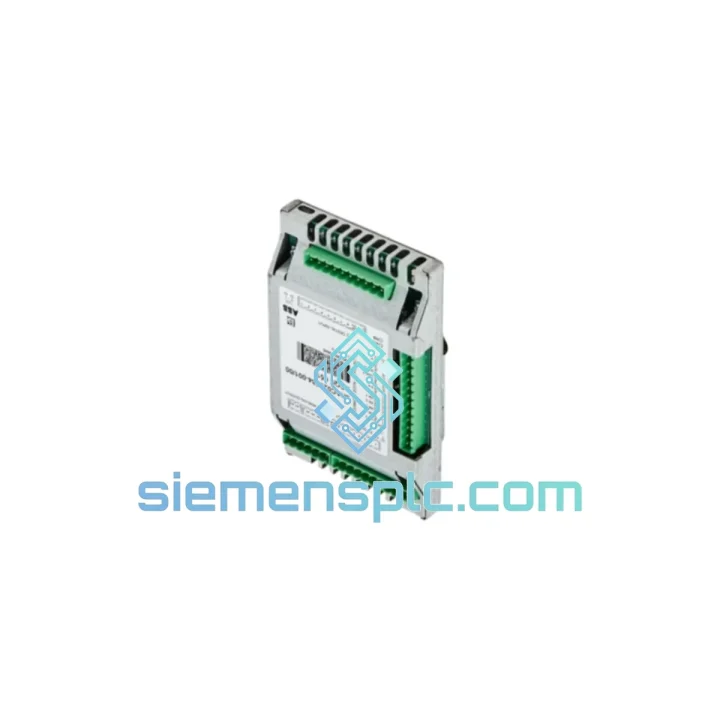
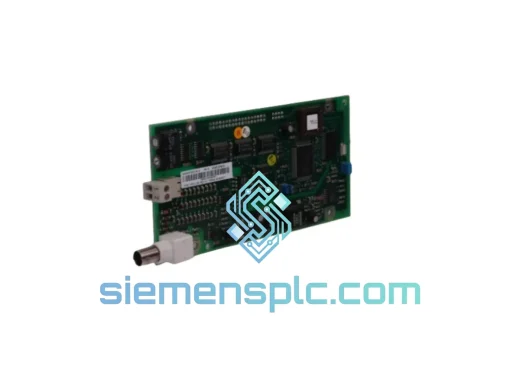
ABB DSQC651 DSQC 651A Digital I/O Module
Request verified availability, condition, replacement risk review, packing options and courier lead time for DSQC651 DSQC 651A.
BrandABB
Part NumberDSQC651 DSQC 651A
ConditionAvailability Check
Lead TimeRFQ Confirmation
DocumentsDatasheet / photos by RFQ
ShippingExport packing available
Auto-filled RFQ
DSQC651 DSQC 651A
Click Request Quote and the part number is inserted into the inquiry form automatically.
- Reply by email: [email protected]
- WhatsApp / Tel: +86 18359268345
- Mon-Sat 9:00-18:00 GMT+8
Procurement Data
Key Product Information
Core fields for model confirmation and RFQ routing. Detailed product narrative remains below.
- Brand
- ABB
- Primary Part Number
- DSQC651 DSQC 651A
- Product Type
- Robot Controller I/O Module
- Series / Family
- IRC5
- Manufacturer
- ABB Robotics
- Country of Origin
- SE
- Catalog Category
- I/O Modules
- Operating Temp.
- 0 °C to +55 °C
- Humidity
- 5–95% RH, non-condensing
Model confirmed for inquiry
DSQC651 DSQC 651A
Send quantity, destination and urgency. The RFQ form keeps this part number attached.
Request Quote
Product Overview
ABB DSQC651 DSQC 651A — Stop the Clock on Your IRC5 Downtime. Ship Today.
Your IRC5 robot controller just threw a fault. The line is down. Every hour costs you — in scrapped product, idle labor, and missed delivery windows. The DSQC651 digital I/O unit is the exact module that bridges your controller to every sensor, actuator, and safety relay on the floor. When it fails, nothing moves. We stock it. We ship it today from Xiamen.
URGENT REQUIREMENT? Contact: [email protected] | WhatsApp: +86 18359268345
Quick Technical Datasheet
| Parameter | Value |
|---|---|
| Part Number | DSQC651 / DSQC 651A |
| Manufacturer | ABB Robotics |
| Series | DSQC Series |
| Compatible Platform | ABB IRC5 Robot Controller (M2004 and later) |
| Module Function | Digital I/O Unit — discrete signal exchange |
| Digital Inputs | 16 x 24 VDC digital inputs |
| Digital Outputs | 16 x 24 VDC digital outputs (relay-driven) |
| Communication Bus | Internal DeviceNet via IRC5 backplane |
| Power Supply | 24 VDC via controller backplane |
| Operating Temperature | 0 °C to +55 °C |
| Storage Temperature | -25 °C to +70 °C |
| Humidity | 5–95% RH, non-condensing |
| Weight | 323 g |
| Form Factor | DIN-rail mount, IRC5 cabinet compatible |
| Origin | Germany (ABB Robotics) |
| Stock Status | ✔ Ready to Ship — Xiamen Warehouse |
Troubleshooting & Replacement Tips
Common failure signatures for DSQC651:
- Event Log 20223 / 20224 — I/O unit communication lost. The controller has dropped the DSQC651 from the DeviceNet scan list. First check: reseat the module firmly into the backplane connector. Oxidized contacts on the backplane edge are a frequent culprit in high-humidity environments.
- Event Log 20010 — Configuration mismatch. This fires when the replacement module’s node address does not match the original. The DSQC651 uses a rotary DIP switch on the module face to set its DeviceNet node ID. Before powering up, match the node address to the value recorded in your IRC5 configuration backup (typically node 10 or 11 in standard ABB cell layouts — verify in RobotStudio or the FlexPendant I/O configuration panel).
- All digital outputs stuck LOW after swap — The IRC5 controller enforces a safety state on I/O units until the system configuration is confirmed. Navigate to: FlexPendant → Control Panel → I/O → View Unit → confirm the DSQC651 appears as “Connected”. If it shows “Disconnected”, the node address is wrong or the backplane power rail is not reaching the slot.
- Intermittent input signal dropouts — Often caused by a failing 24 VDC field power supply feeding the input commons, not the module itself. Before condemning the DSQC651, verify field supply voltage at the input common terminal under load. Below 21.6 VDC will cause erratic input behavior.
Step-by-step replacement procedure:
- Place the IRC5 controller in Motors OFF state. Confirm on FlexPendant.
- Isolate 24 VDC field power to the I/O terminal blocks. Do not rely on the E-stop alone.
- Photograph or record the existing DIP switch node address setting on the failed DSQC651 before removal.
- Disconnect all field wiring terminal blocks from the module (they are plug-in type — label each connector position).
- Release the DIN-rail latch and extract the module from the backplane.
- Set the replacement DSQC651 node address DIP switches to match the recorded value.
- Seat the new module firmly until the backplane connector clicks. Reattach terminal blocks in order.
- Restore 24 VDC field power. Power up the controller.
- On the FlexPendant, navigate to I/O panel and confirm DSQC651 status shows “Connected” with correct node address.
- Perform a full I/O check: force each output ON/OFF, verify each input with a test signal. Log results before releasing the line.
Firmware note: The DSQC651 does not carry user-upgradeable firmware. No firmware flashing is required on replacement. However, if your IRC5 is running RobotWare 5.14 or earlier, verify that the I/O configuration file (EIO.cfg) correctly references the DSQC651 unit type. Mismatched unit type strings in EIO.cfg will prevent the controller from recognizing the module regardless of hardware condition.
Reliability in Harsh Conditions
The DSQC651 was engineered for the realities of production floors — not laboratory conditions. ABB designed the DSQC series to operate continuously inside IRC5 controller cabinets that are routinely exposed to welding spatter EMI, coolant mist ingress, and the thermal cycling of multi-shift operations.
The module’s conformal-coated PCB provides a barrier against airborne contaminants including metallic dust, cutting fluid aerosols, and condensation events during seasonal temperature swings. The backplane connector uses gold-plated contacts rated for thousands of insertion cycles, maintaining signal integrity even after repeated maintenance interventions.
Vibration resistance meets IEC 60068-2-6 test profiles — relevant for installations near stamping presses, compressors, or conveyor drive systems where structure-borne vibration is a constant. The relay output stage is rated for the inductive load switching that comes with driving solenoid valves and motor contactors directly from the I/O module, without the premature contact wear seen in lower-grade alternatives.
Units supplied from our Xiamen warehouse are stored in climate-controlled conditions with anti-static packaging. Each unit undergoes a power-on functional verification before dispatch. We do not ship untested stock.
Global Express Logistics
Downtime does not wait for standard freight. Our logistics process is built around that fact.
Stock is held at our Xiamen facility, positioned for direct access to Xiamen Gaoqi International Airport (XMN) — a primary hub for DHL and FedEx international express services in Southeast China. Orders confirmed before 14:00 CST are processed for same-day handover to the carrier.
- DHL Express Worldwide: Xiamen to most of Europe, North America, and Southeast Asia in 2–4 business days. Real-time tracking from pickup to delivery.
- FedEx International Priority: Xiamen to the US, EU, and Middle East in 1–3 business days for time-critical shipments.
- TNT / UPS: Available for destinations with specific carrier preferences or existing account arrangements.
- Export documentation: Commercial invoice, packing list, and certificate of origin prepared same day. HS code 8537.10 applied for customs clearance. We handle all export formalities — you receive a clean AWB and tracking number within hours of order confirmation.
- Customs support: For destinations requiring import permits or specific duty classifications, our logistics team provides pre-shipment documentation support to prevent customs holds.
We have shipped DSQC series modules to automotive plants in Germany, food processing facilities in Australia, semiconductor fabs in South Korea, and oil & gas installations in the Middle East. The process is the same every time: fast, documented, and traceable.
Contact Information
Email: [email protected]
WhatsApp: +86 18359268345
Web: siemensplc.com
© 2026 siemensplc.com. All rights reserved.
Ready to quote
[email protected]
Send This Part Number to Sales
RFQ workflow
Quality workflow ->
Confirmation Process
01Model confirmation
We check the full part number, brand, series and visible nameplate information before quotation.
02Availability reply
Sales confirms stock path, condition option, quantity and realistic lead time for export dispatch.
03Packing & courier
DHL, FedEx, UPS or buyer courier arrangements can be reviewed with packing requirements.
Continue sourcing
Browse full catalog ->
Related Automation Parts
Similar brand or category products for fast comparison and multi-item RFQ lists.
ABB
RFQ Ready
ABB DSQC327A 3HAC17971-1 / DSQC431 Digital I/O Module
IRC5
Origin SE
Digital I/O Module