ABB
RFQ Ready
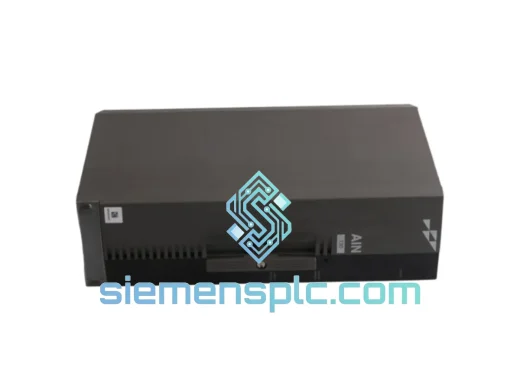
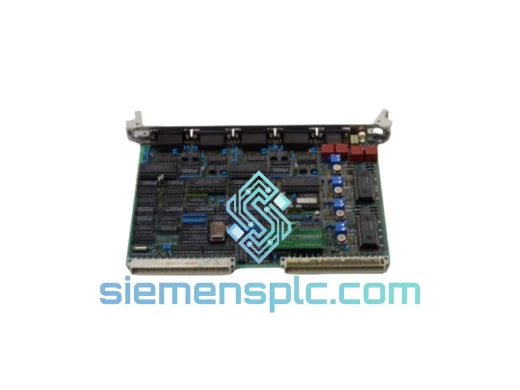
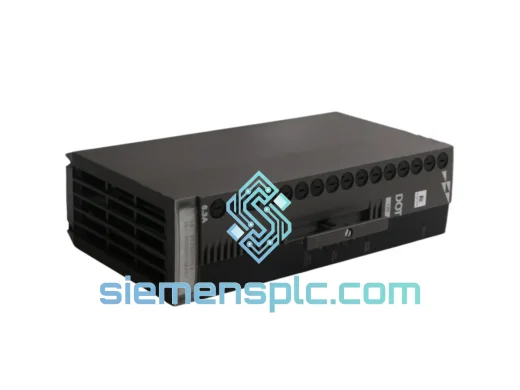
ABB P-HB-DOT-12010000 Safety Digital Output Module – AC500-S
AC500
Origin SE
Safety Digital Output Module
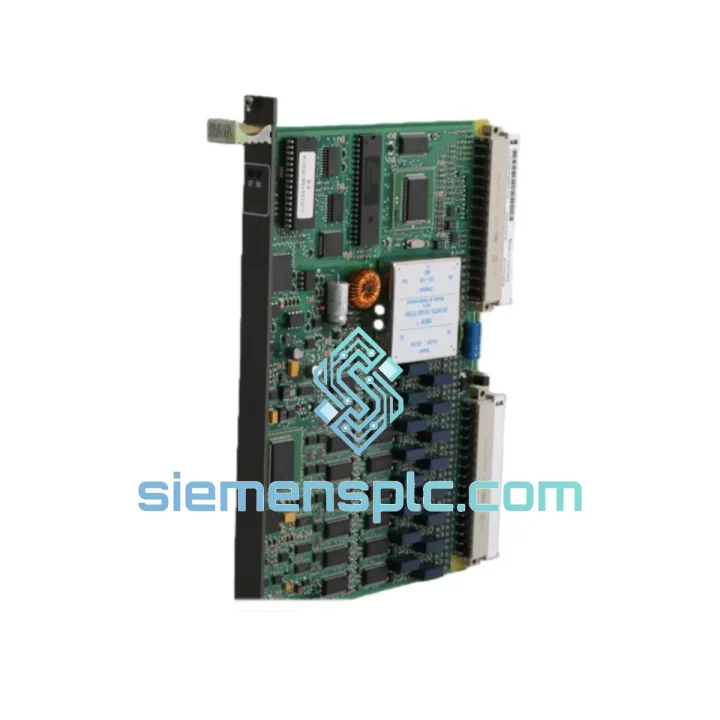
Request verified availability, condition, replacement risk review, packing options and courier lead time for GJR2391500R1210 81EU01H.
Click Request Quote and the part number is inserted into the inquiry form automatically.
Core fields for model confirmation and RFQ routing. Detailed product narrative remains below.
Every minute your AC500 system sits idle, the losses compound. A failed Universal Input Module shouldn’t cost you a production shift. We stock the ABB GJR2391500R1210 (firmware variant: 81EU01H) in Xiamen and ship same-day on confirmed orders. This isn’t a catalog listing — it’s a live unit on the shelf, tested, packed, and ready to move.
Whether you’re running a water treatment SCADA, a chemical dosing line, or a power distribution bay, the GJR2391500R1210 is the I/O backbone your AC500 CPU depends on. When it fails, there’s no workaround — you need an exact replacement, fast.
URGENT REQUIREMENT? Contact: [email protected] | WhatsApp: +86 18359268345
| Part Number | GJR2391500R1210 |
| Firmware / Variant | 81EU01H |
| Brand | ABB |
| Series | AC500 / S500 I/O |
| Module Type | Universal Input Module |
| Input Channels | Multi-channel (analog + digital universal) |
| Signal Types | 0–10 V, 0/4–20 mA, TC (J/K/T/E/R/S/B), RTD (Pt100/Pt1000), digital 24 VDC |
| Bus Interface | S500 I/O internal bus (TB5xx terminal base) |
| Operating Temperature | −25 °C to +60 °C |
| Protection Rating | IP20 |
| Power Supply | Via AC500 CPU / bus module (no external 24 V required) |
| Compliance | CE, UL, cUL, IEC 61131-2, RoHS |
| Origin | Germany |
| Stock Status | ✔ Ready to Ship — Xiamen Warehouse |
Swapping a GJR2391500R1210 in the field is straightforward if you know the traps. Here’s what ten years of emergency callouts have taught:
1. Terminal Base Seating — the #1 missed step. The module clips onto a TB5xx terminal base. Before you pull the old unit, confirm the base itself isn’t the fault source. Check for bent pins on the bus connector and corrosion on the terminal screws. A bad base will kill a new module within hours.
2. Address Switch Setting (S1/S2 rotary dials). The GJR2391500R1210 uses hardware address switches on the module face. The AC500 CPU assigns I/O addresses based on slot position, but if your system uses explicit addressing, the rotary dial must match the address configured in Automation Builder. Mismatch = module not recognized, ERR LED solid red. Set the dials before mounting — you can’t reach them once the module is seated on a populated rack.
3. Firmware Variant 81EU01H — what it means. The suffix encodes the hardware revision and regional compliance variant. Do not substitute a different suffix without checking your CPU firmware version. Older PM5xx CPUs running firmware below V3.x may not enumerate the 81EU01H variant correctly. If the module shows up as “Unknown I/O” in Automation Builder, check CPU firmware first before assuming a hardware fault.
4. Channel-type configuration in software. Unlike fixed-type analog modules, every channel on this module must be explicitly configured in Automation Builder (signal type, range, filter time). After hot-swap, the CPU retains the channel configuration in its project — but verify the I/O mapping is intact before going live. A channel left as “Not Used” after replacement will read 0 and won’t throw a diagnostic alarm, which can mask a wiring error.
5. Common fault codes to know:
6. Hot-swap procedure. The AC500 S500 I/O bus supports hot-swap on most CPU variants. Confirm your CPU firmware supports it (check ABB doc 3ADR010122). Deactivate the affected I/O group in Automation Builder before pulling the module to avoid a bus fault cascade that trips other modules offline.
The GJR2391500R1210 is not office hardware. ABB designed the AC500 S500 I/O series for the kind of environments that destroy consumer-grade electronics in weeks. The module’s conformal-coated PCB resists condensation and airborne contaminants — relevant in coastal chemical plants and humid tropical climates where corrosion is a constant threat.
Vibration tolerance meets IEC 60068-2-6 (sinusoidal, 5–150 Hz, 1 g). In practice, this means the module survives continuous operation next to large motors, compressors, and hydraulic presses without connector fatigue or solder joint cracking — failure modes that plague cheaper third-party I/O alternatives.
The −25 °C lower operating limit matters in cold-climate installations: outdoor substations in northern China, Siberian pipeline control rooms, and refrigerated warehouse automation all push standard industrial hardware to its limits. This module handles it without heater blankets or enclosure upgrades.
EMC performance is certified to EN 61000-6-2 (industrial immunity), which covers the heavy surge, burst, and conducted RF interference generated by variable-frequency drives and large contactors sharing the same panel. If you’ve had unexplained I/O glitches on cheaper modules, the GJR2391500R1210’s shielded design is a direct fix.
Our Xiamen warehouse is 40 minutes from Xiamen Gaoqi International Airport (XMN), a major DHL and FedEx hub for South China exports. That geography matters when you’re counting hours, not days.
Standard process after order confirmation:
For genuinely critical situations — plant shutdown, safety system offline — contact us directly on WhatsApp before placing the order. We can coordinate airport-to-airport freight on the same day for destinations with direct XMN connections.
All shipments include a commercial invoice with declared value, packing list, and certificate of origin. Import duty and VAT are the buyer’s responsibility; we provide all documentation needed for customs clearance. For repeat customers, we maintain a shipment history file to simplify future import declarations.
Email: [email protected]
WhatsApp: +86 18359268345
Web: siemensplc.com
© 2026 siemensplc.com. All rights reserved.
We check the full part number, brand, series and visible nameplate information before quotation.
Sales confirms stock path, condition option, quantity and realistic lead time for export dispatch.
DHL, FedEx, UPS or buyer courier arrangements can be reviewed with packing requirements.
Similar brand or category products for fast comparison and multi-item RFQ lists.