
ABB
In Stock OK
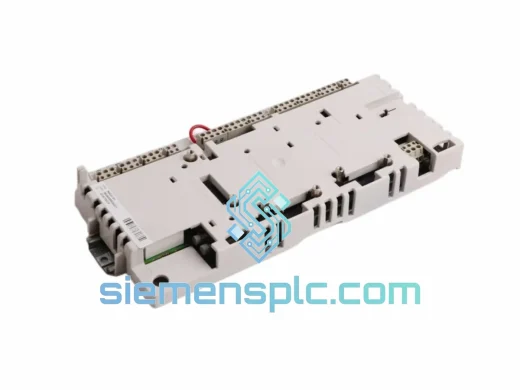
ABB NDCO-03 Communication Option Card
Request verified availability, condition, replacement risk review, packing options and courier lead time for NDCO-03.
BrandABB
Part NumberNDCO-03
ConditionAvailability Check
Lead TimeRFQ Confirmation
DocumentsDatasheet / photos by RFQ
ShippingExport packing available
Auto-filled RFQ
NDCO-03
Click Request Quote and the part number is inserted into the inquiry form automatically.
- Reply by email: [email protected]
- WhatsApp / Tel: +86 18359268345
- Mon-Sat 9:00-18:00 GMT+8
Procurement Data
Key Product Information
Core fields for model confirmation and RFQ routing. Detailed product narrative remains below.
- Brand
- ABB
- Primary Part Number
- NDCO-03
- Product Type
- Communication Option Card
- Series / Family
- S800
- Manufacturer
- ABB
- Country of Origin
- SE
- Catalog Category
- Motor Drives
- Operating Temp.
- 0 °C to +55 °C
- Compliance
- CE, RoHS
Model confirmed for inquiry
NDCO-03
Send quantity, destination and urgency. The RFQ form keeps this part number attached.
Request Quote
Product Overview
ABB NDCO-03 DDCS Fiber-Optic Card — Stop the Clock on Your Downtime
Every minute a drive sits offline, you’re bleeding money. A failed NDCO-03 communication card can bring an entire multi-drive line to a standstill — paper machines, steel rolling mills, crane systems, marine thrusters. We stock the ABB NDCO-03 and ship same-day from Xiamen via DHL Express. While your local distributor is still checking lead times, your replacement is already airborne.
URGENT REQUIREMENT? Contact: [email protected] | WhatsApp: +86 18359268345
Quick Technical Datasheet
| Parameter | Specification |
|---|---|
| Part Number | NDCO-03 |
| Manufacturer | ABB |
| Card Type | DDCS Fiber-Optic Communication Option Card |
| Communication Protocol | DDCS (Distributed Drives Communication System) |
| Fiber Channels | 2 × DDCS (supports master/follower topology) |
| Fiber Type | Plastic (short-run) / Glass (long-run, high-EMI) |
| Compatible Platforms | ACS600, ACS800 Standard, ACS800 MultiDrive, DCS800 |
| Option Slot | Drive-specific option slot (verify hardware manual) |
| Power Source | Supplied by host drive backplane |
| Operating Temperature | 0 °C to +55 °C |
| Storage Temperature | −40 °C to +70 °C |
| Compliance | CE, RoHS |
| Stock Status | ✔ Ready to Ship — Xiamen Warehouse |
Troubleshooting & Replacement Tips
The NDCO-03 fails in predictable ways. Here’s what you’ll see on the drive panel and what it actually means on the bench:
Fault 9 / DDCS LINK FAULT: The most common call I get. Drive loses fiber ring communication. Before you condemn the card, check both TX/RX fiber connectors — plastic fiber degrades at the ferrule end after years of vibration. Clean with IPA, re-seat, and retry. If the fault persists after a power cycle, the NDCO-03 is the prime suspect.
Fault 35 / COMM MODULE FAULT: Indicates the drive cannot initialize the option card at startup. This is almost always a seating issue or a card that has failed its internal self-test. Remove the card, inspect the gold edge connector for oxidation or bent pins, re-seat firmly, and power up. If the fault returns, the card is dead.
Replacement Procedure (ACS800 Standard Drive):
- De-energize the drive completely. Wait the full DC bus discharge time stated on the drive door label — typically 5 minutes for drives above 45 kW. Do not shortcut this.
- Remove the option slot cover. The NDCO-03 slides into Slot 1 or Slot 2 depending on your drive configuration. Note which slot before removal.
- Disconnect both fiber-optic cables. Label them CH1 and CH2 before disconnecting — polarity matters in a DDCS ring.
- Extract the old card. Inspect the slot connector on the drive for damage.
- Insert the new NDCO-03. No DIP switches or address configuration required — the card is auto-addressed by the drive firmware on first power-up.
- Reconnect fiber cables in the correct channel order. Power up the drive. The drive will perform a card initialization sequence (typically 10–30 seconds).
- Verify DDCS link status via the drive’s panel or DriveWindow. All nodes in the fiber ring should report online.
- If using a master/follower topology, verify follower drive parameter 70.01 (MASTER LINK) is set correctly after card swap.
Firmware Note: NDCO-03 hardware revision C and later require ACS800 firmware version 7.x or above. If your drive is running older firmware and the card fails to initialize, a firmware update may be required before the card will function. Check the ABB firmware release notes for your specific drive type code.
Reliability in Harsh Conditions
The NDCO-03 was not designed for a climate-controlled server room. It was built for the environments where drives actually live — steel mill motor control centers with ambient temperatures pushing 50 °C, offshore platform switchrooms with salt-laden humid air, mining substations where the floor vibrates continuously from crusher loads.
The fiber-optic communication architecture is the key differentiator. Unlike RS-485 or CAN-based option cards, DDCS fiber links are completely immune to the electromagnetic interference generated by high-power drive switching. In a 690V, 2 MW multi-drive installation, the common-mode noise on copper communication lines can be severe enough to corrupt data frames continuously. Fiber eliminates this entirely.
The card’s conformal-coated PCB resists condensation and airborne contaminants. The fiber connectors are rated for thousands of mating cycles. In practice, NDCO-03 cards that have been in service for 10–15 years are still functioning — the failure mode is usually physical damage to the fiber cable, not the card itself. When the card does fail, it is typically due to ESD damage during maintenance or a catastrophic drive fault that takes out the option slot.
Operating range of 0 °C to +55 °C covers the vast majority of industrial enclosure environments. Storage down to −40 °C means the card survives unheated warehouse conditions in northern climates without issue.
Global Express Logistics
Our warehouse is located in Xiamen, Fujian — one of China’s primary industrial export hubs with direct access to Xiamen Gaoqi International Airport and daily DHL/FedEx flight connections to major global hubs.
Typical transit times from Xiamen:
- Southeast Asia (Singapore, Thailand, Malaysia): 2–3 business days via DHL Express
- Europe (Germany, Netherlands, UK, Poland): 3–5 business days via FedEx International Priority
- North America (USA, Canada, Mexico): 3–5 business days via DHL Express Worldwide
- Middle East (UAE, Saudi Arabia, Qatar): 2–4 business days via FedEx
- Australia / New Zealand: 3–4 business days via DHL
All shipments include full commercial invoice, packing list, and certificate of origin for customs clearance. HS Code 8537.10 applies to this product category in most jurisdictions. For urgent shipments, we can arrange same-day dispatch for orders confirmed before 14:00 CST. Track your shipment in real time via the DHL or FedEx portal using the tracking number provided at dispatch.
For large-volume orders where air freight cost is a constraint, sea freight via Xiamen Port is available with transit times of 18–35 days depending on destination port.
Contact Information
Email: [email protected]
WhatsApp: +86 18359268345
Web: siemensplc.com
© 2026. All rights reserved.
Ready to quote
[email protected]
Send This Part Number to Sales
RFQ workflow
Quality workflow ->
Confirmation Process
01Model confirmation
We check the full part number, brand, series and visible nameplate information before quotation.
02Availability reply
Sales confirms stock path, condition option, quantity and realistic lead time for export dispatch.
03Packing & courier
DHL, FedEx, UPS or buyer courier arrangements can be reviewed with packing requirements.
Continue sourcing
Browse full catalog ->
Related Automation Parts
Similar brand or category products for fast comparison and multi-item RFQ lists.
ABB
RFQ Ready
ABB SDCS-COM-5 3BSE006567R1 Fieldbus Communication Module
S800
Origin SE
Fieldbus Communication Module
ABB
RFQ Ready
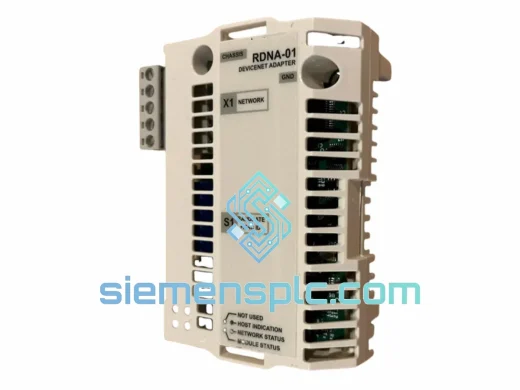
ABB RDNA-01 DeviceNet Adapter Module – ACS800 ACS600
S800
Origin SE
Fieldbus Communication Module
ABB
RFQ Ready
ABB RDCU-12C 3AUA0000036521 Drive Control Unit
S800
Origin SE
PLC & Drive Control Module