ABB
In Stock OK
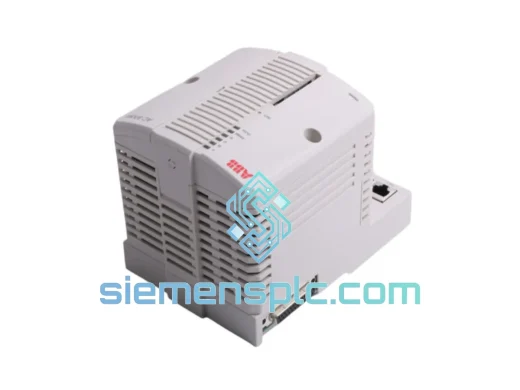
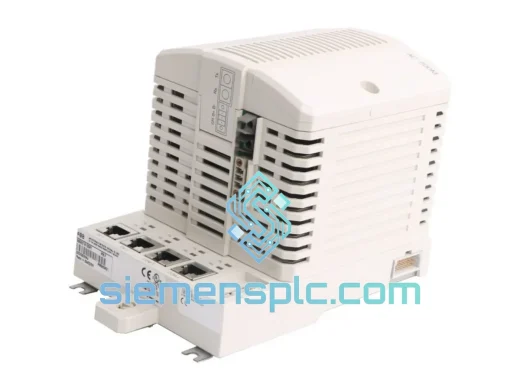
ABB PU516 3BSE013064R1 DCS Engineering Module
Request verified availability, condition, replacement risk review, packing options and courier lead time for PU516 3BSE013064R1.
BrandABB
Part NumberPU516 3BSE013064R1
ConditionAvailability Check
Lead TimeRFQ Confirmation
DocumentsDatasheet / photos by RFQ
ShippingExport packing available
Auto-filled RFQ
PU516 3BSE013064R1
Click Request Quote and the part number is inserted into the inquiry form automatically.
- Reply by email: [email protected]
- WhatsApp / Tel: +86 18359268345
- Mon-Sat 9:00-18:00 GMT+8
Procurement Data
Key Product Information
Core fields for model confirmation and RFQ routing. Detailed product narrative remains below.
- Brand
- ABB
- Primary Part Number
- PU516 3BSE013064R1
- Product Type
- DCS Engineering Module
- Series / Family
- AC800M
- Manufacturer
- ABB
- Country of Origin
- SE
- Catalog Category
- DCS & Safety Modules
- Operating Temp.
- 0°C to +55°C
- Humidity
- 5%–95% RH, non-condensing
Model confirmed for inquiry
PU516 3BSE013064R1
Send quantity, destination and urgency. The RFQ form keeps this part number attached.
Request Quote
Product Overview
ABB PU516 3BSE013064R1 — Stop the Clock on Your Downtime
Your AC800M controller is offline. Every minute the line sits idle, you’re bleeding money — lost throughput, idle crews, and a plant manager breathing down your neck. The ABB PU516 (3BSE013064R1) is the engineering interface module that puts your DCS back in communication with Control Builder M. Without it, you can’t download programs, force variables, or pull diagnostic logs. We stock it. We ship it today.
We’ve seen this failure mode dozens of times across petrochemical, power, and pulp-and-paper sites. The PU516 is not a glamorous module — it sits quietly in the controller rack until it doesn’t. When it fails, the entire engineering access path goes dark. No online monitoring. No firmware push. No event log. That’s when you call us.
URGENT REQUIREMENT? Contact: [email protected] | WhatsApp: +86 18359268345
Quick Technical Datasheet
| Parameter | Specification |
|---|---|
| Manufacturer | ABB |
| Part Number | PU516 |
| Order Code | 3BSE013064R1 |
| Module Function | Engineering Interface / Communication Module |
| Compatible Platform | ABB AC800M DCS (PM851, PM856, PM860, PM861, PM864) |
| Communication Ports | Ethernet 10/100 Mbps (RJ-45) + RS-232 Serial |
| Supported Protocols | MMS, OPC, Modbus TCP (via AC800M firmware stack) |
| Backplane Interface | AC800M S100 internal I/O bus |
| Power Source | Backplane-fed, 5 VDC internal rail |
| Operating Temperature | 0°C to +55°C |
| Storage Temperature | -40°C to +70°C |
| Humidity | 5%–95% RH, non-condensing |
| Certifications | CE, UL, cUL, ATEX Zone 2 (with rated enclosure) |
| Form Factor | Single-slot plug-in, AC800M rack |
| Weight | 340 g |
| Availability | ✅ Ready to Ship — Xiamen Stock |
Troubleshooting & Replacement Tips
After 10 years on-site, here’s what I’ve learned about PU516 failures and swaps:
Common failure signatures:
- Control Builder M loses connection mid-session — no ping response from the module’s Ethernet port. Check the module’s LED status first: a solid green on the COMM LED means the backplane link is alive; a flashing or dead LED points directly at the PU516.
- Event log retrieval hangs or times out. This is often the PU516’s internal buffer overflowing due to a firmware mismatch after a Control Builder M upgrade. The module needs a matching firmware revision.
- RS-232 fallback path also dead — if both Ethernet and serial are unresponsive simultaneously, the module’s internal processor has locked up. Power-cycle the controller rack (with proper SIS bypass in place) before condemning the module.
- Intermittent dropouts under vibration — the PU516’s backplane connector pins can develop micro-fretting corrosion in high-vibration environments. Reseat the module firmly; if dropouts persist, the connector is worn and the module must be replaced.
Replacement procedure — field-tested steps:
- Notify the control room and place the affected controller in manual or transfer to the redundant unit if available. Never hot-swap the PU516 on a simplex controller without a process hold.
- Document the existing module’s firmware revision label (printed on the side sticker). Match this revision on the replacement unit or confirm compatibility with ABB document 3BSE041434.
- Power down the controller rack at the local isolator. Wait 30 seconds for capacitors to discharge before extracting the module.
- Seat the replacement PU516 firmly until the backplane locking tabs click. Partial seating is the #1 cause of “new module, same problem” callbacks.
- Power up the rack. Observe the module LEDs: POWER (green solid), COMM (green flashing during init, then solid). Allow 90 seconds for full initialization before attempting a Control Builder M connection.
- If the controller was previously configured with a static IP on the PU516’s Ethernet port, re-enter the IP settings via Control Builder M’s hardware configuration tool — the replacement module ships with factory defaults.
- Perform a full online download and verify all function block connections are intact before returning the loop to automatic.
Firmware matching note: ABB Control Builder M 5.1+ is required for full diagnostic functionality. If your site runs an older CBM version, contact us — we can advise on compatible firmware revisions before you order.
Reliability in Harsh Conditions
The PU516 was engineered for the realities of industrial plant environments, not a climate-controlled server room. ABB designed the AC800M family to IEC 61131-2 environmental standards, and the PU516 inherits that pedigree.
In practice, we’ve seen these modules running continuously in offshore platform control rooms where salt-laden air and constant vibration from diesel generators are the norm. The conformal coating on the PCB provides a meaningful barrier against humidity ingress — the 5%–95% RH rating is not a marketing number; it’s a tested specification. In one refinery installation, a PU516 ran for 11 years in a cabinet adjacent to a steam header before the backplane connector finally gave out. That’s the kind of service life you’re buying.
Vibration tolerance is validated to IEC 60068-2-6 (sinusoidal) and IEC 60068-2-64 (random). For sites with severe mechanical vibration — compressor halls, turbine decks — ensure the controller cabinet is properly shock-mounted. The module itself is rated; the mounting structure is the variable.
Thermal performance is equally robust. The 0°C to +55°C operating range covers the vast majority of industrial cabinet environments. In high-ambient installations, verify cabinet ventilation is adequate — the AC800M rack relies on convective cooling, and a blocked vent can push internal temperatures beyond the module’s rated ceiling, accelerating component aging.
Each unit we ship has been visually inspected, label-verified (part number, revision code, date code), and power-on tested. Anti-static ESD packaging and foam-lined cartons are standard — not optional. Original ABB packaging is preserved where available.
Global Express Logistics
Our warehouse is in Xiamen, China — one of the country’s primary export hubs with direct DHL and FedEx gateway access. When you place an order before 3:00 PM CST, we target same-day dispatch. Here’s how the process works:
- Order confirmation received — we pull the unit from bonded stock and begin export documentation immediately.
- Quality check & photography — the module is photographed (label, connector, PCB condition) and the images are sent to you before sealing the carton. You see exactly what you’re getting.
- Export documentation — commercial invoice, packing list, and HS code declaration (HS 8537.10) prepared for customs clearance. We handle the paperwork; you focus on your plant.
- DHL Express / FedEx International Priority dispatch — tracking number provided within 2 hours of pickup. Typical transit times: Southeast Asia 1–2 days, Europe 3–4 days, Americas 4–5 days, Middle East 2–3 days.
- Customs clearance support — if your customs authority requires additional documentation (certificate of origin, material safety data, end-user declaration), we respond within 4 hours during business days.
For genuine plant emergencies, contact us directly on WhatsApp. We’ve arranged weekend dispatches and airport-to-airport freight for critical shutdowns. Downtime doesn’t follow business hours, and neither do we.
Contact Information
📧 Email: [email protected]
📱 WhatsApp: +86 18359268345
🌐 Web: siemensplc.com
© 2026 siemensplc.com. All rights reserved.
Ready to quote
[email protected]
Send This Part Number to Sales
RFQ workflow
Quality workflow ->
Confirmation Process
01Model confirmation
We check the full part number, brand, series and visible nameplate information before quotation.
02Availability reply
Sales confirms stock path, condition option, quantity and realistic lead time for export dispatch.
03Packing & courier
DHL, FedEx, UPS or buyer courier arrangements can be reviewed with packing requirements.
Continue sourcing
Browse full catalog ->
Related Automation Parts
Similar brand or category products for fast comparison and multi-item RFQ lists.
ABB
RFQ Ready
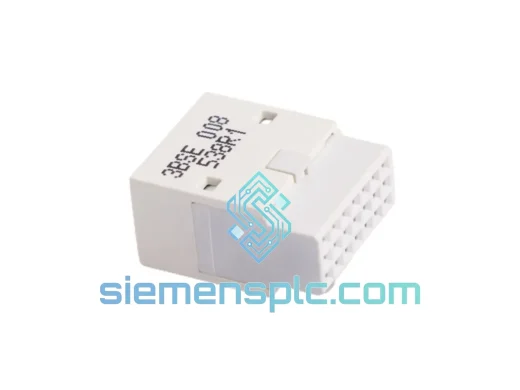
ABB TB807 3BSE008538R1 DCS Modulebus Terminator
AC800M
Origin SE
DCS Backplane Terminator