Allen-Bradley
RFQ Ready
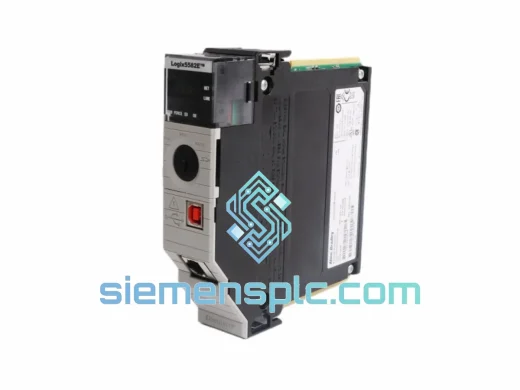
Allen-Bradley 1756-L81E ControlLogix Controller
ControlLogix
Origin US
PLC Controller
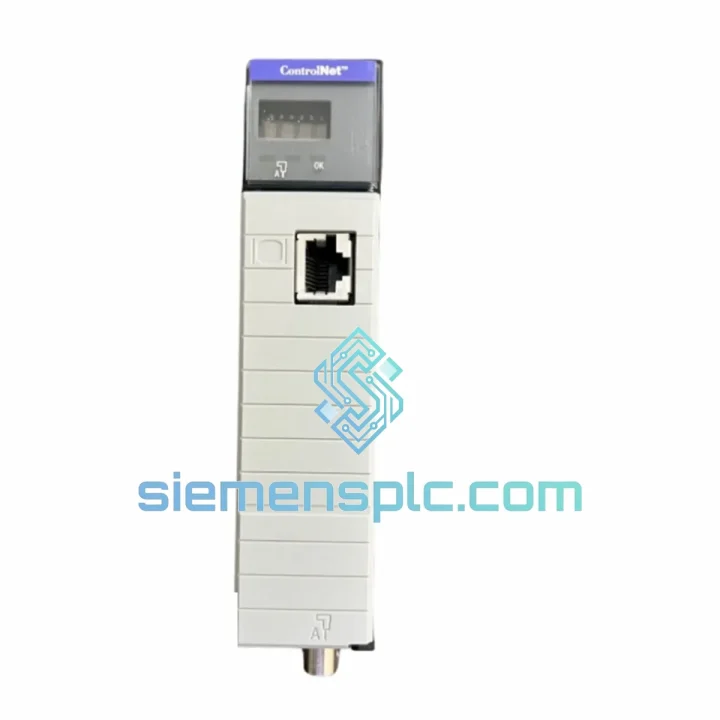
Request verified availability, condition, replacement risk review, packing options and courier lead time for 1756-CNB/D.
Click Request Quote and the part number is inserted into the inquiry form automatically.
Core fields for model confirmation and RFQ routing. Detailed product narrative remains below.
A failed ControlNet bridge doesn’t just trip an alarm — it kills your entire ControlNet segment. Every device on that coaxial trunk goes dark: I/O racks, drives, peer controllers. Production stops. The clock starts. If you’re reading this page, you already know the pressure. The Allen-Bradley 1756-CNB/D is in stock at our Xiamen warehouse, tested, boxed, and ready to move within hours of your order confirmation.
URGENT REQUIREMENT? Contact: [email protected] | WhatsApp: +86 18359268345
| Parameter | Specification | Status |
|---|---|---|
| Catalog Number | 1756-CNB/D | ✔ Ready to Ship |
| Series / Revision | Series D | Verified |
| Platform | ControlLogix (1756 Chassis) | — |
| Network Protocol | ControlNet (5 Mbps, CTDMA) | — |
| Max Scheduled Connections | 64 | — |
| Max Unscheduled Connections | 64 | — |
| Backplane Current (5 VDC) | 1.0 A | — |
| Operating Temperature | 0 °C to +60 °C | — |
| Certifications | UL, CE, FM Class I Div 2 | — |
| Firmware | Field-upgradeable via Studio 5000 | Pre-verified on dispatch |
| Origin | USA (Allen-Bradley / Rockwell) | 100% Original |
| Ship-From | Xiamen, China | ✔ In Stock |
Ten years of field calls on ControlNet systems teach you one thing fast: the 1756-CNB/D fails in predictable ways. Here’s what to check before you pull the module, and what to watch when you drop the replacement in.
Common Fault Indicators:
Hot-Swap Replacement Procedure (1756-CNB/D):
Node Address Conflict Resolution: If two modules share the same node address after a swap, both will fault. Use RSNetWorx’s Node Commissioning tool to scan the live network and identify duplicate addresses before the replacement goes in.
NUT Mismatch Warning: If your replacement module’s firmware is significantly older than the network’s configured NUT, it may not be able to sustain the scheduled interval. Always verify firmware compatibility against your RSNetWorx project file before closing the job.
The 1756-CNB/D was not designed for a climate-controlled server room. It was built for the floor — automotive stamping lines, offshore platforms, chemical processing units, and power generation facilities where the environment actively tries to kill your electronics.
The module is rated to operate continuously at +60 °C ambient without derating, which means it survives inside a sealed enclosure on a hot summer day in a foundry without throttling performance. Vibration tolerance is validated to 2 g across 10–500 Hz per IEC 68-2-6 — the same standard used for railway and heavy machinery qualification. Shock resistance reaches 30 g operational, meaning the module keeps communicating through the kind of mechanical impact that would reset lesser hardware.
Humidity tolerance runs to 95% non-condensing, which covers coastal industrial sites and tropical climates where moisture ingress is a constant threat to open-frame electronics. The Series D revision specifically improved EMI immunity over earlier revisions — a critical upgrade for environments with large VFD installations or arc welding equipment nearby, both of which generate broadband RF noise that can corrupt ControlNet coaxial signals.
Every unit we ship has been stored in climate-controlled conditions, inspected for PCB corrosion, connector oxidation, and label integrity, and powered up on a live ControlLogix chassis to confirm functional operation before boxing. We do not ship modules that have not passed a live functional test. That is not a marketing claim — it is the only way to catch latent failures that visual inspection misses.
Our warehouse is located in Xiamen, Fujian Province, China — one of China’s primary export hubs with direct access to DHL, FedEx, and UPS international express networks. This is not a drop-ship arrangement. Stock is physically on our shelves.
Standard Dispatch Timeline:
Export Documentation Included: Commercial invoice, packing list, Certificate of Origin (COO), and HS code declaration (HS 8537.10) are prepared for every shipment. For regulated industries requiring material traceability, we can provide our pre-shipment inspection report and lot records on request — no additional charge.
Packaging: The 1756-CNB/D ships in an anti-static bag inside a foam-lined inner carton, double-boxed in a corrugated outer carton rated for international freight handling. The module arrives at your site in the same condition it left ours.
If your plant is down and you need the module on a specific flight, contact us directly via WhatsApp. We have coordinated same-day courier pickups for emergency shipments before — it is not standard procedure, but when a line is stopped, standard procedure is not the priority.
Email: [email protected]
WhatsApp: +86 18359268345
Web: siemensplc.com
© 2026 siemensplc.com. All rights reserved.
We check the full part number, brand, series and visible nameplate information before quotation.
Sales confirms stock path, condition option, quantity and realistic lead time for export dispatch.
DHL, FedEx, UPS or buyer courier arrangements can be reviewed with packing requirements.
Similar brand or category products for fast comparison and multi-item RFQ lists.