Allen-Bradley
RFQ Ready
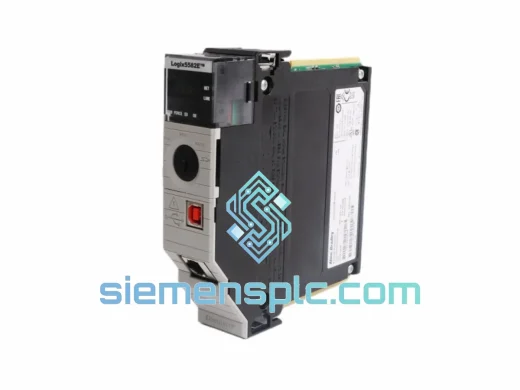
Allen-Bradley 1756-L81E ControlLogix Controller
ControlLogix
Origin US
PLC Controller
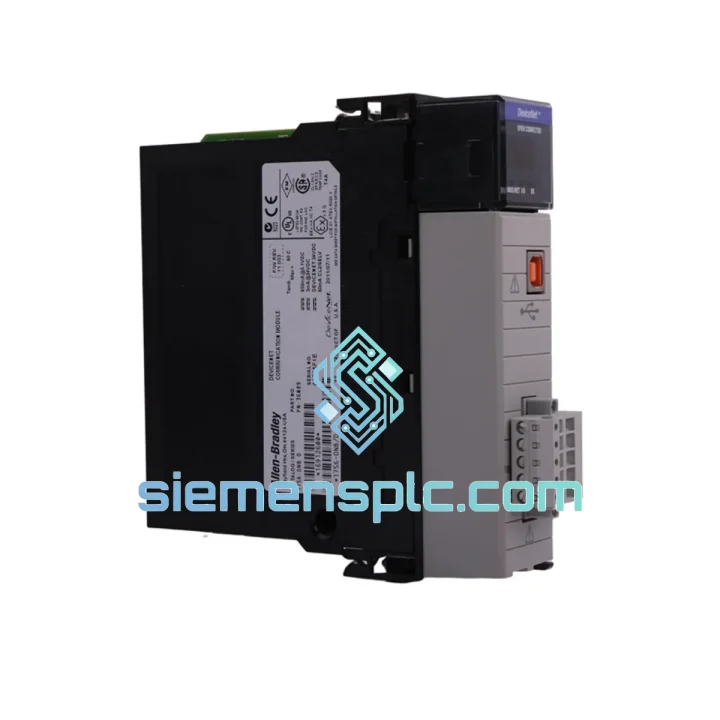
Request verified availability, condition, replacement risk review, packing options and courier lead time for 1756-DNB.
Click Request Quote and the part number is inserted into the inquiry form automatically.
Core fields for model confirmation and RFQ routing. Detailed product narrative remains below.
Every hour your ControlLogix system sits idle with a failed 1756-DNB costs real money. Conveyor lines stalled. Assembly robots frozen. Supervisors asking questions you don’t have answers to yet. We’ve been there — and that’s exactly why we stock the 1756-DNB ready to pull off the shelf and ship the same day you call.
The 1756-DNB is the DeviceNet Scanner/Bridge module for the ControlLogix 1756 platform. It manages up to 64 DeviceNet nodes — drives, valve manifolds, photoelectric sensors, barcode readers — and when it fails, your entire DeviceNet segment goes dark. There’s no workaround. You need a replacement, and you need it fast.
URGENT REQUIREMENT? Contact: [email protected] | WhatsApp: +86 18359268345
| Catalog Number | 1756-DNB ✔ Ready to Ship |
| Manufacturer | Allen-Bradley / Rockwell Automation |
| Platform | ControlLogix 1756 |
| Network Protocol | DeviceNet (CAN-based, ISO 11898) |
| Module Role | Scanner (Master) / Adapter (Slave) |
| Max DeviceNet Nodes | 64 nodes per module |
| Data Rates | 125 / 250 / 500 kbps (selectable) |
| I/O Data Table | 496 bytes IN / 496 bytes OUT |
| Backplane Current | 800 mA @ 5 VDC |
| Power Dissipation | 4.0 W max |
| Operating Temp | 0 °C to +60 °C |
| Humidity | 5–95% non-condensing |
| Vibration Rating | 2 g @ 10–500 Hz (IEC 68-2-6) |
| Shock | 30 g operational / 50 g non-operational |
| Certifications | UL, CE, C-Tick, FM Class I Div 2 |
| Firmware Upgrade | Field-upgradeable via ControlFlash |
| Config Tool | RSNetWorx for DeviceNet / Studio 5000 AOP |
| Origin | USA |
| Stock Status | ✔ In Stock — Ships within 24 hours |
Before you pull the module, run through this checklist. Misdiagnosis wastes time you don’t have.
Confirm the 1756-DNB is actually the fault source: Check the MS (Module Status) and NS (Network Status) LEDs. A solid red MS LED means the module has failed its self-test — that’s your confirmation. A flashing red NS LED with a green MS means the network has a node fault, not necessarily a dead module. Pull the fault log from RSNetWorx before condemning the hardware.
Node address (MAC ID) — write it down before you pull the module: The replacement module ships with a default MAC ID of 63. You must set the correct MAC ID before going online. On older revisions this is done via rotary switches on the module face; on newer revisions it’s software-configured in RSNetWorx for DeviceNet. Mismatch here will cause an immediate duplicate MAC ID fault and take down the entire segment.
Data rate must match the network: The 1756-DNB can auto-detect baud rate, but if your network has any nodes that don’t support auto-baud, you’ll need to manually set 125/250/500 kbps to match the existing segment. Check your RSNetWorx project file — the baud rate is stored there.
Firmware version awareness: If your Studio 5000 project was built with a specific 1756-DNB firmware revision in mind, a replacement module with a different firmware may generate a revision mismatch warning. This is non-fatal — you can either update the firmware via ControlFlash or accept the mismatch in the I/O tree. Do not let this stop you from getting the line running; address firmware alignment during the next planned maintenance window.
Replacement sequence (hot-swap capable chassis):
Common fault codes to know: Error 16#0203 = duplicate MAC ID detected. Error 16#0204 = bus-off condition (check cable termination resistors — 121 Ω at both ends of the trunk). Error 16#0801 = connection timeout on a specific node (check that node’s power supply and drop cable).
The 1756-DNB was designed for the factory floor, not a server room. Rockwell Automation built this module to survive the environments where automation actually runs — and where failures are most expensive.
Vibration tolerance of 2 g across 10–500 Hz means it holds up on machine frames that shake continuously during operation. Automotive stamping presses, packaging machinery, and conveyor drive systems all generate this kind of mechanical stress. The module’s conformal-coated PCB protects against humidity excursions up to 95% non-condensing — relevant in food processing plants where washdown cycles create moisture spikes. The operating temperature ceiling of 60 °C covers most panel enclosures even in summer conditions without forced cooling.
FM Class I Division 2 certification means the module can be deployed in areas where flammable gases or vapors may be present under abnormal conditions — a requirement in chemical processing and oil & gas auxiliary systems. CE and UL marks confirm compliance with both North American and European safety standards, simplifying import documentation for international projects.
Every unit we ship has passed visual inspection of the backplane connector gold fingers, front-panel DeviceNet connector, and housing integrity. We do not ship modules with bent pins, cracked housings, or evidence of rework. Power-on self-test (POST) status is verified before packaging.
We ship from Xiamen, China — one of the country’s primary export hubs with direct DHL and FedEx gateway access. This matters when you’re counting hours, not days.
Typical transit times from Xiamen:
Orders confirmed before 14:00 CST are processed the same day. You receive a tracking number within 2 hours of dispatch. All shipments include commercial invoice, packing list, and country-of-origin documentation to support customs clearance. For time-critical shipments, we can pre-advise the courier with your customs broker’s details to eliminate clearance delays.
Export classification: HS Code 8537.10 (boards, panels, consoles for electric control). No export license required for standard commercial shipments to most destinations. We handle EAR99 classification documentation on request.
Ready to place an order or need a lead time confirmation before committing?
Email: [email protected]
WhatsApp: +86 18359268345
Web: siemensplc.com
© 2026 siemensplc.com. All rights reserved.
We check the full part number, brand, series and visible nameplate information before quotation.
Sales confirms stock path, condition option, quantity and realistic lead time for export dispatch.
DHL, FedEx, UPS or buyer courier arrangements can be reviewed with packing requirements.
Similar brand or category products for fast comparison and multi-item RFQ lists.