Allen-Bradley
RFQ Ready
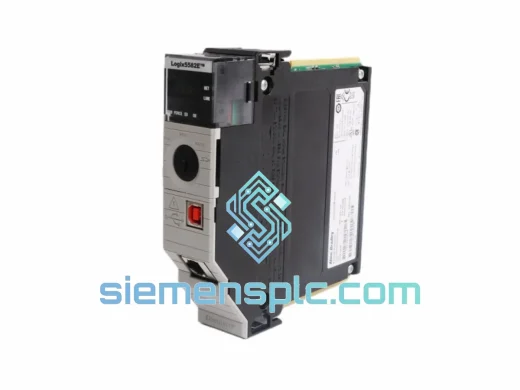
Allen-Bradley 1756-L81E ControlLogix Controller
ControlLogix
Origin US
PLC Controller
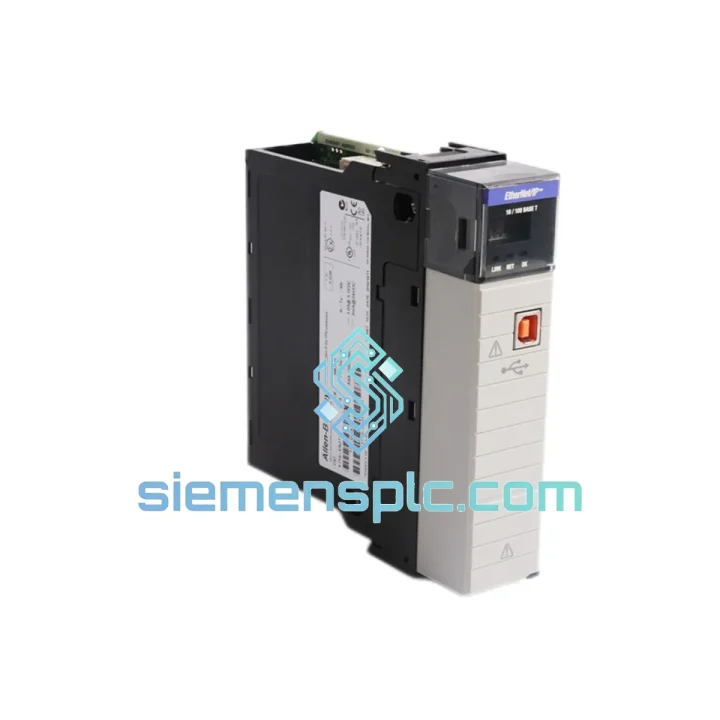
Request verified availability, condition, replacement risk review, packing options and courier lead time for 1756-EN2TSC.
Click Request Quote and the part number is inserted into the inquiry form automatically.
Core fields for model confirmation and RFQ routing. Detailed product narrative remains below.
Your ControlLogix rack just dropped the EN2TSC. The HMI is blind, the SCADA historian is flat-lining, and your shift supervisor is already on the phone. You don’t need a sales pitch — you need a module on a plane tonight. We have the Allen-Bradley 1756-EN2TSC on the shelf in Xiamen, inspected, firmware-verified, and ready to ship via DHL Express within hours of your order confirmation. This is the only page you need to open right now.
URGENT REQUIREMENT? Contact: [email protected] | WhatsApp: +86 18359268345
| Parameter | Specification | Status |
|---|---|---|
| Catalog Number | 1756-EN2TSC | ✔ Ready to Ship |
| Platform | Allen-Bradley ControlLogix 1756 | — |
| Network Protocol | EtherNet/IP (CIP over TCP/IP) | — |
| Port Configuration | Single Port, RJ-45 | — |
| Data Rate | 10/100/1000 Mbps Auto-Negotiate | — |
| Security Feature | Integrated VPN Bridge (IPsec / SSL-TLS) | — |
| CIP Connections | Up to 256 simultaneous | — |
| Backplane Current | 1.0 A @ 5 VDC; 3.0 mA @ 24 VDC | — |
| Power Dissipation | 5.0 W max | — |
| Operating Temperature | 0 °C to +60 °C | — |
| Relative Humidity | 5%–95% non-condensing | — |
| Vibration Rating | 2 g @ 10–500 Hz (IEC 60068-2-6) | — |
| Shock Rating | 30 g operational / 50 g non-operational | — |
| Certifications | UL, CE, cUL, RCM, ATEX Zone 2 | — |
| Firmware Upgrade | ControlFLASH (field-upgradeable) | — |
| Studio 5000 Minimum | v21.00 | — |
| Module Weight | ~240 g | — |
| Origin | USA (OEM) | ✔ 100% Original |
Swapping a 1756-EN2TSC under pressure is where most field mistakes happen. Here’s what actually matters on the bench:
1. Slot addressing — do it before power-up. The EN2TSC does not auto-discover its slot position the way some newer modules do. Before you slide the replacement into the chassis, confirm the slot number in your Studio 5000 project tree matches the physical slot. A mismatch will throw a Module Connection Failure (fault code 16#0204) and the controller will inhibit the module immediately. Fix it in the I/O tree, download, and re-enable — don’t waste 20 minutes chasing a hardware fault that’s actually a config error.
2. Firmware version matching. If your system is running a specific Studio 5000 revision, the EN2TSC firmware must be compatible. Pull the existing module’s firmware revision from the controller’s I/O diagnostics before you pull the card. Use ControlFLASH to bring the replacement to the same revision before installation. Mismatched firmware between primary and secondary chassis in a redundancy setup will cause a switchover storm — you’ll know it when you see it.
3. VPN tunnel re-establishment. The EN2TSC stores VPN configuration (pre-shared keys, peer IP addresses, tunnel parameters) in non-volatile memory on the module itself. A replacement unit ships blank. You must re-enter the VPN configuration via the module’s web interface (default IP: DHCP or 192.168.1.1 depending on firmware) before the encrypted tunnel will come up. Have your network team’s VPN parameter sheet ready — this is not something you want to reconstruct from memory at 2 AM.
4. Common fault codes to know:
5. ESD discipline. The EN2TSC contains sensitive GbE PHY and crypto processor silicon. Ground yourself to the chassis before handling. Don’t set the module on a cardboard box — use the ESD bag it ships in until the moment of installation.
Industrial environments don’t care about your maintenance schedule. The 1756-EN2TSC is built to operate continuously in conditions that would kill consumer-grade networking hardware within weeks. The module is rated to IEC 60068-2-6 for sinusoidal vibration at 2 g across 10–500 Hz — covering the resonance bands of most industrial machinery, compressors, and conveyor drives. Shock tolerance is 30 g operational and 50 g non-operational, meaning it survives the kind of mechanical impact that happens when a forklift clips a control panel.
Thermal design is equally robust. The operating range of 0 °C to +60 °C covers the majority of enclosed panel environments, and the storage range of -40 °C to +85 °C means modules shipped through cold-chain logistics or stored in unheated warehouses arrive fully functional. Humidity tolerance up to 95% non-condensing addresses coastal, tropical, and high-humidity process environments without requiring additional enclosure conditioning.
The ATEX Zone 2 certification makes the EN2TSC deployable in areas with occasional explosive atmosphere risk — relevant for oil & gas, chemical processing, and grain handling facilities where standard modules are not permitted. All units we ship are inspected for physical integrity, label authenticity, and firmware version before dispatch. No cosmetically refurbished or relabeled units. Ever.
Our warehouse is located in Xiamen, Fujian Province — one of China’s primary export hubs with direct access to Xiamen Gaoqi International Airport (XMN) and daily DHL and FedEx flight connections to major global hubs including Hong Kong, Singapore, Dubai, Frankfurt, Memphis, and Louisville.
Standard process after order confirmation: module is pulled from bonded stock, photographed, and packed in double-layer ESD-safe packaging with desiccant within 2 hours. Customs documentation (commercial invoice, packing list, HS code 8537.10) is prepared simultaneously. DHL Express shipments to Europe typically arrive in 3–5 business days; North America 4–6 business days; Southeast Asia 2–3 business days. FedEx International Priority is available for time-critical shipments with guaranteed delivery windows.
For customers in regions with import restrictions or duty sensitivities, we can advise on appropriate Incoterms (EXW, FOB, DAP, DDP) and coordinate with your freight forwarder. Tracking numbers are provided within 4 hours of dispatch. We do not consolidate urgent single-module shipments with other orders — your replacement ships alone, on the first available flight.
Email: [email protected]
WhatsApp: +86 18359268345
Web: siemensplc.com
© 2026. All rights reserved.
We check the full part number, brand, series and visible nameplate information before quotation.
Sales confirms stock path, condition option, quantity and realistic lead time for export dispatch.
DHL, FedEx, UPS or buyer courier arrangements can be reviewed with packing requirements.
Similar brand or category products for fast comparison and multi-item RFQ lists.