
Allen-Bradley
In Stock OK
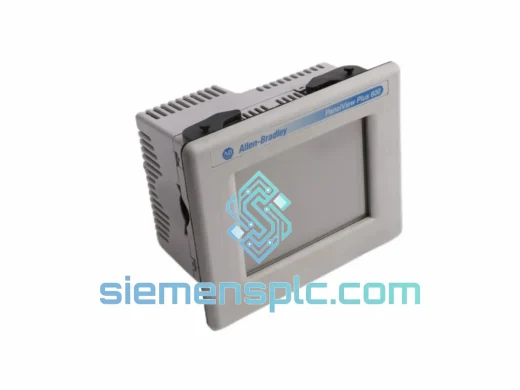
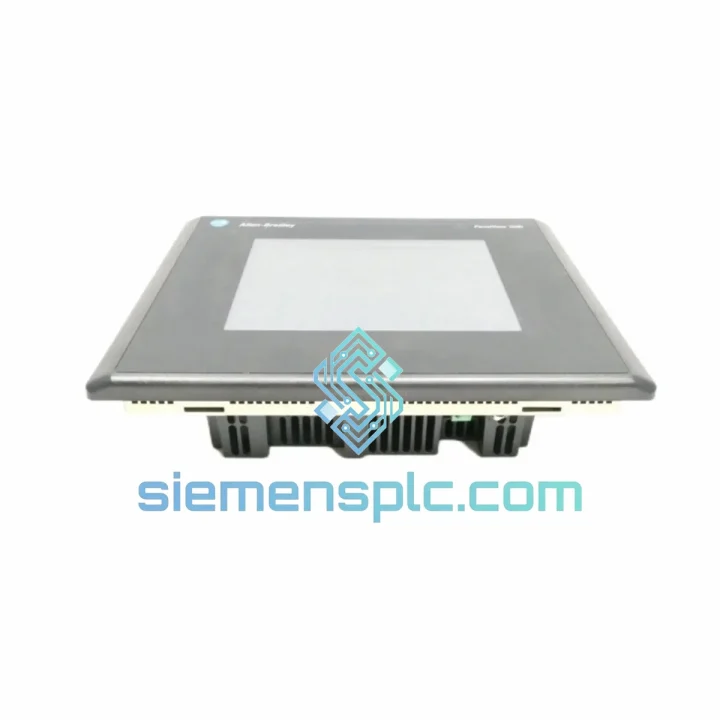
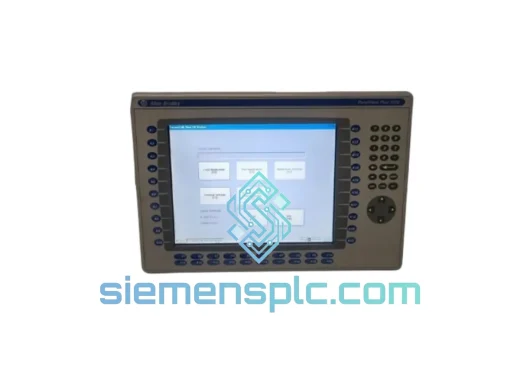
Allen-Bradley 2711-T10C20L1 HMI Terminal
Request verified availability, condition, replacement risk review, packing options and courier lead time for 2711-T10C20L1.
BrandAllen-Bradley
Part Number2711-T10C20L1
ConditionAvailability Check
Lead TimeRFQ Confirmation
DocumentsDatasheet / photos by RFQ
ShippingExport packing available
Auto-filled RFQ
2711-T10C20L1
Click Request Quote and the part number is inserted into the inquiry form automatically.
- Reply by email: [email protected]
- WhatsApp / Tel: +86 18359268345
- Mon-Sat 9:00-18:00 GMT+8
Procurement Data
Key Product Information
Core fields for model confirmation and RFQ routing. Detailed product narrative remains below.
- Brand
- Allen-Bradley
- Primary Part Number
- 2711-T10C20L1
- Product Type
- HMI Terminal
- Series / Family
- PanelView
- Country of Origin
- US
- Catalog Category
- HMI Panels
- Operating Temp.
- 0°C to 55°C
Model confirmed for inquiry
2711-T10C20L1
Send quantity, destination and urgency. The RFQ form keeps this part number attached.
Request Quote
Product Overview
2711-T10C20L1 Down? Every Minute of Downtime Has a Price Tag — We Ship Today
Your PanelView 1000 screen goes black at 2 AM. The operator can’t acknowledge alarms. The line stops. Maintenance is scrambling. You’ve been there — and you know that sourcing an HMI replacement through standard procurement channels can take days you simply don’t have. The Allen-Bradley 2711-T10C20L1 is a legacy terminal that Rockwell discontinued, which means your local distributor’s shelf is empty. That’s exactly why we stock it in Xiamen and ship globally via DHL/FedEx Express — so your line is back up before the next shift, not next week.
We’ve handled emergency replacements for automotive stamping lines in Germany, food packaging facilities in Australia, and water treatment plants in the Middle East — all with the same part number you’re looking at right now. When the clock is running, you don’t need a sales pitch. You need the unit on a plane tonight.
URGENT REQUIREMENT? Contact: [email protected] | WhatsApp: +86 18359268345
Quick Technical Datasheet
| Parameter | Specification |
|---|---|
| Part Number | 2711-T10C20L1 |
| Brand | Allen-Bradley (Rockwell Automation) |
| Series | PanelView 1000 |
| Display Size | 10.4 inch Color TFT LCD |
| Input Method | Resistive Touch Screen |
| Communication Ports | DH-485 / RS-232 (DF1 Full-Duplex & Half-Duplex) |
| Power Supply | 24 VDC (±15%) |
| Operating Temperature | 0°C to 55°C |
| Storage Temperature | -40°C to 70°C |
| Enclosure Rating (Front) | NEMA 4 / 4X / 12 / 13; IP65 |
| Display Resolution | 640 × 480 (VGA) |
| Programming Software | PanelBuilder32 |
| Compatible PLCs | SLC 500, MicroLogix 1000/1100/1400 |
| Weight | Approx. 2.9 kg |
| Stock Status | ✅ Ready to Ship — Xiamen Warehouse |
Troubleshooting & Replacement Tips
Before you pull the old unit, capture everything. The 2711-T10C20L1 stores its application in internal flash memory. If the unit is still partially functional — even if the display is corrupted — connect via RS-232 and use PanelBuilder32 to upload the existing .pba application file. Do not assume the replacement unit has the same application loaded. It won’t.
Common fault codes and what they actually mean in the field:
- “Communication Error” on startup: 90% of the time this is a DH-485 termination resistor issue, not a failed terminal. Check the 1747-AIC or 1761-NET-AIC adapter first. Verify the node address DIP switches on the AIC match your network configuration. The 2711-T10C20L1 node address is set in software (PanelBuilder32 → Terminal Setup → Communication), not hardware — but the AIC adapter’s physical switches must be consistent.
- Blank screen with backlight on: The TFT panel or inverter board has failed. This is a hardware fault — the unit needs replacement, not reconfiguration. Confirm by connecting a laptop via RS-232; if PanelBuilder32 can still communicate, the CPU is alive but the display chain is dead.
- Touch input drift or dead zones: Resistive touch degradation from years of gloved-hand operation. Recalibrate first (hold the top-left corner on power-up to enter calibration mode). If drift persists after calibration, the touch overlay is worn — unit replacement is the only field fix.
- “Application Checksum Error”: Flash memory corruption, often caused by a power interruption during a download. Re-download the .pba file from PanelBuilder32. If the error persists, the flash memory has failed — replace the unit.
- Node address conflicts on DH-485: The PanelView 1000 defaults to node 1. If your SLC 500 or another device is already on node 1, you’ll get intermittent communication faults that look like hardware failures. Always audit your DH-485 node map before condemning the terminal.
Replacement procedure — field-tested sequence:
- Upload existing application from old unit via PanelBuilder32 (RS-232, 19200 baud, DF1 Full-Duplex).
- Document the terminal’s node address, baud rate, and communication protocol settings from Terminal Setup.
- Power down the panel. Disconnect DH-485 and RS-232 cables. Note cable labeling before removal.
- Remove the four mounting clamps from the rear of the cutout. The 2711-T10C20L1 uses a standard 10.4″ panel cutout — the replacement unit should drop straight in.
- Install the new unit. Reconnect cables. Apply power.
- Download the saved .pba application to the new terminal. Verify node address and baud rate match the original configuration.
- Perform a full I/O check: navigate through all screens, verify all PLC data tags are reading correctly, test any write functions (setpoints, commands).
- Run the line at reduced speed for one cycle before returning to full production.
Firmware note: The 2711-T10C20L1 firmware version must be compatible with the PanelBuilder32 version used to create the application. If you’re migrating an application built on an older PanelBuilder32 version, test the download on the bench before installing in the panel. Firmware mismatches typically manifest as garbled graphics or missing tag data — not a hard fault.
Reliability in Harsh Conditions
The PanelView 1000 platform was designed for plant-floor reality, not a climate-controlled server room. The 2711-T10C20L1’s front panel carries a NEMA 4/4X and IP65 rating — it is sealed against directed water jets, oil mist, and fine particulate ingress. In food and beverage applications, this means it survives daily washdown cycles. In foundry and metalworking environments, it handles coolant spray and metal dust without compromising the display or touch interface.
The resistive touch technology is inherently immune to EMI-induced false touches that plague capacitive screens in high-frequency drive environments. If your facility runs variable frequency drives, servo amplifiers, or induction heating equipment, the 2711-T10C20L1’s resistive panel will not ghost-touch or lock up — a failure mode that has caused production incidents with capacitive HMIs installed in the same environment.
Operating temperature range of 0°C to 55°C covers the vast majority of industrial environments, including outdoor enclosures in tropical climates and unheated facilities in temperate regions. The unit has been deployed in steel mills where ambient temperatures at the panel face regularly exceed 45°C, and in cold-storage facilities where startup temperatures approach 0°C — both without modification.
Vibration tolerance is sufficient for mounting on machine frames with moderate vibration — conveyor drives, compressors, and packaging machinery. For high-vibration applications (presses, crushers, vibrating screens), use anti-vibration mounting hardware on the panel enclosure rather than relying solely on the terminal’s internal tolerance.
Global Express Logistics
Our warehouse is located in Xiamen, Fujian Province — one of China’s primary export hubs with direct access to international freight lanes via Xiamen Gaoqi International Airport and Xiamen Port. This geography is not incidental: it means your emergency order moves from our shelf to a DHL or FedEx aircraft the same day for orders confirmed before 15:00 CST.
Typical transit times from Xiamen:
- Southeast Asia (Singapore, Thailand, Malaysia, Vietnam): 2–3 business days via DHL Express
- Australia & New Zealand: 3–4 business days via FedEx International Priority
- Middle East (UAE, Saudi Arabia, Qatar): 3–5 business days via DHL Express
- Europe (Germany, UK, Netherlands, France): 3–5 business days via FedEx International Priority
- North America (USA, Canada, Mexico): 3–5 business days via DHL Express Worldwide
- South America (Brazil, Chile, Colombia): 5–7 business days via FedEx International Priority
Every shipment includes a commercial invoice, packing list, and certificate of origin — the documentation your customs broker needs to clear the shipment without delays. For regulated industries requiring additional documentation (material certificates, inspection records), notify us at the time of order and we will prepare the package accordingly.
We ship on DDP (Delivered Duty Paid) terms to select destinations — ask our team if your country qualifies. For standard shipments, we ship DAP (Delivered At Place) with all export formalities handled from our side. You receive a tracking number within 2 hours of dispatch confirmation.
For genuine emergencies — line-down situations where every hour has a measurable cost — contact us directly on WhatsApp. We can arrange same-day dispatch for orders confirmed before noon CST, and we will personally monitor the shipment through customs clearance to flag any delays before they become your problem.
Contact Information
📧 Email: [email protected]
💬 WhatsApp: +86 18359268345
🌐 Web: siemensplc.com
© 2026 siemensplc.com. All rights reserved.
Ready to quote
[email protected]
Send This Part Number to Sales
RFQ workflow
Quality workflow ->
Confirmation Process
01Model confirmation
We check the full part number, brand, series and visible nameplate information before quotation.
02Availability reply
Sales confirms stock path, condition option, quantity and realistic lead time for export dispatch.
03Packing & courier
DHL, FedEx, UPS or buyer courier arrangements can be reviewed with packing requirements.
Continue sourcing
Browse full catalog ->
Related Automation Parts
Similar brand or category products for fast comparison and multi-item RFQ lists.
Allen-Bradley
RFQ Ready
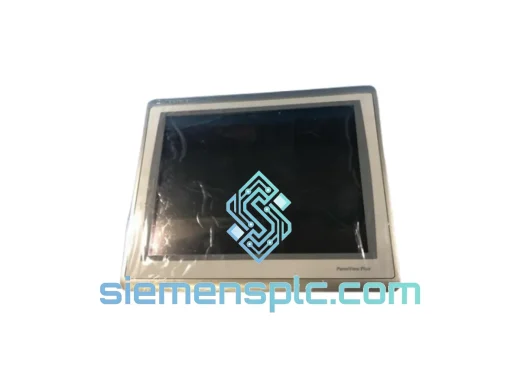
Allen-Bradley 2711P-T15C22D9P HMI Terminal
PanelView
Origin US
HMI Graphic Terminal
Allen-Bradley
RFQ Ready
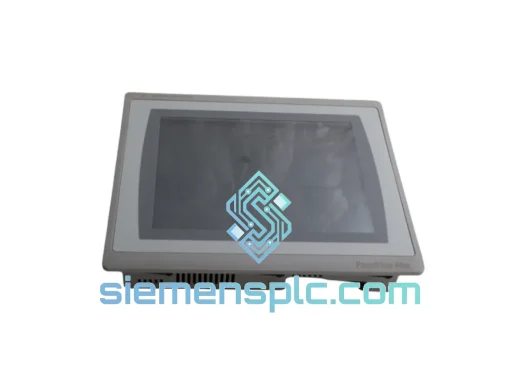
Allen-Bradley 2711P-T10C21D8S HMI Operator Terminal
PanelView
Origin US
HMI Operator Terminal
Allen-Bradley
RFQ Ready
Allen-Bradley 2711P-RN15S ControlNet Communication Module
PanelView
Origin US
PLC Communication Module