Siemens PLC sourcing desk · Multi-brand automation spares [email protected] +86 18359268345
Request Quote
Honeywell In Stock OK

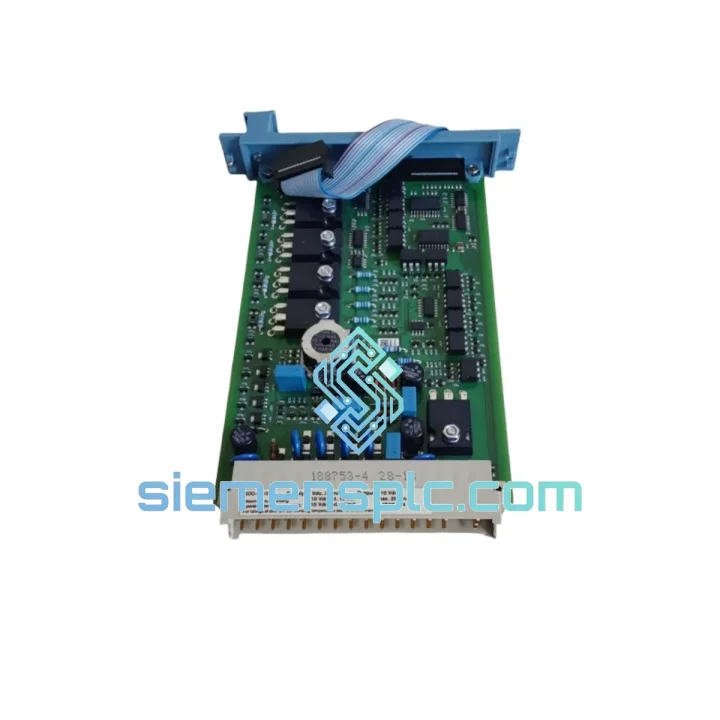
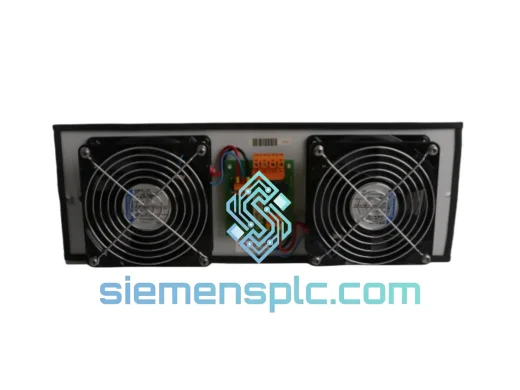
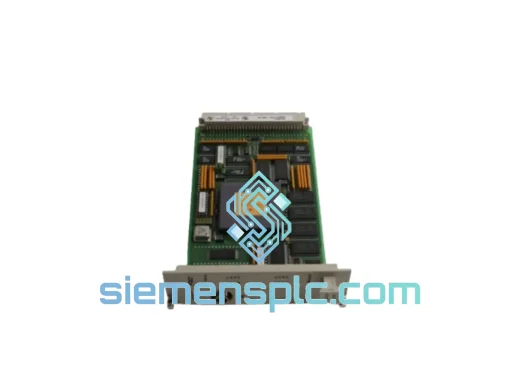
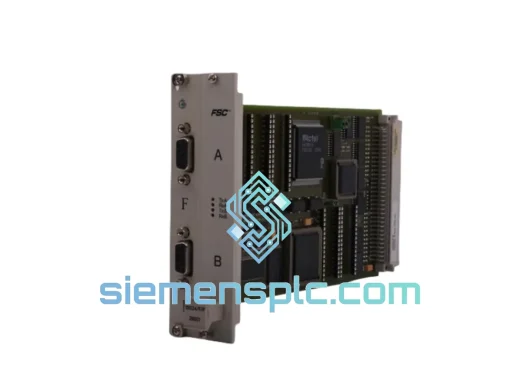
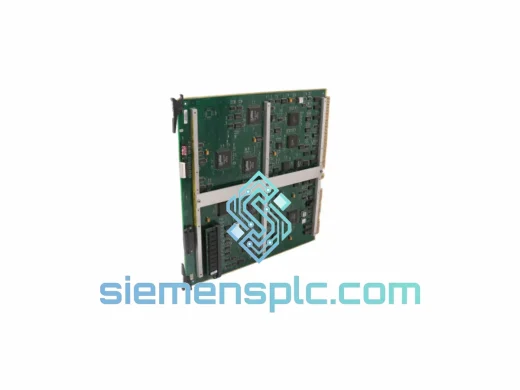
Honeywell 10102/2/1 10006/2/1 10106/2/1 DCS Module

Request verified availability, condition, replacement risk review, packing options and courier lead time for 10102/2/1.

Exact part10102/2/1 RFQ auto-fillPart number attached Export packingDHL / FedEx / UPS Sales replyEmail or WhatsApp
BrandHoneywell Part Number10102/2/1 ConditionAvailability Check Lead TimeRFQ Confirmation DocumentsDatasheet / photos by RFQ ShippingExport packing available
Auto-filled RFQ 10102/2/1

Click Request Quote and the part number is inserted into the inquiry form automatically.

Procurement Data

Key Product Information

Core fields for model confirmation and RFQ routing. Detailed product narrative remains below.

Brand
Honeywell
Primary Part Number
10102/2/1
Product Type
DCS Module
Series / Family
TDC 3000
Manufacturer
Honeywell Process Solutions
Country of Origin
US
Catalog Category
DCS & Safety Modules
Operating Temp.
0°C to +60°C
Humidity
5% to 95% RH, non-condensing
Model confirmed for inquiry 10102/2/1 Send quantity, destination and urgency. The RFQ form keeps this part number attached.
Request Quote
Product Overview

Honeywell 10102/2/1 | 10006/2/1 | 10106/2/1 — Stop the Clock on Your Downtime

Every minute your TDC 3000 node sits dark, your process line is bleeding money. Whether it’s a battery module that failed mid-shift or a diagnostic card that threw a fault and won’t clear, you don’t have time for a 6-week OEM lead time. We stock the Honeywell 10102/2/1, 10006/2/1, and 10106/2/1 right here in Xiamen — inspected, verified, and ready to leave our warehouse today. One call, one shipment, one less crisis.

URGENT REQUIREMENT? Contact: [email protected] | WhatsApp: +86 18359268345

Quick Technical Datasheet

Parameter Detail
Part Numbers 10102/2/1 | 10006/2/1 | 10106/2/1
Manufacturer Honeywell Process Solutions
Series TDC 3000 (Total Distributed Control)
Module Function Diagnostic Monitoring & Battery Backup
Compatible Networks LCN, UCN, HLN — AM, HPM, APM, NIM nodes
Backup Battery Type Lithium cell, onboard — maintains SRAM during power loss
Diagnostic Coverage Real-time fault detection, node health broadcast, LED status indication
Operating Voltage +5 VDC (backplane supplied)
Operating Temperature 0°C to +60°C
Humidity Tolerance 5% to 95% RH, non-condensing
Weight 240 g
Origin China (Fujian / Xiamen)
Stock Status ✅ Ready to Ship — Same/Next Business Day

Troubleshooting & Replacement Tips

After ten years of pulling cards in live DCS cabinets, here’s what actually matters when you’re swapping one of these modules under pressure:

Common Fault Signatures That Point to These Cards:

  • “NODE FAIL” or “CARD FAIL” on the LCN console — 9 times out of 10 this is the diagnostic module losing its heartbeat signal. Before you condemn the whole node, swap the 10102/2/1 first. It’s the cheapest and fastest test.
  • Memory loss after power cycle — If your HPM or AM is losing its configuration every time power drops, the 10006/2/1 battery module is the culprit. The onboard lithium cell has a finite life; in systems older than 7 years, treat it as a consumable.
  • Intermittent “COMM FAIL” alarms clearing on their own — This is a classic sign of a degraded diagnostic card causing spurious fault broadcasts. Don’t chase the network; replace the card.
  • 10106/2/1 swap note — This variant includes an extended diagnostic register. After installation, force a node reset from the Universal Station to allow the new card to re-register its fault table. Skipping this step will leave stale fault codes in the historian.

Step-by-Step Hot-Swap Procedure (where system architecture permits):

  1. Confirm the node is in a non-critical state or place the loop in manual at the DCS console. Never pull a card from an active HPM without operator coordination.
  2. Ground yourself with a wrist strap — the TDC 3000 backplane is sensitive to ESD. This is not optional.
  3. Loosen the two captive screws on the module faceplate. Slide the card straight out — do not rock it side to side. The edge connector is fragile on aged units.
  4. Inspect the backplane connector pins for corrosion or bent contacts before inserting the replacement. A bent pin here will kill the new card within hours.
  5. Seat the new module firmly until both captive screws engage. Finger-tight is sufficient — do not overtorque.
  6. Observe the front-panel LEDs: POWER (green steady), FAULT (off), COMM (green blinking). Any deviation requires a node reset before proceeding.
  7. For the battery module (10006/2/1): allow 30 minutes of powered operation before cycling power. This gives the new cell time to register with the node’s power management circuit.
  8. Verify node status at the Universal Station. Clear any latched alarms. Log the replacement in your maintenance record with the card serial number.

Configuration Checklist Before Returning to Auto:

  • No DIP switches or address jumpers on these specific modules — they are auto-addressed via the backplane slot position. Confirm the slot assignment matches your node map.
  • Firmware: the 10102/2/1 and 10106/2/1 do not carry user-flashable firmware. If the replacement card is from a different production batch, verify the hardware revision matches your system’s minimum supported revision (check your TDC 3000 release notes for your software version).
  • Battery module (10006/2/1): no configuration required. It is a passive backup device. Confirm the BATT OK LED illuminates within 5 minutes of power-up.

Reliability in Harsh Conditions

TDC 3000 systems don’t live in clean rooms. They run in refineries where ambient temperatures swing 40 degrees between day and night, in chemical plants where airborne corrosives attack connector plating, and in offshore platforms where vibration is a constant. The modules we supply are sourced from the same production lines that were designed to handle exactly this.

Each unit we ship has been bench-tested under load — not just visually inspected. We apply a powered functional check that exercises the diagnostic broadcast circuit and verifies battery cell voltage under a simulated drain. Units that don’t pass don’t ship. We’ve seen too many “tested” modules from other suppliers that were nothing more than a visual pass and a sticker. That’s not how we operate.

For storage: if you’re building MRO inventory, keep these modules in their anti-static bags at 15–25°C with humidity below 60%. The battery cell self-discharges at roughly 1–2% per month at room temperature. A module stored for 3 years will still have adequate backup capacity for most applications, but we recommend a bench verification before deploying any unit that has been in storage longer than 24 months.

Global Express Logistics

Our warehouse is located in Xiamen, Fujian — one of China’s primary export hubs with direct access to international freight lanes. When you place an order before 14:00 CST, we target same-day dispatch. Here’s how the logistics chain works:

  • Day 0 (Order Confirmed): Module pulled from shelf, re-inspected, photographed, and packed in double-layer anti-static + foam-lined carton. Export documentation prepared: commercial invoice, packing list, certificate of origin, and HS code declaration (HS 8537.10).
  • Day 0–1 (Dispatch): Handed to DHL Express or FedEx International Priority depending on destination and customer preference. Tracking number issued and emailed within 2 hours of pickup.
  • Day 1–3 (Transit — Asia/Middle East/Southeast Asia): DHL Express typically delivers within 1–2 business days to Singapore, Malaysia, UAE, Saudi Arabia, India.
  • Day 2–4 (Transit — Europe/Americas): FedEx International Priority reaches Germany, Netherlands, UK, USA, and Canada within 2–4 business days from Xiamen.
  • Customs Clearance: We provide a complete commercial invoice with accurate HS codes and declared values. For customers in the EU, we can provide EORI-compatible documentation. For customers in the Middle East, we include a legalized certificate of origin on request.
  • Bulk Orders: For orders of 5+ units or mixed BOM requirements, we offer consolidated sea freight via Xiamen Port with full FCL/LCL options. Lead time 18–25 days to major ports worldwide.

We’ve shipped to over 40 countries. If your customs broker has specific documentation requirements, send them to us before dispatch — we’ll accommodate.

Contact Information

Email: [email protected]
WhatsApp: +86 18359268345
Web: siemensplc.com
© 2026 siemensplc.com. All rights reserved.

Ready to quote

Send This Part Number to Sales

[email protected]
RFQ workflow

Confirmation Process

Quality workflow ->
01Model confirmation

We check the full part number, brand, series and visible nameplate information before quotation.

02Availability reply

Sales confirms stock path, condition option, quantity and realistic lead time for export dispatch.

03Packing & courier

DHL, FedEx, UPS or buyer courier arrangements can be reviewed with packing requirements.