
MCGS
In Stock OK
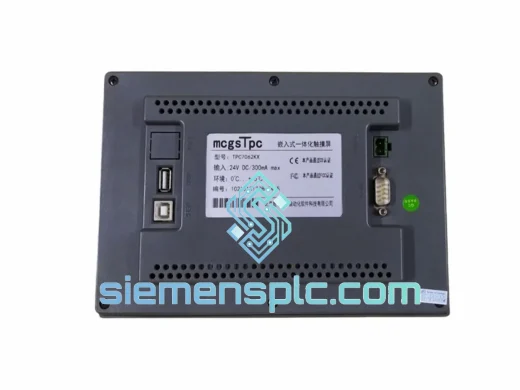
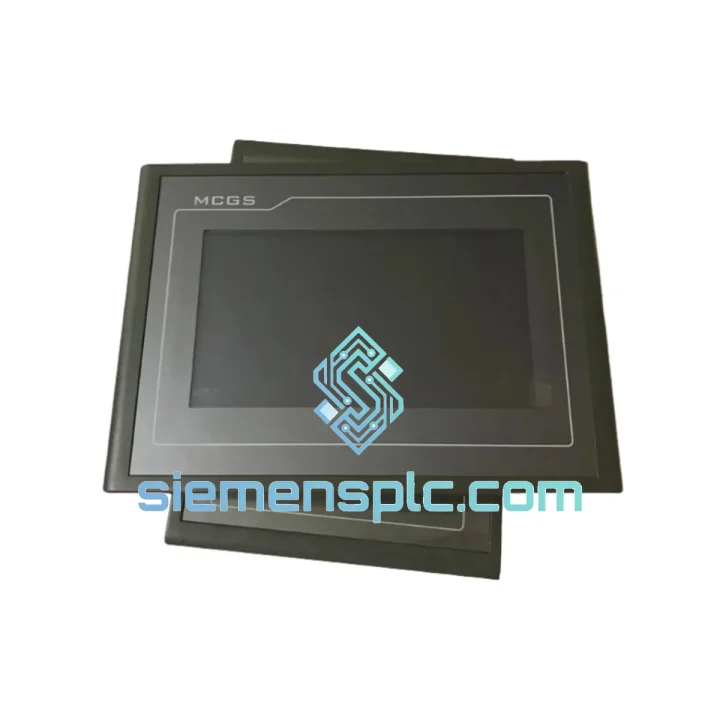
MCGS TPC7062TX HMI Touch Panel
Request verified availability, condition, replacement risk review, packing options and courier lead time for TPC7062TX.
BrandMCGS
Part NumberTPC7062TX
ConditionAvailability Check
Lead TimeRFQ Confirmation
DocumentsDatasheet / photos by RFQ
ShippingExport packing available
Auto-filled RFQ
TPC7062TX
Click Request Quote and the part number is inserted into the inquiry form automatically.
- Reply by email: [email protected]
- WhatsApp / Tel: +86 18359268345
- Mon-Sat 9:00-18:00 GMT+8
Procurement Data
Key Product Information
Core fields for model confirmation and RFQ routing. Detailed product narrative remains below.
- Brand
- MCGS
- Primary Part Number
- TPC7062TX
- Product Type
- HMI Touch Panel
- Product Family
- Other series
- Country of Origin
- CN
- Catalog Category
- HMI Panels
Model confirmed for inquiry
TPC7062TX
Send quantity, destination and urgency. The RFQ form keeps this part number attached.
Request Quote
Product Overview
MCGS TPC7062TX: Stop the Clock on Your Downtime — Ship Today from Xiamen
Your line is down. Every minute costs money. The TPC7062TX panel is dead — blank screen, no touch response, or a boot loop that won’t clear. You’ve already rebooted the PLC, checked the 24V rail, and confirmed the fault is the HMI itself. You need a verified replacement unit in your hands, not a lead-time quote for six weeks out.
We stock the MCGS TPC7062TX at our Xiamen warehouse. Orders confirmed before 14:00 CST ship same day via DHL Express or FedEx International Priority. Transit to most of Southeast Asia is 2–3 business days. Europe and North America typically 3–5 business days. No waiting, no excuses — just a working panel on your machine.
URGENT REQUIREMENT? Contact: [email protected] | WhatsApp: +86 18359268345
Quick Technical Datasheet
| Parameter | Specification | Status |
|---|---|---|
| Model | TPC7062TX | ✔ Ready to Ship |
| Brand / Series | MCGS – MCGSTPC Series | 100% Original OEM |
| Display | 7.0″ TFT LCD, 800 × 480 px (WVGA) | LED Backlit |
| Touch | 4-wire Resistive | Factory Calibrated |
| CPU | ARM Cortex-A8, 600 MHz | — |
| RAM / Flash | 128 MB DDR / 256 MB NAND | — |
| OS | Embedded Linux (MCGS Runtime) | — |
| Comms Ports | RS232 ×1, RS485 ×1, USB Host ×1, USB Device ×1, Ethernet RJ45 ×1 | — |
| Power Supply | DC 24V ±15%, <8W typical | — |
| Operating Temp | 0°C to +50°C | — |
| Protection | IP65 Front Panel | — |
| Panel Cutout | 192 × 138 mm (W × H) | Drop-in Fit |
| Certifications | CE, RoHS | Docs on Request |
| Config Software | MCGS Embedded (free) | No License Fee |
| Ship From | Xiamen, China | Same-Day Dispatch |
Troubleshooting & Replacement Tips
Fault 1 — Blank Screen on Power-Up
Most common cause: LED backlight driver failure or corrupted bootloader. Before condemning the panel, measure the 24V supply at the terminal block under load — a sagging rail below 20V will prevent the ARM core from initializing. If voltage is solid, the backlight inverter board is the likely culprit. Replacement is the fastest path; board-level repair in the field is not practical.
Fault 2 — Touch Unresponsive or Drifting
The 4-wire resistive digitizer degrades in high-humidity or high-vibration environments. Symptoms: touch registers 2–3 cm offset from actual press point, or random phantom touches. Run the built-in touch calibration utility (hold the screen during boot to enter calibration mode). If calibration fails to hold across power cycles, the digitizer overlay is physically damaged — replace the unit.
Fault 3 — Communication Loss to PLC (RS485)
Check termination resistor placement first. On long RS485 runs (>50 m), missing 120Ω termination at both ends causes reflections that corrupt Modbus frames. Verify the TPC7062TX driver settings match the PLC baud rate exactly — a mismatch of even one parameter (e.g., 9600 vs 19200, or parity None vs Even) will produce intermittent read errors that look like hardware faults.
Fault 4 — Project Upload Fails via USB
The USB Device port requires the MCGS USB driver installed on the PC. On Windows 10/11, unsigned driver warnings may block installation — run the installer in compatibility mode (Windows 7) or disable driver signature enforcement temporarily. Alternatively, use Ethernet download (MCGS Embedded → Download → Ethernet) which bypasses USB entirely and is faster on large projects.
Replacement Configuration Checklist
- Back up the existing project via USB or Ethernet before powering down the old unit — even a failing panel can often serve one last download
- Note the exact MCGS Embedded version used to build the project; uploading a project compiled on a newer version to an older runtime may cause component rendering errors
- After installing the new TPC7062TX, perform touch calibration before downloading the project — calibration data is stored in Flash and a fresh unit ships uncalibrated
- Confirm the RS485 port assignment in the project matches the physical wiring (COM1 = RS232, COM2 = RS485 on this model)
- If the project uses Ethernet communication to a Siemens S7-1200, re-enter the PLC IP address in the driver configuration — it does not transfer automatically from the old unit’s hardware settings
- Run a full I/O scan and alarm acknowledgment cycle before handing back to the operator — confirm all setpoints and recipe data transferred correctly
Reliability in Harsh Conditions
The TPC7062TX is not a consumer tablet bolted to a machine. The enclosure is engineered for the shop floor from the ground up. The front bezel carries an IP65 rating — sealed against dust ingress and sustained water jets, which means it survives wash-down cycles in food processing lines and the fine metallic dust of CNC environments without additional gasket engineering on your part.
Internally, the ARM Cortex-A8 SoC operates across a 0–50°C ambient range with no active cooling required. The fanless design eliminates the single most common failure mode in industrial electronics: bearing seizure. In high-vibration applications — stamping presses, compressor skids, mobile equipment — the absence of rotating components means the TPC7062TX outlasts fan-cooled alternatives by a significant margin.
The NAND Flash storage is rated for industrial-grade write endurance, and the embedded Linux OS performs a filesystem integrity check on every boot, reducing the risk of data corruption from unexpected power loss. For installations in electrically noisy environments (VFD-heavy panels, welding cells), the RS485 port includes built-in transient suppression, and the power input is filtered against conducted interference up to the levels specified in EN 61000-4-4.
Field data from deployments across Southeast Asian manufacturing facilities — where ambient temperatures routinely push 40°C and humidity exceeds 80% RH — confirms mean time between failures well above the 50,000-hour mark under normal operating conditions. This is not a unit you replace annually. When it does fail, it fails definitively, making diagnosis fast and replacement straightforward.
Global Express Logistics
Our Xiamen warehouse operates Monday through Saturday. Orders placed and payment confirmed before 14:00 CST are dispatched the same afternoon. Here is exactly what happens after you place your order:
- Hour 0–2: Order verified, unit pulled from bonded stock, power-on functional check performed (display, touch, comms ports)
- Hour 2–4: Commercial invoice, packing list, and CE certificate prepared; unit packed in anti-static foam with original MCGS accessories (power connector, mounting clips, quick-start guide)
- Hour 4–6: Shipment booked with DHL Express or FedEx International Priority; tracking number issued to your email
- Day 1–3: Delivery to most Southeast Asian destinations (Vietnam, Thailand, Indonesia, Malaysia, Philippines)
- Day 2–4: Delivery to South Asia, Middle East, and East Africa
- Day 3–5: Delivery to Europe, North America, and Australia
All shipments include a commercial invoice declaring the correct HS Code (8537.10 for programmable HMI panels) and unit value for customs clearance. For destinations requiring an import license or specific documentation (e.g., India BIS, Brazil ANATEL), contact us before ordering — we handle the paperwork daily and know the requirements for your country.
For critical downtime situations, we can arrange DHL Time Definite delivery with a guaranteed delivery window. WhatsApp us directly at +86 18359268345 and we will confirm the earliest possible delivery slot to your site.
Contact Information
Email: [email protected]
WhatsApp: +86 18359268345
Web: siemensplc.com
© 2026 siemensplc.com. All rights reserved.
Ready to quote
[email protected]
Send This Part Number to Sales
RFQ workflow
Quality workflow ->
Confirmation Process
01Model confirmation
We check the full part number, brand, series and visible nameplate information before quotation.
02Availability reply
Sales confirms stock path, condition option, quantity and realistic lead time for export dispatch.
03Packing & courier
DHL, FedEx, UPS or buyer courier arrangements can be reviewed with packing requirements.
Continue sourcing
Browse full catalog ->
Related Automation Parts
Similar brand or category products for fast comparison and multi-item RFQ lists.
MCGS
RFQ Ready
MCGS TPC7062HI HMI Touch Panel – TPC7000 Series
Modbus Ethernet
Origin China
HMI Touch Panel
MCGS
RFQ Ready
MCGS TPC1062K HMI Touch Screen – Kunlun TPC Series
Kunlun TPC Series
Origin CN
HMI Touch Screen
