
Panasonic
In Stock OK
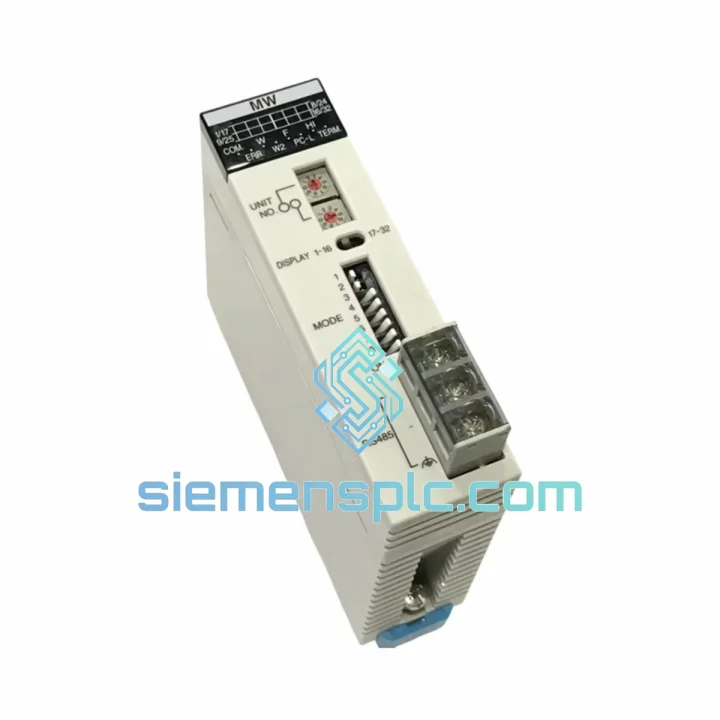
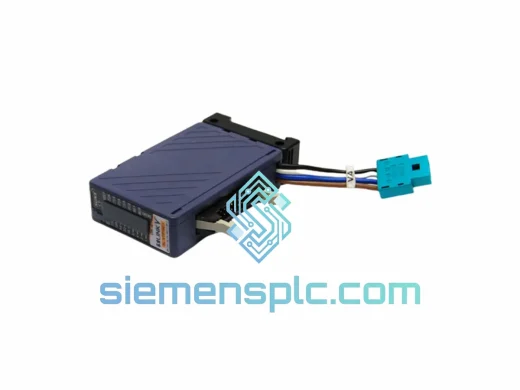
Panasonic AFP2720 FP2-MW Memory Cassette
Request verified availability, condition, replacement risk review, packing options and courier lead time for FP2-MW.
BrandPanasonic
Part NumberFP2-MW
ConditionAvailability Check
Lead TimeRFQ Confirmation
DocumentsDatasheet / photos by RFQ
ShippingExport packing available
Auto-filled RFQ
FP2-MW
Click Request Quote and the part number is inserted into the inquiry form automatically.
- Reply by email: [email protected]
- WhatsApp / Tel: +86 18359268345
- Mon-Sat 9:00-18:00 GMT+8
Procurement Data
Key Product Information
Core fields for model confirmation and RFQ routing. Detailed product narrative remains below.
- Brand
- Panasonic
- Primary Part Number
- FP2-MW
- Product Type
- PLC Memory Module
- Product Family
- Other series
- Manufacturer
- Panasonic Industrial Devices (NAIS)
- Country of Origin
- Japan
- Catalog Category
- PLCs & Controllers
- Operating Temp.
- 0 °C to +55 °C
- Humidity
- 10 % to 90 % RH, non-condensing
- Warranty
- 12 months from dispatch date
Model confirmed for inquiry
FP2-MW
Send quantity, destination and urgency. The RFQ form keeps this part number attached.
Request Quote
Product Overview
AFP2720 FP2-MW Memory Cassette: Stop the Clock on Your Downtime — Ship Within 24 Hours
Every hour a Panasonic FP2 line sits idle costs real money. When the AFP2720 memory cassette fails — corrupted flash, undetected write errors, or physical damage from a rushed swap — the CPU cannot load its program and the machine stops cold. We stock the AFP2720 specifically for this scenario. Verified, tested, packed, and ready to leave Xiamen the same business day you confirm your order. No waiting on factory lead times. No back-and-forth with a distributor who has to check three warehouses. One call, one part, line back up.
URGENT REQUIREMENT? Contact: [email protected] | WhatsApp: +86 18359268345
Quick Technical Datasheet
| Parameter | Specification |
|---|---|
| Part Number / SKU | AFP2720 |
| Module Designation | FP2-MW Memory Cassette |
| Manufacturer | Panasonic Industrial Devices (NAIS) |
| Platform | FP2 Series PLC |
| Memory Technology | Flash / EEPROM — non-volatile, battery-free retention |
| Compatible CPU Units | AFP2211, AFP2212, AFP2311, AFP2411, AFP2431, AFP2432 and FP2 variants |
| Interface | Direct plug-in to FP2 CPU internal cassette bay |
| Write Endurance | ≥ 100,000 cycles (flash cell rated) |
| Operating Temperature | 0 °C to +55 °C |
| Storage Temperature | −20 °C to +70 °C |
| Humidity | 10 % to 90 % RH, non-condensing |
| Vibration | IEC 61131-2 compliant |
| Certifications | CE, UL (per FP2 platform) |
| Country of Origin | Japan |
| Stock Status | Ready to Ship — Xiamen, China |
| Warranty | 12 months from dispatch date |
Troubleshooting & Replacement Tips
Common failure signatures that point to the AFP2720:
- ERR LED solid on at power-up, no RUN state achieved — CPU detects cassette but cannot verify program checksum. Most common after a power interruption mid-write or after physical shock to the cassette slot.
- CPU boots to RUN but outputs behave erratically — partial flash corruption; certain rungs or data blocks read back incorrectly. Do not attempt to re-download over a corrupted cassette — replace first, then re-flash.
- FPWIN Pro reports “Memory Cassette Not Found” during online connection — cassette contact pins oxidized or cassette not fully seated. Clean contacts with IPA, re-seat firmly. If error persists, the cassette internal controller has failed.
- Program loss after battery replacement on CPU — if the CPU was relying on battery-backed RAM and the AFP2720 was not the primary storage, the cassette may not contain the latest program version. Always verify cassette content matches the current production program before swapping CPUs.
Step-by-step replacement procedure:
- Back up first. If the CPU is still partially functional, connect FPWIN Pro and upload the current program to your laptop. Verify the timestamp against your last known-good backup.
- Power down the FP2 rack. Isolate the 24 VDC supply to the CPU. Wait 10 seconds for internal capacitors to discharge.
- Remove the faulty AFP2720. The cassette slides out of the CPU front-panel slot — no tools required. Note the orientation tab; the replacement installs in the same direction.
- Inspect the CPU cassette bay. Check for bent contact pins or debris. A bent pin on the CPU side means the CPU itself needs attention before the new cassette is inserted.
- Insert the new AFP2720. Press firmly until the cassette clicks into the retention latch. Do not force — if resistance is felt, re-check alignment.
- Power up and observe. The FP2 CPU will auto-detect the cassette on boot. If the cassette is blank (new unit), the ERR LED will illuminate — this is expected. Proceed to download.
- Download the program via FPWIN Pro. Connect via RS232C or USB adapter. Select the correct CPU model in the project settings. Download and verify checksum. Switch CPU to RUN mode.
- Confirm I/O response. Force-test critical outputs before releasing the line to production. Document the cassette serial number and firmware version in your maintenance log.
Configuration note: The AFP2720 has no user-accessible DIP switches or address settings — it is a passive storage device. Confirm that the FPWIN Pro project file targets the correct FP2 CPU variant; a program compiled for AFP2431 will not execute correctly on AFP2211 hardware even if the download completes without error.
Reliability in Harsh Conditions
Flash/EEPROM storage eliminates the single largest failure mode of older battery-backed SRAM cassettes: battery depletion. There is no lithium cell to track, no replacement schedule to manage, and no risk of program loss from a missed maintenance interval.
The cassette housing meets IEC 61131-2 vibration and shock profiles — sinusoidal vibration at 10–57 Hz / 0.075 mm amplitude and 57–150 Hz / 1g, plus shock pulses of 15g / 11 ms half-sine. Units subjected to abnormal mechanical shock (dropped rack, forklift impact) should be replaced as a precaution even if no immediate error is displayed — internal flash cell damage from shock can manifest as intermittent read errors weeks later.
Humidity tolerance of 10–90 % RH non-condensing covers the majority of industrial panel environments. For coastal or high-humidity facilities where condensation is a risk, keep the cassette slot cover closed when not actively swapping. Spare units should be stored in the original anti-static ESD bag with desiccant until installation.
Operating temperature ceiling of +55 °C aligns with the FP2 CPU thermal limit. In panels where ambient temperature approaches this threshold — common in summer months in non-air-conditioned production buildings — verify panel ventilation before attributing cassette errors to the module. A two-minute thermal camera scan of the panel interior can rule out heat-related read errors before committing to a part replacement.
Global Express Logistics
Our warehouse is in Xiamen, Fujian Province — direct access to Xiamen Gaoqi International Airport with daily consolidated freight departures to DHL and FedEx international gateways.
- Order confirmed before 14:00 CST → same-day dispatch
- Order confirmed after 14:00 CST → next business day dispatch
- DHL Express / FedEx International Priority → 2–4 business days to Southeast Asia, Europe, Middle East, and Americas
- FedEx Economy / DHL Worldwide → 4–7 business days for cost-sensitive shipments
Export documentation included with every shipment: commercial invoice, packing list, certificate of origin, and HS Code 8473.30 for customs clearance. Each AFP2720 is packed in a double-wall corrugated carton with 30 mm foam cushioning on all six faces and an inner anti-static ESD bag, sealed with tamper-evident tape.
Tracking numbers are sent via email within 2 hours of dispatch. For urgent shipments, WhatsApp tracking updates are available on request — message +86 18359268345 and we will push milestones directly to your phone.
Contact Information
Email: [email protected]
WhatsApp: +86 18359268345
Web: siemensplc.com
Location: Xiamen, China
© 2026 siemensplc.com. All rights reserved.
Ready to quote
[email protected]
Send This Part Number to Sales
RFQ workflow
Quality workflow ->
Confirmation Process
01Model confirmation
We check the full part number, brand, series and visible nameplate information before quotation.
02Availability reply
Sales confirms stock path, condition option, quantity and realistic lead time for export dispatch.
03Packing & courier
DHL, FedEx, UPS or buyer courier arrangements can be reviewed with packing requirements.
Continue sourcing
Browse full catalog ->
Related Automation Parts
Similar brand or category products for fast comparison and multi-item RFQ lists.
Panasonic
RFQ Ready
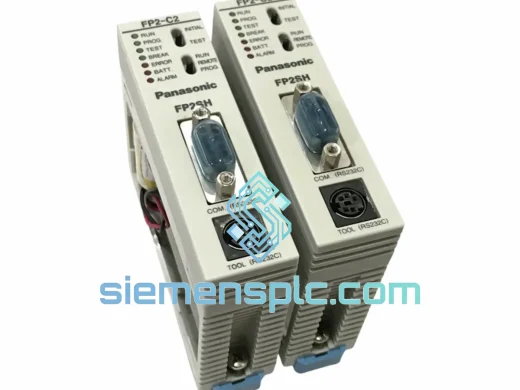
Panasonic FP2-C2T32 PLC CPU Unit
FP2 Series PLC Module
Origin Japan
PLC CPU Unit
Panasonic
RFQ Ready
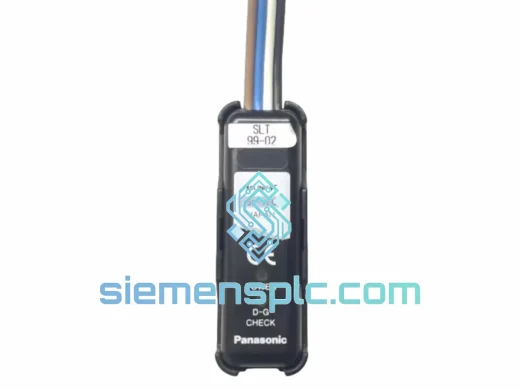
Panasonic SL-VTP16C1 Safety Light Curtain Output Module – SL Series
xpansion Unit for SL Series
Origin Japan
Safety Light Curtain Output Module