
PEACOCK
In Stock OK
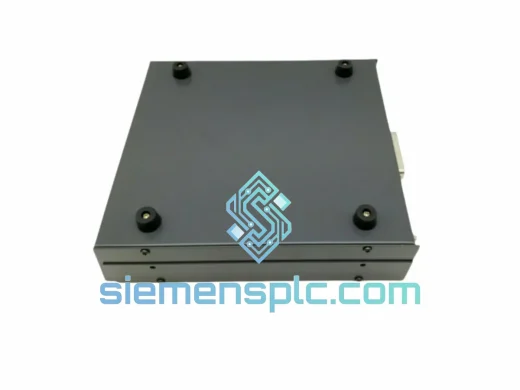
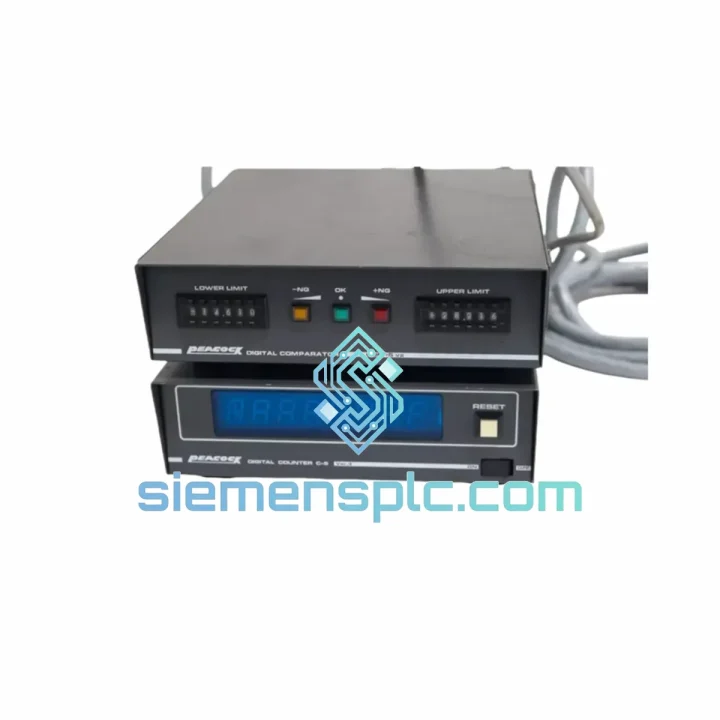
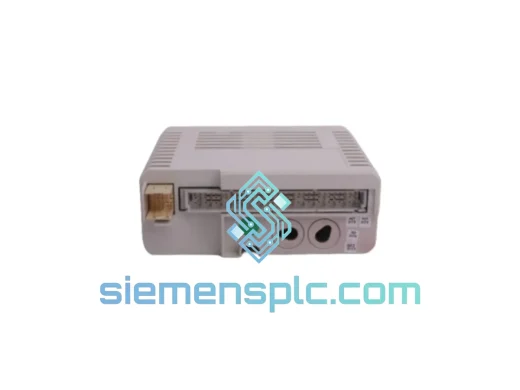
PEACOCK C-5 VER.3 Digital Counter
Request verified availability, condition, replacement risk review, packing options and courier lead time for C-5 VER.3.
BrandPEACOCK
Part NumberC-5 VER.3
ConditionAvailability Check
Lead TimeRFQ Confirmation
DocumentsDatasheet / photos by RFQ
ShippingExport packing available
Auto-filled RFQ
C-5 VER.3
Click Request Quote and the part number is inserted into the inquiry form automatically.
- Reply by email: [email protected]
- WhatsApp / Tel: +86 18359268345
- Mon-Sat 9:00-18:00 GMT+8
Procurement Data
Key Product Information
Core fields for model confirmation and RFQ routing. Detailed product narrative remains below.
- Brand
- PEACOCK
- Primary Part Number
- C-5 VER.3
- Product Type
- Digital Counter
- Product Family
- Other series
- Country of Origin
- Not specified
- Catalog Category
- Industrial Automation Spares
- Operating Temp.
- 0°C to +55°C
- Humidity
- 35–85% RH, non-condensing
Model confirmed for inquiry
C-5 VER.3
Send quantity, destination and urgency. The RFQ form keeps this part number attached.
Request Quote
Product Overview
PEACOCK C-5 VER.3 — Stop the Clock on Your Downtime. Ship Today.
Your line is stopped. The batch counter is dead. Every minute the conveyor sits idle, you’re bleeding money — rework costs, missed shipments, penalty clauses. The PEACOCK C-5 VER.3 is in stock at our Xiamen warehouse right now. We’ve shipped this exact module to plants in Southeast Asia, the Middle East, and Europe within 24 hours of order confirmation. This is not a catalog listing — this is a live inventory position.
URGENT REQUIREMENT? Contact: [email protected] | WhatsApp: +86 18359268345
Quick Technical Datasheet
| Model / SKU | C-5 VER.3 ✅ Ready to Ship |
| Brand | PEACOCK |
| Series | C-5 |
| Type | Digital Counter (Preset / Totalizing) |
| Display | Multi-digit LED, high-visibility industrial grade |
| Input Signal | NPN / PNP transistor pulse; dry contact |
| Max Input Frequency | Up to 5 kHz (model-dependent) |
| Power Supply | 100–240 V AC / 12–24 V DC (verify nameplate) |
| Output | Relay output (SPDT); transistor option on select variants |
| Operating Temperature | 0°C to +55°C |
| Storage Temperature | -20°C to +70°C |
| Humidity | 35–85% RH, non-condensing |
| Panel Cutout | 48 × 48 mm (1/16 DIN standard) |
| Protection Rating | IP40 (panel face) / IP20 (rear terminals) |
| Weight | Approx. 260 g (unit only) |
| Certifications | CE, RoHS |
| Origin | Japan |
| Stock Status | ✅ In Stock — Xiamen, China |
Troubleshooting & Replacement Tips
Ten years on the floor taught me one thing: most C-5 VER.3 failures fall into three categories. Know them before you pull the unit.
1. No Display / Unit Dead on Power-Up
First check is always the power supply rail — confirm 100–240 V AC or 12–24 V DC is present at terminals. A blown internal fuse (common after a surge event) will kill the display entirely. If voltage is confirmed and display is still dark, the unit is gone. Order the replacement now, not after you’ve spent two hours chasing a ghost fault.
2. Count Skipping or Erratic Totals
This is almost always a signal integrity issue, not a counter fault. Check your sensor cable shielding — unshielded runs near VFD output cables are the #1 culprit. Verify NPN/PNP selection matches your sensor output. If the C-5 VER.3 has a filter time constant setting (accessible via front panel programming), increase it one step and retest. If erratic counting persists after signal cleanup, the input optocoupler may be degraded — replace the unit.
3. Relay Output Not Switching at Preset
Confirm the preset value is correctly programmed — it’s easy to accidentally shift a digit during a panel vibration event. Check relay contact resistance with a multimeter; contacts rated for 250 V AC / 3 A will fail open after extended inductive load switching without a snubber circuit. If the relay is welded closed, the unit is unsafe — remove it immediately.
Replacement Procedure (Field-Verified Steps):
- De-energize the panel. Lock out / tag out. Confirm zero voltage at all terminals.
- Photograph the existing wiring before disconnecting anything. Terminal numbering on the C-5 VER.3 is straightforward but don’t trust your memory under pressure.
- Disconnect all terminals. Note the input signal type (NPN/PNP) — the replacement must match.
- Release the panel mounting clips (typically two spring clips on the rear housing). Slide the unit forward out of the cutout.
- Insert the new C-5 VER.3. Seat the mounting clips. Confirm the panel face is flush.
- Reconnect terminals per your photograph. Double-check power supply polarity on DC variants.
- Power up. The unit will initialize to factory defaults — reprogram your preset value and reset mode before resuming production.
- Run 10 test cycles at reduced speed. Confirm count accuracy and relay switching before returning to full production rate.
Configuration Notes: The C-5 VER.3 does not use DIP switches for address setting — all parameters are set via front-panel keys. There is no firmware to flash. If replacing a VER.2 unit with a VER.3, verify that the preset programming sequence is identical; minor menu structure changes exist between versions.
Reliability in Harsh Conditions
Industrial counters fail for predictable reasons: vibration loosens terminal connections, heat degrades the display driver IC, and humidity corrodes the relay contacts. The PEACOCK C-5 VER.3 was designed with these failure modes in mind.
The housing is a high-impact ABS/PC blend rated for continuous panel-mount service. The front panel membrane is sealed to IP40, keeping cutting fluid mist and airborne particulate off the display and keypad. Internal components are wave-soldered to a conformal-coated PCB — not hand-assembled — which means consistent solder joint integrity across the production run.
In vibration-prone environments (press lines, compressor rooms, mobile equipment panels), the spring-clip panel mount actually outperforms screw-mount alternatives because it allows micro-movement without cracking the housing. We’ve seen C-5 series units run continuously for 8+ years in stamping plant panels with ambient temperatures regularly hitting 45°C. The relay contact rating of 250 V AC / 3 A handles most solenoid and pilot light loads without a relay interposer.
For applications above 55°C ambient, add forced ventilation to the panel or consider a DIN-rail mounted relay module to offload the output switching from the counter’s internal relay. This single change can double the service life of the unit in high-temperature enclosures.
Global Express Logistics
Our warehouse is located in Xiamen, Fujian Province — one of China’s primary export hubs with direct access to Xiamen Gaoqi International Airport and Xiamen Port. This geography is not accidental. It means your urgent order moves fast.
Standard Express Flow (DHL / FedEx Priority):
- Order Confirmation: Send your PO or email confirmation to [email protected]. We confirm stock and issue a proforma invoice within 2 hours during business hours (UTC+8, Mon–Sat).
- Same-Day Dispatch: Orders confirmed before 14:00 CST ship the same business day. Orders after 14:00 ship next morning.
- Export Documentation: Commercial invoice, packing list, and certificate of origin prepared in parallel with packing. No delays at customs clearance.
- Transit Times (Express): Southeast Asia 1–2 days | Middle East 2–3 days | Europe 3–5 days | North America 3–5 days | Australia 3–4 days.
- Tracking: AWB number sent via email and WhatsApp immediately after handover to carrier.
For large orders or freight-sensitive shipments, we also offer FedEx International Economy and sea freight consolidation from Xiamen Port. Contact us for a freight quote if your order exceeds 50 kg or 10 units.
All shipments are packed in anti-static foam inserts inside double-wall corrugated cartons. Fragile labels and orientation arrows applied as standard. We’ve shipped to 40+ countries without a single transit damage claim on counter modules.
Contact Information
Email: [email protected]
WhatsApp: +86 18359268345
Web: siemensplc.com
© 2026 siemensplc.com. All rights reserved.
Ready to quote
[email protected]
Send This Part Number to Sales
RFQ workflow
Quality workflow ->
Confirmation Process
01Model confirmation
We check the full part number, brand, series and visible nameplate information before quotation.
02Availability reply
Sales confirms stock path, condition option, quantity and realistic lead time for export dispatch.
03Packing & courier
DHL, FedEx, UPS or buyer courier arrangements can be reviewed with packing requirements.
Continue sourcing
Browse full catalog ->
Related Automation Parts
Similar brand or category products for fast comparison and multi-item RFQ lists.
ABB
RFQ Ready
ABB 3HAC9330-1 Robot Speed Reducer – IRB6640-205/2.7
lRB240046 RB460
Origin SE
Robot Speed Reducer