Siemens
RFQ Ready
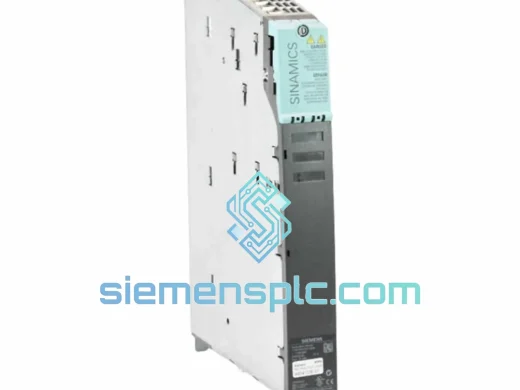
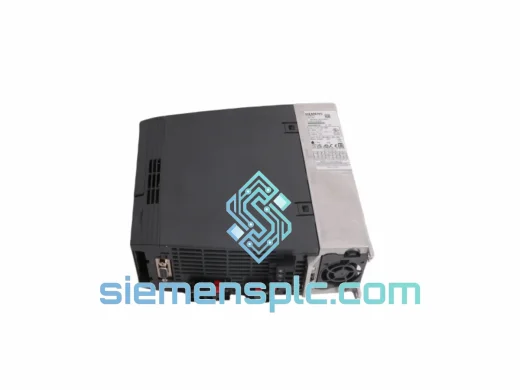
Siemens 6SL3210-1KE18-8UP1 AC Drive Power Module
SINAMICS
Origin DE
AC Drive Power Module
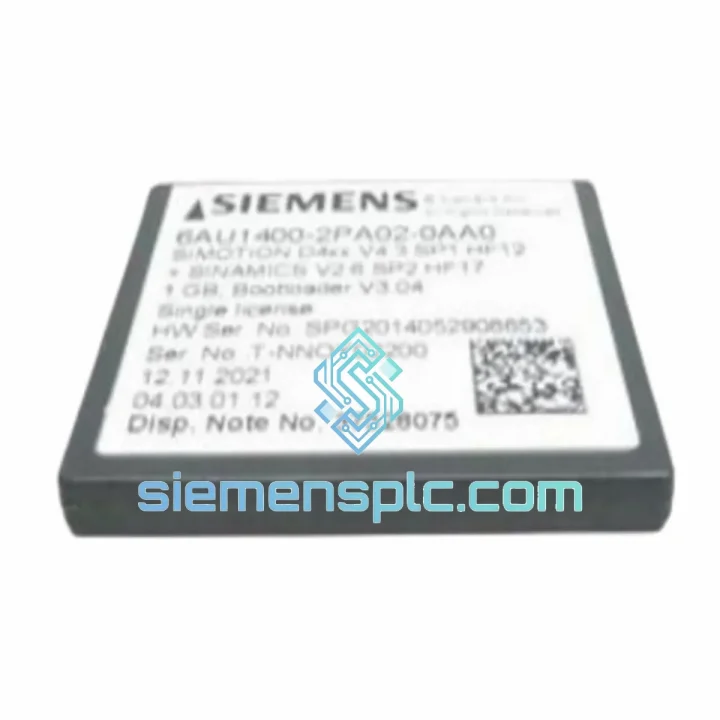
Request verified availability, condition, replacement risk review, packing options and courier lead time for 6AU1400-2PA02-0AA0.
Click Request Quote and the part number is inserted into the inquiry form automatically.
Core fields for model confirmation and RFQ routing. Detailed product narrative remains below.
A failed CF card on a SINAMICS or SIMOTION drive doesn’t announce itself politely. One moment the line is running; the next, the CU320-2 is dark, the operator panel is frozen, and your maintenance team is staring at a fault code they’ve never seen before. The clock starts immediately — and so does the financial bleed. Lost throughput, idle labor, delayed shipments, and the very real possibility of a customer penalty clause kicking in.
The Siemens 6AU1400-2PA02-0AA0 is the OEM Compact Flash card that carries the firmware, parameter set, and motion program for your SINAMICS S120 / S150 or SIMOTION D4xx platform. When it fails, nothing else on that drive works. There is no workaround. You need the exact part, in the correct hardware revision, with a validated firmware image — and you need it before the next shift starts.
We stock this card in Xiamen. Not on order. Not inbound from a distributor. On the shelf, inspected, and ready to pack the moment your purchase order is confirmed. Orders placed before 15:00 CST ship same day via DHL Express. That is not a marketing promise — it is the operational standard we hold ourselves to because our customers are engineers running production facilities, not retail shoppers who can wait a week.
⚡ URGENT REQUIREMENT? Contact: [email protected] | WhatsApp: +86 18359268345
| Parameter | Specification |
|---|---|
| Part Number | 6AU1400-2PA02-0AA0 |
| Manufacturer | Siemens AG |
| Product Series | SINAMICS / SIMOTION |
| Form Factor | Compact Flash Type II — ATA Interface |
| Flash Architecture | SLC NAND — Industrial Endurance Grade |
| Primary Function | Firmware image, drive parameter storage, motion program memory |
| Compatible Platforms | CU320-2 DP/PN, SIMOTION D410-2 / D425-2 / D435-2 / D445-2, S120 Booksize & Chassis, S150 |
| Operating Temperature | 0 °C to +70 °C |
| Storage Temperature | −25 °C to +85 °C |
| Vibration Resistance | IEC 60068-2-6 compliant |
| Certifications | CE, RoHS |
| Hardware Revision | -0AA0 (confirm against your CU nameplate before ordering) |
| Condition | New — factory-sealed OEM |
| Stock Status | ✅ Ready to Ship — Xiamen Warehouse |
Ten years of field commissioning and emergency callouts on SINAMICS and SIMOTION platforms. These are the failure signatures and replacement traps that actually matter on site — not the sanitized version from the manual.
Fault Codes That Point Directly at the CF Card:
Replacement Procedure — Field-Tested Sequence:
Configuration Points That Catch Engineers Off Guard:
Drive cabinets in steel mills, cement plants, chemical processing facilities, and offshore platforms are not controlled environments. Temperature swings of 40 °C between startup and shutdown are routine. Vibration from adjacent machinery is continuous. Humidity in coastal and tropical installations pushes condensation onto every surface during temperature cycling. The 6AU1400-2PA02-0AA0 is built for this — not for a server room.
The SLC NAND flash architecture delivers write endurance that is fundamentally different from the MLC or TLC flash used in consumer storage products. In a SINAMICS drive that reads firmware on every power cycle and writes parameter updates multiple times per shift, this endurance margin determines service life. SLC flash in this application routinely achieves five or more years of continuous service in demanding industrial environments. Consumer-grade CF cards in the same application fail in under two years — sometimes much faster.
Vibration compliance per IEC 60068-2-6 covers sinusoidal vibration profiles that replicate the mechanical stress of a drive cabinet mounted on a machine frame or installed in a facility with heavy rotating equipment nearby. The card’s connector interface maintains electrical continuity under sustained vibration without the micro-fretting corrosion that progressively degrades contact resistance in non-industrial-grade components.
The thermal design handles sustained operation at the upper end of the 0–70 °C range without data corruption or performance throttling. Internal thermal management prevents the silent write failures that occur when consumer flash reaches its thermal limits — failures that corrupt parameter data without generating a fault code, leading to mysterious drive behavior that is extremely difficult to trace back to the storage medium.
Conformal coating on the PCB and a sealed housing address humidity and condensation ingress. This is not a cosmetic feature — it is the difference between a card that survives five years in a coastal installation and one that develops corrosion-induced contact failures within eighteen months.
Our warehouse is in Xiamen, Fujian Province — a primary export hub with direct gateway access to DHL Express, FedEx International Priority, and UPS Worldwide Express. The stock is physically on our shelves. We do not drop-ship, we do not rely on third-party freight forwarders for packing, and we do not have a 24-hour processing delay built into our workflow.
How the dispatch process works:
Plant shutdown emergency protocol: Contact us on WhatsApp at +86 18359268345 before placing the order. We confirm stock availability, prepare export documents in parallel, and can have the package at the DHL Xiamen gateway within 3 hours of your order confirmation on emergency cases. We have executed this for customers in Germany, Thailand, Brazil, Saudi Arabia, and Australia. The process is proven.
Import duties and customs clearance are the buyer’s responsibility. We provide complete and accurate documentation to support smooth customs processing in most jurisdictions. If your customs broker needs additional documentation, contact us — we respond within the hour during business hours and within 2 hours outside business hours.
📧 Email: [email protected]
💬 WhatsApp: +86 18359268345
🌐 Web: siemensplc.com
© 2026 siemensplc.com. All rights reserved. All product names, part numbers, and trademarks are the property of their respective owners and are referenced solely for identification and compatibility purposes.
We check the full part number, brand, series and visible nameplate information before quotation.
Sales confirms stock path, condition option, quantity and realistic lead time for export dispatch.
DHL, FedEx, UPS or buyer courier arrangements can be reviewed with packing requirements.
Similar brand or category products for fast comparison and multi-item RFQ lists.