

Siemens
RFQ Ready
Siemens 6AV7240-0HC07-0PA0 Industrial Panel PC Motherboard – SIMATIC IPC477D
SIMATIC
Origin DE
Industrial Panel PC Motherboard
Request verified availability, condition, replacement risk review, packing options and courier lead time for 6AV2123-2GB03-0AX0.
Click Request Quote and the part number is inserted into the inquiry form automatically.
Core fields for model confirmation and RFQ routing. Detailed product narrative remains below.
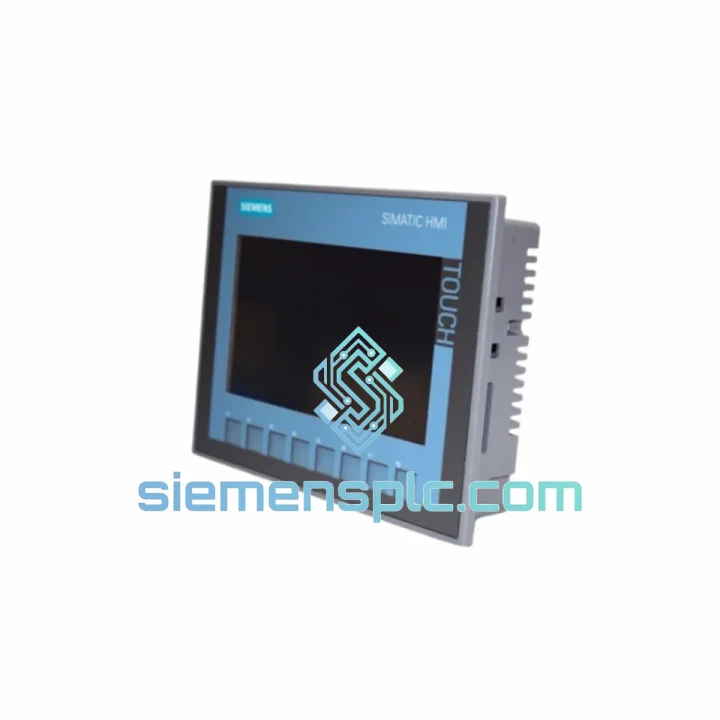
Your line is stopped. The operator panel is dead. Maintenance is standing by and every minute the conveyor sits idle is burning through your production budget. The Siemens 6AV2123-2GB03-0AX0 KTP700 Basic is a 7-inch PROFINET HMI panel — one of the most widely deployed operator interfaces in discrete and process manufacturing worldwide. When it fails, there is no workaround. You need an exact replacement, verified, tested, and on a plane today.
We stock the 6AV2123-2GB03-0AX0 in Xiamen and ship globally via DHL and FedEx Express. Most international destinations receive their unit within 3–5 business days from order confirmation. No waiting on distributor lead times. No back-order queues. Stock on the shelf, ready to move.
URGENT REQUIREMENT? Contact: [email protected] | WhatsApp: +86 18359268345
| Parameter | Specification |
|---|---|
| Part Number | 6AV2123-2GB03-0AX0 |
| Series | SIMATIC HMI KTP700 Basic |
| Display Size | 7″ TFT Widescreen |
| Resolution | 800 × 480 px, 65,536 colors |
| Input Method | Resistive single-touch + 8 function keys |
| Communication | PROFINET (1× RJ45) |
| Engineering Tool | TIA Portal V13 SP1+ / WinCC Basic or Comfort |
| Supply Voltage | 24 V DC (20.4 – 28.8 V) |
| Front Protection | IP65 |
| Operating Temp. | 0 °C to +50 °C |
| Storage Temp. | −20 °C to +60 °C |
| Dimensions (W×H×D) | 214 × 158 × 46 mm |
| Weight | ~0.72 kg |
| Certifications | CE, UL, cULus, RCM, RoHS |
| Stock Status | ✔ Ready to Ship — Xiamen Warehouse |
After ten years of field work, these are the failure modes and swap pitfalls I see most often with the KTP700 Basic:
Common Failure Symptoms
Step-by-Step Replacement Procedure
The KTP700 Basic was engineered for the factory floor, not the office. The aluminum front frame and IP65-rated front panel seal keep out metal dust, coolant mist, and high-pressure wash-down spray — common in machining, food processing, and chemical environments. The resistive touch technology functions with gloved hands and in the presence of surface moisture, where capacitive screens fail entirely.
Vibration resistance meets IEC 60068-2-6 standards, covering the frequency ranges typical of compressor rooms, press lines, and mobile equipment installations. The operating temperature ceiling of +50 °C handles most non-climate-controlled enclosures in tropical and desert climates without derating. The wide supply voltage tolerance (20.4–28.8 V DC) absorbs the voltage sags common in facilities with heavy motor loads on shared distribution panels.
In short: this panel was built to run in the same environment where it will fail — and when it does fail, the replacement needs to be equally robust. Every unit we ship has been stored in climate-controlled conditions and undergoes a power-on functional check before dispatch.
Our warehouse is located in Xiamen, Fujian — one of China’s primary export hubs with direct access to DHL, FedEx, and UPS international gateways. Here is how the logistics chain works from the moment you confirm your order:
If your situation is critical — line down, shift starting in 6 hours — contact us directly on WhatsApp. We will confirm stock, cut the paperwork, and get the unit moving before the end of the business day.
📧 Email: [email protected]
💬 WhatsApp: +86 18359268345
🌐 Web: siemensplc.com
© 2026 siemensplc.com. All rights reserved.
We check the full part number, brand, series and visible nameplate information before quotation.
Sales confirms stock path, condition option, quantity and realistic lead time for export dispatch.
DHL, FedEx, UPS or buyer courier arrangements can be reviewed with packing requirements.
Similar brand or category products for fast comparison and multi-item RFQ lists.


