

Siemens
In Stock OK
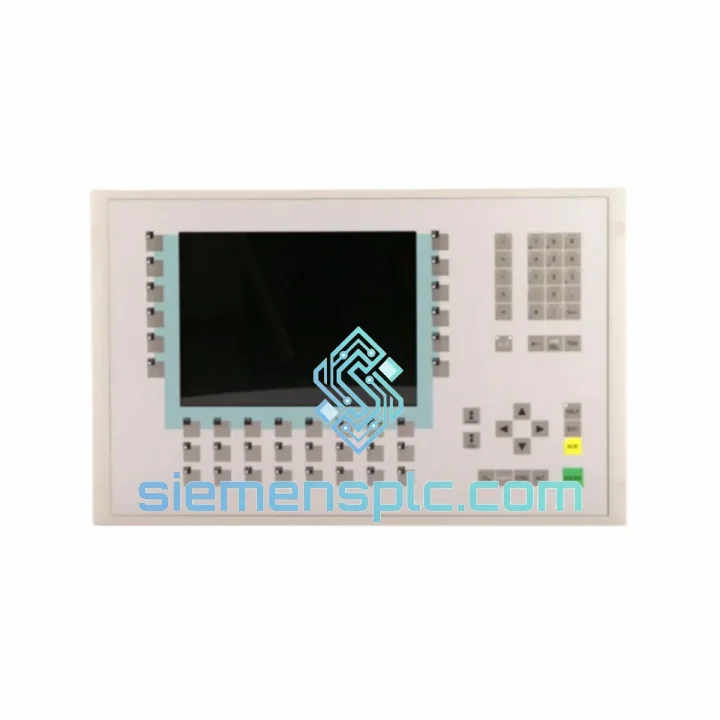
Siemens 6AV6542-0AG10-0AX0 HMI Panel
Request verified availability, condition, replacement risk review, packing options and courier lead time for 6AV6542-0AG10-0AX0.
BrandSiemens
Part Number6AV6542-0AG10-0AX0
ConditionAvailability Check
Lead TimeRFQ Confirmation
DocumentsDatasheet / photos by RFQ
ShippingExport packing available
Auto-filled RFQ
6AV6542-0AG10-0AX0
Click Request Quote and the part number is inserted into the inquiry form automatically.
- Reply by email: [email protected]
- WhatsApp / Tel: +86 18359268345
- Mon-Sat 9:00-18:00 GMT+8
Procurement Data
Key Product Information
Core fields for model confirmation and RFQ routing. Detailed product narrative remains below.
- Brand
- Siemens
- Primary Part Number
- 6AV6542-0AG10-0AX0
- Product Type
- HMI Panel
- Series / Family
- WinCC
- Country of Origin
- DE
- Catalog Category
- HMI Panels
Model confirmed for inquiry
6AV6542-0AG10-0AX0
Send quantity, destination and urgency. The RFQ form keeps this part number attached.
Request Quote
Product Overview
6AV6542-0AG10-0AX0 MP270B Down? Every Minute Costs You — Get a Verified Replacement Shipped Today
Your line stopped. The MP270B is dark. Operators are standing around, maintenance is on the phone, and the plant manager wants answers. You already know the panel is dead — what you need right now is a replacement unit on its way before the shift ends. That is exactly what we do.
We hold verified stock of the Siemens 6AV6542-0AG10-0AX0 in Xiamen and ship globally via DHL Express and FedEx International Priority. Most orders placed before 18:00 CST clear customs documentation the same day. While your procurement team is still filling out an RFQ with the OEM distributor, your replacement unit is already in a box.
URGENT REQUIREMENT? Contact: [email protected] | WhatsApp: +86 18359268345
Quick Technical Datasheet
| Parameter | Specification |
|---|---|
| Part Number | 6AV6542-0AG10-0AX0 |
| Product Series | SIMATIC HMI MP270B |
| Brand | Siemens AG |
| Panel Type | Multifunction Keypad Panel |
| Display | TFT Color, 10.4″ |
| Resolution | 640 × 480 px (VGA) |
| Operating System | Windows CE 5.0 |
| Communication | MPI / PROFIBUS DP / Ethernet (10/100 Mbit) |
| Supply Voltage | 24 VDC (18–30 V) |
| Protection Rating | IP65 (front panel) |
| Operating Temp. | 0 °C to +50 °C |
| Storage Temp. | −20 °C to +60 °C |
| Weight | 5,900 g |
| Engineering Software | WinCC Flexible 2008 SP4 or earlier |
| Compatible PLCs | S7-300, S7-400, S7-1200 (via adapter) |
| Stock Status | ✔ Ready to Ship — Xiamen Warehouse |
Troubleshooting & Replacement Tips
After ten years of field work on SIMATIC HMI systems, these are the failure patterns that actually bring an MP270B down — and what to watch for when you swap it out.
Most Common Failure Modes on the 6AV6542-0AG10-0AX0:
- Backlight failure (most frequent): Panel powers on, CPU communicates, but screen is black or severely dimmed. The CCFL backlight inverter board fails first on high-hour units. Before condemning the panel, check 24 VDC supply at the connector — a sagging rail below 20 V will cause identical symptoms.
- Touchscreen / keypad unresponsive: On keypad variants, membrane switch fatigue causes intermittent or dead function keys. If only specific keys fail, the membrane layer is the culprit, not the main board. Full panel replacement is the fastest path in a production environment.
- Communication loss — MPI/PROFIBUS: Fault code “Connection to PLC interrupted” on startup. Check the MPI/DP cable termination resistors first. If the cable checks out, the onboard communication ASIC may have failed — common after lightning-induced surge events.
- Corrupted project / boot loop: Panel boots to a blank screen or loops through the Siemens splash screen. The internal CompactFlash card has failed. Back up your WinCC Flexible project from the engineering PC before the swap — you will need to reload it onto the new panel.
- Random resets under load: Thermal shutdown triggered by blocked ventilation slots or failed internal fan (on units with active cooling). Clean the enclosure vents before installing the replacement unit or the new panel will fail the same way.
Replacement Configuration Checklist:
- Project transfer: Use WinCC Flexible 2008 SP4 on your engineering laptop. Connect via USB or Ethernet. Do not attempt to transfer via MPI — it is too slow and prone to timeout errors on large projects.
- IP address / MPI node address: The replacement unit ships with factory defaults (MPI address 1, IP 192.168.0.1). Set the correct MPI station address in the panel’s Start Center before connecting to the PROFIBUS network — duplicate addresses will cause bus conflicts that are difficult to diagnose.
- Firmware version matching: Check the WinCC Flexible runtime version on the replacement panel against your project’s compiled runtime version. A mismatch will prevent the project from loading. Update the panel OS image first if needed using ProSave.
- Date/time sync: After project load, verify the panel clock is synchronized. Many alarm logging and batch record systems depend on accurate timestamps — a factory-reset clock will corrupt historical data.
- Screen calibration: On touchscreen-equipped variants, run the touch calibration routine from the Start Center before handing back to operators. A miscalibrated screen causes operator errors that get blamed on the panel.
Reliability in Harsh Conditions
The MP270B was not designed for a climate-controlled server room. Siemens built this panel for the floor — and the 6AV6542-0AG10-0AX0 reflects that in every design decision.
The front panel carries an IP65 rating, meaning it is fully sealed against dust ingress and protected against low-pressure water jets. In food processing and chemical environments where washdown is routine, this matters. The panel-mount gasket maintains that seal as long as the mounting cutout dimensions are respected — a common installation error is over-tightening the mounting clamps, which distorts the gasket and compromises the seal over time.
Vibration resistance is validated to EN 60068-2-6 standards. In automotive body shops and press lines where the floor vibrates continuously, the MP270B’s keypad design has a structural advantage over pure touchscreen panels — there are no capacitive sensor layers to delaminate under sustained mechanical stress. The function key membrane is bonded directly to the front housing, not a separate assembly that can work loose.
Operating temperature range of 0 °C to +50 °C covers the majority of industrial environments without additional enclosure cooling. For installations near furnaces or in tropical climates where ambient temperatures push toward the upper limit, ensure the control cabinet has adequate ventilation and that the panel is not mounted directly above heat-generating components. The internal power supply is the first component to degrade under sustained high-temperature operation.
The TFT display maintains readability across a wide viewing angle, which matters in large control rooms where operators may not be standing directly in front of the panel. Contrast and brightness hold up under fluorescent and LED industrial lighting without requiring screen hood accessories in most installations.
Global Express Logistics
Our warehouse is located in Xiamen, Fujian Province — one of China’s primary electronics and industrial components export hubs with direct access to international freight lanes.
Standard shipping workflow for the 6AV6542-0AG10-0AX0:
- Order confirmation → same-day packing: Orders confirmed before 18:00 CST are packed and labeled the same business day. Each unit is wrapped in anti-static foam, placed in a rigid outer carton, and labeled with the correct HS code for industrial electronic components to minimize customs clearance delays.
- DHL Express: Transit time 2–4 business days to Europe, Middle East, and Southeast Asia. 3–5 business days to North America. DHL’s industrial shipment handling reduces the risk of rough handling that damages sensitive electronics.
- FedEx International Priority: Available for destinations where FedEx has stronger coverage. Comparable transit times to DHL. We select the carrier with the fastest confirmed transit time to your destination at the time of booking.
- Customs documentation: We prepare the commercial invoice, packing list, and certificate of origin. For destinations requiring additional import permits for industrial electronics, contact us in advance — we have handled customs clearance for shipments into the EU, GCC countries, India, and Southeast Asia.
- Tracking: AWB number provided within 2 hours of carrier pickup. We monitor shipments proactively and notify you of any customs holds or delivery exceptions before you have to ask.
- Emergency freight: For genuine production emergencies, we can arrange same-day courier pickup and overnight freight to select destinations. Contact us directly on WhatsApp to discuss options.
Contact Information
Email: [email protected]
WhatsApp: +86 18359268345
Web: siemensplc.com
© 2026
Ready to quote
[email protected]
Send This Part Number to Sales
RFQ workflow
Quality workflow ->
Confirmation Process
01Model confirmation
We check the full part number, brand, series and visible nameplate information before quotation.
02Availability reply
Sales confirms stock path, condition option, quantity and realistic lead time for export dispatch.
03Packing & courier
DHL, FedEx, UPS or buyer courier arrangements can be reviewed with packing requirements.
Continue sourcing
Browse full catalog ->
Related Automation Parts
Similar brand or category products for fast comparison and multi-item RFQ lists.
Siemens
RFQ Ready
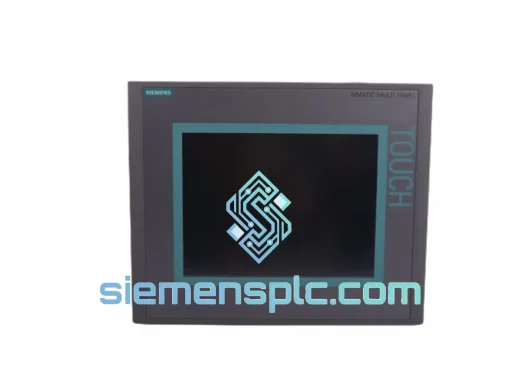
Siemens 6AV6643-0CD01-1AX1 HMI Operator Panel – SIMATIC OP 177B
WinCC
Origin DE
HMI Operator Panel
Siemens
RFQ Ready
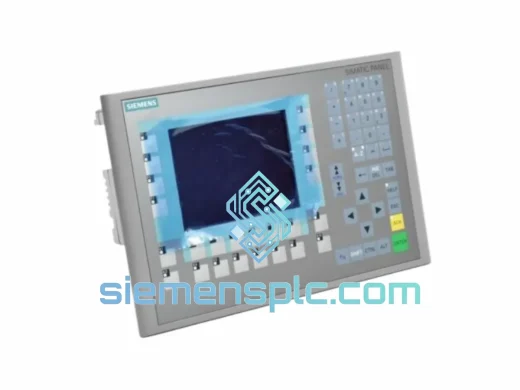
Siemens 6AV6643-0BA01-1AX0 HMI Operator Panel – SIMATIC TP 177B
WinCC
Origin DE
HMI Operator Panel