

Siemens
In Stock OK
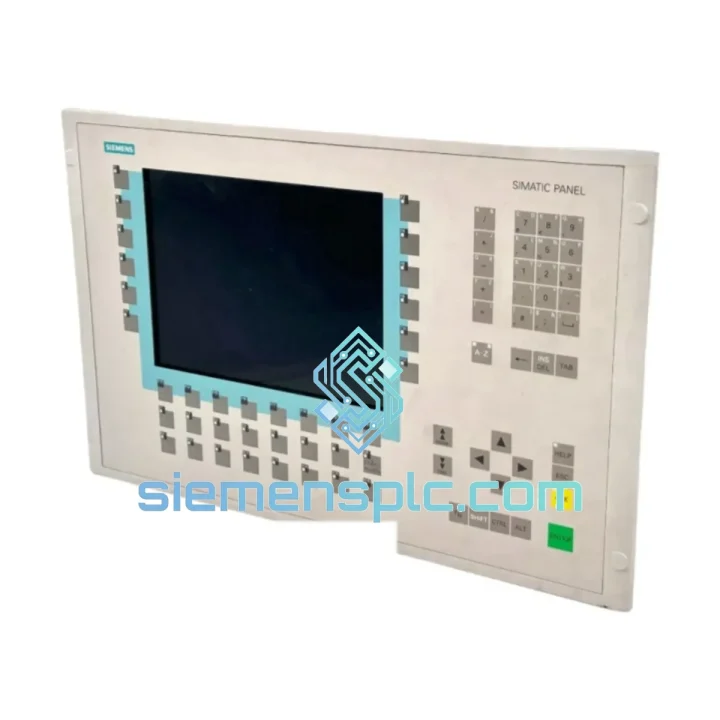
Siemens 6AV6542-0CC10-0AX0 HMI Panel
Request verified availability, condition, replacement risk review, packing options and courier lead time for 6AV6542-0CC10-0AX0.
BrandSiemens
Part Number6AV6542-0CC10-0AX0
ConditionAvailability Check
Lead TimeRFQ Confirmation
DocumentsDatasheet / photos by RFQ
ShippingExport packing available
Auto-filled RFQ
6AV6542-0CC10-0AX0
Click Request Quote and the part number is inserted into the inquiry form automatically.
- Reply by email: [email protected]
- WhatsApp / Tel: +86 18359268345
- Mon-Sat 9:00-18:00 GMT+8
Procurement Data
Key Product Information
Core fields for model confirmation and RFQ routing. Detailed product narrative remains below.
- Brand
- Siemens
- Primary Part Number
- 6AV6542-0CC10-0AX0
- Product Type
- HMI Panel
- Series / Family
- WinCC
- Country of Origin
- DE
- Catalog Category
- HMI Panels
Model confirmed for inquiry
6AV6542-0CC10-0AX0
Send quantity, destination and urgency. The RFQ form keeps this part number attached.
Request Quote
Product Overview
Siemens 6AV6542-0CC10-0AX0 TP270 10″ HMI Panel — Stop the Clock on Your Downtime
Every minute your line is down, you’re bleeding money. A failed HMI panel on a SIMATIC TP270 station doesn’t just halt one machine — it can cascade across an entire cell. The Siemens 6AV6542-0CC10-0AX0 is a 10.4″ resistive touchscreen operator panel running Windows CE 3.0, communicating natively over MPI/PROFIBUS DP with S7-200, S7-300, and S7-400 PLCs. We stock it. We ship it today. That’s the only metric that matters when your production manager is standing behind you.
URGENT REQUIREMENT? Contact: [email protected] | WhatsApp: +86 18359268345
Quick Technical Datasheet
| Part Number | 6AV6542-0CC10-0AX0 |
| Series | SIMATIC TP270 |
| Display Size | 10.4″ TFT Color LCD, 256 colors |
| Resolution | 640 × 480 px (VGA) |
| Touch Technology | Resistive single-touch |
| CPU | 133 MHz |
| User Memory | 2 MB |
| OS | Windows CE 3.0 |
| Communication | MPI / PROFIBUS DP, RS-422/485, USB |
| Power Supply | 24 V DC (20.4–28.8 V) |
| Protection Rating | IP65 front panel |
| Operating Temp. | 0 °C to +50 °C |
| Dimensions (W×H×D) | 310 × 240 × 60 mm |
| Weight | approx. 1.2 kg |
| Config Software | ProTool / WinCC Flexible 2004–2008 |
| Compatible PLCs | S7-200, S7-300, S7-400, S5 (via adapter) |
| Stock Status | ✔ Ready to Ship — Xiamen Warehouse |
Troubleshooting & Replacement Tips
Swapping a TP270 panel is not plug-and-play if you skip the pre-checks. Here’s what 10 years of field calls have taught me:
1. Project Transfer Before You Pull the Old Panel
If the old panel still powers on — even partially — connect via PC Adapter USB and back up the project using WinCC Flexible. A corrupted or missing project file on the replacement unit means you’re re-engineering from scratch at 2 AM. Don’t skip this.
2. MPI Address Conflict
The TP270 ships with a default MPI address of 1. If your S7-300 CPU is also at address 2 and you have other nodes on the bus, verify the MPI address in the panel’s “Control Panel → Transfer → MPI” settings before going online. Address conflicts produce cryptic “Connection to PLC interrupted” alarms that waste hours.
3. Backlight Failure vs. Total Board Failure
The most common failure mode on aged TP270 units is CCFL backlight burnout — the panel is alive but the screen appears black. Test by shining a flashlight at an angle: if you can faintly see the interface, it’s the backlight, not the logic board. A replacement panel resolves this immediately; backlight repair on-site is not practical in a production environment.
4. Touch Calibration Drift
Resistive touchscreens degrade over time. If operators report that button presses are registering offset from the actual touch point, navigate to “Control Panel → TP Calibration” and run the 5-point calibration. If drift returns within days, the touch overlay is worn and the panel needs replacement.
5. WinCC Flexible Version Lock
TP270 projects compiled in WinCC Flexible 2008 SP3 cannot be downgraded to 2004. Confirm the engineering station’s software version before transferring. If the project was built on a newer SP, you need a matching or higher version on the replacement engineering PC.
6. Common Fault Codes
- “Connection to PLC interrupted” — Check MPI cable continuity, bus termination resistors at both ends, and MPI address settings.
- “Project not compatible with this device” — Mismatch between project HMI type and physical panel. Re-select device in WinCC Flexible and recompile.
- “Transfer error: timeout” — PC Adapter baud rate mismatch. Set to 187.5 kbps for MPI. Disable all other COM port applications.
- “System memory low” — 2 MB user memory is the hard ceiling. Reduce graphic resolution or number of screens. Compress images before import.
Reliability in Harsh Conditions
The TP270 was engineered for the factory floor, not the office. The IP65-rated front bezel blocks dust ingress and direct water jets — critical in food processing, chemical dosing, and outdoor enclosure installations. The operating temperature range of 0 °C to +50 °C covers the majority of industrial environments, from cold-chain logistics to foundry support stations.
Vibration resistance meets IEC 60068-2-6 standards, which means the panel holds up on press lines, compressor skids, and mobile equipment where constant mechanical shock is the norm. The resistive touch technology — unlike capacitive — responds reliably through thin gloves, which matters in environments where PPE is mandatory.
Internal components are conformal-coated on production-grade units, providing additional protection against humidity and condensation in coastal or high-humidity facilities. Units sourced through our Xiamen warehouse are inspected for corrosion on connector pins and board surfaces before dispatch — a step that eliminates the most common cause of early failure on secondary-market panels.
Global Express Logistics
Our dispatch hub is in Xiamen, China — one of the most connected export ports in Asia, with daily DHL Express and FedEx International Priority flights to major industrial hubs worldwide.
- Order cutoff: 3:00 PM CST for same-day dispatch on in-stock units
- DHL Express: Europe 3–5 days, North America 3–4 days, Southeast Asia 1–2 days
- FedEx IP: Available for destinations with DHL service gaps or customer preference
- Documentation: Commercial invoice, packing list, and certificate of origin issued same day
- Customs HS Code: 8537.10 (industrial control panels/HMI) — pre-filled on all shipments to reduce customs clearance delays
- Packaging: Anti-static foam insert, double-wall carton, fragile labeling — the panel arrives ready to install, not ready to inspect for transit damage
For urgent plant shutdowns, contact us directly via WhatsApp for real-time stock confirmation and expedited booking. We’ve shipped to Germany, Mexico, India, and Australia within 24 hours of inquiry — this is not a claim, it’s our standard operating procedure.
Contact Information
📧 Email: [email protected]
💬 WhatsApp: +86 18359268345
🌐 Web: siemensplc.com
© 2026 siemensplc.com. All rights reserved.
Ready to quote
[email protected]
Send This Part Number to Sales
RFQ workflow
Quality workflow ->
Confirmation Process
01Model confirmation
We check the full part number, brand, series and visible nameplate information before quotation.
02Availability reply
Sales confirms stock path, condition option, quantity and realistic lead time for export dispatch.
03Packing & courier
DHL, FedEx, UPS or buyer courier arrangements can be reviewed with packing requirements.
Continue sourcing
Browse full catalog ->
Related Automation Parts
Similar brand or category products for fast comparison and multi-item RFQ lists.
Siemens
RFQ Ready
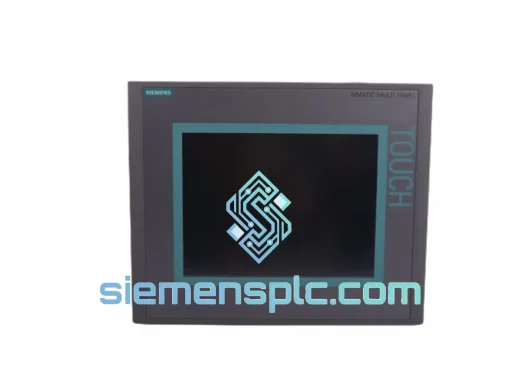
Siemens 6AV6643-0CD01-1AX1 HMI Operator Panel – SIMATIC OP 177B
WinCC
Origin DE
HMI Operator Panel
Siemens
RFQ Ready
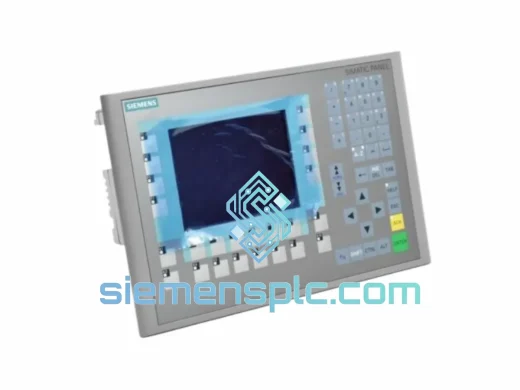
Siemens 6AV6643-0BA01-1AX0 HMI Operator Panel – SIMATIC TP 177B
WinCC
Origin DE
HMI Operator Panel