

Siemens
RFQ Ready
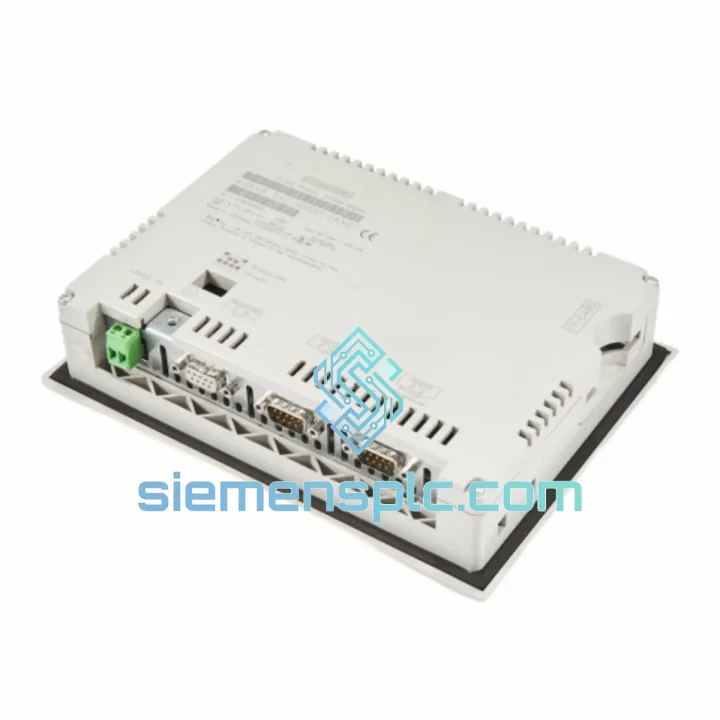
Siemens 6AV7240-0HC07-0PA0 Industrial Panel PC Motherboard – SIMATIC IPC477D
SIMATIC
Origin DE
Industrial Panel PC Motherboard
Request verified availability, condition, replacement risk review, packing options and courier lead time for 6AV6545-0BB15-2AX0.
Click Request Quote and the part number is inserted into the inquiry form automatically.
Core fields for model confirmation and RFQ routing. Detailed product narrative remains below.
Your OP 73 panel just went dark. The line is stopped. Maintenance is standing by. You’ve already pulled the nameplate and confirmed the part number: 6AV6545-0BB15-2AX0. That’s exactly what we have on the shelf in Xiamen — tested, packed, and ready to move via DHL Express within hours of your order confirmation. We’ve handled enough plant-down calls to know that the difference between a 24-hour fix and a 72-hour nightmare is whether your supplier picks up the phone and actually ships the same day. We do.
⚡ URGENT REQUIREMENT? Contact: [email protected] | WhatsApp: +86 18359268345
| Parameter | Specification | Status |
|---|---|---|
| Part Number | 6AV6545-0BB15-2AX0 | ✅ Ready to Ship |
| Product Series | SIMATIC HMI OP 73 | |
| Manufacturer | Siemens AG | |
| Display | 3.8″ STN Monochrome LCD, 160 × 80 px | |
| Keypad | 18 keys — system + function keys | |
| Communication | MPI / PROFIBUS DP (RS-485) | |
| Supply Voltage | 24 V DC (20.4–28.8 V) | |
| Power Consumption | ≈ 3.5 W | |
| Operating Temperature | 0 °C to +50 °C | |
| Storage Temperature | −20 °C to +60 °C | |
| Front Panel Protection | IP65 (IEC 60529) | |
| Mounting Cut-out | 138 × 102 mm (portrait or landscape) | |
| Configuration Tool | WinCC flexible Compact / STEP 7 Micro/WIN | |
| User Memory | 64 KB | |
| Dimensions (W×H×D) | ≈ 144 × 108 × 45 mm | |
| Weight | ≈ 0.35 kg | |
| Certifications | CE, UL/cUL, RoHS, PROFIBUS DP (IEC 61158) | |
| Compatible PLCs | S7-200, S7-300, S7-400 via MPI/PROFIBUS DP | |
| Ship-from Location | Xiamen, China | ✅ Same-Day Dispatch Available |
Ten years of field calls on OP 73 panels teach you the same failure patterns over and over. Here’s what to check before you pull the trigger on a replacement — and what to do when you do replace it.
Common Fault Codes & Root Causes
Replacement Checklist — Do This Before You Power Up the New Panel
The OP 73 was engineered for the factory floor, not the office. The IP65-rated front bezel keeps out metal dust, coolant mist, and direct water spray — the kind of environment that kills consumer-grade touchscreens in weeks. The STN monochrome display has no active backlight matrix to fail under vibration; it’s a passive panel that tolerates the constant 5–50 Hz mechanical vibration typical of press lines and compressor rooms far better than TFT color panels of the same era.
Operating range of 0–50 °C covers the vast majority of industrial cabinet interiors, even in summer in Southeast Asia or the Middle East where ambient temperatures push 40 °C and cabinet internal temps can run 10 °C above ambient. The −20 °C storage rating means units can be warehoused in unheated facilities without risk of LCD crystal damage.
The 24 V DC power input includes a wide tolerance band (20.4–28.8 V) that absorbs the voltage sags common on long DC distribution runs in large panels. At 3.5 W draw, it imposes negligible load on even a modest SITOP supply, leaving headroom for the rest of your I/O cards and field devices.
Every unit we ship from Xiamen is visually inspected against Siemens reference markings, power-on tested for display function, and packed in anti-static foam with desiccant. We don’t drop-ship from unknown secondary sources. If it leaves our warehouse, it has been through our hands.
Our dispatch hub is in Xiamen, Fujian — one of China’s primary export ports with direct DHL Express and FedEx International Priority connections to major industrial hubs worldwide. Here’s how a typical urgent order moves:
All shipments include a commercial invoice, packing list, and HS code declaration (8537.10) as standard — no delays at customs from missing paperwork. For orders requiring an ATA Carnet, end-user certificate, or specific country-of-origin documentation, contact us before ordering and we will prepare the correct set.
Tracking numbers are sent via email and WhatsApp within 2 hours of dispatch. We monitor shipments actively and will proactively notify you of any carrier delays — you won’t be chasing us for updates while your line sits idle.
📧 Email: [email protected]
📱 WhatsApp: +86 18359268345
🌐 Web: siemensplc.com
© 2026 siemensplc.com. All rights reserved.
We check the full part number, brand, series and visible nameplate information before quotation.
Sales confirms stock path, condition option, quantity and realistic lead time for export dispatch.
DHL, FedEx, UPS or buyer courier arrangements can be reviewed with packing requirements.
Similar brand or category products for fast comparison and multi-item RFQ lists.


