

Siemens
In Stock OK
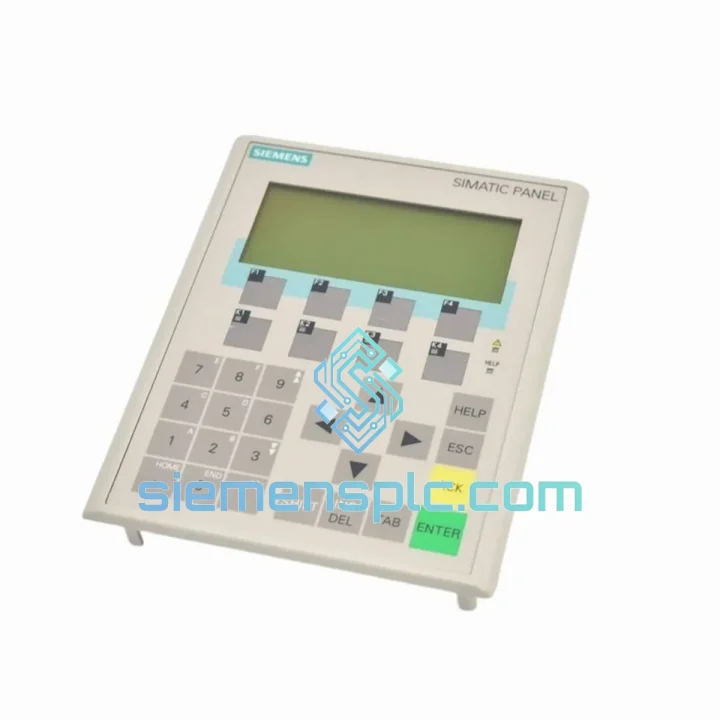
Siemens 6AV6645-7AB10-0AS0 Mobile HMI Panel
Request verified availability, condition, replacement risk review, packing options and courier lead time for 6AV6645-7AB10-0AS0.
BrandSiemens
Part Number6AV6645-7AB10-0AS0
ConditionAvailability Check
Lead TimeRFQ Confirmation
DocumentsDatasheet / photos by RFQ
ShippingExport packing available
Auto-filled RFQ
6AV6645-7AB10-0AS0
Click Request Quote and the part number is inserted into the inquiry form automatically.
- Reply by email: [email protected]
- WhatsApp / Tel: +86 18359268345
- Mon-Sat 9:00-18:00 GMT+8
Procurement Data
Key Product Information
Core fields for model confirmation and RFQ routing. Detailed product narrative remains below.
- Brand
- Siemens
- Primary Part Number
- 6AV6645-7AB10-0AS0
- Product Type
- Mobile HMI Panel
- Series / Family
- WinCC
- Country of Origin
- DE
- Model Function
- Wireless Mobile HMI — Remote Operate
- Catalog Category
- HMI Panels
- Operating Temp.
- 0 °C to +50 °C
Model confirmed for inquiry
6AV6645-7AB10-0AS0
Send quantity, destination and urgency. The RFQ form keeps this part number attached.
Request Quote
Product Overview
6AV6645-7AB10-0AS0 — Every Hour of Downtime Costs You. We Ship Today.
Your line is stopped. The Mobile Panel 277 is dead — black screen, no comms, or a failed enabling device that locked out your operators. You’ve already burned two hours troubleshooting. You don’t need a datasheet lecture. You need a unit on a plane tonight.
We stock the Siemens 6AV6645-7AB10-0AS0 in Xiamen and ship globally via DHL Express and FedEx Priority. Order confirmed before 5 PM CST ships same day. No minimum order. No waiting on distributor lead times that stretch 8–14 weeks.
URGENT REQUIREMENT? Contact: [email protected] | WhatsApp: +86 18359268345
Quick Technical Datasheet
| Parameter | Specification |
|---|---|
| Part Number | 6AV6645-7AB10-0AS0 |
| Brand | Siemens |
| Series | SIMATIC Mobile Panel 277 |
| Function | Wireless Mobile HMI — Remote Operate |
| Display | 7.5″ TFT Color, 640 × 480 px (VGA) |
| Operating System | Windows CE 5.0 |
| Communication | PROFINET / Industrial Ethernet via WLAN IEEE 802.11a/b/g |
| Safety Features | 3-position enabling device (EN ISO 13849-1 PLd), integrated E-Stop |
| Protection Rating | IP65 front / IP54 rear |
| Operating Temperature | 0 °C to +50 °C |
| Storage Temperature | −20 °C to +60 °C |
| Power Supply | Docking station or Li-Ion battery pack (6AV6671-8XE00-0AX0) |
| Weight | ~4,260 g (with battery) |
| Engineering Software | WinCC flexible 2008 SP3+ / TIA Portal V13+ (with migration) |
| Compatible PLCs | S7-300, S7-400, S7-1500 (legacy mode) |
| Certifications | CE, UL, cULus, ATEX Zone 2 (optional variant) |
| Origin | Germany |
| Stock Status | ✔ Ready to Ship — Xiamen Warehouse |
Troubleshooting & Replacement Tips
Ten years on the floor taught me that 90% of Mobile Panel 277 failures fall into four buckets. Here’s what to check before you condemn the unit — and what to watch when you swap it out.
Fault 1 — Black Screen / No Boot
First suspect: battery pack. The 6AV6671-8XE00-0AX0 Li-Ion cells degrade after 3–4 years of daily cycling. Dock the panel and watch the charging LED. If it stays amber and never goes green after 30 minutes, the battery is the culprit, not the panel itself. Swap the battery before ordering a full replacement unit.
Fault 2 — WLAN Dropout / PROFINET Communication Loss (Alarm 0x0000)
The 277 uses 802.11a/b/g — it does not support 802.11n or 802.11ac. If your IT team upgraded the SCALANCE W access points or changed the SSID/security profile, the panel will silently drop. Check the WLAN configuration in the panel’s Control Panel → WLAN Settings. Confirm the SSID, WPA2-PSK key, and channel match exactly. Also verify the PROFINET device name assigned in STEP 7 or TIA Portal matches what the panel expects — a name mismatch causes a persistent red fault LED with no useful alarm text.
Fault 3 — Enabling Device Not Recognized / Safety Fault
The 3-position enabling switch is a wear item. After 50,000–100,000 actuations the middle detent contact becomes intermittent. The PLC will see a safety channel fault and refuse to enter manual mode. You cannot repair this in the field — the enabling device is a sealed assembly. This is the most common reason a panel needs full replacement. When fitting the new unit, do not skip the enabling device function test: press to position 2 (middle), confirm the PLC acknowledges the enable signal, then press to position 3 (full press) and confirm the safety output drops. Log the test result.
Fault 4 — Firmware Mismatch After Replacement
The 6AV6645-7AB10-0AS0 ships from the factory with a specific WinCC flexible runtime version. If your project was compiled on WinCC flexible 2008 SP4 and the replacement unit carries SP3 runtime, the project will refuse to load and display a version error on boot. Before shipping, tell us your current firmware version (visible in System Info → About on the panel menu) and we will match it or advise on the correct update path. Do not attempt to downgrade firmware — it is not supported and will brick the unit.
Replacement Configuration Checklist
- Assign the identical PROFINET device name in your network configuration — the name is case-sensitive.
- Re-enter WLAN credentials manually; they are not stored in the project file.
- Restore the docking station assignment if your plant uses multiple docking points.
- Perform a full enabling device function test and document it per your machine safety records.
- Confirm the IP address assignment method (DHCP vs. static) matches your network design.
- If using ATEX Zone 2 variant: verify the replacement unit carries the same ATEX certificate revision before returning it to the hazardous area.
Reliability in Harsh Conditions
The Mobile Panel 277 was engineered for environments that destroy consumer-grade tablets in weeks. The front face carries IP65 certification — fully sealed against dust ingress and direct water jets. The rear housing is IP54, handling splashing from any direction. The polycarbonate housing is drop-tested from 1.2 meters to concrete, which matters when an operator fumbles the panel during a machine changeover at 2 AM.
Operating temperature range of 0 °C to +50 °C covers everything from cold-store logistics facilities to foundry auxiliary stations. The WLAN radio is industrial-grade, designed to maintain PROFINET RT communication through the RF interference generated by variable frequency drives, welding equipment, and induction heaters — the exact noise sources that kill standard Wi-Fi adapters.
The enabling device and E-Stop button are rated for the full service life of the panel. The housing is resistant to common industrial cleaning agents, cutting fluids, and hydraulic oil splashes. This is not a panel you baby — it is a tool that works in the same conditions your operators do.
Global Express Logistics
Our warehouse is located in Xiamen, Fujian — one of China’s primary export hubs with direct DHL and FedEx gateway access. Here is exactly what happens after you confirm your order:
- Same-day dispatch for orders confirmed before 17:00 CST. The unit is pulled from stock, inspected, packed in anti-static foam with full export documentation, and handed to the courier the same evening.
- DHL Express Worldwide — typical transit: 2–3 business days to Europe, 2–4 days to North America, 1–2 days to Southeast Asia.
- FedEx International Priority — available as an alternative for destinations where FedEx has stronger coverage or faster customs clearance.
- Export documentation included: commercial invoice, packing list, certificate of origin, and HS code declaration (HS 8537.10) — everything your customs broker needs to clear the shipment without delays.
- Full tracking provided immediately after dispatch. We send the AWB number directly to your email and WhatsApp.
- Emergency freight: for critical shutdowns requiring next-flight-out service, contact us on WhatsApp and we will arrange courier pickup within 2 hours of payment confirmation.
We have shipped to automotive plants in Germany, food processing facilities in Australia, petrochemical sites in the Middle East, and semiconductor fabs in Taiwan. Customs clearance experience across 40+ countries means we know how to document shipments correctly the first time.
Contact Information
📧 Email: [email protected]
💬 WhatsApp: +86 18359268345
🌐 Web: siemensplc.com
© 2026 siemensplc.com. All rights reserved.
Ready to quote
[email protected]
Send This Part Number to Sales
RFQ workflow
Quality workflow ->
Confirmation Process
01Model confirmation
We check the full part number, brand, series and visible nameplate information before quotation.
02Availability reply
Sales confirms stock path, condition option, quantity and realistic lead time for export dispatch.
03Packing & courier
DHL, FedEx, UPS or buyer courier arrangements can be reviewed with packing requirements.
Continue sourcing
Browse full catalog ->
Related Automation Parts
Similar brand or category products for fast comparison and multi-item RFQ lists.
Siemens
RFQ Ready
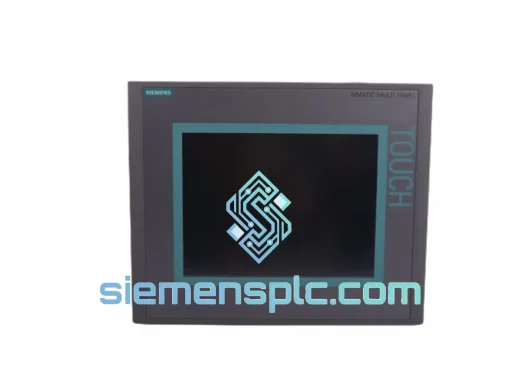
Siemens 6AV6643-0CD01-1AX1 HMI Operator Panel – SIMATIC OP 177B
WinCC
Origin DE
HMI Operator Panel
Siemens
RFQ Ready
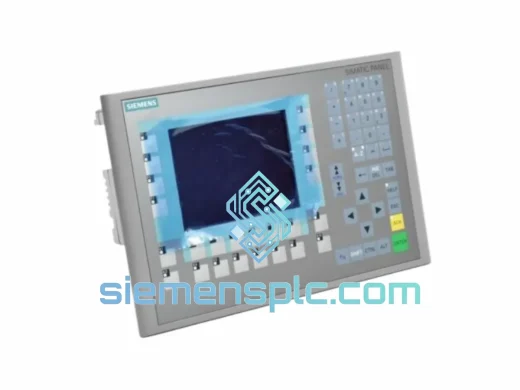
Siemens 6AV6643-0BA01-1AX0 HMI Operator Panel – SIMATIC TP 177B
WinCC
Origin DE
HMI Operator Panel