

Siemens
In Stock OK
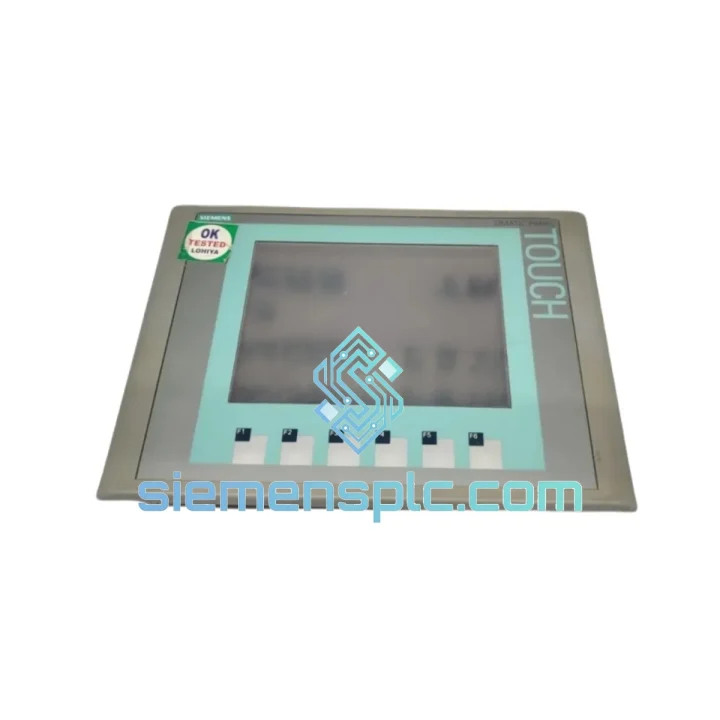
Siemens 6AV6647-0AC11-3AX0 HMI Touch Panel
Request verified availability, condition, replacement risk review, packing options and courier lead time for 6AV6647-0AC11-3AX0.
BrandSiemens
Part Number6AV6647-0AC11-3AX0
ConditionAvailability Check
Lead TimeRFQ Confirmation
DocumentsDatasheet / photos by RFQ
ShippingExport packing available
Auto-filled RFQ
6AV6647-0AC11-3AX0
Click Request Quote and the part number is inserted into the inquiry form automatically.
- Reply by email: [email protected]
- WhatsApp / Tel: +86 18359268345
- Mon-Sat 9:00-18:00 GMT+8
Procurement Data
Key Product Information
Core fields for model confirmation and RFQ routing. Detailed product narrative remains below.
- Brand
- Siemens
- Primary Part Number
- 6AV6647-0AC11-3AX0
- Product Type
- HMI Touch Panel
- Series / Family
- WinCC
- Country of Origin
- DE
- Catalog Category
- HMI Panels
- Warranty
- 12 months, DOA replacement within 7 business days
Model confirmed for inquiry
6AV6647-0AC11-3AX0
Send quantity, destination and urgency. The RFQ form keeps this part number attached.
Request Quote
Product Overview
6AV6647-0AC11-3AX0 KTP600 Basic Color DP — Every Minute of Downtime Costs You Money. We Ship Today.
Your line is down. The KTP600 panel is dead — blank screen, no comms, operators standing idle. You’ve already lost the first hour. The question now is whether you lose the next 72 hours waiting on standard lead times, or whether you get back online today. We stock the Siemens 6AV6647-0AC11-3AX0 in Xiamen and ship DHL Express within hours of payment confirmation. This is not a promise — it is our standard operating procedure.
URGENT REQUIREMENT? Contact: [email protected] | WhatsApp: +86 18359268345
Quick Technical Datasheet
| Parameter | Specification | Status |
|---|---|---|
| Part Number | 6AV6647-0AC11-3AX0 | ✔ Ready to Ship |
| Series | SIMATIC HMI KTP600 Basic Color DP | |
| Display | 5.7″ TFT Color LCD, 320×240 px, 256 colors | |
| Input Method | Resistive touch + 6 membrane function keys | |
| Communication | PROFIBUS DP (RS-485), up to 12 Mbit/s | |
| Compatible PLCs | S7-300, S7-400, S7-200 (via EM 277) | |
| Config Software | WinCC flexible 2008 SP3+ / TIA Portal V13 SP1+ | |
| Supply Voltage | 24 V DC (20.4–28.8 V) | |
| Power Draw | ≈ 4.5 W | |
| Operating Temp | 0 °C to +50 °C | |
| Protection Rating | IP65 front / IP20 rear | |
| Panel Cutout | 188 × 133 mm | |
| Dimensions (W×H×D) | 196 × 141 × 45 mm | |
| Weight | ≈ 1,355 g | |
| Backlight | LED (extended service life) | |
| Certifications | CE, UL, cULus, RCM | |
| Country of Origin | Germany | |
| Warranty | 12 months, DOA replacement within 7 business days | ✔ Covered |
Troubleshooting & Replacement Tips
1. Blank Screen on Power-Up — Check Voltage Before Condemning the Panel
Measure 24 V DC at the panel power terminals. Acceptable range: 20.4–28.8 V. Below 20 V, the panel will not boot — the fault is upstream in the PSU, not the HMI. If voltage is good, hold the top-left function key during power-on to force the Transfer/Service menu. If that menu appears, the display and CPU are alive; the issue is a corrupted project. Re-download via USB PC adapter (6ES7972-0CB20-0XA0) and you’re back online without touching hardware.
2. PROFIBUS DP Communication Fault — BUS FAULT LED Solid Red
The 6AV6647-0AC11-3AX0 has no physical DIP switches. The DP node address is set entirely in software: WinCC flexible → Panel → Settings → PROFIBUS. If someone swapped the panel and forgot to set the address, the PLC master reports a station failure. Confirm the address matches the GSD file entry in HW Config (STEP 7) or Device Configuration (TIA Portal). Also check termination: the last device on the DP segment must have the termination network active. A missing terminator on a long cable run produces intermittent comms that mimic a panel fault but is actually a signal integrity issue.
3. Project Download Fails — “No Connection to Panel”
Download is via the PROFIBUS DP port using a PC adapter (USB or RS-232). Ensure the PC adapter baud rate matches the project’s configured DP baud rate. If using TIA Portal after migrating from WinCC flexible, verify panel firmware version — TIA Portal V13 SP1 requires firmware ≥ V2.0. Check firmware in the Transfer menu (boot into service mode). If outdated, use ProSave to update firmware before downloading the project.
4. Touchscreen Calibration Drift
After years of operation, resistive touch panels develop calibration offset. Recalibrate via: Panel → Settings → Touch Calibration. If calibration cannot be saved and the panel reverts on reboot, the internal flash is failing — replacement is the correct call at that point.
5. Pre-Swap Checklist
- Set PROFIBUS DP node address in WinCC project before first power-on
- Verify 24 V DC supply at terminal block: 20.4–28.8 V
- Check DP cable termination at both segment ends
- Match panel firmware version to TIA Portal / WinCC flexible version in use
- Re-download project after swap — never assume old project is intact in flash
- Test alarm acknowledgment and trend display functions before sign-off
- Verify IP65 gasket is seated correctly in the 188 × 133 mm cutout
Reliability in Harsh Conditions
The KTP600 Basic Color DP was built for the floor — where coolant mist settles on cabinet doors, where vibration from presses and compressors runs continuously, and where ambient temperatures swing from cold morning startups to hot afternoon production peaks.
The IP65-rated front bezel is fully dust-tight and protected against low-pressure water jets from any direction. In food and beverage plants where daily wash-down with pressurized hoses is standard, this panel survives where lesser HMIs fail within months. The silicone gasket between the front bezel and the cabinet cutout is the critical seal — inspect and replace it during any swap if it shows compression set or cracking.
The LED backlight eliminates the single most common failure point of older CCFL-backlit panels. CCFL tubes degrade over 20,000–30,000 hours and require inverter boards that are increasingly difficult to source. The LED backlight in the 6AV6647-0AC11-3AX0 operates without a high-voltage inverter, removing an entire failure mode from the equation.
Vibration resistance meets IEC 60068-2-6: sinusoidal vibration up to 10–58 Hz at 0.075 mm amplitude and 58–500 Hz at 1 g. This covers the vibration profiles of most industrial machinery including compressors, pumps, and conveyor drives. The rigid die-cast housing transmits vibration loads directly to the cabinet structure rather than concentrating stress on the PCB.
Operating temperature range of 0 °C to +50 °C covers the vast majority of industrial cabinet environments. For installations where cabinet internal temperatures exceed 50 °C — common in poorly ventilated enclosures in summer — add a cabinet cooling unit before installation. Exceeding the thermal limit accelerates capacitor aging on the main board and shortens backlight life.
Global Express Logistics
Our warehouse is in Xiamen, Fujian Province — one of China’s primary export hubs with direct access to international freight lanes via Xiamen Gaoqi International Airport. Your replacement part moves from our shelf to a DHL or FedEx aircraft the same day, without transiting through an inland consolidation hub.
Express Delivery Timeline (from payment confirmation):
- Southeast Asia (Singapore, Malaysia, Thailand, Vietnam): 2–3 business days via DHL Express
- Europe (Germany, UK, France, Netherlands, Poland): 3–5 business days via DHL Express Worldwide
- North America (USA, Canada, Mexico): 3–5 business days via FedEx International Priority
- Middle East (UAE, Saudi Arabia, Qatar): 3–4 business days via DHL Express
- Australia & New Zealand: 3–4 business days via DHL Express
- South America (Brazil, Chile, Colombia): 5–7 business days via FedEx
Every shipment includes a commercial invoice with accurate HS code classification, country of origin declaration, and packing list. Tracking numbers are issued within 2 hours of dispatch and sent directly to your email. For urgent shipments, the AWB number is pushed via WhatsApp so your logistics team can monitor in real time. If a shipment is held at customs, our freight forwarder provides direct support — we do not leave you to handle documentation queries alone.
For bulk orders (5 units or more), sea freight via Xiamen Port is available with transit times of 18–25 days to major ports — significantly reducing per-unit logistics cost for planned maintenance stock programs.
Contact Information
Email: [email protected]
WhatsApp: +86 18359268345
Web: siemensplc.com
© 2026 siemensplc.com. All rights reserved.
Ready to quote
[email protected]
Send This Part Number to Sales
RFQ workflow
Quality workflow ->
Confirmation Process
01Model confirmation
We check the full part number, brand, series and visible nameplate information before quotation.
02Availability reply
Sales confirms stock path, condition option, quantity and realistic lead time for export dispatch.
03Packing & courier
DHL, FedEx, UPS or buyer courier arrangements can be reviewed with packing requirements.
Continue sourcing
Browse full catalog ->
Related Automation Parts
Similar brand or category products for fast comparison and multi-item RFQ lists.
Siemens
RFQ Ready
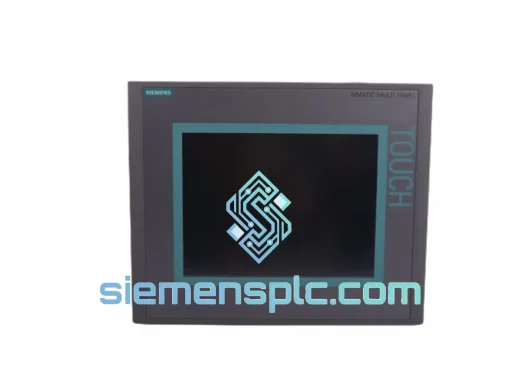
Siemens 6AV6643-0CD01-1AX1 HMI Operator Panel – SIMATIC OP 177B
WinCC
Origin DE
HMI Operator Panel
Siemens
RFQ Ready
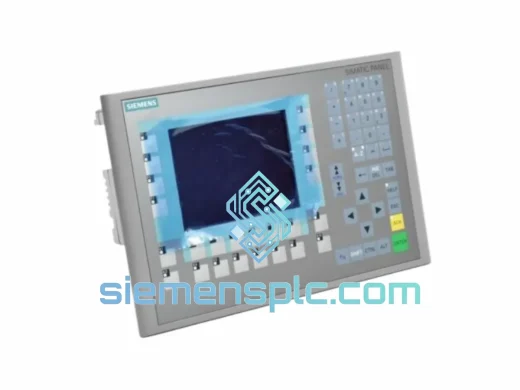
Siemens 6AV6643-0BA01-1AX0 HMI Operator Panel – SIMATIC TP 177B
WinCC
Origin DE
HMI Operator Panel