

Siemens
RFQ Ready
SIEMENS 6GK5108-0BA00-2AA3 Industrial Ethernet Switch
SIMATIC
Origin DE
Industrial Ethernet Switch
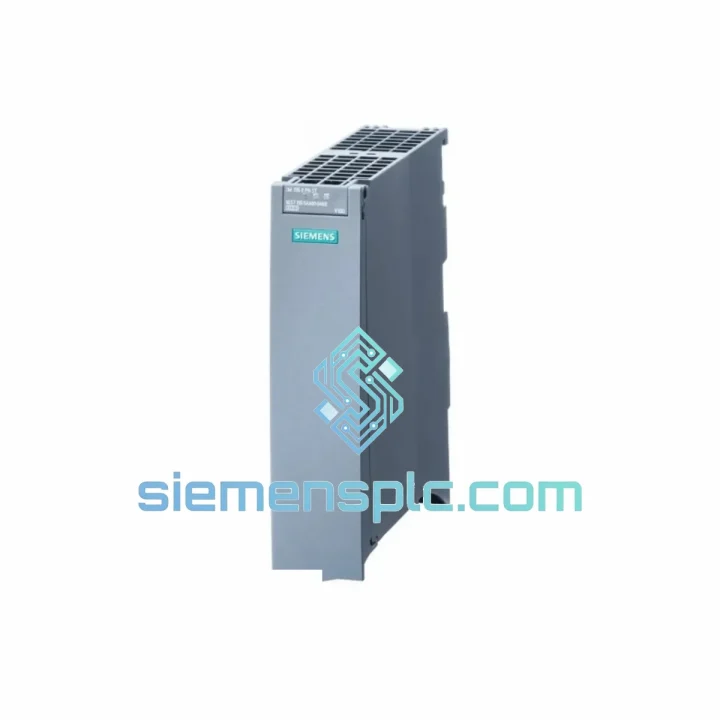
Request verified availability, condition, replacement risk review, packing options and courier lead time for 6ES7155-5AA00-0AC0.
Click Request Quote and the part number is inserted into the inquiry form automatically.
Core fields for model confirmation and RFQ routing. Detailed product narrative remains below.
Your ET 200S station just dropped off the PROFINET network. The line is stopped. Maintenance is on the phone. You already know the IM 155-5 PN ST is the culprit — the diagnostic buffer confirms it, the SF/BF LEDs tell the same story. What you need right now is not a datasheet. You need the module on your bench, configured, and back online before the shift supervisor walks in.
We stock the Siemens 6ES7155-5AA00-0AC0 in Xiamen and ship globally via DHL Express and FedEx Priority. Orders confirmed before 4 PM CST typically leave the same day. For automotive, food & beverage, and process plants running ET 200S distributed I/O, this is the fastest path back to production.
URGENT REQUIREMENT? Contact: [email protected] | WhatsApp: +86 18359268345
| Parameter | Value |
|---|---|
| Order Number (MLFB) | 6ES7155-5AA00-0AC0 |
| Module Designation | IM 155-5 PN ST (Standard) |
| Platform | SIMATIC ET 200S |
| Communication Protocol | PROFINET IO — RT & IRT |
| PROFINET Ports | 2 × RJ45 (integrated switch) |
| Transmission Rate | 100 Mbit/s full duplex |
| Supply Voltage | 24 V DC (via PM-E power module) |
| Current Draw (backplane bus) | Max. 200 mA |
| Max. I/O Modules per Station | 63 (64 submodules incl. IM) |
| IRT Support | Yes — Isochronous Real-Time |
| MRP Ring Redundancy | Not supported (use IM 155-5 PN HF for ring) |
| Operating Temperature | 0 °C to +60 °C |
| Storage Temperature | −40 °C to +70 °C |
| Degree of Protection | IP20 |
| Dimensions (W × H × D) | 60 × 81 × 52 mm |
| Weight | Approx. 130 g |
| Certifications | CE, UL, cULus, ATEX Zone 2 |
| Compatible Engineering Tools | STEP 7 V5.5 SP4+, TIA Portal V13 SP1+ |
| Stock Status | ✅ Ready to Ship — Xiamen Warehouse |
Fault Signature Recognition
Before you pull the module, confirm the failure mode. The 6ES7155-5AA00-0AC0 presents three common failure patterns in the field:
1. Station drops off PROFINET — BF LED solid red, SF LED flashing. This is the classic IM failure. The controller logs a “Station failure” alarm (OB86 triggered). Check the diagnostic buffer in TIA Portal or STEP 7 first — if you see “Interface module: hardware fault” or “PN IO: station failure,” the IM is the confirmed culprit. Do not waste time re-checking cables if the switch port LEDs on both RJ45 ports are dark.
2. Intermittent communication loss — station recovers but drops again every few hours. This pattern usually points to a failing internal power regulator on the IM or a marginal backplane bus connection. Reseat the module first. If the fault recurs within 24 hours, replace the IM. Do not attempt to run the station in this state — partial data corruption on the backplane can damage I/O modules downstream.
3. Station visible on network but I/O data frozen — no SF/BF alarm. Less common, but seen on units with firmware corruption after a power surge. The IM responds to PROFINET discovery but the cyclic data exchange stalls. A firmware re-flash via TIA Portal (Online > Firmware Update) may recover the unit, but if the flash fails or the module is not recognized, replacement is the only path.
Replacement Procedure — Step by Step
Step 1: De-energize the ET 200S station. Remove the 24 V DC supply from the PM-E power module. Do not hot-swap the IM 155-5 PN ST — it is not rated for hot insertion.
Step 2: Disconnect both RJ45 PROFINET cables. Label them if your topology is a daisy-chain line — port assignment matters for IRT applications.
Step 3: Remove the IM from the terminal module. The module clips onto the TM-IM terminal module — press the release lever and slide out. The terminal module stays in place; wiring is not disturbed.
Step 4: Check the replacement unit’s firmware version. The 6ES7155-5AA00-0AC0 ships with firmware V1.x. If your TIA Portal project was configured with a specific firmware version, match it or update after installation. Mismatched firmware will cause a “Module mismatch” alarm at startup.
Step 5: The IM 155-5 PN ST uses automatic address assignment via PROFINET DCP — there are no rotary switches or DIP switches for station addressing on this module. The IO controller assigns the device name and IP address during startup. Ensure the replacement module has a blank device name (factory default) before inserting — a module with a residual device name from a previous installation will conflict.
Step 6: To clear a residual device name, connect the module to a laptop running TIA Portal or STEP 7, go to Online > Accessible Devices, select the module, and use “Reset to factory settings” or “Assign device name” to overwrite. This takes under 60 seconds.
Step 7: Re-insert the module, reconnect PROFINET cables in the correct port order, restore 24 V DC. The IO controller will automatically assign the device name and IP address within 2–3 seconds. Station should come online within one PROFINET cycle.
Step 8: Verify in the diagnostic buffer that no residual faults remain. Check that all I/O modules downstream are reporting correctly. Run a short functional test before releasing the line.
Common Error Codes
OB86 / W#16#0001 — Station failure: IM hardware fault confirmed. Replace module.
OB86 / W#16#0002 — Station failure: PROFINET cable fault. Check RJ45 connections before condemning the IM.
OB82 — I/O module fault downstream of IM: IM itself may be functional; check individual I/O modules.
“Module mismatch” alarm in TIA Portal: Firmware version on replacement IM does not match project configuration. Update firmware via TIA Portal Online menu.
The ET 200S platform was engineered for panel-mount deployment in environments that would kill consumer-grade electronics. The 6ES7155-5AA00-0AC0 carries ATEX Zone 2 certification, meaning it is validated for use in areas with occasional explosive atmospheres — a bar that demands rigorous vibration, thermal, and humidity qualification.
Vibration resistance is tested to IEC 60068-2-6: sinusoidal vibration at 10–58 Hz with 0.075 mm displacement amplitude, and 58–150 Hz at 1 g acceleration. In practice, this covers the vibration profiles of most conveyor frames, press beds, and compressor skids where ET 200S panels are commonly mounted.
Thermal cycling is validated across the full −40 °C to +70 °C storage range and 0 °C to +60 °C operating range. The internal components are selected for extended temperature stability — the onboard oscillator and communication ASIC maintain timing accuracy across the full operating band, which is critical for IRT applications where cycle jitter must stay below 1 µs.
Humidity resistance follows IEC 60068-2-78: 40 °C at 93% relative humidity for 96 hours without condensation. For installations in coastal or tropical environments — common in Southeast Asian manufacturing — this rating provides meaningful protection against the slow corrosion that degrades connector contacts and PCB traces over multi-year deployments.
The RJ45 ports use gold-plated contacts rated for 750 mating cycles. In high-maintenance environments where cables are frequently disconnected for troubleshooting, this contact rating matters. Cheaper third-party interface modules often use tin-plated contacts that oxidize and develop intermittent connectivity within 18–24 months in humid environments.
All units shipped from our Xiamen warehouse are stored in climate-controlled conditions and inspected for physical integrity before dispatch. Modules showing any sign of connector damage, PCB contamination, or label tampering are quarantined and not sold.
Our warehouse is located in Xiamen, Fujian Province — one of China’s primary export hubs with direct access to Xiamen Gaoqi International Airport and daily DHL and FedEx pickup schedules. This geography is not accidental: Xiamen’s port and air cargo infrastructure supports same-day export processing for urgent industrial shipments.
Standard Express Timeline (DHL Express / FedEx Priority):
Orders confirmed and paid before 4:00 PM CST (UTC+8) on business days are packed and handed to the carrier the same evening. DHL Express and FedEx Priority transit times from Xiamen: Southeast Asia 1–2 business days, Europe 3–4 business days, North America 3–5 business days, Middle East 2–3 business days, Australia/NZ 2–3 business days.
Documentation Package: Every shipment includes a commercial invoice, packing list, and certificate of origin. For customers requiring customs clearance support, we provide HS code classification (HS 8537.10 for this module) and can prepare additional documentation for import duty exemption applications where applicable.
Tracking: Tracking numbers are issued within 2 hours of carrier pickup and sent directly to your registered email. For urgent shipments, our logistics team monitors the first 24 hours of transit and proactively contacts DHL/FedEx if any delay is flagged in the carrier system.
Packaging: Modules are shipped in anti-static bags inside foam-lined rigid boxes. For multi-unit orders, each module is individually bagged and labeled with the order reference. The outer carton is rated for the drop and compression tests required by ISTA 2A — the same standard used by major industrial distributors.
If your plant is in a country with complex import regulations (India, Brazil, Russia, Indonesia), contact us before ordering. We have experience navigating these customs environments and can advise on the most efficient import pathway to avoid clearance delays that would defeat the purpose of express shipping.
Email: [email protected]
WhatsApp: +86 18359268345
Web: siemensplc.com
© 2026 siemensplc.com. All rights reserved.
We check the full part number, brand, series and visible nameplate information before quotation.
Sales confirms stock path, condition option, quantity and realistic lead time for export dispatch.
DHL, FedEx, UPS or buyer courier arrangements can be reviewed with packing requirements.
Similar brand or category products for fast comparison and multi-item RFQ lists.


