Siemens
RFQ Ready
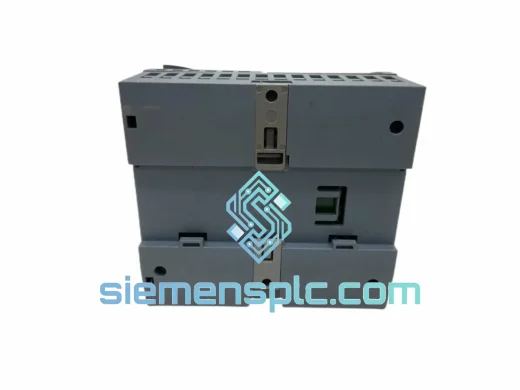
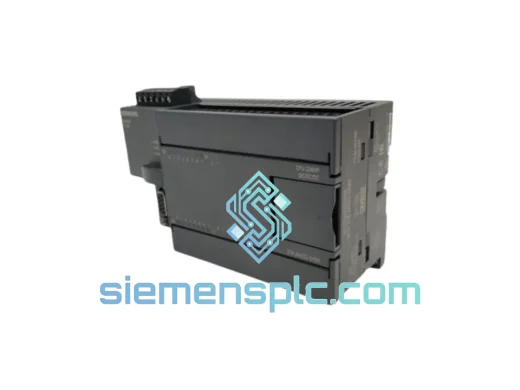
Siemens 6ES7214-2AD23-0XB0 PLC CPU Module – S7-200 SMART
SIMATIC
Origin DE
PLC CPU Module
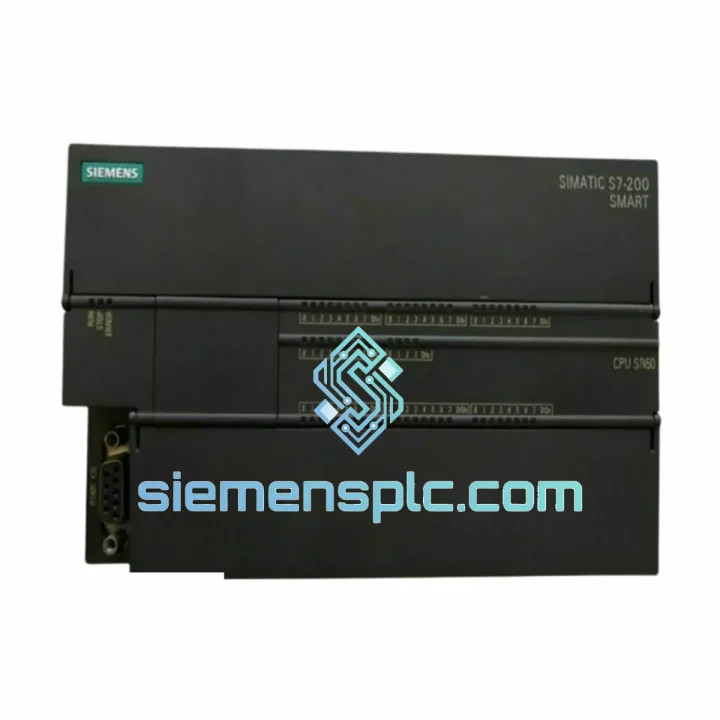
Request verified availability, condition, replacement risk review, packing options and courier lead time for 6ES7288-1SR60-0AA0.
Click Request Quote and the part number is inserted into the inquiry form automatically.
Core fields for model confirmation and RFQ routing. Detailed product narrative remains below.
Your line stopped. The SR60 is dead. You’ve already lost one shift and the plant manager is calling every 20 minutes. This is exactly the scenario we built our operation around. The Siemens 6ES7288-1SR60-0AA0 CPU SR60 is on our shelf in Xiamen right now — inspected, firmware-verified, and ready to clear customs before your next morning meeting. We don’t do lead times. We do same-day dispatch.
URGENT REQUIREMENT? Contact: [email protected] | WhatsApp: +86 18359268345
| Parameter | Specification |
|---|---|
| Part Number | 6ES7288-1SR60-0AA0 |
| Series | SIMATIC S7-200 SMART |
| CPU Variant | SR60 — Standard, Relay Output |
| Power Supply Input | AC 85–264 V, 50/60 Hz |
| Digital Inputs | 36 × DC 24 V sink/source |
| Digital Outputs | 24 × Relay, 2 A per point, 250 VAC / 30 VDC |
| Onboard I/O Total | 60 points |
| Max Expandable I/O | 188 points (6 EM modules) |
| Program Memory | 24 KB |
| Data Memory (retentive) | 10 KB |
| High-Speed Counters | 4 × 200 kHz |
| Ethernet Port | 1 × RJ45 (S7, Modbus TCP, GET/PUT) |
| Serial Port | 1 × RS-485 (Modbus RTU, USS, Freeport) |
| Programming Software | STEP 7-Micro/WIN SMART V2.4+ |
| Operating Temperature | 0–55 °C |
| Relative Humidity | 5–95% non-condensing |
| Protection Rating | IP20 |
| Dimensions (W×H×D) | 196 × 100 × 81 mm |
| Weight | ~620 g |
| Certifications | CE, UL, cULus, FM |
| Stock Status | ✔ Ready to Ship — Xiamen Warehouse |
Fault Diagnosis Before You Pull the Module
Before condemning the SR60, rule out the obvious. A blinking red SF/DIAG LED with no CPU RUN is almost always one of three things: corrupted program block (force a STOP → clear memory → re-download), a blown 24 V sensor supply rail taking out the input circuit, or a failed internal power supply capacitor — the latter shows up as random restarts under load and is the most common hardware failure mode on units older than 5 years in high-humidity environments.
Step-by-Step Hot-Swap Procedure
Common Fault Codes on S7-200 SMART SR60
The SR60 was not designed for a climate-controlled server room. It was designed for the floor — the kind of floor where coolant mist settles on everything, where vibration from a 200-ton press runs through the DIN rail all day, and where summer ambient temperatures in non-air-conditioned enclosures routinely hit 50 °C.
The wide AC input range (85–264 V) means the module absorbs voltage sags that would crash lesser hardware. The relay outputs provide galvanic isolation between the control circuit and the load — no optocoupler degradation, no leakage current issues with legacy AC actuators. The conformal-coated PCB on production units resists condensation and corrosive atmospheres that are standard in food processing, chemical dosing, and coastal installations.
Every unit we ship has been through incoming inspection: visual check for transport damage, label and firmware version verification against the order specification, and a power-on functional test confirming CPU RUN state, I/O response, and Ethernet link establishment. We do not ship untested stock. A module that fails incoming inspection gets quarantined — it does not get relabeled and sent out.
Units stored in our Xiamen warehouse are kept in ESD-safe packaging in a temperature and humidity-controlled environment. We do not hold modules in uncontrolled storage. Long-term storage in high-humidity conditions degrades relay contacts and electrolytic capacitors — we rotate stock to prevent this.
Our dispatch operation runs out of Xiamen, which gives us direct access to Xiamen Gaoqi International Airport and the Xiamen port complex — two of the fastest export gateways on the southeast China coast. For urgent orders, we use DHL Express or FedEx International Priority as the default carrier. Both services offer door-to-door tracking and customs clearance support.
Typical transit times from Xiamen:
We handle export documentation — commercial invoice, packing list, and HS code declaration (HS 8537.10) — as standard. For customers in countries requiring a Certificate of Origin, we can arrange China Chamber of Commerce CO on request. Import duties and VAT are the buyer’s responsibility; we declare actual transaction value and do not undervalue shipments.
For orders placed before 14:00 CST on business days, same-day dispatch is available. We send the AWB number and tracking link within 2 hours of pickup. If your shipment is time-critical, contact us directly on WhatsApp before placing the order so we can confirm carrier availability and cut-off times for your destination.
Email: [email protected]
WhatsApp: +86 18359268345
Web: siemensplc.com
© 2026 siemensplc.com. All rights reserved.
We check the full part number, brand, series and visible nameplate information before quotation.
Sales confirms stock path, condition option, quantity and realistic lead time for export dispatch.
DHL, FedEx, UPS or buyer courier arrangements can be reviewed with packing requirements.
Similar brand or category products for fast comparison and multi-item RFQ lists.