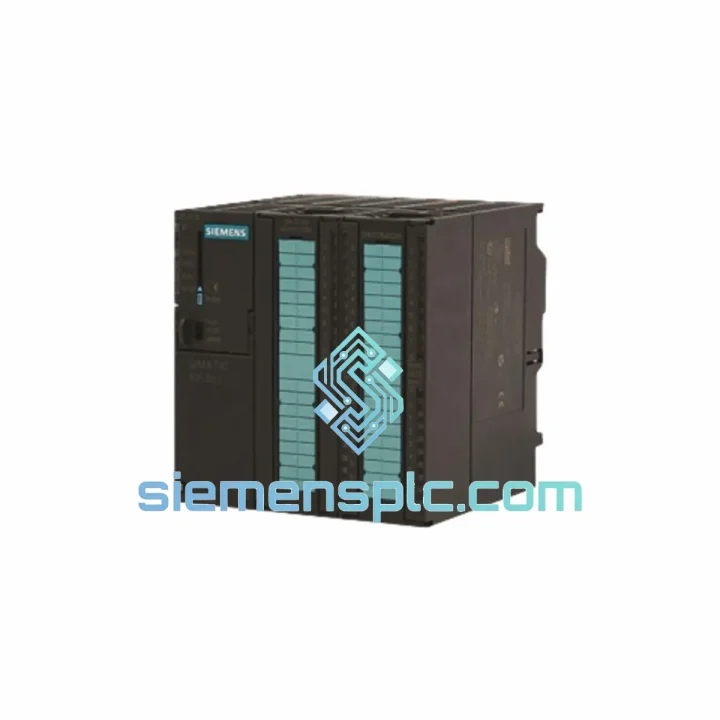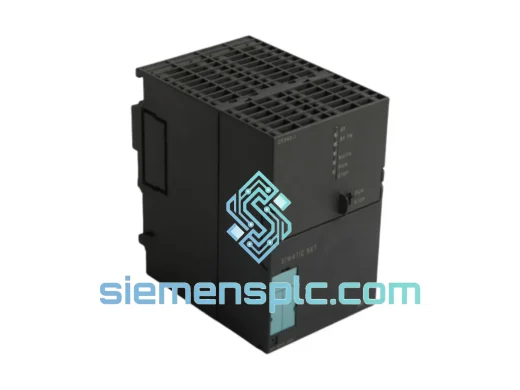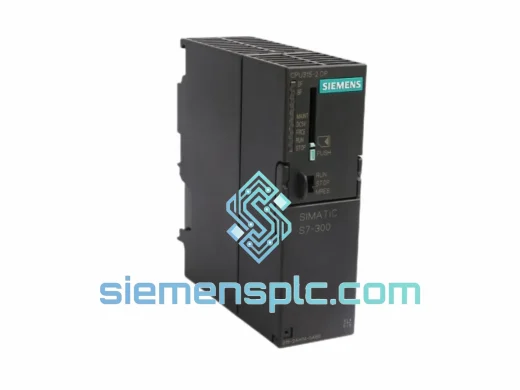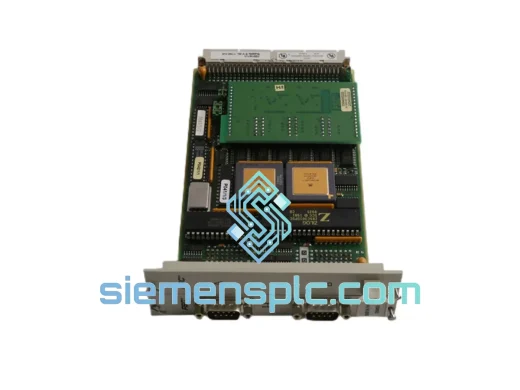
Siemens 6ES7313-5BE00-0AB0 PLC CPU Module
Request verified availability, condition, replacement risk review, packing options and courier lead time for 6ES7313-5BE00-0AB0.
Click Request Quote and the part number is inserted into the inquiry form automatically.
- Reply by email: [email protected]
- WhatsApp / Tel: +86 18359268345
- Mon-Sat 9:00-18:00 GMT+8
Key Product Information
Core fields for model confirmation and RFQ routing. Detailed product narrative remains below.
- Brand
- Siemens
- Primary Part Number
- 6ES7313-5BE00-0AB0
- Product Type
- PLC CPU Module
- Series / Family
- SIMATIC S7-300
- Country of Origin
- DE
- Catalog Category
- Communication
- Operating Temp.
- 0 °C to +60 °C
6ES7313-5BE00-0AB0 CPU 313C-2 DP — Stop the Clock on Your Downtime. Ship Today from Xiamen.
Every minute your line is down, you’re bleeding money. A failed CPU 313C-2 DP doesn’t wait for procurement cycles — and neither do we. The Siemens 6ES7313-5BE00-0AB0 is in stock at our Xiamen warehouse, tested, verified, and ready to leave on the next DHL or FedEx cut-off. We’ve handled enough emergency callouts to know that the difference between a 4-hour fix and a 4-day nightmare is having the right module on the shelf. This is that module.
URGENT REQUIREMENT? Contact: [email protected] | WhatsApp: +86 18359268345
Quick Technical Datasheet
| Parameter | Value |
|---|---|
| Part Number | 6ES7313-5BE00-0AB0 |
| Series | SIMATIC S7-300 |
| CPU Designation | CPU 313C-2 DP |
| Work Memory | 32 KB |
| Load Memory | 128 KB (MMC slot) |
| Binary Processing Speed | 0.1 ms / 1,000 instructions |
| Integrated Digital I/O | 16 DI / 16 DO |
| Integrated Analog I/O | 3 AI / 1 AO |
| Communication Interfaces | MPI + PROFIBUS-DP (Master/Slave) |
| Max. DP Slaves | 32 |
| Supply Voltage | 24 V DC (via backplane bus) |
| Operating Temperature | 0 °C to +60 °C |
| Dimensions (W×H×D) | 80 × 125 × 130 mm |
| Weight | Approx. 700 g |
| Protection Rating | IP20 |
| Firmware Version | V2.0 |
| Programming Software | SIMATIC STEP 7 v5.4+ |
| Country of Origin | Germany |
| Stock Status | ✅ Ready to Ship — Xiamen Warehouse |
Troubleshooting & Replacement Tips
Swapping a CPU 313C-2 DP in a live S7-300 rack is straightforward if you follow the sequence. Skip a step and you’ll be back on-site tomorrow.
Pre-Swap Checklist
- Back up the existing program from the MMC card before powering down. Use STEP 7 → PLC → Upload to PG. If the CPU is already in STOP/DEFECT and won’t communicate, pull the MMC card and read it directly via a card reader — the .S7P project files are stored in plain directory structure.
- Note the MPI address set on the old CPU (default is 2, but field units drift). Check via STEP 7 → Accessible Nodes before the swap.
- Photograph or document the PROFIBUS-DP network topology — slave addresses, baud rate (typically 1.5 Mbit/s or 12 Mbit/s), and termination resistor positions on both ends of the bus.
- Confirm the MMC card part number. The 6ES7313-5BE00-0AB0 requires a SIMATIC Micro Memory Card (MMC). Common compatible cards: 6ES7953-8LF31-0AA0 (4 MB), 6ES7953-8LJ31-0AA0 (8 MB). Do not use standard SD or CF cards — the CPU will not boot.
Common Fault Codes on CPU 313C-2 DP
- SF (System Fault) LED solid red: Hardware fault or configuration mismatch. Pull the MMC, re-seat, and power cycle. If SF persists without MMC inserted, the CPU itself is defective — replace the module.
- BF (Bus Fault) LED flashing: PROFIBUS-DP communication error. Check termination resistors at both ends of the DP segment. Verify baud rate matches all slaves. A single slave with a mismatched address will pull the entire bus into fault.
- BF LED solid: CPU cannot find any DP slaves. Check cable continuity on the DP port (DB9 connector, pins 3 and 8 for A/B lines). Measure resistance between A and B — should read 100–200 Ω with terminators active.
- CPU stuck in STOP after MMC swap: The new MMC may contain a hardware config that doesn’t match the physical rack. Go to STEP 7 → HW Config, verify the slot assignments, compile, and download the hardware configuration first before downloading the program.
- Integrated I/O not responding after replacement: The integrated I/O on the 313C-2 DP is addressed starting at byte 124 (DI) and byte 124 (DO) by default in the hardware config. If the previous unit had a custom address assignment, you must replicate it in HW Config or the process image will be offset and your program logic will misfire.
- CPU won’t enter RUN after firmware mismatch: The 6ES7313-5BE00-0AB0 runs firmware V2.0. If you’re replacing with a unit that has a different firmware stamp, re-download the hardware config and program. Firmware on this CPU is not field-upgradeable — the version is fixed at manufacture.
Post-Swap Verification
- After download, force the CPU to RUN and monitor the diagnostic buffer (STEP 7 → PLC → Module Information → Diagnostic Buffer) for the first 60 seconds. Any recurring entries indicate a persistent hardware or configuration issue.
- Verify all DP slaves show green in the HW Config online view. A slave showing red after a CPU swap almost always means the DP master system parameters weren’t downloaded correctly.
- Test the integrated analog inputs with a calibrated signal source before handing back to operations. The 3 AI channels on this CPU use 0–10 V / 0–20 mA inputs — confirm the signal type matches your field wiring.
Reliability in Harsh Conditions
The S7-300 platform was engineered for the factory floor, not the server room. The 6ES7313-5BE00-0AB0 carries an operating temperature range of 0 °C to +60 °C and is rated to withstand the vibration profiles defined in IEC 60068-2-6 — 10–58 Hz at 0.075 mm amplitude, 58–500 Hz at 1g. In practice, we’ve seen these units running continuously in steel mill auxiliary panels, offshore platform control cabinets, and outdoor pump stations in Southeast Asia where ambient humidity regularly exceeds 90% RH non-condensing.
The IP20 enclosure rating means the CPU relies on the control cabinet for environmental protection, which is standard practice for DIN-rail mounted automation hardware. What matters in the field is the internal conformal coating on the PCB, the gold-plated backplane connector contacts, and the robust DB9 PROFIBUS port — all of which contribute to the module’s reputation for surviving years of continuous operation in environments that would kill consumer-grade electronics in weeks.
Units shipped from our Xiamen warehouse are stored in climate-controlled conditions, individually wrapped in anti-static ESD bags, and inspected for physical damage and connector integrity before dispatch. We do not ship modules with bent backplane pins or corroded DP connectors — those go to the scrap bin, not to your plant.
Global Express Logistics
Our dispatch hub is in Xiamen, Fujian — one of China’s primary export ports with direct DHL Express and FedEx International Priority service to over 220 countries. Here’s how the process works from the moment you confirm your order:
- Same-day dispatch: Orders confirmed before 15:00 CST are packed and handed to the courier the same business day. Orders after cut-off ship the following morning.
- Export documentation: We handle commercial invoice, packing list, and HS code declaration (HS 8537.10 for PLC modules). For customers requiring a Certificate of Origin or specific customs valuation documentation, notify us at order confirmation.
- DHL Express Worldwide: Typical transit times — Europe: 3–5 business days; North America: 3–4 business days; Southeast Asia: 1–2 business days; Middle East: 4–6 business days; South America: 5–8 business days.
- FedEx International Priority: Available as an alternative for destinations where FedEx has stronger last-mile coverage. Transit times are comparable to DHL.
- Tracking: A tracking number is emailed within 2 hours of dispatch. You can monitor shipment progress in real time via the courier’s portal.
- Import duties: Buyer is responsible for import duties and taxes in the destination country. We can declare at actual invoice value or provide documentation to support your customs broker. We do not under-declare — this protects both parties.
- Emergency freight: For critical shutdowns where standard express is not fast enough, contact us directly via WhatsApp. We have access to charter freight options for time-critical industrial shipments.
Contact Information
Email: [email protected]
WhatsApp: +86 18359268345
Web: siemensplc.com
© 2026 siemensplc.com. All rights reserved.
Send This Part Number to Sales
Confirmation Process
We check the full part number, brand, series and visible nameplate information before quotation.
Sales confirms stock path, condition option, quantity and realistic lead time for export dispatch.
DHL, FedEx, UPS or buyer courier arrangements can be reviewed with packing requirements.