Siemens
RFQ Ready
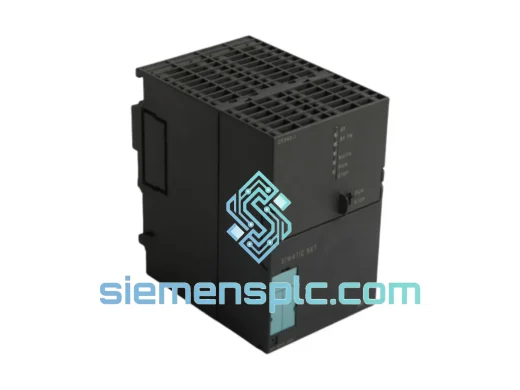
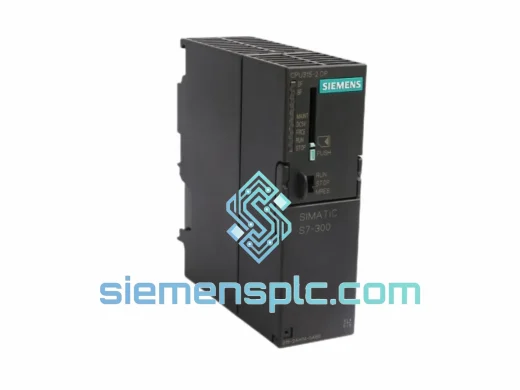
Siemens 6ES7 315-2EH14-0AB0 CPU 315-2 PN/DP PLC Module
SIMATIC S7-300
Origin DE
PLC CPU Module
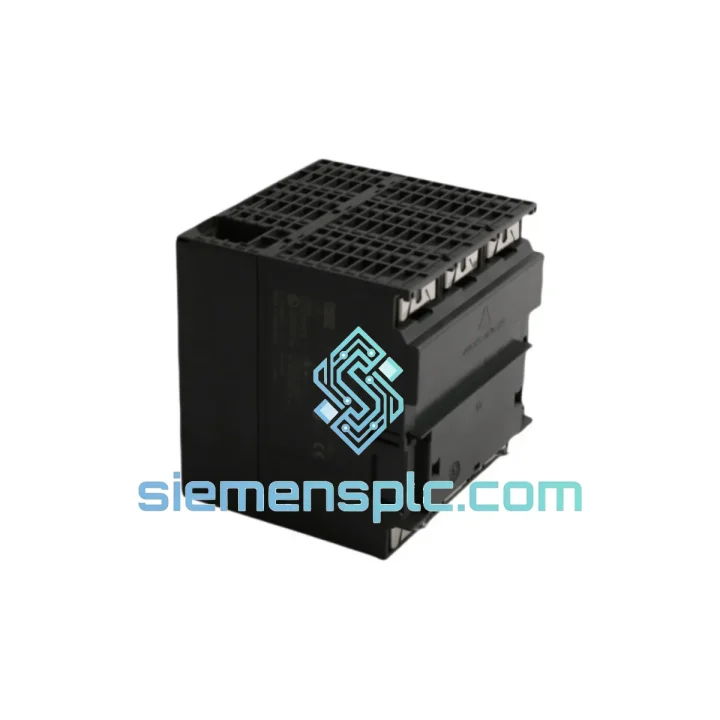
Request verified availability, condition, replacement risk review, packing options and courier lead time for 6ES7313-6CE00-0AB0.
Click Request Quote and the part number is inserted into the inquiry form automatically.
Core fields for model confirmation and RFQ routing. Detailed product narrative remains below.
Your line is down. The HMI is dark, the PROFIBUS network is silent, and your maintenance team is staring at a dead CPU 313C-2 DP. Every hour this rack sits idle costs you real money — in automotive, that’s $10,000–$50,000 per hour of unplanned downtime. In food & beverage, it’s spoiled batches and broken SLAs. We’ve been here before. That’s exactly why we stock the Siemens 6ES7313-6CE00-0AB0 ready to pull from shelf and ship same day from Xiamen.
This is not a listing for a product we’ll source after you order. This unit is physically on our shelf, inspected, and ready for DHL Express or FedEx Priority dispatch within hours of payment confirmation. If you’re reading this at 2 AM during a night-shift breakdown, send us a WhatsApp now — we respond around the clock.
URGENT REQUIREMENT? Contact: [email protected] | WhatsApp: +86 18359268345
| Parameter | Specification |
|---|---|
| Part Number | 6ES7313-6CE00-0AB0 |
| Product Series | SIMATIC S7-300 |
| CPU Designation | CPU 313C-2 DP |
| Communication Interfaces | MPI + PROFIBUS-DP Master/Slave |
| Integrated Digital I/O | 16 DI (24 V DC) / 16 DO (24 V DC, 0.5 A) |
| Integrated Analog I/O | 3 AI (12-bit) / 1 AO (12-bit) |
| Work Memory | 32 KB |
| Load Memory | MMC (Micro Memory Card) — not included |
| Processing Speed | 0.1 ms / 1,000 binary instructions |
| Supply Voltage | 24 V DC |
| Operating Temperature | 0 °C to +60 °C |
| Protection Rating | IP20 |
| Dimensions (W×H×D) | 80 × 125 × 130 mm |
| Weight | ~580 g |
| Certifications | CE, UL, cULus, ATEX Zone 2 |
| Programming Software | STEP 7 v5.x (TIA Portal via migration tool) |
| Stock Status | ✅ Ready to Ship — Xiamen Warehouse |
After swapping hundreds of S7-300 CPUs in the field, here are the failure patterns and replacement pitfalls that actually matter:
Common Failure Signatures on the 6ES7313-6CE00-0AB0:
Step-by-Step Replacement Procedure:
Configuration Notes: The MPI address defaults to address 2 on a new CPU. If your network uses a different address, set it via STEP 7 before connecting to the live MPI segment to avoid address conflicts. The PROFIBUS-DP baud rate is stored in the hardware configuration on the MMC — no manual DIP switch setting required on this model.
The CPU 313C-2 DP was engineered for environments that would kill consumer-grade electronics. The housing is rated IP20 with conformal-coated PCBs on production variants, providing resistance against condensation and airborne contaminants common in foundry, chemical, and food processing environments. The unit operates across a 0–60 °C ambient range without derating, and the DIN rail mounting system includes vibration-damping clips that keep the module secure under continuous mechanical vibration up to 10–57 Hz / 0.075 mm amplitude — the kind of vibration you see on press lines and compressor skids.
The 24 V DC supply input has built-in surge and reverse polarity protection, meaning a momentary power quality event won’t take out the CPU. The PROFIBUS-DP interface uses isolated RS-485 transceivers, protecting the CPU from ground loop currents that are endemic in large industrial facilities with multiple earthing points. We’ve seen these CPUs run continuously for 8–12 years in steel mill environments before requiring replacement — and when they do fail, it’s usually the MMC slot contacts or the internal backup capacitor, not the logic circuitry itself.
Every unit we ship from Xiamen is stored in climate-controlled conditions, packaged in anti-static ESD bags with desiccant packs, and placed in shock-absorbing foam inserts inside double-wall corrugated cartons. The packaging is designed to survive the handling realities of international air freight — not just a gentle courier van.
Our Xiamen warehouse is 40 minutes from Xiamen Gaoqi International Airport (XMN), one of China’s primary air cargo hubs with direct freighter connections to Frankfurt, Amsterdam, Chicago O’Hare, and Dubai. This geography is deliberate — it means your urgent order doesn’t sit in a domestic transit hub before it even reaches the international gateway.
Standard dispatch timeline: Payment confirmed before 14:00 CST → same-day dispatch. Payment confirmed after 14:00 CST → next morning dispatch. DHL Express and FedEx Priority are our default carriers for urgent shipments. Transit times: Europe 2–3 business days, North America 3–4 business days, Southeast Asia 1–2 business days, Middle East 2–3 business days.
Every shipment includes a commercial invoice with accurate HS code classification (HS 8537.10 for PLC modules), a packing list, and a certificate of origin where required for import duty purposes. For customers in the EU, we can provide EUR.1 movement certificates to support preferential tariff claims. For US imports, we provide documentation compliant with CBP requirements. We’ve shipped to 60+ countries — customs clearance delays caused by incorrect documentation are not something our customers experience.
For orders above USD 5,000, we assign a dedicated logistics coordinator who tracks the shipment in real time and proactively contacts the destination customs broker if any hold occurs. You get a tracking number within 2 hours of dispatch, and we send proactive updates at each major transit milestone.
Ready to confirm stock and get a formal quotation? Reach us through any channel below — we respond within 2 hours during business hours and within 4 hours on weekends and holidays.
© 2026 siemensplc.com. All rights reserved.
We check the full part number, brand, series and visible nameplate information before quotation.
Sales confirms stock path, condition option, quantity and realistic lead time for export dispatch.
DHL, FedEx, UPS or buyer courier arrangements can be reviewed with packing requirements.
Similar brand or category products for fast comparison and multi-item RFQ lists.