Siemens
RFQ Ready
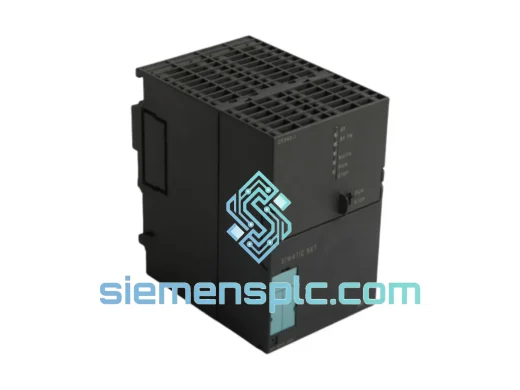
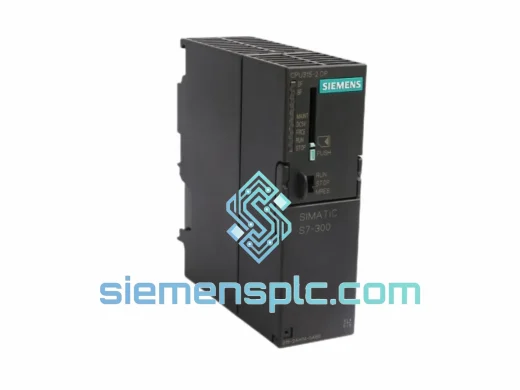
Siemens 6ES7 315-2EH14-0AB0 CPU 315-2 PN/DP PLC Module
SIMATIC S7-300
Origin DE
PLC CPU Module
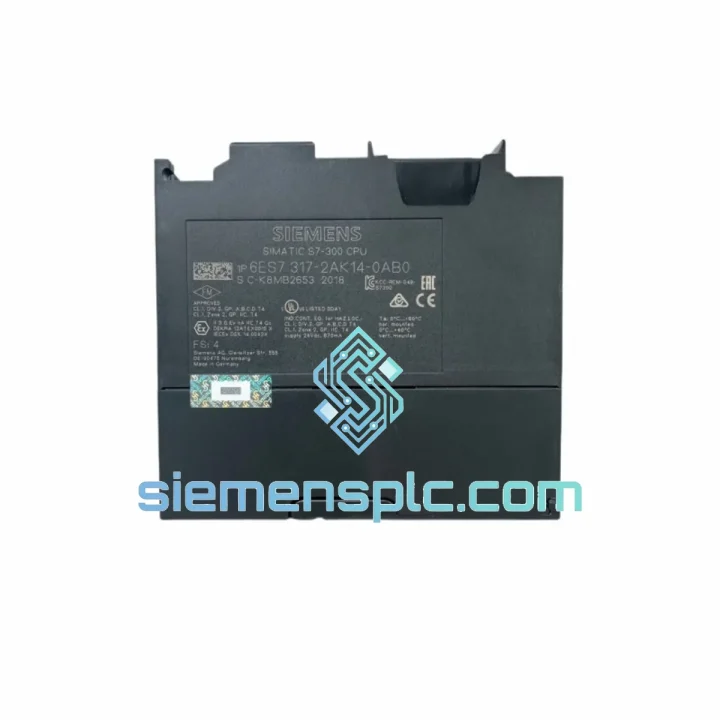
Request verified availability, condition, replacement risk review, packing options and courier lead time for 6ES7317-2AK14-0AB0.
Click Request Quote and the part number is inserted into the inquiry form automatically.
Core fields for model confirmation and RFQ routing. Detailed product narrative remains below.
Your line is down. Every minute the S7-300 rack sits dark costs you money — shift bonuses, penalty clauses, customer trust. The 6ES7317-2AK14-0AB0 CPU317-2 DP is the exact module that brings it back. We stock it in Xiamen, we know it cold, and we can have it moving toward your dock within hours of your order confirmation. No broker delays. No grey-market risk. Just the part, verified, packed, and dispatched.
URGENT REQUIREMENT? Contact: [email protected] | WhatsApp: +86 18359268345
| Parameter | Value |
|---|---|
| Order Number (MLFB) | 6ES7317-2AK14-0AB0 |
| Module Designation | CPU317-2 DP |
| Product Family | SIMATIC S7-300 |
| Work Memory | 1 MB (onboard RAM) |
| Load Memory | 1 MB integrated Flash; up to 8 MB via MMC |
| Binary Instruction Cycle | 0.05 µs |
| Communication Interfaces | 1× MPI/DP (12 Mbit/s) + 1× DP (12 Mbit/s) |
| Max. I/O Address Space | 8192 bytes IN / 8192 bytes OUT |
| Counters / Timers | 512 / 512 |
| Supply Voltage | DC 24 V |
| Operating Temperature | 0 °C to +60 °C |
| Firmware Version | V3.3 (suffix -0AB0) |
| Dimensions (W×H×D) | 80 × 125 × 130 mm |
| Weight | ~500 g |
| Origin | Germany (OEM) |
| Stock Status | ✅ Ready to Ship — Xiamen Warehouse |
Swapping a CPU317-2 DP is not a plug-and-play operation if you skip the checklist. Here is what ten years of field calls have taught:
1. Firmware mismatch is the #1 silent killer. The suffix -0AB0 locks you to firmware V3.3. If your STEP 7 project was compiled under a different firmware baseline, the CPU will boot but throw a configuration mismatch fault (SF LED solid red, BF LED flashing). Before you pull the old CPU, note the firmware version displayed in HW Config → CPU properties. Match it exactly on the replacement unit or re-compile the project under the new firmware baseline before download.
2. MMC (Micro Memory Card) handling. The 6ES7317-2AK14-0AB0 requires an MMC for program retention across power cycles — there is no internal battery-backed RAM for the user program. Transfer the MMC from the failed CPU only after confirming it is not physically damaged. If the MMC is suspect, order a blank SIMATIC MMC (e.g. 6ES7953-8LF31-0AA0 for 4 MB) and perform a fresh download from the PG/PC. Never power the CPU without an MMC inserted — it will enter STOP mode immediately.
3. MPI/DP address and baud rate. The CPU’s MPI node address is stored on the MMC, not in hardware. If you are using a new MMC, the default MPI address is 2 and baud rate is 187.5 kbit/s. Verify this matches your network before connecting the bus cable, or you will disrupt all other nodes on the segment. Use a SIMATIC PG or laptop with PC Adapter USB to set the address offline before bus connection.
4. DP master configuration and GSD files. The integrated DP interface (X2) operates as a DP master by default. If your system uses it as a DP slave (isochronous or standard), confirm the operating mode in HW Config. After CPU replacement, the DP slaves will attempt to re-parameterize — watch for BF2 LED (DP bus fault on X2). A solid BF2 after boot usually means a slave address conflict or a missing GSD file for a third-party device. Re-download the hardware configuration to clear.
5. Diagnostic buffer is your first stop. Before assuming hardware failure, always read the diagnostic buffer (STEP 7: PLC → Module Information → Diagnostic Buffer). Common fault codes on this CPU:
6. Rack slot rule. The CPU317-2 DP must occupy slot 2 of the S7-300 rack. Slot 1 is reserved for the PS307 power supply. Inserting the CPU in any other slot will prevent the rack from initializing. Verify the bus connector on the right side of the CPU is properly seated into the adjacent SM or IM module — a partially engaged connector causes intermittent I/O faults that are notoriously difficult to trace.
The 6ES7317-2AK14-0AB0 was engineered for environments that would destroy consumer-grade electronics. The conformal-coated PCB resists condensation and airborne contaminants common in chemical plants and coastal facilities. The housing is rated for continuous operation at 60 °C ambient — not a lab rating, a real-world ceiling validated in steel mill control rooms where radiant heat from furnaces pushes cabinet temperatures well beyond what most PLCs tolerate.
Vibration resistance meets IEC 60068-2-6 (sinusoidal, 10–58 Hz, 0.075 mm amplitude; 58–500 Hz, 1 g). In practice, this means the module survives years of service on press lines and compressor skids without solder joint fatigue. The backplane bus connectors use gold-plated contacts with a rated insertion cycle count that far exceeds typical maintenance intervals.
EMC immunity is certified to EN 61000-6-2 (industrial immunity), covering electrostatic discharge, radiated RF fields, electrical fast transients, and surge — the four horsemen of PLC failure in switchgear-dense environments. Every unit we ship has been stored in ESD-safe packaging from the moment it left the factory channel, preserving the integrity of the CMOS logic that makes this CPU’s 0.05 µs cycle time possible.
Our dispatch hub is in Xiamen, Fujian — one of China’s primary export ports with direct DHL and FedEx gateway access. Here is how your order moves:
We have shipped 6ES7317-2AK14-0AB0 units to automotive plants in Germany, petrochemical facilities in Saudi Arabia, food processing lines in Australia, and water treatment stations in South Africa. The logistics process is the same every time: fast, documented, and traceable end-to-end.
Email: [email protected]
WhatsApp: +86 18359268345
Web: siemensplc.com
© 2026 siemensplc.com. All rights reserved.
We check the full part number, brand, series and visible nameplate information before quotation.
Sales confirms stock path, condition option, quantity and realistic lead time for export dispatch.
DHL, FedEx, UPS or buyer courier arrangements can be reviewed with packing requirements.
Similar brand or category products for fast comparison and multi-item RFQ lists.