

Siemens
RFQ Ready
SIEMENS 6GK5108-0BA00-2AA3 Industrial Ethernet Switch
SIMATIC
Origin DE
Industrial Ethernet Switch
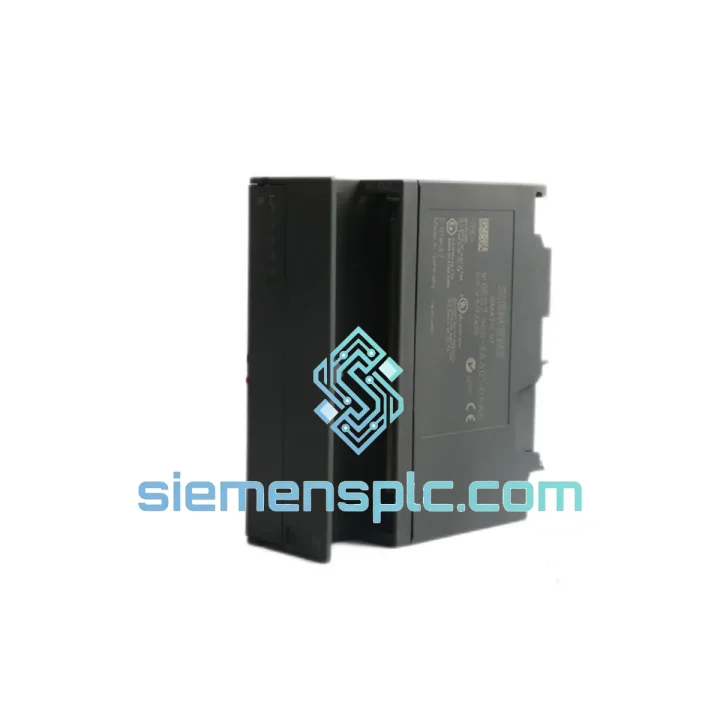
Request verified availability, condition, replacement risk review, packing options and courier lead time for 6ES7360-3AA01-0AA0.
Click Request Quote and the part number is inserted into the inquiry form automatically.
Core fields for model confirmation and RFQ routing. Detailed product narrative remains below.
Your S7-300 rack just dropped off the bus. The CPU is throwing BUS1F faults. Production is stopped. You’ve already called your local distributor — lead time is 6 weeks. That’s not an option.
We stock the Siemens 6ES7360-3AA01-0AA0 IM360 Send Interface Module in Xiamen, China, and we ship DHL Express worldwide. Most customers in Southeast Asia, the Middle East, and Europe receive their unit within 3–5 business days from order confirmation. No waiting. No excuses. Just the part you need, moving toward you the moment payment clears.
The IM360 is the central-rack send module in the S7-300 multi-tier expansion architecture. Without it, your expansion racks (IM361 receive side) are deaf. One failed unit can take down an entire distributed I/O chain — dozens of I/O modules, field instruments, and actuators all going dark simultaneously. We’ve seen it happen in automotive body shops, chemical dosing lines, and water treatment SCADA panels. The fix is always the same: get the right module, fast.
URGENT REQUIREMENT? Contact: [email protected] | WhatsApp: +86 18359268345
| Parameter | Value |
|---|---|
| Order Number (MLFB) | 6ES7360-3AA01-0AA0 |
| Module Designation | IM360 — Send Interface Module |
| Product Family | SIMATIC S7-300 |
| Role in Architecture | Central rack → up to 3 expansion racks via IM361 |
| Bus Type | K-Bus (S7-300 backplane bus) |
| Max. Inter-Rack Cable Length | 10 m (cable: 6ES7368-3BB01-0AA0 / BC51 / BF01) |
| Power Source | Backplane-powered — no external 24 VDC required |
| Operating Temperature | 0 °C to +60 °C (horizontal mount) |
| Storage Temperature | −40 °C to +70 °C |
| Relative Humidity | 10–95%, non-condensing |
| Protection Class | IP20 |
| Dimensions (W × H × D) | 40 × 125 × 120 mm |
| Weight | ~200 g |
| Certifications | CE, UL/cULus, ATEX Zone 2, FM, RoHS, C-Tick |
| HS Code | 8537.10 |
| Stock Status | ✅ Ready to Ship — Xiamen, China |
| Typical Dispatch | 1–2 business days after payment |
Fault Symptoms That Point to a Failed IM360:
Step-by-Step Replacement Procedure:
Common Misdiagnosis: Engineers sometimes replace the CPU or PS307 first when the real failure is the IM360. If your CPU runs normally with expansion racks disconnected, the IM360 or its cable is almost certainly the fault source. Save yourself a CPU replacement cost — check the interface module first.
The S7-300 platform was engineered for the factory floor, not the server room. The IM360 reflects that design philosophy. Its conformal-coated PCB resists condensation and airborne contaminants — a real concern in food processing plants where washdown cycles create humidity spikes, or in coastal facilities where salt-laden air accelerates corrosion on unprotected boards.
Vibration tolerance is rated to IEC 60068-2-6: 10–58 Hz at 0.075 mm displacement, 58–500 Hz at 1 g. In practice, this covers the vibration spectrum of most industrial machinery — compressors, presses, conveyor drives — without requiring additional shock mounts. Installations on steel frames adjacent to large motors have run IM360 units for 10+ years without mechanical failure.
Thermal performance is equally robust. The 0–60 °C operating range covers the majority of industrial cabinet environments without forced cooling. In high-ambient installations (foundries, glass plants, cement mills), engineers routinely derate to 50 °C with adequate cabinet ventilation and achieve multi-year MTBF figures consistent with Siemens’ published reliability data for the S7-300 platform.
The module’s IP20 rating assumes installation inside a sealed control cabinet — which is standard practice. In environments with heavy particulate contamination (grain handling, mining, cement), ensure cabinet door seals are intact and cabinet pressurization (positive pressure purge) is maintained. The IM360 itself will not fail from dust if the cabinet does its job.
Our warehouse is located in Xiamen, Fujian Province, China — a major port city with direct DHL and FedEx hub access. This is not a drop-shipping arrangement. Stock is physically on our shelves, inspected, and ready to pack the moment your order is confirmed.
Typical transit times from Xiamen:
Every shipment includes a commercial invoice, packing list, country of origin declaration, and HS code 8537.10 classification for smooth customs clearance. For buyers in countries with import duty exemptions on industrial automation components, we can provide additional documentation to support your customs broker’s filing.
Tracking numbers are issued within 24 hours of dispatch. We use DHL Express as our primary carrier for time-critical orders — their industrial spare parts SLA is the most consistent we’ve tested across 50+ destination countries. FedEx International Priority is available as an alternative for destinations where DHL coverage is limited.
For bulk orders (5+ units), sea freight consolidation via Xiamen Port is available with 7–14 day transit to major Asian and European ports. EXW, FOB Xiamen, and CIF destination Incoterms are all supported for B2B procurement teams.
📧 Email: [email protected]
💬 WhatsApp: +86 18359268345
🌐 Web: siemensplc.com
© 2026 siemensplc.com. All rights reserved.
We check the full part number, brand, series and visible nameplate information before quotation.
Sales confirms stock path, condition option, quantity and realistic lead time for export dispatch.
DHL, FedEx, UPS or buyer courier arrangements can be reviewed with packing requirements.
Similar brand or category products for fast comparison and multi-item RFQ lists.


