

Siemens
RFQ Ready
SIEMENS 6GK5108-0BA00-2AA3 Industrial Ethernet Switch
SIMATIC
Origin DE
Industrial Ethernet Switch
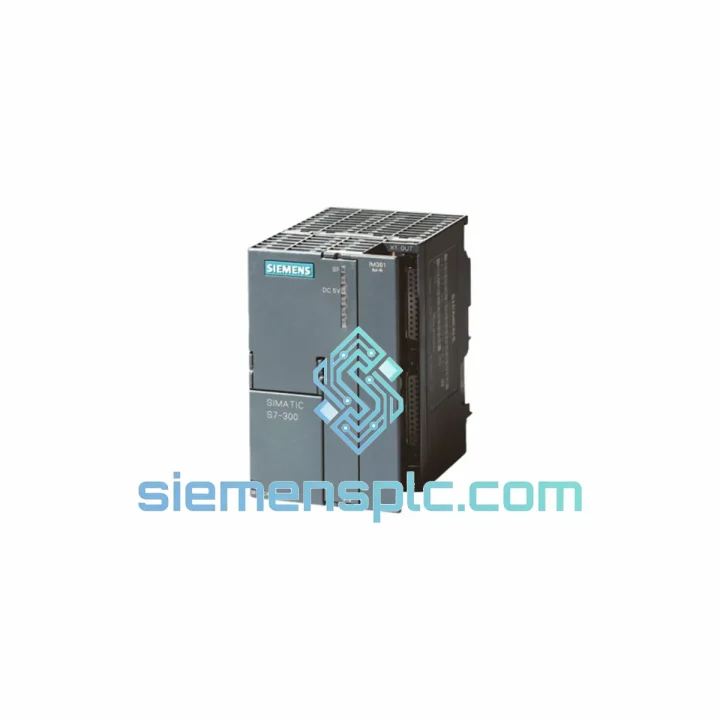
Request verified availability, condition, replacement risk review, packing options and courier lead time for 6ES7365-0BA01-0AA0.
Click Request Quote and the part number is inserted into the inquiry form automatically.
Core fields for model confirmation and RFQ routing. Detailed product narrative remains below.
Every hour your S7-300 rack sits offline costs real money. A failed IM 365 interface module doesn’t just kill one rack — it takes the entire expansion I/O offline with it. Conveyors stop. Batch sequences abort. Shift supervisors start making calls. We stock the Siemens 6ES7365-0BA01-0AA0 precisely for this moment: verified, tested, and ready to leave Xiamen today.
URGENT REQUIREMENT? Contact: [email protected] | WhatsApp: +86 18359268345
| Order Number (MLFB) | 6ES7365-0BA01-0AA0 ✅ Ready to Ship |
| Module Designation | IM 365 Interface Module (CR + ER matched pair) |
| Compatible Platform | SIMATIC S7-300 |
| Rack Topology | 1 × Central Rack → 1 × Expansion Rack (fixed pair) |
| Interconnect Cable | 1 m ribbon cable, included in shipment |
| Power Draw (CR side) | 2.5 W from S7-300 backplane bus |
| Bus Cycle Overhead | ≤ 1 ms additional scan contribution |
| Operating Temperature | 0 °C to +60 °C (horizontal mounting) |
| Storage Temperature | −40 °C to +70 °C |
| Humidity | 10 % – 95 %, non-condensing |
| Protection Class | IP 20 |
| Dimensions (W × H × D) | 40 × 125 × 120 mm per module |
| Weight | ~230 g per module |
| Mounting | S7-300 standard DIN profile rail |
| Certifications | CE, UL, cULus, ATEX Zone 2, FM, C-Tick |
| Slot Position | Slot 3 on both CR and ER |
| Ship Status | ✅ In Stock — Ships within 24 hrs |
The IM 365 fails in predictable ways. Here’s what you’ll see on the floor and how to deal with it fast:
SF LED solid red on CPU, ER I/O goes dark: Classic IM 365 send-side failure. The CPU loses the expansion bus and throws OB 86 (rack failure). Check the ribbon cable first — connector pins corrode in humid environments. If the cable checks out, the CR-side module is gone. Swap it.
BF LED on IM 365 ER module: Receive-side fault. Usually caused by a damaged ribbon cable or a failed ER module. Reseat the cable at both ends before condemning the module. If BF persists after reseating, replace the ER module. Note: you must replace the matched pair together — the CR and ER modules are factory-paired and not interchangeable with modules from other sets.
Replacement procedure (field-tested, 15 minutes):
Configuration notes: The 6ES7365-0BA01-0AA0 has no DIP switches and no address coding — it is purely plug-and-play within the S7-300 hardware family. No firmware update is required. If you are replacing a module that was previously configured in STEP 7 HW Config, the hardware configuration does not need to be re-downloaded as long as the MLFB is identical. If you are adding an expansion rack for the first time, you must add the ER and its I/O modules in HW Config and download the updated configuration to the CPU.
CPU compatibility check: IM 365 requires CPU 314 or higher. CPU 312 and CPU 313 do not support expansion racks. If your CPU is a 314 or above and still won’t recognize the ER after replacement, verify the HW Config rack assignment and confirm the ER has its own PS 307 power supply — the IM 365 ribbon cable carries bus signals only, not 24 VDC load power.
The S7-300 platform was engineered for the factory floor, not the server room. The IM 365 carries that same design philosophy. The module’s backplane connector is rated for 100+ insertion cycles — relevant when you’re doing emergency swaps under pressure. The PCB conformal coating provides resistance against condensation and airborne contaminants common in food processing and chemical environments.
Vibration tolerance meets IEC 60068-2-6 (sinusoidal, 10–58 Hz, 0.075 mm amplitude; 58–500 Hz, 1 g). Shock resistance meets IEC 60068-2-27 (15 g, 11 ms half-sine). These aren’t marketing numbers — they’re the reason this module survives in stamping presses, compressor rooms, and outdoor pump stations where lesser hardware fails within months.
Operating range of 0–60 °C covers the vast majority of industrial cabinet environments. For applications pushing the upper boundary — think steel mill control rooms or outdoor enclosures in tropical climates — ensure cabinet cooling is adequate before blaming the module. Thermal runaway in the cabinet kills IM 365 modules faster than any other failure mode.
All units we ship undergo a functional verification cycle: backplane bus communication confirmed, ribbon cable connector integrity checked, and LED behavior validated under simulated rack load. We do not ship modules that have not passed this check.
Our warehouse is in Xiamen, Fujian — one of China’s primary export hubs with direct access to DHL, FedEx, and UPS international gateways. When you place an order before 18:00 CST, it ships the same business day.
Typical transit times from Xiamen:
Every shipment includes a commercial invoice with accurate HS code (8537.10) and declared value for customs clearance. We have processed hundreds of industrial automation component exports — customs documentation is handled correctly the first time. Tracking numbers are issued within 2 hours of dispatch and sent directly to your order email.
For plant shutdowns or production emergencies where standard express is not fast enough, contact us directly via WhatsApp. We can arrange same-day courier pickup and priority routing through our freight forwarder network for time-critical situations.
Email: [email protected]
WhatsApp: +86 18359268345
Web: siemensplc.com
© 2026 siemensplc.com. All rights reserved.
We check the full part number, brand, series and visible nameplate information before quotation.
Sales confirms stock path, condition option, quantity and realistic lead time for export dispatch.
DHL, FedEx, UPS or buyer courier arrangements can be reviewed with packing requirements.
Similar brand or category products for fast comparison and multi-item RFQ lists.


