

Siemens
RFQ Ready
SIEMENS 6GK5108-0BA00-2AA3 Industrial Ethernet Switch
SIMATIC
Origin DE
Industrial Ethernet Switch
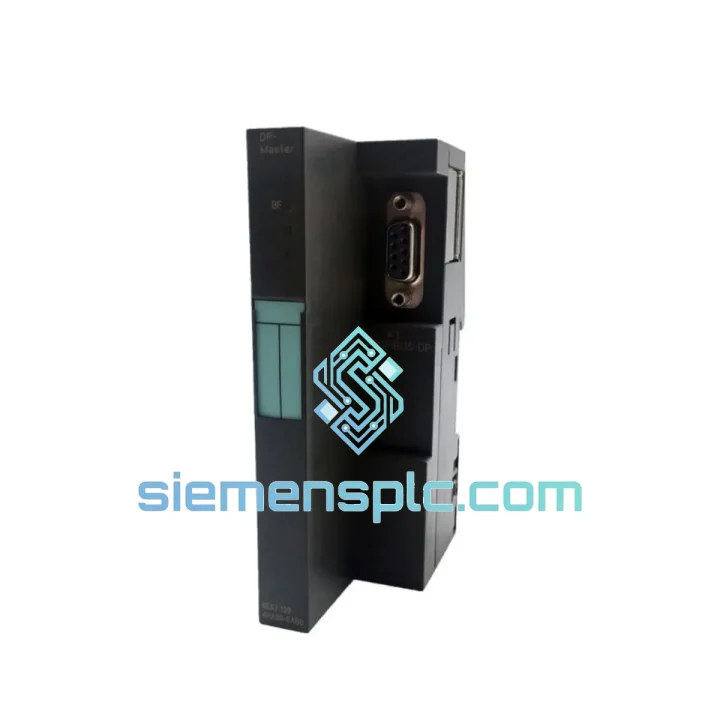
Request verified availability, condition, replacement risk review, packing options and courier lead time for 6ES7412-2EK07-0AB0.
Click Request Quote and the part number is inserted into the inquiry form automatically.
Core fields for model confirmation and RFQ routing. Detailed product narrative remains below.
Your S7-400 rack is dead. The line is stopped. Maintenance is on the phone. You already know the 6ES7412-2EK07-0AB0 is the culprit — now you need one, fast, with zero risk of getting a counterfeit or a wrong firmware revision. We stock this module in Xiamen, tested and ready. DHL Express to most destinations in 24–72 hours. No runaround, no broker delays.
URGENT REQUIREMENT?
📧 Email: [email protected]
📱 WhatsApp: +86 18359268345
| Parameter | Value | Note |
|---|---|---|
| Order Number | 6ES7412-2EK07-0AB0 | ✅ Ready to Ship |
| Series | SIMATIC S7-400 | |
| CPU Designation | CPU412-2 PN | |
| Firmware Version | V7.0 | Match your MMC label before swapping |
| Work Memory | 512 KB | Expandable via MMC |
| Load Memory (Flash) | 8 MB integrated / 64 MB max via MMC | |
| Bit Processing Speed | 0.1 ms / 1,000 instructions | |
| Interface 1 | MPI/DP — 12 Mbit/s | |
| Interface 2 | PROFINET IO — 100 Mbit/s, 2-port switch | Line topology, no external switch needed |
| Max Digital I/O | 131,072 channels | |
| Max Analog I/O | 4,096 channels | |
| Max Racks | 21 (1 CR + 20 ER) | |
| Isochronous Mode | Supported | |
| Supply Voltage | 24 V DC via backplane | |
| Operating Temperature | 0 °C to +60 °C | |
| Dimensions (W×H×D) | 25 × 290 × 219 mm | |
| Weight | ~500 g | |
| Certifications | CE, UL, cULus, ATEX Zone 2 | |
| Stock Status | ✅ IN STOCK — Ships within 24 hours from Xiamen | |
Ten years of field work teaches you that swapping a CPU412-2 PN is never just “pull and plug.” Here is what actually bites engineers on-site:
Step 1 — Read the MMC before you touch anything. The Micro Memory Card holds the project, firmware, and IP configuration. Pull it from the failed CPU and keep it safe. If the card is corrupted (STOP LED flashing red/yellow alternating), you will need a backup from your STEP 7 project archive. No backup? Call us — we can advise on partial recovery options.
Step 2 — Confirm firmware revision. The EK07 suffix denotes V7.0 firmware. If your replacement unit ships with a different firmware pre-loaded, do not insert the old MMC until you verify compatibility. Mismatched firmware + MMC = CPU goes to STOP immediately with SF LED solid red. Check the sticker on the module’s front face or read it via STEP 7 online diagnostics before powering the rack.
Step 3 — MPI address and DP address are stored on the MMC. Transferring the original MMC to the replacement CPU automatically restores the node address. If you are using a blank MMC, you must set the MPI address via the front panel DIP switches (SW1) before the CPU can be reached online. Default MPI address is 2; DP address defaults to 2 as well. Confirm against your network topology diagram.
Step 4 — PROFINET device name and IP address. The CPU412-2 PN stores its PROFINET device name and IP in the MMC. After inserting the original MMC, the CPU will attempt to claim the same IP. If another device on the network already holds that IP (e.g., a temporary replacement was configured), you will see a PROFINET address conflict — BF LED flashes on the CPU and on affected IO devices. Resolve by temporarily disconnecting the conflicting device, then let the CPU come online and re-assign addresses to its IO devices.
Common fault codes to know:
Step 5 — Rack slot position matters. The CPU must occupy slot 2 in the S7-400 rack (slot 1 is reserved for the power supply). If you are installing into a UR2 rack with an existing IM460 interface module, verify that the slot assignment in your hardware configuration matches the physical slot. A slot mismatch causes an immediate hardware configuration error on startup.
Step 6 — Warm restart vs. cold restart. After a CPU swap with the original MMC, perform a cold restart (MRES) to ensure the CPU loads the program cleanly from the MMC rather than from any residual internal state. Hold the mode selector in MRES for 3 seconds until the STOP LED flashes, release, then switch to RUN.
The S7-400 platform was engineered for environments where consumer-grade electronics simply fail. The 6ES7412-2EK07-0AB0 is no exception. Its conformal-coated PCB resists condensation and airborne contaminants common in chemical plants and coastal facilities. The module is rated for continuous operation at 60 °C ambient — not a lab-condition rating, but a real-world figure validated under full CPU load with adjacent modules generating heat in a closed cabinet.
Vibration resistance meets IEC 60068-2-6 (sinusoidal, 10–58 Hz, 0.075 mm amplitude; 58–500 Hz, 1 g). In steel mill and press-shop applications where the floor vibrates continuously, this matters. The backplane connector is a high-retention design that does not work loose under vibration — a failure mode we have seen repeatedly with third-party rack alternatives.
EMC immunity is tested to EN 61000-4 series, including 4 kV surge on signal lines and 8 kV air discharge ESD. In substations and motor control centers where switching transients are a daily reality, the CPU’s internal filtering keeps it running while lesser hardware resets or corrupts memory.
Humidity tolerance extends to 95% RH non-condensing. For facilities in tropical climates or near cooling towers, this is the margin that separates a module that survives a humid summer from one that develops intermittent faults by September. Every unit we ship is stored in climate-controlled conditions and repackaged with fresh desiccant before dispatch.
Our warehouse is located in Xiamen, Fujian — one of China’s primary export hubs with direct access to Xiamen Gaoqi International Airport and daily DHL and FedEx consolidation flights. This is not a drop-shipping arrangement. Stock is physically on our shelves.
Typical transit times from Xiamen:
Every shipment includes: commercial invoice, packing list, HS code declaration (8537.10.99), and a certificate of origin. For customers requiring FORM E (ASEAN) or EUR.1 certificates, contact us at least 24 hours before dispatch. We handle export customs clearance in-house — no third-party freight forwarder delays.
For genuine emergencies — line down, production stopped — contact us via WhatsApp at +86 18359268345 and we will prioritize same-day dispatch for orders confirmed before 15:00 CST.
📧 Email: [email protected]
📱 WhatsApp: +86 18359268345
🌐 Web: siemensplc.com
© 2026 siemensplc.com. All rights reserved.
We check the full part number, brand, series and visible nameplate information before quotation.
Sales confirms stock path, condition option, quantity and realistic lead time for export dispatch.
DHL, FedEx, UPS or buyer courier arrangements can be reviewed with packing requirements.
Similar brand or category products for fast comparison and multi-item RFQ lists.


