

Siemens
RFQ Ready
SIEMENS 6GK5108-0BA00-2AA3 Industrial Ethernet Switch
SIMATIC
Origin DE
Industrial Ethernet Switch
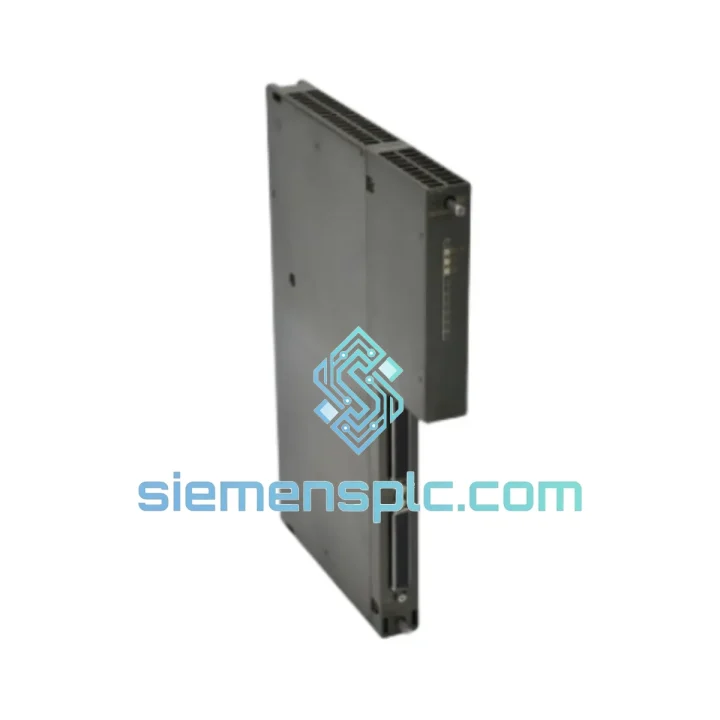
Request verified availability, condition, replacement risk review, packing options and courier lead time for 6ES7460-0AA01-0AB0.
Click Request Quote and the part number is inserted into the inquiry form automatically.
Core fields for model confirmation and RFQ routing. Detailed product narrative remains below.
Every minute your S7-400 rack sits offline, the losses compound. A failed IM 460-0 send interface module doesn’t just kill one I/O line — it severs the entire distributed expansion bus, taking down every ET 200 station downstream. We stock the Siemens 6ES7460-0AA01-0AB0 precisely for this scenario. Order confirmed before 15:00 CST ships same day via DHL Express. No waiting on factory lead times. No broker runaround. Just the part, in your hands, fast.
URGENT REQUIREMENT? Contact: [email protected] | WhatsApp: +86 18359268345
| Parameter | Value |
|---|---|
| Part Number | 6ES7460-0AA01-0AB0 |
| Module Designation | IM 460-0 Send Interface Module |
| Compatible System | SIMATIC S7-400 (CR2 / CR3 Central Racks) |
| Expansion Lines | Up to 4 independent lines |
| Max. Cable Distance | 600 m per line (fiber optic); 100 m (copper) |
| Bus Interface | K-Bus (S7-400 backplane) |
| Power Consumption | 5 VDC via backplane, approx. 1.2 W |
| Operating Temperature | 0 °C to +60 °C |
| Storage Temperature | -40 °C to +70 °C |
| Degree of Protection | IP 20 |
| Dimensions (W x H x D) | 25 mm x 290 mm x 210 mm |
| Weight | Approx. 500 g |
| Firmware | Factory default — no field flashing required |
| Mating Receive Module | IM 461-0 (6ES7461-0AA01-0AA0) / IM 461-1 |
| Stock Status | Ready to Ship — Xiamen Warehouse |
The IM 460-0 is a passive send module — it carries no CPU logic, which means most failures trace back to connector wear, fiber contamination, or a firmware-version mismatch with the paired IM 461-x receive module. Work through this before condemning the module.
Common Fault Indicators:
Replacement Procedure — Field Steps:
The IM 460-0 is built for continuous duty in environments that degrade lesser hardware within months. The conformal-coated PCB resists condensation and airborne contaminants common in foundries, chemical processing plants, and coastal facilities where salt-laden air accelerates corrosion on unprotected boards.
Vibration resistance meets IEC 60068-2-6: sinusoidal testing at 10–58 Hz with 0.075 mm amplitude and 58–500 Hz at 1g. In practice, this means the module maintains signal integrity on machine bases with significant mechanical vibration without requiring additional damping hardware. Thermal performance is equally robust — rated for continuous operation at 60 °C ambient without derating, and qualified for storage at −40 °C, which matters for facilities in northern climates where control cabinets may see extreme cold during extended shutdowns.
EMC compliance to EN 61000-6-2 (industrial immunity) and EN 61000-6-4 (industrial emissions) ensures the module does not introduce noise into sensitive measurement circuits sharing the same cabinet. In high-EMI environments — arc welding cells, large VFD banks — fiber optic expansion lines are strongly preferred over copper to eliminate ground loop interference entirely. The IM 460-0 supports both, giving you the flexibility to match the cabling to the environment.
Our warehouse is in Xiamen, Fujian Province — one of China’s primary export hubs with direct access to Xiamen Gaoqi International Airport and Xiamen Port. This location gives us consistent, fast transit times to every major industrial region.
Every shipment includes a commercial invoice with declared value, packing list, and certificate of origin. HS code classification (8537.10 / 8538.90 as applicable) is provided on all export documents. For orders requiring an end-user declaration or import license support, contact us before placing the order — we handle this routinely. All shipments are fully insured and tracked from pickup to delivery. Tracking numbers are issued within 2 hours of dispatch. For critical downtime situations, same-day DHL pickup is available on confirmed orders before 15:00 CST.
Email: [email protected]
WhatsApp: +86 18359268345
Web: siemensplc.com
© 2026 siemensplc.com. All rights reserved.
We check the full part number, brand, series and visible nameplate information before quotation.
Sales confirms stock path, condition option, quantity and realistic lead time for export dispatch.
DHL, FedEx, UPS or buyer courier arrangements can be reviewed with packing requirements.
Similar brand or category products for fast comparison and multi-item RFQ lists.


