

Siemens
RFQ Ready
SIEMENS 6GK5108-0BA00-2AA3 Industrial Ethernet Switch
SIMATIC
Origin DE
Industrial Ethernet Switch
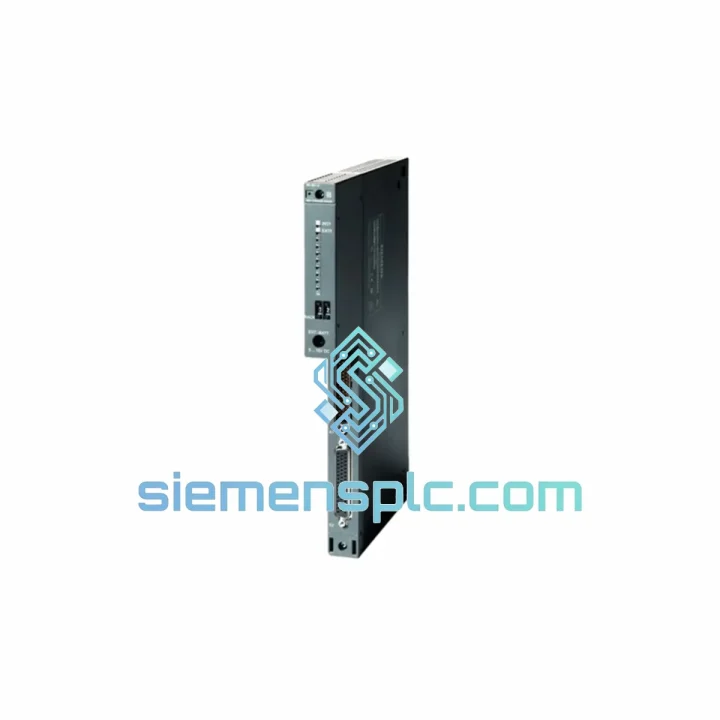
Request verified availability, condition, replacement risk review, packing options and courier lead time for 6ES7461-1BA01-0AA0.
Click Request Quote and the part number is inserted into the inquiry form automatically.
Core fields for model confirmation and RFQ routing. Detailed product narrative remains below.
Your S7-400 central rack just lost its link to the expansion rack. The line is down. Maintenance is standing by. You need a verified 6ES7461-1BA01-0AA0 in hand — not in three weeks. We stock this module in Xiamen and ship same-day via DHL Express or FedEx Priority. Most destinations in Asia receive within 24–48 hours. Europe and North America within 3–5 business days. No broker delays, no customs surprises — we handle the paperwork.
URGENT REQUIREMENT? Contact: [email protected] | WhatsApp: +86 18359268345
| Order Number (MLFB) | 6ES7461-1BA01-0AA0 ✔ Ready to Ship |
| Module Designation | IM461-1 |
| Function | Send interface — Central Rack to Expansion Rack |
| Platform | SIMATIC S7-400 |
| Rack Position | Central Rack (CR), any standard slot |
| Paired Receive Module | 6ES7460-1BA01-0AA0 (IM460-1) |
| Max. Cable Length | 1.5 m (direct rack-to-rack) |
| Bus Type | S7-400 parallel expansion backplane bus |
| Supply Voltage | 5 VDC via backplane |
| Current Draw (5 V) | approx. 0.5 A |
| Power Dissipation | approx. 2.5 W |
| Operating Temperature | 0 °C to +60 °C |
| Storage Temperature | -40 °C to +70 °C |
| Relative Humidity | 10% – 95%, non-condensing |
| Protection Class | IP20 |
| Dimensions (W x H x D) | 25 mm x 290 mm x 210 mm |
| Weight | approx. 1,130 g |
| Certifications | CE, UL, cUL, FM |
| Country of Origin | Germany |
| Stock Status | ✔ In Stock — Ships Same Day |
After ten years of field work on S7-400 systems, these are the failure patterns and swap pitfalls that catch engineers off guard:
Symptom: ER modules go offline, CPU throws SF/BF on the IM slot.
First check: pull the expansion cable and reseat both ends. Oxidized connectors on the 1.5 m link account for roughly 30% of apparent IM461-1 failures. If the fault persists after reseating, swap the IM461-1 first — it is the active send side and statistically fails before the IM460-1 receive module.
No DIP switches, no address coding — but slot position matters.
Unlike older S5 interface modules, the IM461-1 carries no rotary or DIP address switches. The CPU identifies the expansion rack by the physical slot the IM461-1 occupies in the CR. If you move the module to a different slot during replacement, update your hardware configuration in STEP 7 or TIA Portal and reload to the CPU. Failure to do so results in a persistent configuration mismatch fault (SF LED on CPU).
Firmware: no field-upgradeable firmware on this module.
The IM461-1 contains no user-accessible firmware. Hardware revision (printed on the module label, e.g., HW: 01, FW: V1.0) must match the revision documented in your STEP 7 hardware catalog entry. If you are replacing an early-revision unit with a later revision, perform a hardware configuration update in STEP 7 and verify the catalog entry accepts the new revision before going live.
Replacement sequence — do it right the first time:
Common fault codes associated with IM461-1 failure:
The S7-400 platform was engineered for environments where consumer-grade electronics simply stop working. The 6ES7461-1BA01-0AA0 reflects that design philosophy at the component level.
The module’s conformal-coated PCB resists condensation and airborne contaminants common in chemical plants and coastal facilities. Operating humidity tolerance up to 95% non-condensing means it survives the humidity swings typical of Southeast Asian manufacturing floors without derating. The backplane connector uses gold-plated contacts rated for hundreds of insertion cycles — critical when modules are swapped during maintenance windows under time pressure.
Vibration resistance meets IEC 60068-2-6 test profiles, covering the 10–58 Hz range at 0.075 mm amplitude and 58–500 Hz at 1 g — sufficient for press-shop and compressor-room installations where structural vibration is continuous. Shock resistance per IEC 60068-2-27 (15 g, 11 ms half-sine) covers forklift traffic and panel door impacts that would crack solder joints on lesser hardware.
Thermal performance is equally robust. The module operates continuously at 60 °C ambient without forced cooling — relevant in enclosed cabinets in summer conditions across the Middle East and South Asia. Storage down to -40 °C means units held in unheated warehouses in northern climates arrive at installation sites fully functional.
Every unit we ship has been stored in climate-controlled conditions in our Xiamen facility. ESD-safe packaging with foam cushioning protects the backplane connector during transit — the most mechanically vulnerable point on any rack-mount module.
Downtime arithmetic is simple: every hour your line is stopped costs money. Our logistics process is built around that reality.
Same-day dispatch: Orders confirmed before 15:00 CST ship the same business day from our Xiamen warehouse. Orders after 15:00 ship the following morning. We do not batch shipments or hold orders for consolidation.
Carriers: DHL Express and FedEx International Priority are our primary carriers for industrial components. Both provide door-to-door tracking, proactive exception management, and customs clearance as part of the service. We select the carrier based on your destination and declared urgency — if you need FedEx specifically, tell us at order time.
Typical transit times from Xiamen:
Export documentation: We prepare the commercial invoice, packing list, and certificate of origin for every shipment. HS code 8537.10 is pre-declared for PLC interface modules, which clears customs in most jurisdictions without additional documentation. For destinations requiring an end-user certificate or import license, contact us before ordering — we have handled controlled-goods exports to over 40 countries and know the paperwork.
Packaging: The 6ES7461-1BA01-0AA0 ships in a rigid outer carton with custom-cut foam insert. The module is double-bagged in anti-static poly. No bubble wrap, no loose packing peanuts — the connector pins arrive intact.
Tracking: You receive the AWB number within 2 hours of dispatch. We monitor the shipment through delivery and proactively contact you if a customs hold or weather delay occurs.
Email: [email protected]
WhatsApp: +86 18359268345
Web: siemensplc.com
© 2026 siemensplc.com. All rights reserved.
We check the full part number, brand, series and visible nameplate information before quotation.
Sales confirms stock path, condition option, quantity and realistic lead time for export dispatch.
DHL, FedEx, UPS or buyer courier arrangements can be reviewed with packing requirements.
Similar brand or category products for fast comparison and multi-item RFQ lists.


