Siemens PLC sourcing desk · Multi-brand automation spares [email protected] +86 18359268345
Siemens In Stock OK

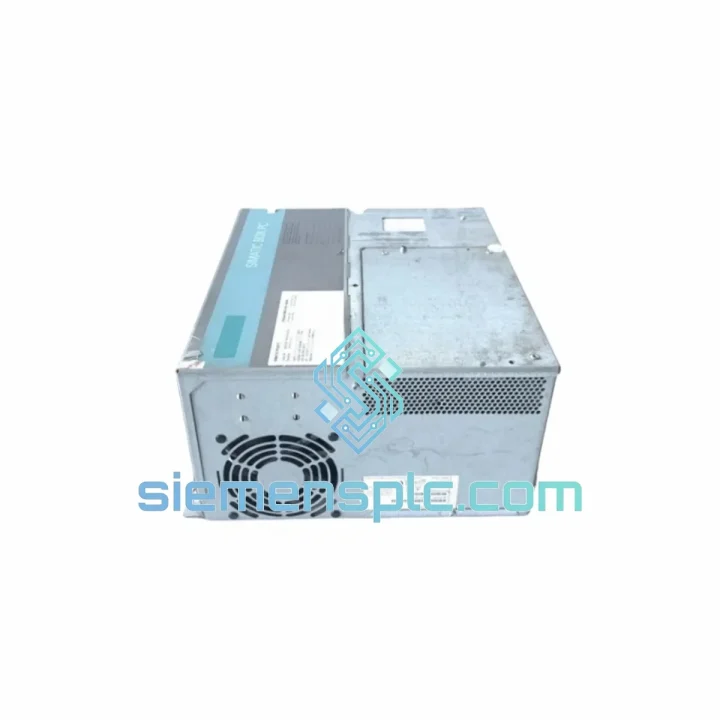
Siemens 6ES7647-6PA03-0AA0 Industrial Panel PC

Request verified availability, condition, replacement risk review, packing options and courier lead time for 6ES7647-6PA03-0AA0.

Exact part6ES7647-6PA03-0AA0 RFQ auto-fillPart number attached Export packingDHL / FedEx / UPS Sales replyEmail or WhatsApp
BrandSiemens Part Number6ES7647-6PA03-0AA0 ConditionAvailability Check Lead TimeRFQ Confirmation DocumentsDatasheet / photos by RFQ ShippingExport packing available
Auto-filled RFQ 6ES7647-6PA03-0AA0

Click Request Quote and the part number is inserted into the inquiry form automatically.

Procurement Data

Key Product Information

Core fields for model confirmation and RFQ routing. Detailed product narrative remains below.

Brand
Siemens
Primary Part Number
6ES7647-6PA03-0AA0
Product Type
Industrial Panel PC
Series / Family
SIMATIC
Country of Origin
DE
Catalog Category
HMI Panels
Humidity
5–95% RH, non-condensing
Model confirmed for inquiry 6ES7647-6PA03-0AA0 Send quantity, destination and urgency. The RFQ form keeps this part number attached.
Request Quote
Product Overview

6ES7647-6PA03-0AA0 — Stop the Clock on Your Downtime. Ship Today.

Your SIMATIC IPC477E just went dark. The line is stopped. Every minute costs real money — whether that’s $500 in lost throughput or a $50,000 penalty clause ticking in the background. You don’t need a sales pitch. You need the part, verified, boxed, and moving toward your dock today.

The Siemens 6ES7647-6PA03-0AA0 is a 19-inch widescreen SIMATIC IPC477E industrial panel PC — the visualization and edge-compute backbone of countless S7-1500, S7-300, and distributed ET 200 installations worldwide. When this unit fails, there is no workaround. The HMI goes blank, the operator loses process visibility, and production halts. We stock it. We ship it. We’ve done this hundreds of times.

📧 URGENT REQUIREMENT? Contact: [email protected] | WhatsApp: +86 18359268345

Quick Technical Datasheet

Parameter Specification
Part Number 6ES7647-6PA03-0AA0
Series SIMATIC IPC477E
Display 19″ Widescreen TFT, 1366 × 768 px, Resistive Touch
Processor Intel® Core™ i5-6440EQ, Quad-Core, up to 3.4 GHz
RAM 8 GB DDR4 (expandable to 32 GB)
Storage 320 GB HDD / CFast SSD (order-code dependent)
OS Support Windows 10 IoT Enterprise LTSB / Windows 7 Ultimate
Interfaces 4× USB 3.0, 2× RJ45 GbE (PROFINET), 1× DVI-I, 1× RS-232/422/485
Expansion 1× PCIe ×4, 1× PCI (rear)
Power Supply 24 V DC (18–30 V), UPS option available
Front Panel Rating IP65
Operating Temp 0 °C to +50 °C
Humidity 5–95% RH, non-condensing
Vibration IEC 60068-2-6 compliant
Shock IEC 60068-2-27 compliant
Certifications CE, UL, cUL, ATEX Zone 2 (option)
Mounting Panel cut-out / VESA 100 mm adapter
Weight ~8.5 kg
MTTF >50,000 h @ 40 °C
Stock Status ✅ Ready to Ship — Xiamen Warehouse

Troubleshooting & Replacement Tips

After ten years of emergency callouts, these are the failure patterns and swap pitfalls that actually matter for the 6ES7647-6PA03-0AA0:

Common Failure Modes

  • Backlight failure / blank screen: The most frequent field complaint. The 19″ TFT backlight inverter degrades after 40,000–50,000 operating hours. If the unit powers on (POST beep audible, HDD LED active) but the screen stays dark, the panel itself has failed — not the IPC board. Confirm by connecting an external DVI monitor before condemning the whole unit.
  • HDD corruption after power loss: The IPC477E without the capacitor UPS option is vulnerable to filesystem corruption on abrupt 24 V DC drops. Symptom: Windows fails to boot, BIOS POST completes normally. Recovery requires OS reinstall from Siemens Recovery USB (order separately or request from us).
  • PROFINET communication loss: Intermittent GbE port failure caused by vibration-induced connector fatigue on the RJ45 jack. Check the port LED — if no link light, reseat the cable and test with a known-good patch cord before assuming NIC failure.
  • Touchscreen drift / no response: Resistive touch calibration shifts after thermal cycling. Run the Windows touch calibration utility first. If calibration fails to hold, the touch overlay has delaminated and the panel requires replacement.
  • Fan alarm / thermal shutdown: Fan-cooled variants accumulate dust in the rear heatsink fins. Clean with compressed air every 6 months in dusty environments. Persistent overtemp with a clean heatsink indicates a failed fan — replaceable without full unit swap.

Replacement Procedure — Key Steps

  • Step 1 — Back up the project: Before powering down, copy the WinCC Runtime project and any local SQL databases to a network share or USB. The replacement unit ships without your application software.
  • Step 2 — Note the IP configuration: Document both GbE port IP addresses, subnet masks, and PROFINET device names. The replacement unit defaults to DHCP on both ports — you must manually reassign static IPs to restore PROFINET communication with the S7 controller.
  • Step 3 — PROFINET device name reassignment: Use PRONETA or TIA Portal’s “Accessible Devices” function to assign the correct PROFINET device name to the new IPC. The S7-1500/S7-300 will not establish communication until the device name matches the hardware configuration exactly.
  • Step 4 — OS and driver installation: Install the Siemens IPC Image & Partition Creator (IPC IPC) to restore the factory OS image, then apply the SIMATIC IPC477E driver package from the Siemens SIOS portal. Do not use generic Windows drivers — the onboard Intel NIC requires the Siemens-qualified driver version for PROFINET IRT timing.
  • Step 5 — WinCC Runtime license transfer: The WinCC Runtime Advanced license is hardware-bound. Use the Siemens Automation License Manager (ALM) to transfer the license from the failed unit (if accessible) or request a license recovery from Siemens with the old unit’s serial number.
  • Step 6 — Functional verification: Confirm PROFINET link LEDs active on both controller and IPC, verify all process tags update in WinCC, and run a 30-minute soak test before handing back to operations.

Reliability in Harsh Conditions

The IPC477E platform was not designed for a climate-controlled server room. It was built for the floor — and the 6ES7647-6PA03-0AA0 reflects that in every design decision.

The IP65-rated aluminum front panel forms a continuous sealed barrier against water jets, coolant mist, and fine particulate. In automotive paint shops where solvent vapor is a constant, and in food processing lines where daily washdowns are mandatory, this rating is not a marketing claim — it’s the difference between a unit that survives three years and one that fails in three months.

Vibration compliance to IEC 60068-2-6 means the unit has been tested at 10–58 Hz with 0.075 mm displacement and 58–500 Hz at 1g acceleration. On a press line or a compressor skid where the panel cabinet resonates at 40–60 Hz, this matters. The PCB mounting, connector retention, and HDD isolation are all engineered to that spec.

Shock resistance per IEC 60068-2-27 covers 15g half-sine pulses at 11 ms duration — the kind of impulse load generated when a forklift clips a panel cabinet or a hydraulic press cycles hard nearby. The internal SSD option eliminates the rotating-mass vulnerability of the HDD entirely, which we recommend for any installation with significant mechanical shock exposure.

Operating temperature range of 0 °C to +50 °C covers the majority of industrial environments without derating. The fanless front-panel design eliminates the primary ingress path for conductive dust — a critical advantage in cement, mining, and woodworking applications where fan-cooled units routinely fail from dust-bridged PCB traces within 18 months.

Global Express Logistics

Our warehouse is in Xiamen, Fujian — one of China’s primary export hubs with direct DHL and FedEx gateway access. Here’s exactly how your emergency order moves:

  • Order confirmed before 14:00 CST: Same-day dispatch. The unit is pulled, inspected, packed in anti-static foam with double-wall carton, and handed to the courier the same afternoon.
  • DHL Express / FedEx International Priority: Transit times — Southeast Asia: 1–2 business days. Europe: 3–4 business days. North America: 3–5 business days. Middle East: 2–3 business days. Australia: 3–4 business days.
  • Customs documentation: We prepare the commercial invoice, packing list, and HS code declaration (HS 8471.41) in advance. For EU shipments, we include the CE Declaration of Conformity to clear customs without delay.
  • Tracking: AWB number sent to your email within 2 hours of dispatch. Real-time tracking link provided. We monitor the shipment and proactively flag any customs holds.
  • Emergency freight options: For critical shutdowns requiring next-flight-out courier, contact us directly on WhatsApp. We have access to premium freight channels that bypass standard routing for time-critical situations.

We have shipped to Germany, the Netherlands, Saudi Arabia, Thailand, Indonesia, Australia, Canada, and over 40 other countries. Customs clearance issues are rare — and when they occur, we handle them directly so your team doesn’t have to.

Contact Information

📧 Email: [email protected]
💬 WhatsApp: +86 18359268345
🌐 Web: siemensplc.com
© 2026 siemensplc.com. All rights reserved.

Ready to quote

Send This Part Number to Sales

[email protected]
RFQ workflow

Confirmation Process

Quality workflow ->
01Model confirmation

We check the full part number, brand, series and visible nameplate information before quotation.

02Availability reply

Sales confirms stock path, condition option, quantity and realistic lead time for export dispatch.

03Packing & courier

DHL, FedEx, UPS or buyer courier arrangements can be reviewed with packing requirements.