Siemens
In Stock OK
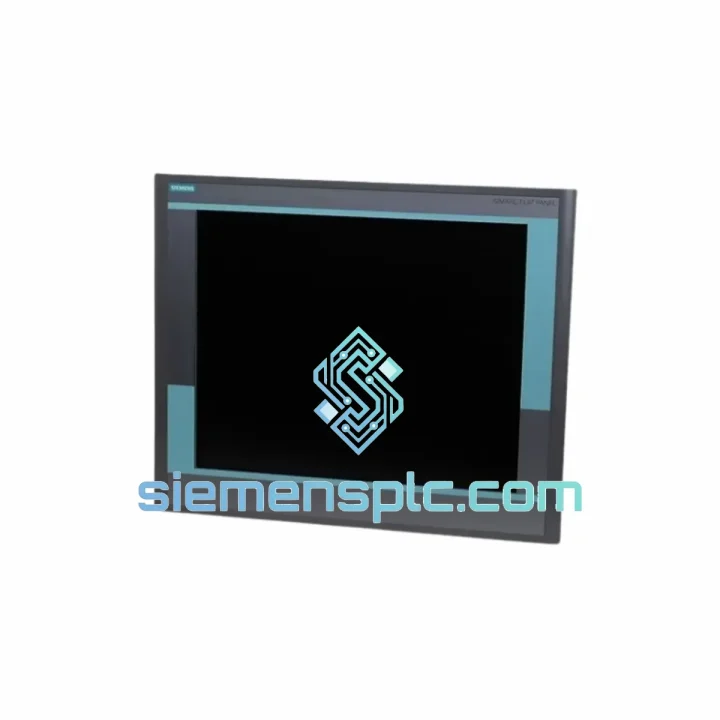
Siemens 6GF6221-2CA11 HMI Panel
Request verified availability, condition, replacement risk review, packing options and courier lead time for 6GF6221-2CA11.
BrandSiemens
Part Number6GF6221-2CA11
ConditionAvailability Check
Lead TimeRFQ Confirmation
DocumentsDatasheet / photos by RFQ
ShippingExport packing available
Auto-filled RFQ
6GF6221-2CA11
Click Request Quote and the part number is inserted into the inquiry form automatically.
- Reply by email: [email protected]
- WhatsApp / Tel: +86 18359268345
- Mon-Sat 9:00-18:00 GMT+8
Procurement Data
Key Product Information
Core fields for model confirmation and RFQ routing. Detailed product narrative remains below.
- Brand
- Siemens
- Primary Part Number
- 6GF6221-2CA11
- Product Type
- HMI Panel
- Product Family
- Other series
- Country of Origin
- DE
- Catalog Category
- HMI Panels
Model confirmed for inquiry
6GF6221-2CA11
Send quantity, destination and urgency. The RFQ form keeps this part number attached.
Request Quote
Product Overview
6GF6221-2CA11 Down? Every Minute of Downtime Costs You Money — We Ship Today
Your line stopped. The operator screen is dead. Maintenance is on the phone. You’ve already pulled the panel and confirmed it: Siemens 6GF6221-2CA11 failure. You don’t need a catalog — you need a replacement on a truck now.
We stock the 6GF6221-2CA11 in Xiamen and ship globally via DHL Express and FedEx Priority. Most orders placed before 18:00 CST clear customs documentation the same day. While your procurement team raises a PO, we’re already pulling the unit off the shelf.
URGENT REQUIREMENT? Contact: [email protected] | WhatsApp: +86 18359268345
Quick Technical Datasheet
| Parameter | Value |
|---|---|
| Part Number | 6GF6221-2CA11 |
| Brand | Siemens |
| Series | SIMATIC HMI (6GF Series) |
| Device Type | Industrial Touch Panel / Operator Interface |
| Supply Voltage | 24 V DC |
| Communication | PROFIBUS DP / MPI / PROFINET (revision-dependent) |
| Software | SIMATIC WinCC flexible / TIA Portal |
| Compatible PLCs | S7-300, S7-400, S7-1200, S7-1500 |
| Origin | Germany |
| Weight | 750 g |
| Condition | 100% Original OEM |
| Stock Status | Ready to Ship — Xiamen Warehouse |
Troubleshooting & Replacement Tips
The 6GF6221-2CA11 fails in predictable ways. Here is what field experience tells you before you even open the cabinet.
Fault 1 — Black screen on power-up, backlight dead. Nine times out of ten this is the CCFL inverter board or the backlight driver circuit, not the touch controller. Before condemning the whole panel, check 24 V DC at the power connector with a meter. If voltage is good and the screen stays black, the panel is gone — order the replacement.
Fault 2 — Touch input frozen, display active. The resistive touch overlay degrades with UV exposure and repeated cleaning with abrasive agents. Recalibration via the WinCC flexible service menu sometimes recovers it temporarily, but delamination of the overlay is a hardware failure. No firmware fix exists.
Fault 3 — Communication loss, No connection to PLC alarm. Check the PROFIBUS DP address first. The 6GF6221-2CA11 stores its bus address in non-volatile memory, but a firmware corruption event — power surge, improper shutdown — can reset it to default address 1. Verify the address in the panel Start Center under Settings then Interface. Mismatch with the PLC configuration causes immediate communication failure.
Fault 4 — Firmware mismatch after panel swap. If you are installing a replacement unit with a different firmware revision than the original, WinCC flexible will throw a compatibility warning on download. Do not ignore it. Mismatched firmware can cause tag mapping errors that look like PLC faults. Always match the firmware version to your project file target panel version before going live.
Replacement Checklist — do this before powering up the new panel:
- Confirm PROFIBUS DP node address matches the original — check your network topology drawing
- Verify 24 V DC supply polarity at the connector — reversed polarity destroys the input protection circuit instantly
- Check the panel cutout dimensions — the 6GF series has specific gasket seating requirements for IP65 front-face rating
- Download the WinCC flexible project to the new panel before connecting to the live network
- Perform touch calibration after first boot — factory calibration is a starting point, not a final setting
- Log the new panel serial number in your maintenance records for warranty tracking
Reliability in Harsh Conditions
The 6GF6221-2CA11 was engineered for environments that destroy consumer-grade electronics. The front panel achieves IP65 protection — sealed against dust ingress and direct water jets. This matters on food processing lines where washdown cycles happen every shift, and in foundry environments where metallic dust is airborne.
Vibration resistance is validated to IEC 60068-2-6 standards. The panel survives the continuous low-frequency vibration of press lines and the shock loads of stamping operations without solder joint fatigue. The PCB assembly uses conformal coating on critical signal traces, providing a moisture barrier in high-humidity environments like paper mills and coastal installations.
Operating temperature range covers -20 °C to +60 °C ambient — the panel runs in unheated outdoor enclosures in northern climates and in poorly ventilated machine cabinets in tropical facilities. The LCD module is rated for extended temperature cycling without pixel degradation or backlight color shift.
EMC compliance to EN 61000 means the panel operates correctly in the presence of variable frequency drives, large contactors, and welding equipment — the three biggest sources of conducted and radiated interference on a typical factory floor. If your site has chronic HMI communication issues, check grounding and cable shielding before blaming the panel.
Global Express Logistics
Our warehouse is located in Xiamen, Fujian Province — one of China’s primary export hubs with direct access to DHL, FedEx, and UPS international gateways. This is not a drop-ship arrangement. The unit is physically on our shelf.
Standard export process for urgent orders:
- Order confirmation by 18:00 CST: Unit picked, packed in ESD-safe anti-static bag with humidity indicator card, placed in double-wall export carton
- Commercial invoice and packing list prepared with correct HS code 8537.10 for customs clearance — we have done this hundreds of times and know what documentation stops shipments
- DHL Express Worldwide: Xiamen to Europe 2 to 3 business days, Xiamen to North America 3 to 4 business days, Xiamen to Southeast Asia 1 to 2 business days
- FedEx International Priority: Available as alternative carrier for destinations with DHL service gaps
- Tracking number sent via email and WhatsApp within 2 hours of carrier pickup
- Customs duties: Shipped DAP — you handle import duties at destination, or we can arrange DDP on request for select countries
For production-critical shipments, we can arrange Saturday pickup with DHL on request. If your plant is down and every hour matters, tell us when you contact us — we will prioritize your order in the pick queue.
Contact Information
Reach our technical sales team directly — no call centers, no ticket queues.
Email: [email protected]
WhatsApp: +86 18359268345
Web: siemensplc.com
© 2026 siemensplc.com. All rights reserved.
Ready to quote
[email protected]
Send This Part Number to Sales
RFQ workflow
Quality workflow ->
Confirmation Process
01Model confirmation
We check the full part number, brand, series and visible nameplate information before quotation.
02Availability reply
Sales confirms stock path, condition option, quantity and realistic lead time for export dispatch.
03Packing & courier
DHL, FedEx, UPS or buyer courier arrangements can be reviewed with packing requirements.
Continue sourcing
Browse full catalog ->
Related Automation Parts
Similar brand or category products for fast comparison and multi-item RFQ lists.

Siemens
RFQ Ready
Siemens 6AV7240-0HC07-0PA0 Industrial Panel PC Motherboard – SIMATIC IPC477D
SIMATIC
Origin DE
Industrial Panel PC Motherboard